Introducció
The Browning Strike Force Full HD Extreme trail camera (Model BTC-5FHDX) is designed for capturing high-quality images and videos of wildlife in outdoor environments. This camera features advanced Radiant 4 flash technology for superior nighttime illumination and offers a customizable experience to suit various monitoring needs.
Key features include 24 MP picture capability, 1080p Full HD video with sound, an 80-foot adjustable detection range, and Illuma-Smart flash technology. It also boasts an adjustable trigger speed from 0.135 to 0.7 seconds and a rapid 0.5-second recovery time, ensuring you capture fast-moving subjects effectively.
Contingut del paquet
Si us plau, verifiqueu que tots els elements que s'enumeren a continuació estiguin inclosos al vostre paquet:
- Browning Strike Force Full HD Extreme Trail Camera (BTC-5FHDX)
- Mounting Strap (typically included)
- Manual d'usuari (aquest document)
Note: AA batteries and an SDXC memory card are not included and must be purchased separately.
Camera Components and Controls
Familiarize yourself with the various parts and controls of your Strike Force Full HD Extreme camera.

Figura 1: Davant view of the Browning Strike Force Full HD Extreme trail camera. This image displays the main camera lens, the four high-power infrared LEDs for night illumination, and the passive infrared (PIR) motion sensor at the top left. The camera's rugged, camouflage casing is also visible.

Figura 2: The Browning Strike Force Full HD Extreme camera with its front cover hinged open. This view exposes the internal control panel, which includes the LCD display screen, navigation buttons (up, down, left, right, enter), the ON/OFF switch, the MODE button, and the SD Card slot with an Eject button. This panel is used for configuring camera settings and reviewestat d'ingrés.

Figura 3: A detailed close-up of the camera's control panel. This image highlights the LCD screen, the directional pad with the 'E' (Enter) button, the ON/OFF toggle switch, the 'MODE' button, and the 'SD CARD' slot with its 'Eject' button. These are the primary interfaces for user interaction and setup.
- Lent principal: Captura imatges i vídeos.
- LED infrarojos: Provide invisible illumination for night photos and videos.
- Sensor de moviment (PIR): Detects movement to trigger photo/video capture.
- Pantalla LCD: Shows camera settings, status, and allows menu navigation.
- Botons de navegació: Serveix per navegar pels menús i seleccionar opcions.
- Interruptor ON / OFF: Powers the camera on or off.
- Botó MODE: Switches between different operating modes (e.g., setup, capture).
- Ranura per a targeta SD: Insert your SDXC memory card here.
- SD Card Eject Button: Releases the SD card from its slot.
- 12-Volt External Power Jack: For optional external power sources.
- 1/4"-20 Tripod Socket: Standard mounting point for tripods or other accessories.
Configuració
Instal·lació de la bateria
The Strike Force Full HD Extreme camera operates on 6 AA batteries (not included). For optimal performance and battery life, it is recommended to use high-quality Alkaline, Rechargeable, or Lithium batteries.
- Open the camera's front cover to access the battery compartment.
- Insert 6 AA batteries into the designated slots, ensuring correct polarity (+/-) as indicated inside the compartment.
- Close the camera cover securely.
Instal·lació de la targeta SD
A memory card is required to store photos and videos. The camera supports SDXC memory cards up to 512GB (not included).
- With the camera's front cover open, locate the SD card slot.
- Insert the SD card into the slot with the label facing up until it clicks into place.
- To remove the SD card, press the "Eject" button next to the slot.
Muntatge de la càmera
Proper camera placement is crucial for effective monitoring. The camera can be mounted using the included mounting strap or a standard 1/4"-20 tripod socket.
- Muntatge de la corretja: Thread the provided mounting strap through the slots on the back of the camera and secure it around a tree or post.
- Tripod/Accessory Mounting: Use the 1/4"-20 threaded insert on the bottom of the camera to attach it to a tripod, camera mount, or other compatible accessory.
Consider the following when choosing a location:
- Interval de detecció: The camera has an 80-foot adjustable detection range. Position it to cover the desired area.
- Interval de flaix: The infrared flash has a range of up to 110 feet. Ensure subjects will be within this range for clear night images.
- Llum solar: Avoid pointing the camera directly into the sun to prevent overexposure.
- Obstruccions: Clear any branches or tall grass that might trigger false detections or obstruct the view.
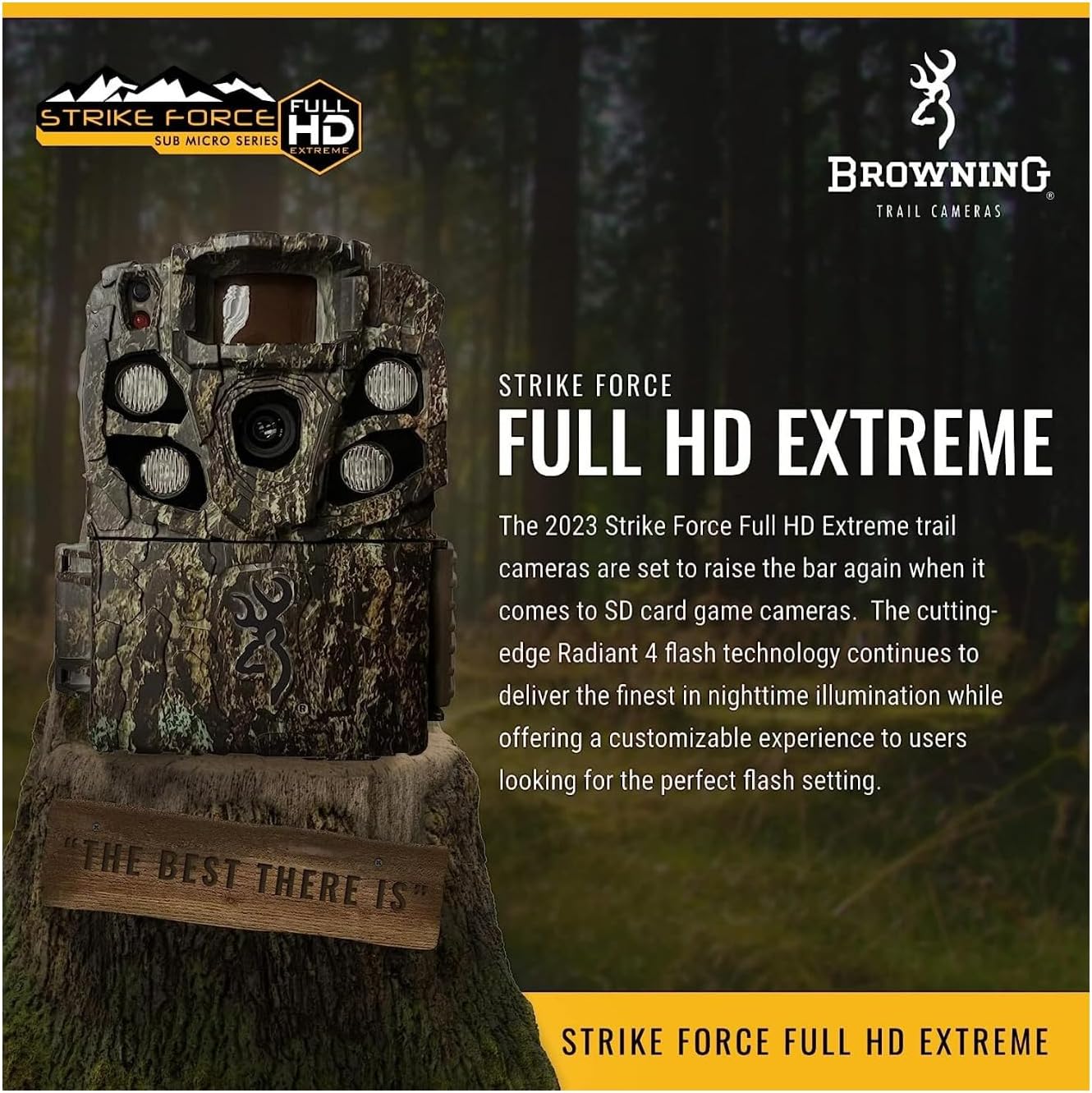
Figura 4: The Browning Strike Force Full HD Extreme trail camera securely mounted to a tree using a strap. This demonstrates a typical outdoor setup for wildlife monitoring, highlighting the camera's discreet camouflage design blending with the environment.
Funcionament de la càmera
Encès/Apagat
To power on the camera, slide the ON/OFF switch to the "ON" position. The LCD screen will illuminate, indicating the camera is active. To power off, slide the switch to "OFF".
Basic Settings Configuration
Upon first use or after battery replacement, you may need to set the date, time, and other basic parameters. Use the navigation buttons and the 'E' (Enter) button to navigate the menu on the LCD screen.
- Data i hora: Estableix la data i l'hora actuals per obtenir una hora precisaamps on your media.
- Mode de funcionament: Select between Photo, Video, or Timelapse Plus modes.
- Picture Delay: Program the delay between captures from 1 second to 60 minutes.
- Velocitat d'activació: Adjust the trigger speed from 0.135 to 0.7 seconds to suit your monitoring needs.
- Infrared Flash Options: Choose between Long Range, Fast Motion, or Economy modes for night illumination. Illuma-Smart Technology automatically adjusts IR flash for perfect night photos.
- Multi Shot / Rapid Fire: Configure the camera to take up to 8 multi-shot images or 8 rapid-fire images per trigger.
- Smart IR Video: This feature allows the camera to record video clips as long as the subject is moving during daylight hours.
Captura de fotos i vídeos
Once configured, the camera will automatically capture images or videos when motion is detected within its range.
- Fotos: Captured at 24 MP resolution. Features HDR Night Images for enhanced clarity in low light.
- Vídeos: Recorded in 1080p Full HD with sound. Video clip lengths can be set from 5 seconds to 2 minutes.
Viewimatges i vídeos
A view captured media, you will need to remove the SD card from the camera.
- Apagueu la càmera.
- Press the "Eject" button next to the SD card slot to release the card.
- Insert the SD card into a compatible card reader connected to a computer or other viewdispositiu d'ing.
- Accedeix al files a la targeta SD per a view les teves fotos i vídeos.
The camera also features SD Card Management, which allows the camera to overwrite the oldest files on the SD card when it becomes full, ensuring continuous operation.
Manteniment
Neteja
To ensure optimal performance, keep the camera lens, IR LEDs, and motion sensor clean. Use a soft, dry cloth to gently wipe away dust or dirt. Avoid abrasive cleaners or solvents.
Durada de la bateria i substitució
The camera is designed for long battery life, potentially up to 1 year on 6 AA batteries, depending on usage and settings. Monitor the battery meter displayed on the LCD screen. Replace batteries when the indicator shows low power to avoid interruption in recording. Always replace all 6 batteries at once with new ones of the same type.
Gestió de targetes SD
Regularly check your SD card for available space. If SD Card Management is enabled, the camera will automatically overwrite older files. However, it is good practice to periodically back up important media and format the SD card in the camera to maintain optimal performance and prevent data corruption.
Resolució de problemes
This section addresses common issues you might encounter with your Browning Strike Force Full HD Extreme camera.
| Problema | Possible causa/solució |
|---|---|
| La càmera no s'encén. |
|
| Mala qualitat d'imatge/vídeo a la nit. |
|
| Camera not detecting motion or missing triggers. |
|
| SD card error or not recognized. |
|
Advertència de la proposta 65: This product may contain chemicals known to the State of California to cause cancer and birth defects or other reproductive harm. This warning is provided to comply with California Proposition 65.
Especificacions
Detailed technical specifications for the Browning Strike Force Full HD Extreme trail camera (BTC-5FHDX).
| Característica | Detall |
|---|---|
| Nom del model | BTC-5FHDX |
| Resolució de fixes efectius | 24 MP |
| Resolució de captura de vídeo | 1080p Full HD with Sound |
| Interval de flaix | 110 ft (Infrared) |
| Interval de detecció | 80 ft (Adjustable) |
| Velocitat de desencadenament | 0.135 - 0.7 sec (Adjustable) |
| Temps de recuperació | 0.5 seg |
| Font d'alimentació | 6 AA Batteries (Not Included), 12-Volt External Power Jack |
| Suport per a targetes de memòria | Up to 512GB SDXC Memory Card (Not Included) |
| Dimensions (L x A x A) | 3.13 x 9.13 x 4.75 polzades |
| Pes | 16 unces (1 lliura) |
| Tecnologia de connectivitat | Sense fil (Wi-Fi) |
| Classificació de protecció internacional | IP54 |
| Característiques especials | Radiant 4 Night IR Illumination, Illuma-Smart Technology, HDR Night Images, Smart IR Video, Timelapse Plus, SD Card Management |
Garantia i Suport
Browning Trail Cameras offers a Garantia limitada de 1 anys on the Strike Force Full HD Extreme camera. This warranty covers defects in workmanship and materials under normal conditions of use.
In the event of a defect, Browning Trail Cameras will repair or replace the unit with a new or refurbished product as needed. For warranty claims or technical support, please refer to the contact information provided on the official Browning Trail Cameras weblloc o l'embalatge del producte.
For more information and support, you may visit the official Browning Store: Browning Store on Amazon.


