1. Introducció
The Ugoos X4Q Pro is a high-performance Android TV Box designed to deliver a superior media streaming experience. Powered by the Amlogic S905X4 Quad Core Cortex-A55 CPU and running on Android 11, it supports advanced features like AV1 HDR and 4K 60fps video playback. With 4GB RAM, 32GB internal storage, dual-band Wi-Fi (2.4G/5G), Bluetooth 5.1, and a 1000Mbps Ethernet port, the X4Q Pro offers robust connectivity and smooth operation for all your entertainment needs.
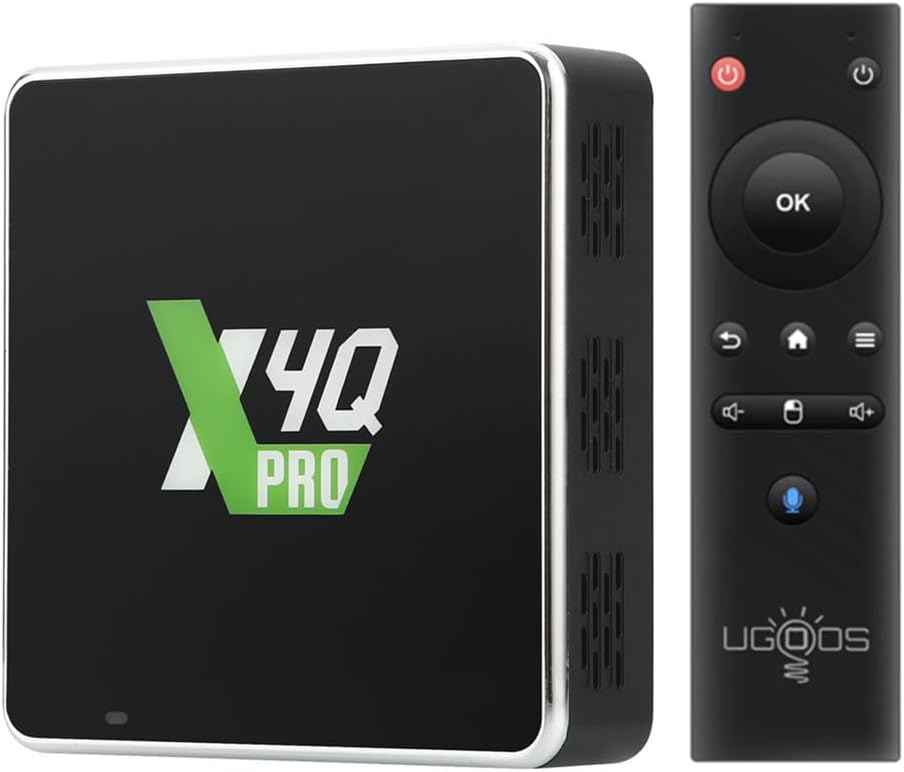
Figure 1.1: The Ugoos X4Q Pro Android TV Box and its accompanying Bluetooth remote control.
2. Contingut del paquet
Before proceeding with the setup, please verify that all items listed below are present in your package:
- Ugoos X4Q Pro TV Box
- Comandament a distància BT
- HD Cable (HDMI Cable)
- Power Adapter (DC 5V/2.5A, Type C, US Plug)
- Manual d'usuari en anglès (aquest document)

Figure 2.1: All components included in the Ugoos X4Q Pro retail package.
3. Guia de configuració
3.1 Connexió del dispositiu
- Connectar-se al televisor: Insert one end of the provided HD Cable (HDMI) into the HDMI port on the Ugoos X4Q Pro TV Box and the other end into an available HDMI input on your television.
- Connectar l'alimentació: Plug the Type-C end of the Power Adapter into the DC 5V port on the TV Box. Then, plug the power adapter into a wall outlet.
- Connexió de xarxa (opcional):
- Amb cable: For a stable and fast connection, connect an Ethernet cable from your router to the LAN port on the TV Box.
- Sense fil: The device supports 2.4G/5G Dual WiFi. You will configure this after initial boot-up.
- Encès: The device should automatically power on once connected to power. If not, press the power button on the remote control.

Figura 3.1: posterior view of the Ugoos X4Q Pro showing the USB Type-C power input, HDMI port, and LAN 1Gbit port.
3.2 Remote Control Pairing (Ugoos Remote UR01-BLE)
The included Bluetooth remote control needs to be paired with the TV Box for full functionality.
- Ensure the TV Box is powered on and connected to your TV.
- On the remote, hold down the Baixa el volum (
 ) i Puja el volum () buttons simultaneously. The red light on the remote will start to flash slowly after 3 seconds and then enter standby mode.
 - On your TV Box, navigate to the Bluetooth settings.
- Turn on the Bluetooth search function.
- Wait until "Ugoos Remote" appears in the list of available devices.
- Select "Ugoos Remote" to initiate the pairing process and accept any system requests.
- The red light on the Ugoos remote control will turn off if the pairing is successful.
Note: The remote also features an IR Learning Button for controlling your TV's power. Refer to the "Remote Control Button IR Setting" section in the included physical manual for detailed instructions on this feature.

Figure 3.2: Visual guide for pairing the Ugoos Bluetooth remote control.
4. Instruccions de funcionament
4.1 Navigating Android 11 OS
The Ugoos X4Q Pro runs on a full version of Android 11, providing access to the Google Play Store and various customization options. Use the remote control's directional pad and OK button to navigate the interface. The Home button will return you to the main screen, and the Back button will take you to the previous screen.
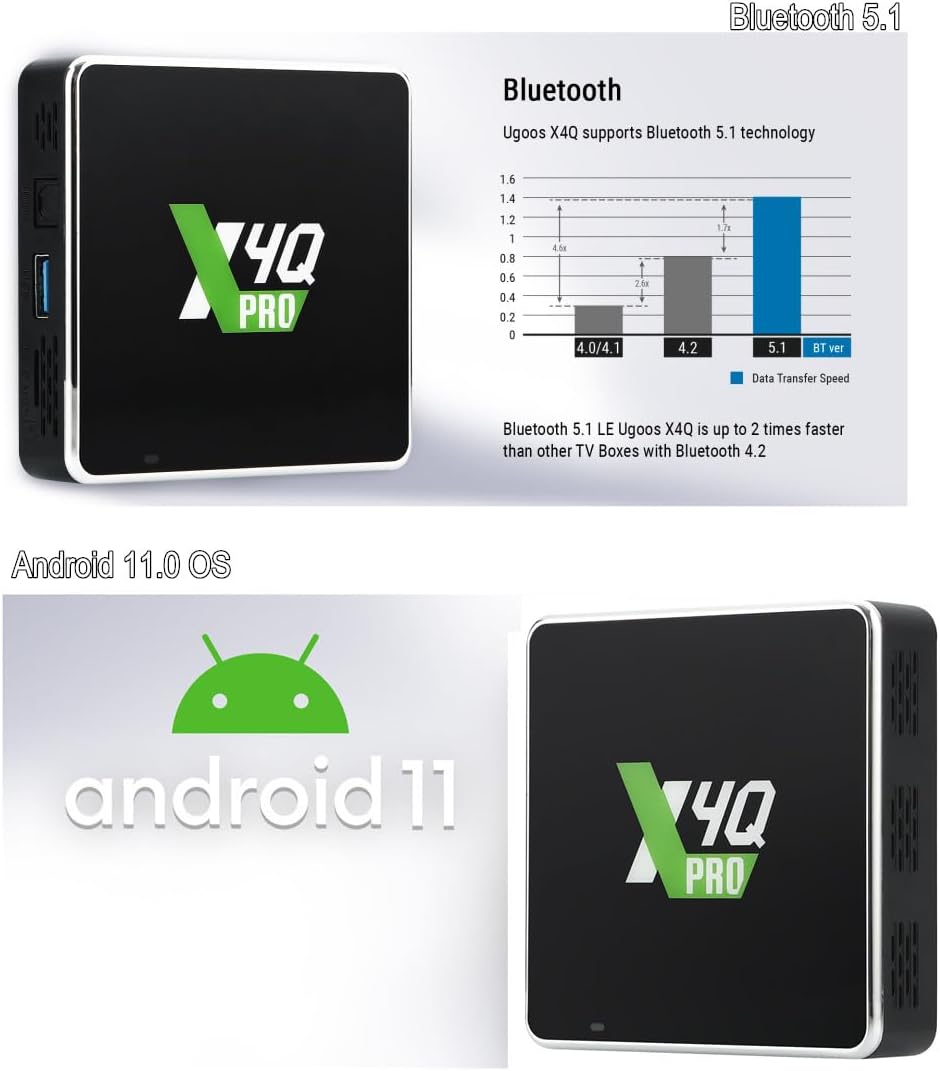
Figure 4.1: The Ugoos X4Q Pro operates on the Android 11 operating system.
4.2 Configuració de la xarxa
To access online content, ensure your device is connected to the internet.
- Cablejat (Ethernet): If you connected an Ethernet cable during setup, the device should automatically detect and connect to the network.
- Sense fil (Wi-Fi):
- Vés a Configuració > Xarxa i Internet.
- Seleccioneu Wi-Fi i enceneu-lo.
- Trieu la xarxa Wi-Fi que vulgueu de la llista.
- Enter the Wi-Fi password if prompted and select Connecta't.
4.3 Reproducció multimèdia i connectivitat
The X4Q Pro supports various media formats and offers versatile connectivity options.
- 4K HDR and AV1 Support: The device is capable of smooth 4K 60fps video playback, including H.265 and AV1 encoded content, and supports 4K HDR for enhanced visual experience.
- USB 3.0: Utilize the USB 3.0 port for fast data transfer when connecting external storage devices like USB flash drives or external hard drives.
- Bluetooth 5.1 LE: Connect Bluetooth-enabled accessories such as headphones, game controllers, or keyboards for an enhanced user experience. Bluetooth 5.1 offers faster data transfer speeds compared to older versions.

Figure 4.2: The Ugoos X4Q Pro supports 4K resolution and HDR content for a vibrant viewexperiència.
5. Manteniment
5.1 System Updates (OTA)
The Ugoos X4Q Pro supports Over-The-Air (OTA) updates, ensuring your device always has the latest firmware and features without manual intervention.
- Assegureu-vos que el vostre dispositiu estigui connectat a Internet.
- Navega a Configuració > Sobre el dispositiu > Actualització del sistema.
- The device will check for available updates. Follow the on-screen prompts to download and install any new firmware.
- No apagueu el dispositiu durant un procés d'actualització.
5.2 Atenció general
- Mantingueu el dispositiu en una zona ben ventilada per evitar el sobreescalfament.
- Eviteu exposar el dispositiu a la llum solar directa, a temperatures elevades o a una humitat excessiva.
- Netegeu l'exterior amb un drap suau i sec. No utilitzeu netejadors líquids ni aerosols.
- No intenteu obrir ni reparar el dispositiu vosaltres mateixos, ja que això anul·larà la garantia.
6. Solució De Problemes
This section addresses common issues you might encounter with your Ugoos X4Q Pro TV Box.
| Problema | Causa possible | Solució |
|---|---|---|
| Sense alimentació / El dispositiu no s'encén | L'adaptador de corrent no està connectat o està defectuós; Problema amb la presa de corrent. | Assegureu-vos que l'adaptador de corrent estigui connectat correctament al dispositiu i a una presa de corrent que funcioni. Proveu una altra presa de corrent. |
| No es mostra al televisor | HDMI cable loose or faulty; Incorrect TV input selected. | Check HDMI cable connections. Ensure your TV is set to the correct HDMI input source. Try a different HDMI cable or port. |
| El comandament a distància no respon | Remote not paired; Batteries low or dead. | Refer to Section 3.2 "Remote Control Pairing". Replace remote batteries (1 CR2 battery required, included). |
| Sense connexió a Internet (Wi-Fi/Ethernet) | Network cable disconnected; Incorrect Wi-Fi password; Router issue. | For Ethernet, ensure the cable is securely connected. For Wi-Fi, verify the password and try reconnecting. Restart your router and the TV Box. |
| Video playback issues (stuttering, freezing) | Slow internet speed; Corrupted media file; Device overheating. | Check your internet speed. Try playing a different media file. Ensure the device is in a well-ventilated area. |
7. Especificacions
Detailed technical specifications for the Ugoos X4Q Pro Android TV Box:
- Nom del model: X4Q Pro
- Sistema operatiu: Android 11
- Processador: Amlogic S905X4 Quad Core Cortex-A55 CPU
- GPU: ARM Mali-G31 MP2
- RAM: 4 GB
- Emmagatzematge intern: 32 GB
- Connectivitat:
- Wi-Fi: 2.4G/5G Dual-band (IEEE 802.11 a/b/g/n/ac, 2T2R MIMO)
- Bluetooth: 5.1 LE
- Ethernet: 1000Mbps (1Gbit LAN)
- Sortida de vídeo: HDMI, supports 4K 60fps, H.265, AV1 encoded, HDR
- Ports:
- 1x HDMI
- 1x USB 2.0 OTG
- 1 x amfitrions USB 3.0
- 1x SPDIF (Optical Audio)
- 1x LAN (RJ45)
- 1x DC-5V Type C (Power Input)
- 1x ranura per a targetes TF
- Dimensions: 3.46 x 3.46 x 0.87 polzades
- Pes de l'article: 1.21 lliures
- Adaptador d'alimentació: DC 5V/2.5A, Type C
- Bateries de control remot: 1 CR2 (inclosa)
8. Garantia i Suport
For information regarding product warranty, returns, or technical support, please refer to the warranty card included with your purchase or visit the official Ugoos weblloc. També poden estar disponibles plans de protecció per a una cobertura ampliada.
For the most up-to-date support resources, FAQs, and contact information, please visit the manufacturer's official support page.


