1. Introducció
The Ugoos X4Q Plus is an advanced Android TV Box designed to enhance your home entertainment experience. Powered by the Amlogic S905X4 Quad Core Cortex-A55 CPU and running on Android 11, this device offers robust performance for streaming, gaming, and various applications. It supports AV1 HDR, 4K 60fps video playback, and features comprehensive connectivity options including dual-band Wi-Fi, Bluetooth 5.1, and Gigabit Ethernet.

Image 1.1: Ugoos X4Q Plus Android TV Box.
Vídeo 1.1: Acabatview of the Ugoos X4Q Plus Android TV Box, highlighting its features, specifications, and included accessories.
2. Contingut del paquet
Marqueu la casella per als elements següents:
- Ugoos X4Q Plus TV Box
- Comandament a distància BT
- HD Cable (HDMI)
- Power Adapter (DC 5V/2.5A, Type C, US Plug)
- Manual d'usuari en anglès

Image 2.1: All items included in the Ugoos X4Q Plus package.
3. Característiques del producte
- Processador: Amlogic S905X4 Quad Core Cortex-A55 CPU.
- Sistema operatiu: Android 11.
- Memòria i emmagatzematge: 4GB RAM + 64GB ROM.
- Sortida de vídeo: Supports 4K 60fps, H.265, AV1 encoded, and 4K HDR content.
- Connectivitat: Dual-band 2.4G/5G WiFi (IEEE 802.11 a/b/g/n/ac with 2T2R MIMO), 1000Mbps Ethernet, Bluetooth 5.1 LE.
- Ports: USB 2.0, USB 3.0, HDMI, SPDIF, TF Card slot, DC 5V (Type C).
- Característiques especials: DLNA, Miracast, OTA updater for firmware.
Image 3.1: The Ugoos X4Q Plus runs on Android 11 OS.
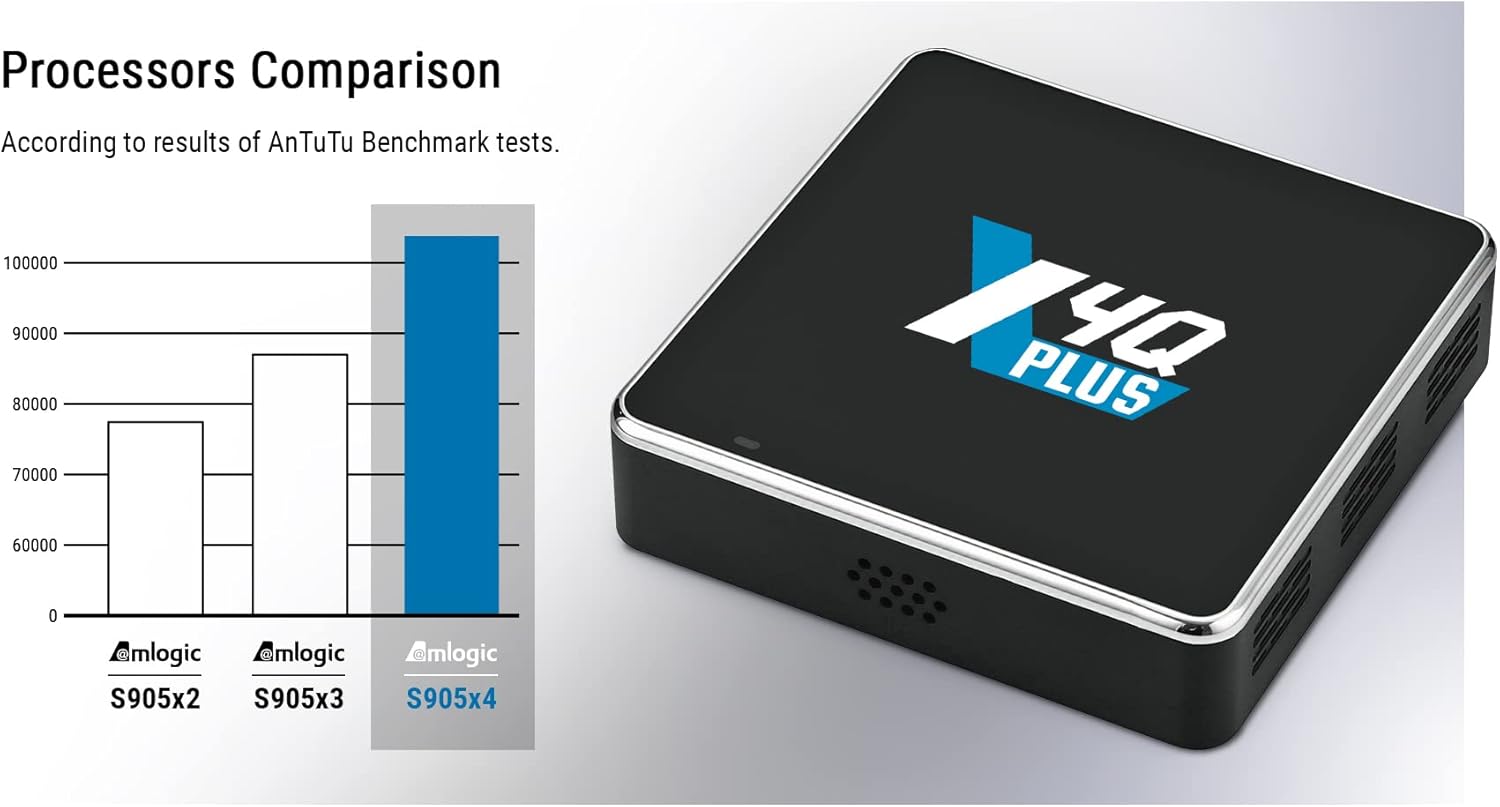
Image 3.2: Processor comparison highlighting the Amlogic S905X4 performance.
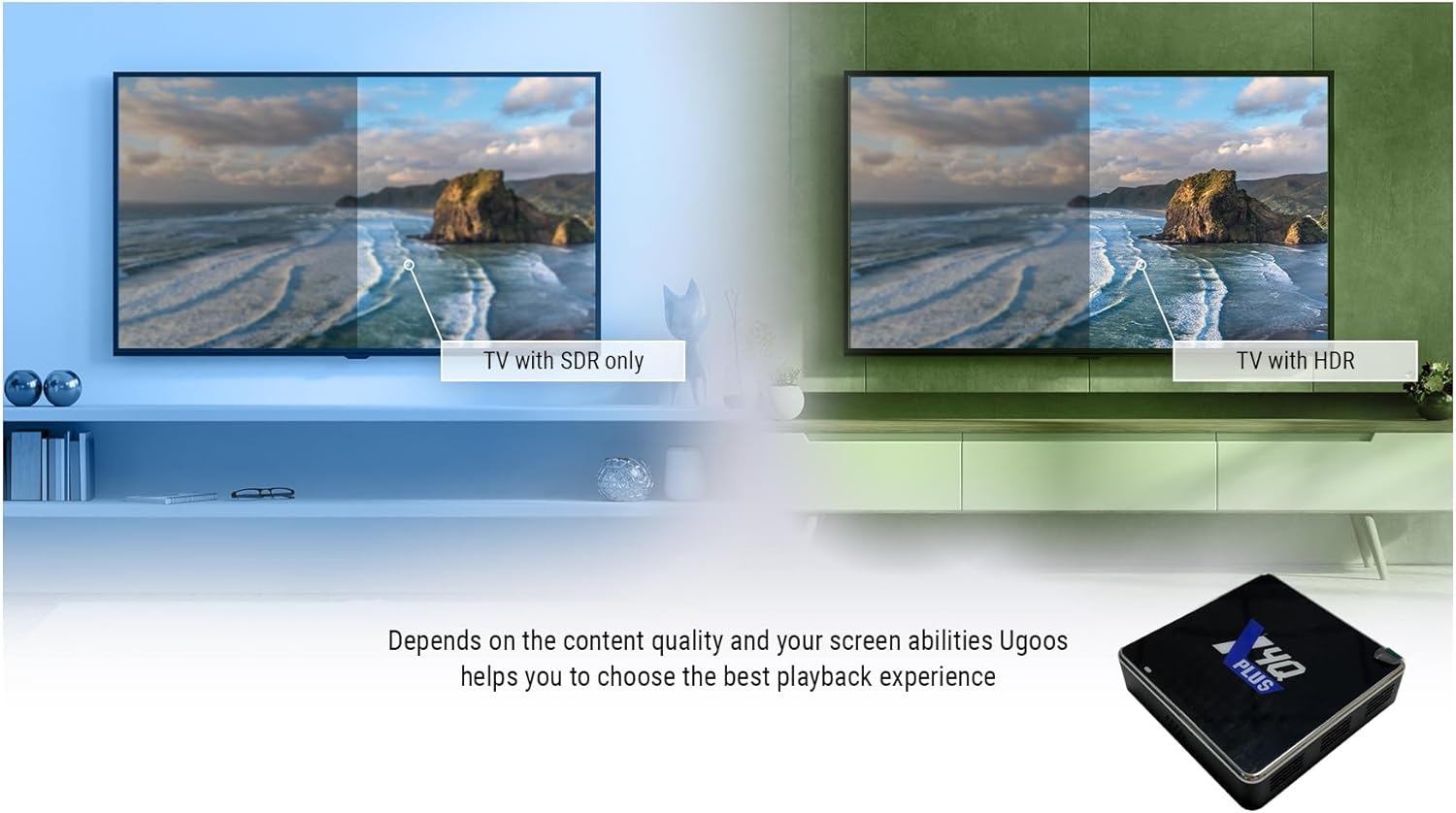
Image 3.3: Visual comparison demonstrating the enhanced quality of 4K HDR content.
4. Guia de configuració
- Connectar-se al televisor: Connect the Ugoos X4Q Plus TV Box to your television using the provided HDMI cable. Ensure the HDMI cable is securely plugged into both the TV Box and an available HDMI input on your TV.
- Connexió d'alimentació: Connect the Type-C power adapter to the DC 5V port on the TV Box, then plug the adapter into a power outlet.
- Connexió de xarxa:
- Amb cable: For a stable connection, connect an Ethernet cable from your router to the LAN port on the TV Box.
- Sense fil: Alternatively, you can connect to Wi-Fi during the initial setup process.
- Encès: El dispositiu s'hauria d'encendre automàticament. Si no, premeu el botó d'engegada del comandament a distància.
- Configuració inicial: Seguiu les instruccions que apareixen a la pantalla per completar la configuració inicial, inclosa la selecció d'idioma, la configuració de la xarxa i l'inici de sessió al compte de Google.

Imatge 4.1: acabatview of the various ports and interfaces on the Ugoos X4Q Plus, including DC-5V (Type C), HDMI, USB 2.0 OTG, LAN, SPDIF, USB 3.0, and TF-CARD slot.
5. Instruccions de funcionament
5.1 Navegació bàsica
- Use the directional buttons on the remote control to navigate through menus and select items.
- Premeu el botó OK botó per confirmar les seleccions.
- Premeu el botó Enrere botó per tornar a la pantalla anterior.
- Premeu el botó Casa button to go to the main Android home screen.
5.2 Instal·lació d'aplicacions
The Ugoos X4Q Plus supports Google Play Store and APK installation:
- Google Play Store: Accedeix a Google Play Store des de la pantalla d'inici per descarregar i instal·lar les teves aplicacions, jocs i utilitats de reproducció en temps real preferits.
- Instal·lació de l'APK: For apps not available on Google Play, you can download APK files from trusted sources and install them via a file manager. Ensure 'Unknown sources' installation is enabled in security settings if required.
5.3 Reproducció multimèdia
The device supports various video and audio formats, including AV1, H.265, MP3, AAC, WMA, RM, FLAC, and Ogg. You can play media from:
- Connected USB drives (USB 2.0, USB 3.0).
- TF cards.
- Network shares (DLNA, Miracast).
- Streaming services (e.g., YouTube).
6. Instruccions del comandament a distància
6.1 Pairing Ugoos Remote UR01-BLE
To pair the Bluetooth remote control:
- Manteniu premuda la Baixa el volum i Puja el volum botons simultàniament.
- The red light on the remote will start to flash slowly after 3 seconds, indicating it has entered standby mode.
- On your TV Box, navigate to the Bluetooth search function in the settings.
- Wait until it finds "Ugoos Remote" in the list.
- Select "Ugoos Remote" to initiate pairing and accept any system requests.
- The red light on the Ugoos remote control will turn off if the pairing is successful.
6.2 Remote Control Button IR Setting (IR Learning)
This function is available only for the Poder button on the remote control to learn infrared signals from another remote:
- Mantingueu el Poder button on the Ugoos remote for about 3 seconds. The red light will flash slowly. Release the button once the red light stays on, indicating it's in IR learning mode.
- Position the Ugoos remote and the remote you wish to copy from (e.g., your TV remote) head-to-head, about 3-5 cm apart.
- Press the desired button on your TV remote (e.g., its power button). The red light on the Ugoos remote will flash twice and then stay on, indicating successful learning.
- The Ugoos remote will automatically exit IR learning state after about 10 seconds of inactivity.

Image 6.1: Detailed instructions for pairing the Bluetooth remote and setting up IR learning for the power button.
7. Especificacions
| Característica | Detall |
|---|---|
| Marca | Ugoos |
| Nom del model | X4Q Plus |
| Sistema operatiu | Android 11 |
| Processador | Amlogic S905X4 Quad Core Cortex-A55 |
| RAM | 4 GB |
| ROM | 64 GB |
| Tecnologia de connectivitat | Ethernet (1000Mbps), Wi-Fi (2.4G/5G Dual-band, MIMO), Bluetooth 5.1 LE |
| Resolució de vídeo | 4K @ 60fps |
| Video Codecs Supported | AV1, H.265, VP9 Profile-2, H.264 AVC, MPEG-2, MPEG-1 |
| Formats d'àudio compatibles | MP3, AAC, WMA, RM, FLAC, Ogg |
| Ports | HDMI, USB 2.0, USB 3.0, SPDIF, LAN, TF Card, DC 5V (Type C) |
| Característiques especials | DLNA, Miracast, OTA Updater |
| Dimensions | 3.46 x 3.46 x 0.86 polzades |
| Pes de l'article | 1.21 lliures |
| Adaptador d'alimentació | DC 5V/2.5A (tipus C) |
8. Manteniment
- Neteja: Feu servir un drap suau i sec per netejar el dispositiu. Eviteu netejadors líquids o materials abrasius.
- Ventilació: Assegureu-vos que el televisor estigui col·locat en una zona ben ventilada per evitar el sobreescalfament. No bloquegeu els forats de ventilació.
- Actualitzacions de programari: The device supports OTA (Over-The-Air) updates. Regularly check for and install available software updates to ensure optimal performance and security.
- Cicle d'alimentació: Si el dispositiu deixa de respondre, desconnecteu l'adaptador de corrent, espereu 10 segons i torneu-lo a connectar per tornar a engegar-lo.
9. Solució De Problemes
- Sense energia: Assegureu-vos que l'adaptador de corrent estigui connectat correctament al dispositiu i a una presa de corrent que funcioni.
- Sense imatge: Verify the HDMI cable is correctly connected to both the TV Box and the TV. Ensure the TV input source is set to the correct HDMI port.
- Sense so: Check the volume settings on both the TV Box and your television. Ensure audio cables (if used) are properly connected.
- Problemes de connexió Wi-Fi: Restart your router and the TV Box. Re-enter the Wi-Fi password if necessary. Ensure the TV Box is within range of your Wi-Fi router.
- El control remot no respon: Check the batteries in the remote control. If it's a Bluetooth remote, ensure it is properly paired (refer to Section 6.1).
- Les aplicacions es bloquegen/es bloquegen: Try clearing the cache of the problematic app in the Android settings. If the issue persists, reinstall the app.
10. Garantia i Suport
The Ugoos X4Q Plus Android TV Box comes with a standard manufacturer's warranty. Please refer to the warranty card included in your package for specific terms and conditions. For technical support, troubleshooting assistance, or warranty claims, please contact your retailer or visit the official Ugoos support weblloc.
Conserveu el tiquet de compra com a comprovant de compra a efectes de garantia.


