Introducció
Gràcies per la compraasing the Ehaho DJ Laser Party Light 5 in 1. This device combines laser, RGB/UV, and strobe effects to create dynamic lighting for various events. This manual provides essential information for safe operation, setup, maintenance, and troubleshooting to ensure optimal performance and longevity of your device.

Image: The Ehaho DJ Laser Party Light 5 in 1, showcasing its compact design and various laser patterns projected.
Precaucions de seguretat
Please read and understand all safety warnings before operating this device. Failure to follow these instructions may result in injury or damage to the device.
- Seguretat làser: Avoid direct eye exposure to the laser beam. This product uses Class 3B lasers, which can cause eye damage.
- Do not open the housing. There are no user-serviceable parts inside. Refer all servicing to qualified personnel.
- Assegureu-vos una ventilació adequada. No bloquegeu les obertures de ventilació.
- Operate the device in a dry environment. Avoid exposure to water or high humidity.
- Utilitzeu només l'adaptador d'alimentació subministrat.
- Mantenir fora de l'abast dels nens.
Contingut del paquet
Verifiqueu que tots els articles siguin presents i en bon estat en desembalar-los:
- Ehaho DJ Laser Party Light Unit
- Power Adapter (AC100-240V)
- Remote Control (2 Lithium Ion batteries included)
- Manual d'usuari
Configuració
1. Desembalatge i col·locació
Carefully remove the device from its packaging. Place the unit on a stable, flat surface or mount it securely using appropriate hardware (not included). Ensure there is sufficient space around the unit for ventilation.

Imatge: Detallada view of the Ehaho DJ Laser Party Light, showing its dimensions, power switch, cooling fan, display panel, and DMX input/output ports.
2. Connexió d'alimentació
- Connect the provided power adapter to the "AC110-220V" input port on the rear of the unit.
- Plug the power adapter into a suitable electrical outlet (110 Volts).
- Turn on the power switch located on the rear panel. The display panel will illuminate.
3. Configuració del control remot
The remote control comes with two Lithium Ion batteries pre-installed. If the remote is unresponsive, check or replace the batteries.

Image: The remote control for the Ehaho DJ Laser Party Light, illustrating its various buttons for animation selection and collection.
Instruccions de funcionament
1. Modes de control
The Ehaho DJ Laser Party Light supports multiple control modes:
- Mode automàtic: The unit cycles through pre-programmed patterns and effects automatically.
- Mode activat per so: The light effects respond to music or sound detected by the built-in microphone.
- Mode DMX: For professional control, connect the unit to a DMX controller using the DMX IN/OUT ports. Refer to the DMX section for channel assignments.
- Mode de control remot: Use the included remote to select patterns, colors, and modes.
2. Ús del comandament a distància
The remote control allows for easy adjustment of various settings:
- Selecció del mode: Buttons for Auto, Sound, DMX.
- Selecció de patró: Navigate through hundreds of 3D animated laser patterns using UP/DOWN buttons.
- Control de color: Select individual laser colors (Red, Green, Blue, UV) or combinations.
- Efecte estroboscòpic: Activate or adjust the strobe light.
- Pattern Size Adjustment: Use the "SIZE +" and "SIZE -" buttons to adjust the projection size.
- Animation Collection: Bookmark up to four favorite animated patterns using the "COLLECT 1-4" buttons for quick access.
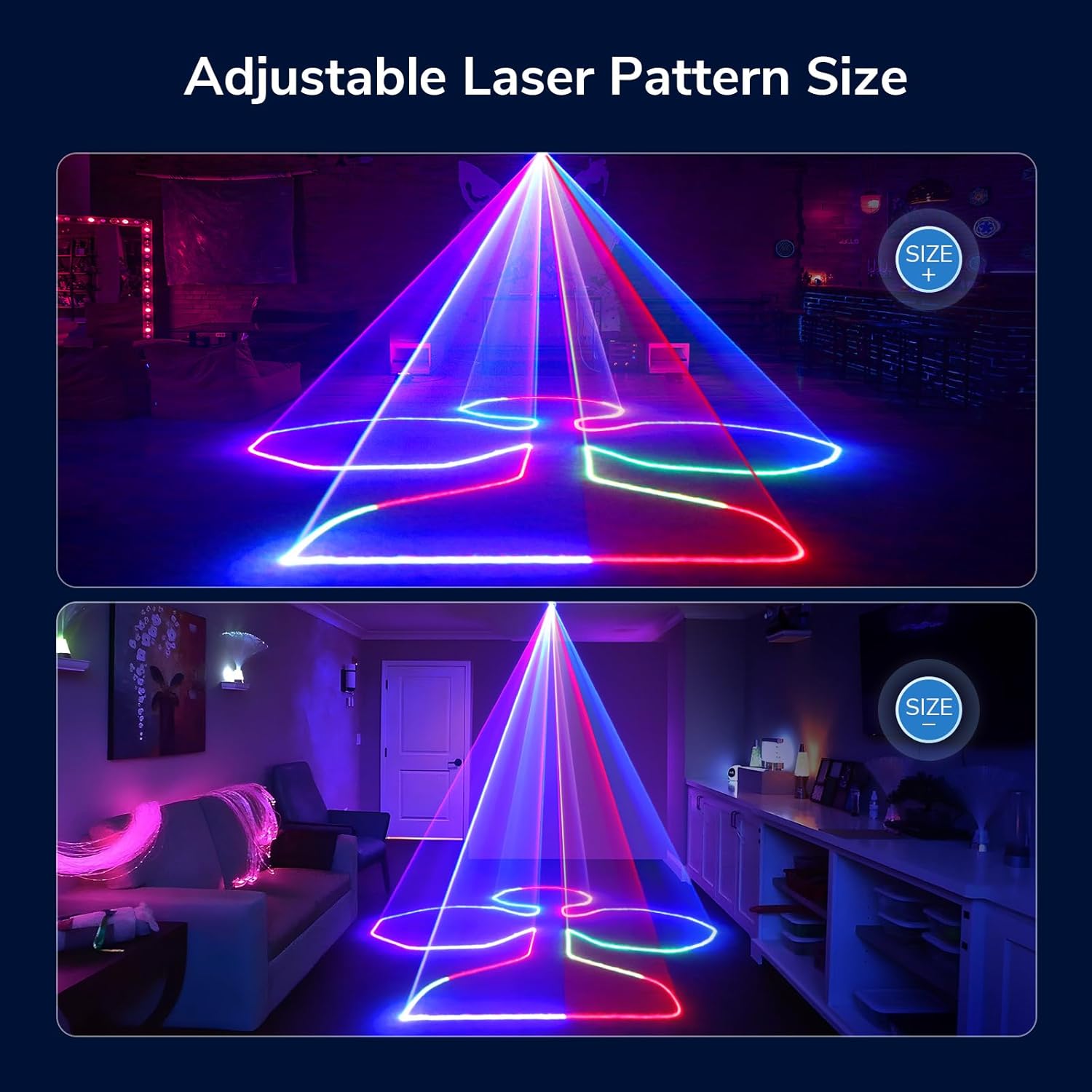
Image: Demonstration of the adjustable laser pattern size feature, showing a larger and smaller projection of the same pattern.
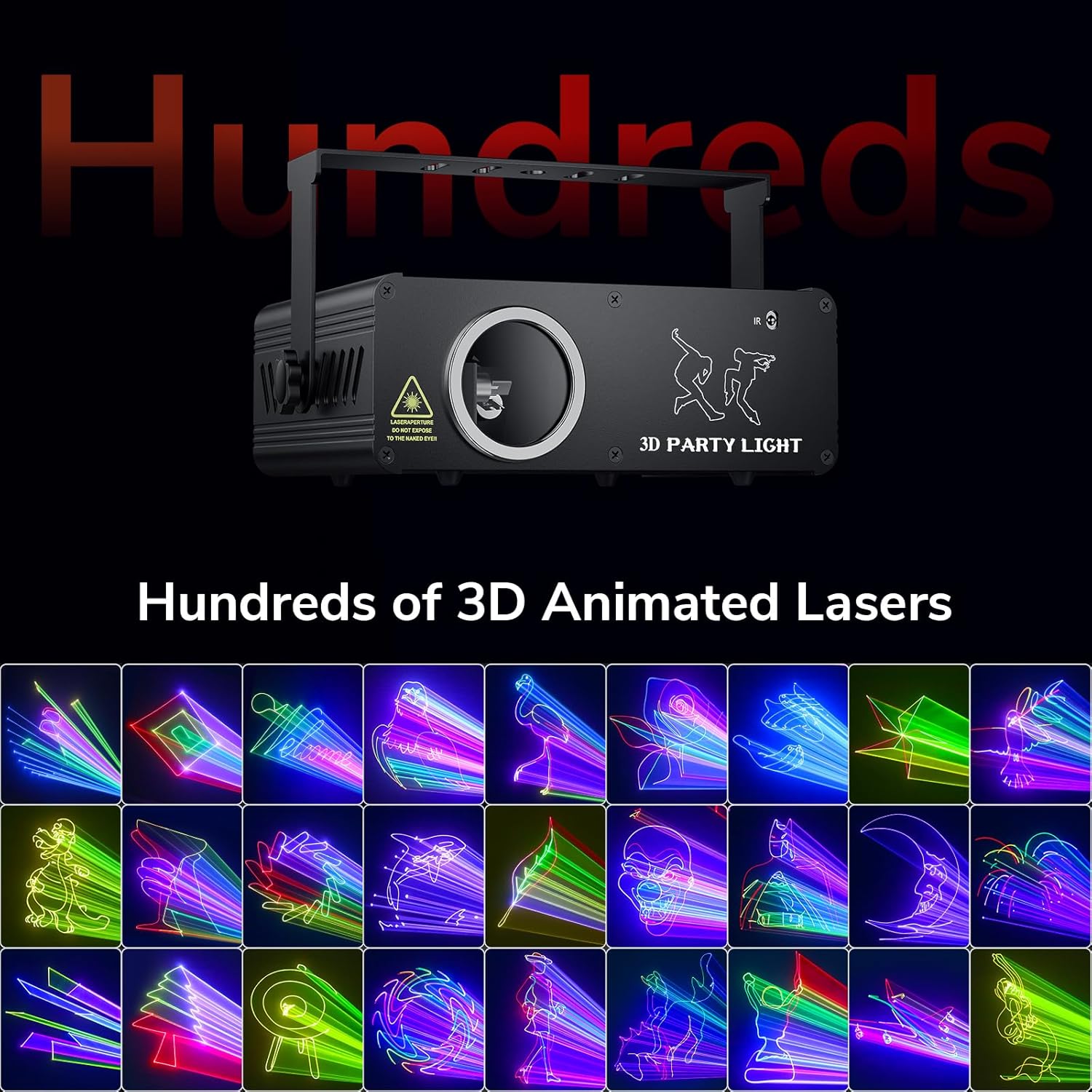
Image: A grid displaying various 3D animated laser patterns available from the device.

Image: Additional examples of diverse laser patterns, including abstract shapes and animated figures.
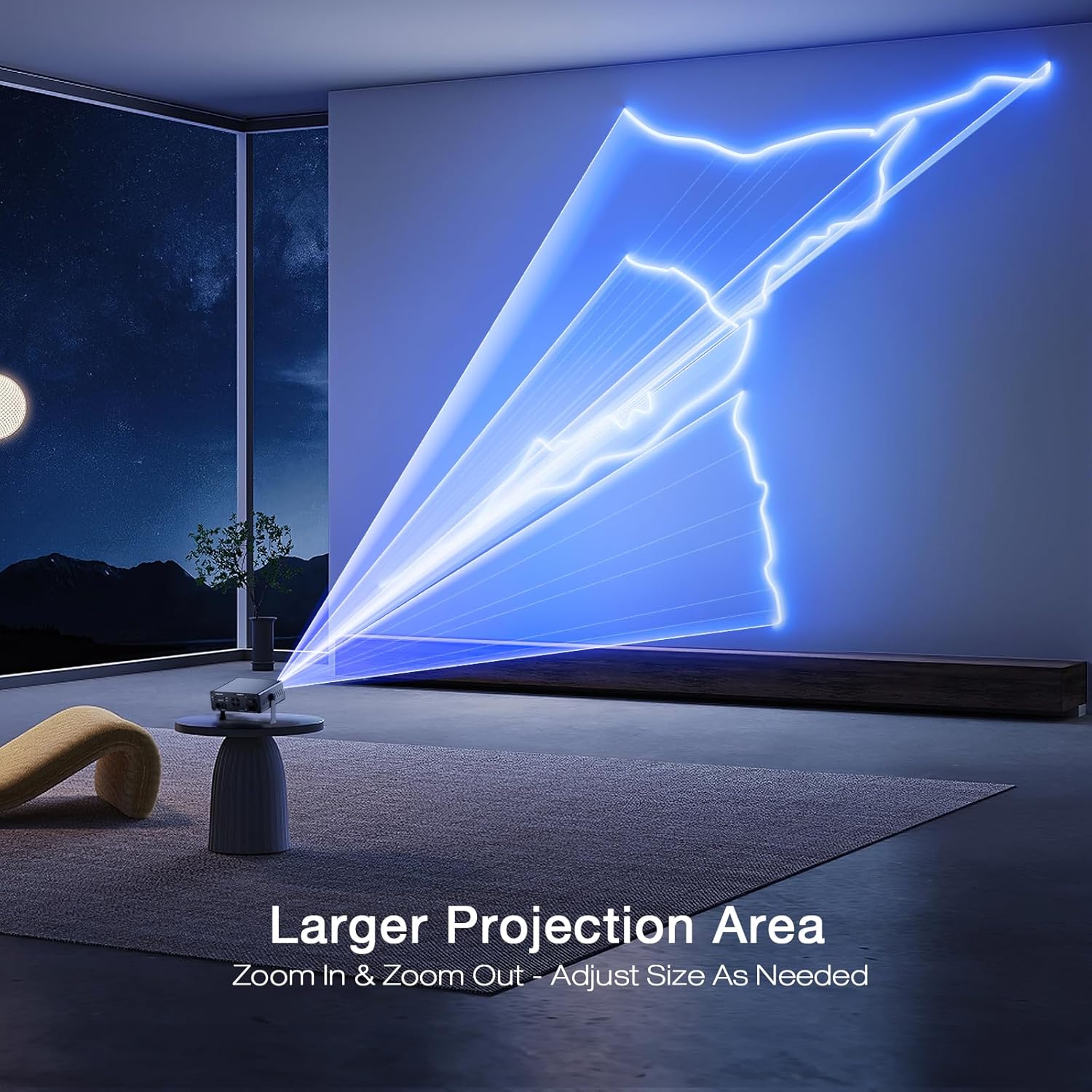
Image: The laser light projecting a large animated pattern onto a wall, demonstrating its ability to cover a significant area.
3. DMX Control (Advanced)
For professional lighting setups, the unit can be controlled via DMX512. Connect your DMX controller to the DMX IN port. Use the DMX OUT port to daisy-chain multiple units.
DMX Channel Assignments: (Typical assignments, refer to specific DMX manual for full details)
| Canal | Funció | Interval de valors |
|---|---|---|
| 1 | Mode Selection (Auto, Sound, DMX) | 0-255 |
| 2 | Selecció de patró | 0-255 |
| 3 | Red Laser Intensity | 0-255 |
| 4 | Green Laser Intensity | 0-255 |
| 5 | Blue Laser Intensity | 0-255 |
| 6 | UV Light Intensity | 0-255 |
| 7 | Velocitat estroboscòpica | 0-255 |
| 8 | Pattern Rotation/Movement | 0-255 |
Note: Specific DMX channel functions and values may vary slightly. Always refer to the detailed DMX protocol provided with the device or on the manufacturer's website for precise control.
Manteniment
Regular maintenance ensures the longevity and optimal performance of your laser light.
- Neteja: Use a soft, dry cloth to clean the exterior of the unit. For the lens, use a lens cleaning cloth and solution specifically designed for optical surfaces. Do not use abrasive cleaners.
- Ventilació: Ensure the cooling fan and ventilation openings are free from dust and debris. Periodically clean them with compressed air.
- Emmagatzematge: Quan no l'utilitzeu, guardeu el dispositiu en un lloc fresc i sec, allunyat de la llum solar directa i de temperatures extremes.
- Cable d'alimentació: Regularly inspect the power cord for any damage. If damaged, replace it immediately with an approved cord.
Resolució de problemes
| Problema | Causa possible | Solució |
|---|---|---|
| Sense poder | Power cord not connected; Power switch off; Faulty outlet | Ensure power cord is securely connected; Turn on power switch; Test outlet with another device |
| Sense sortida làser | Unit in standby mode; Lens obstructed; Internal fault | Press a mode button on remote; Clean lens; Contact support if problem persists |
| El comandament a distància no funciona | Batteries dead or incorrectly inserted; Remote not aimed at IR receiver | Replace batteries; Ensure correct polarity; Aim remote directly at the front of the unit |
| Patterns are dim or unclear | Ambient light too high; Lens dirty; Projection distance too far | Operate in darker environments; Clean lens; Adjust projection distance or pattern size |
| Sound activated mode not responding | No sound input; Microphone obstructed; Sensitivity too low | Ensure music is playing near the unit; Check microphone area for obstructions; Adjust sound sensitivity if available (via DMX or advanced settings) |
Especificacions
| Característica | Detall |
|---|---|
| Número de model | L2400 |
| Marca | Ehaho |
| Dimensions del producte | 22.1 x 19.05 x 8.64 cm |
| Pes de l'article | 1.75 kg |
| Tipus de font de llum | Laser, Light Emitting Diode (LED for RGB/UV) |
| Classe làser | Classe 3B |
| Modes de control | Auto, Sound Activated, DMX512, Remote Control |
| Font d'alimentació | Elèctric amb cable |
| Voltage | 110 Volts (AC100-240V input) |
| Material | Alumini |
| Color | Multicolor |
| Piles (comandament a distància) | 2 bateries d'ions de liti (incloses) |
Garantia i Suport
For warranty information and technical support, please refer to the warranty card included with your product or visit the official Ehaho weblloc web. Conserveu el rebut de compra com a comprovant de compra.
Recursos en línia:
- Ehaho Brand Store: Visit the Ehaho Store on Amazon


