Introducció
This manual provides comprehensive instructions for setting up, operating, and maintaining your VEIKK A30 Drawing Tablet. Please read this guide thoroughly to ensure optimal performance and longevity of your device.
Què hi ha a la caixa
Verifiqueu que tots els elements siguin presents al paquet:
- VEIKK A30 Drawing Tablet
- Battery-Free Stylus Pen
- Cable USB-C
- Pen Nibs (8 replacement nibs)
- Eliminador de puntes
- Porta llapis
- Guant d'artista
- Guia d'inici ràpid

Image: The VEIKK A30 Drawing Tablet and its included accessories, such as the pen, USB cable, replacement nibs, and artist glove.
Configuració
1. Instal·lació del controlador
Before connecting the tablet, it is recommended to install the latest driver from the official VEIKK website. If you have other tablet drivers installed, uninstall them first to avoid conflicts.
- Visita el VEIKK oficial weblloc.
- Navegueu fins a la secció "Suport" o "Descàrregues".
- Locate and download the driver for the VEIKK A30 model compatible with your operating system (Windows, Mac, Android, or Linux).
- Seguiu les instruccions a la pantalla per completar la instal·lació.
2. Connexió de la tauleta
The VEIKK A30 uses a Type-C interface port for connection.
- Connect one end of the provided USB-C cable to the Type-C port on the VEIKK A30 tablet.
- Connect the other end of the USB-C cable to an available USB port on your computer or Android device.
- Ensure the connection is secure. The tablet should be recognized by your system after driver installation.

Imatge: Una imatge detallada view of the Type-C interface port on the VEIKK A30 tablet, highlighting its durable design.
3. Pen Setup
The stylus pen is battery-free and does not require charging.
- Ensure a nib is securely inserted into the pen.
- The pen features two programmable shortcut buttons. These can be customized via the tablet driver settings.
Funcionament de la tauleta
1. Basic Drawing and Active Area
The VEIKK A30 offers a 10 x 6 inch active drawing area. The working area can be adjusted through the driver settings if needed.

Image: A user actively drawing on the VEIKK A30 tablet, which is connected to a laptop, demonstrating its use in digital art creation.
2. Customizable Touch Keys and Touch Pad
The tablet features 4 customizable touch keys (K1-K4) and a touch pad for enhanced workflow.
- Customizing Keys: Access the VEIKK driver software to assign functions (e.g., zoom in/out, undo, redo) to the 4 touch keys according to your preferences.
- Touch Pad: The touch pad allows for intuitive control of canvas and brushes, similar to a mobile phone interface.
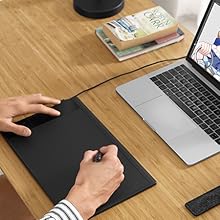
Image: A close-up of the VEIKK A30 tablet's control area, highlighting the four customizable touch keys (K1-K4) and the central touch pad.
3. Stylus Pen Functions
The battery-free pen offers 8192 levels of pressure sensitivity and 60° tilt support for a natural drawing experience.
- Sensibilitat a la pressió: Allows for varying line thickness and opacity based on the pressure applied.
- Funció d'inclinació: Simulates traditional brush strokes, enabling shading and varied line effects.
- Botons programables: The two buttons on the pen can be customized for functions like eraser/pen toggle or right-click.

Image: An illustration detailing the features of the VEIKK A30's battery-free pen, showcasing its 8192 pressure levels, 60-degree tilt recognition, and programmable buttons.
4. Software and OS Compatibility
The VEIKK A30 is compatible with a wide range of operating systems and creative software.
- Sistemes operatius: Linux, Android, Mac OS (10.12 or later), Windows (7 or later), Chrome OS (88 or later).
- Programari: Supports major drawing and design applications such as Corel Painter, Adobe Illustrator, Comic Studio, Manga Studio, Clip Studio, Adobe Photoshop, Gimp, Autodesk Sketchbook, Krita, Maya, Zbrush, and more.

Image: The VEIKK A30 tablet surrounded by logos of compatible software, including Photoshop, Illustrator, SAI, Krita, and Zbrush, demonstrating its broad application support.

Image: The VEIKK A30 tablet connected to an Android smartphone, illustrating its compatibility with Android devices for on-the-go creativity.
Manteniment
1. Neteja de la tauleta i del llapis
- Use a soft, dry cloth to wipe the tablet surface and pen.
- Avoid using harsh chemicals, abrasives, or excessive moisture, as these can damage the device.
2. Substitució de les puntes del bolígraf
The pen nibs will wear down over time and should be replaced to maintain optimal performance.
- Use the nib remover tool to gently pull out the old nib from the pen.
- Insert a new replacement nib firmly into the pen until it is secure.
- Ensure the nib is fully seated to prevent issues with pressure sensitivity.
Resolució de problemes
If you encounter issues with your VEIKK A30 tablet, refer to the following common solutions:
- La tauleta no respon: Ensure the USB-C cable is securely connected to both the tablet and your computer/device. Try a different USB port or cable.
- El llapis no funciona: Check if the pen nib is properly inserted. If the nib is worn, replace it with a new one. Ensure the tablet driver is correctly installed and running.
- Problemes del controlador: If the tablet is not functioning as expected, try reinstalling the latest driver from the VEIKK website. Ensure any other tablet drivers are uninstalled.
- Pressure Sensitivity Not Working: Verify that the driver is installed and calibrated correctly. Check your software settings to ensure pressure sensitivity is enabled.
- Inaccurate Cursor: Recalibrate the working area in the VEIKK driver settings.
For further assistance, visit the official VEIKK support weblloc o contacteu amb el servei d'atenció al client.
Especificacions
| Característica | Especificació |
|---|---|
| Dimensions del producte | 13 x 8.4 x 0.1 polzades (358 x 200 x 9 mm) |
| Pes de l'article | 1.27 lliures |
| Àrea Activa | 10 x 6 polzades |
| Sensibilitat a la pressió | 8192 nivells |
| Suport d'inclinació | 60° |
| Tecnologia de connectivitat | USB-C |
| Compatibilitat de sistemes operatius | Windows 7 or later, Mac OS 10.12 or later, Android 6.0 or later, Linux, Chrome OS 88 or later |
| Característiques especials | Battery-Free Pen, 4 Customizable Touch Keys, 1 Touch Pad |
Garantia i Suport
VEIKK products typically come with a manufacturer's warranty. Please refer to the warranty card included with your product or visit the official VEIKK weblloc per obtenir informació detallada sobre la garantia i els termes.
For technical support, driver updates, or frequently asked questions, please visit the VEIKK support page:


