1. Introducció
The Kestrel 5500 Weather Meter is a robust, multi-function environmental measurement device designed for a wide range of applications, including meteorology, boating, aviation, hiking, research, hunting, farming, and military use. This device provides accurate, instantaneous readings for 14 different environmental parameters, ensuring you have critical weather information at your fingertips. Equipped with wireless Bluetooth LiNK connectivity, it allows for seamless data transfer to compatible iOS and Android devices.

Figure 1: Kestrel 5500 Weather Meter displaying current wind speed and temperature.
Vídeo 1: Acabatview of the Kestrel Weather Product Line, showcasing various models and their applications.
2. Configuració
2.1. Instal·lació de la bateria
- Locate the battery compartment on the back of the Kestrel 5500.
- Feu lliscar la tapa de la bateria oberta.
- Insert one AAA lithium battery (included) into the compartment, ensuring correct polarity.
- Tanqueu la tapa de la bateria amb seguretat.

Figura 2: posterior view of the Kestrel 5500, highlighting the battery compartment.
2.2. Engegada inicial
Press and hold the power button (␟) until the display illuminates. The device will perform a self-check and then display initial readings.
2.3. LiNK (Bluetooth) Connectivity
The Kestrel 5500 features Bluetooth LiNK for wireless data transfer. Download the Kestrel LiNK app from your device's app store (iOS/Android) to connect and manage your meter. Follow the in-app instructions for pairing.
3. Operating the Kestrel 5500
3.1. Navegació per la pantalla
Use the directional arrow buttons to scroll through different measurement screens and menu options. The center button typically acts as a 'Select' or 'Enter' key, while the left arrow often functions as 'Exit' or 'Back'.

Figura 3: Frontal view of the Kestrel 5500, showing the display and navigation buttons.
3.2. Prendre Mides
For accurate wind measurements, ensure the impeller is exposed to the airflow. For temperature and humidity, allow the device to acclimate to the environment for a few minutes. The Kestrel 5500 measures the following parameters:
- Velocitat del vent
- Direcció del vent
- Fred del vent
- Temperatura de l'aire
- Temperatura de l'aigua
- Snow Temperature
- Humitat relativa
- Índex d'estrès tèrmic
- Temperatura del punt de rosada
- Temperatura de bombeta humida
- Pressió de l'estació
- Pressió baromètrica
- Altitud
- Densitat Altitud
Video 2: Demonstrates the Kestrel 5500 in action, highlighting its various measurement capabilities.
4. Calibració
4.1. Calibració de la brúixola
Compass calibration is essential for accurate wind direction, crosswind, and headwind/tailwind readings. It should be performed after changing batteries, updating firmware, or relocating to a new geographical area. It is also good practice to calibrate every 2-3 weeks.
- From the main screen, press the 'Gear' button to enter the menu.
- Scroll to 'System' and press the center button.
- Scroll to 'Compass Cal.' and press the center button.
- Follow the on-screen instructions: Hold the Kestrel upright and rotate it slowly for 30 seconds, keeping it away from any metal objects.
Video 3: Detailed instructions on how to calibrate the compass on Kestrel 5400, 5500, and 5700 models.
5. Accessoris
Enhance the functionality and portability of your Kestrel 5500 with a range of available accessories:
5.1. Vane Mount
The included Vane Mount allows you to attach your Kestrel 5500 to a tripod, transforming it into a compact, portable weather station. This ensures the meter is always facing into the wind for continuous, accurate readings.

Figure 4: Kestrel 5500 mounted on a small tripod with the Vane Mount for stable wind direction readings.
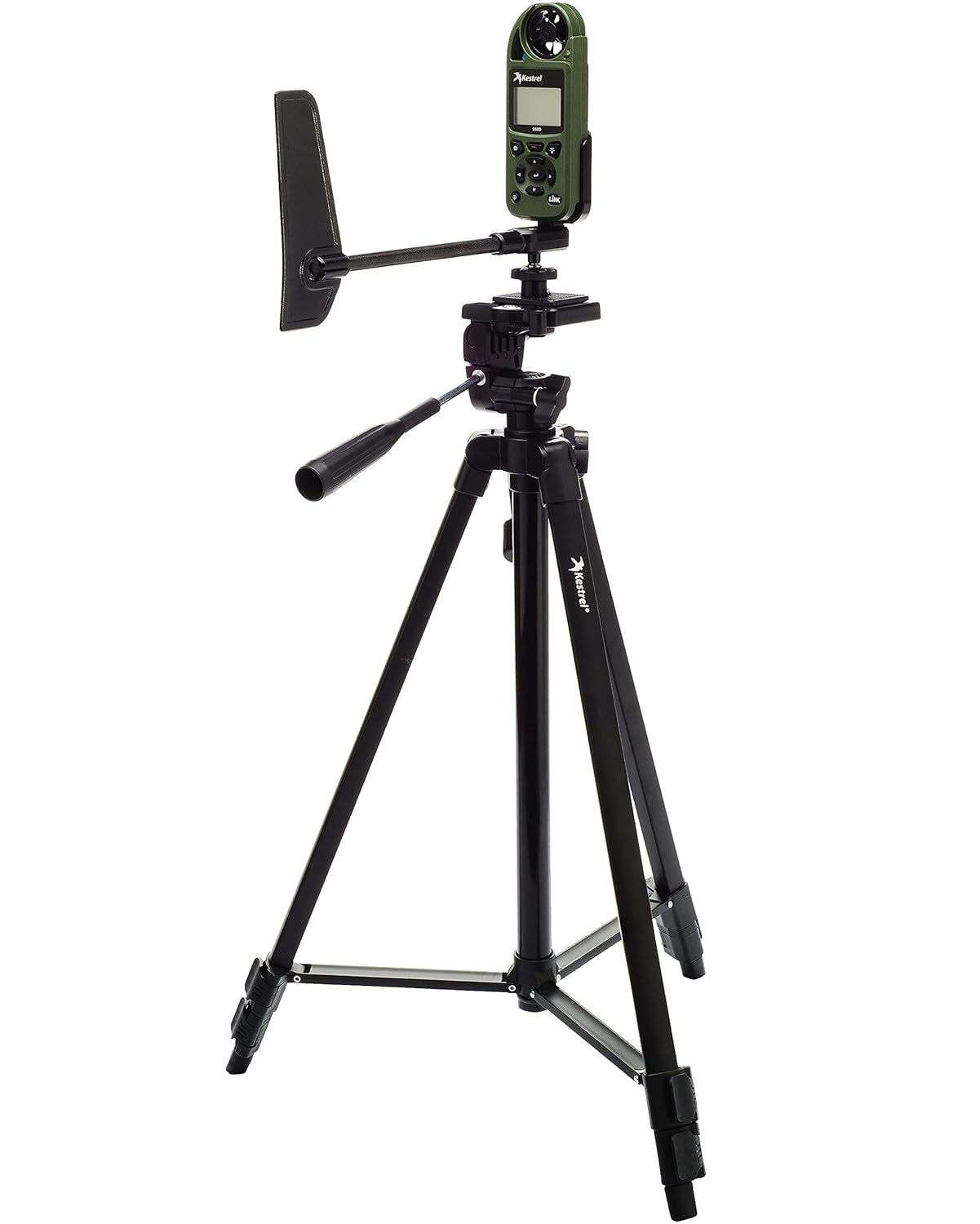
Figure 5: Kestrel 5500 mounted on a full-size tripod with the Vane Mount, suitable for various field applications.
5.2. Carrying Cases & Holders
- Nite Ize Case: A basic case with a pivoting belt clip for versatile carrying options.
- MOLLE Compatible Pouch: Available in various colors, this pouch offers a compact way to carry your Kestrel and can be attached to MOLLE systems.
- Armageddon Gear Taco Pouch: A zippered pouch designed to securely hold your Kestrel.
- Kydex Holsters: Custom-made Kydex holders that can attach directly to your belt.
- Badger Ordnance Clip: A clip designed for mounting the Kestrel onto spotting scopes or other devices with a Picatinny rail, allowing for integrated data collection.
5.3. Tripods
- Full-Size Tripod: Offers three adjustments for height and angle, compatible with the Vane Mount.
- Mini trípode: A compact and portable option, ideal for keeping the Kestrel at muzzle level for shooting applications.
5.4. Connectivity Cables
- USB Data Transfer Cable: A proprietary cable that connects to the optical ports on the back of your Kestrel for faster data transfer to a PC or iOS device.
- LiNK Dongle: An alternative for wired connectivity.
Video 4: Demonstrates various Kestrel accessories, including cases, tripods, and connectivity options.
6. Manteniment
6.1. Impeller Replacement
The Kestrel's impeller is designed to be user-replaceable. If the impeller becomes damaged or accumulates too much debris, affecting accuracy, it can be easily replaced. Replacement impellers are factory-calibrated at two different speeds to ensure continued accuracy.
6.2. Atenció general
The Kestrel 5500 is rugged, drop-tested (MIL-STD-810G), and waterproof (IP67). To maintain its performance, keep the device clean and free of obstructions, especially around the impeller and sensors. Store it in a protective case when not in use.
7. Solució De Problemes
7.1. Compass Calibration Failure
If compass calibration repeatedly fails (displaying
Documents relacionats - 5500
 |
Guia de l'usuari del mesurador meteorològic Kestrel 5500 Aquesta guia d'usuari proporciona instruccions completes per al funcionament del mesurador meteorològic Kestrel 5500, que cobreix les seves funcions, mesures, configuració, registre de dades, connectivitat i manteniment. Apreneu a utilitzar el vostre dispositiu Kestrel per a una recopilació precisa de dades ambientals. |
 |
Guia de l'usuari dels mesuradors meteorològics Kestrel: sèries 1000, 2000, 2500, 3000, 3500 Guia d'usuari completa per als mesuradors meteorològics Kestrel, que cobreix les característiques, la configuració, el funcionament, el manteniment i la garantia dels models 1000, 2000, 2500, 2500NV, 3000, 3500, 3500NV i 3500DT. |
 |
Kestrel 5000/5100/5200 User Guide: Environmental & Weather Meter Manual Comprehensive user guide for Kestrel 5000 Environmental Meter, Kestrel 5100 Racing Weather Meter, and Kestrel 5200 Professional Environmental Meter. Learn about features, operation, measurements, data logging, and connectivity. |
 |
Kestrel Shooter's Weather Meter with HORUS Atrag™ Ballistics Software Instruction Manual Comprehensive instruction manual for the Kestrel Shooter's Weather Meter with HORUS Atrag™ Ballistics Software, covering features, setup, operation, calibration, and specifications. Includes Bluetooth connectivity and battery information. |
 |
Guia d'inici ràpid de l'aplicació Kestrel 5700 Elite Una guia concisa per configurar i utilitzar el mesurador meteorològic Kestrel 5700 Elite amb l'aplicació mòbil Kestrel LiNK Ballistics, que cobreix la configuració del dispositiu, la connexió a l'aplicació, els professionalsfile creació i funcionament bàsic. |
 |
Kestrel 7000 Environmental Meter User Guide Comprehensive user guide for the Kestrel 7000 Environmental Meter, detailing its features, operation, data logging capabilities, sensor replacement procedures, and warranty information. |