1. Introducció
Welcome to the user manual for your new Dangbei Neo Mini Projector. This portable projector is designed to deliver a high-quality cinematic experience with its 1080P Full HD resolution, 540 ISO Lumens brightness, and officially-licensed streaming applications like Netflix. Equipped with intelligent features such as auto-focus, keystone correction, object avoidance, and screen adaption, the Neo ensures an effortless setup and a clear, sharp image. Its integrated 12W Dolby Audio speakers provide immersive sound, complemented by 5G Wi-Fi and Bluetooth 5.0 connectivity for versatile media playback. Please read this manual thoroughly to understand the product's features and ensure proper operation and maintenance.
2. Què hi ha a la caixa
Verifiqueu que tots els elements següents estiguin inclosos al vostre paquet:
- Dangbei Neo Projector x 1
- Power Adapter 90W (19V/4.74A) x 1
- Cable de CA x 1
- Control remot x 1
- Manual d'instruccions x 1
3. Producte acabatview

Figura 3.1: Frontal view of the Dangbei Neo Mini Projector, showcasing its compact design, projection lens, and intelligent sensors.
The Dangbei Neo Mini Projector features a sleek, compact design. The front panel houses the projection lens and intelligent sensors for auto-focus and obstacle avoidance. The sides are equipped with ventilation grilles to ensure optimal cooling during operation. The rear panel contains all the necessary input and output ports for connecting external devices.

Figura 3.2: posterior view of the projector, detailing the various connectivity ports including DC power input, S/PDIF, LAN, HDMI/ARC, and USB ports.
Components clau:
- Lent de projecció: Emits the image onto the screen or wall.
- Sensors intel·ligents: Used for auto-focus, keystone correction, and obstacle avoidance.
- Reixes de ventilació: Located on the sides, these ensure proper airflow to prevent overheating.
- Power Input (DC): Es connecta a l'adaptador de corrent inclòs.
- Port S/PDIF: Per a la sortida d'àudio digital.
- Port LAN: Per a connexió a Internet per cable.
- HDMI/ARC Port: Connects to external video sources (e.g., Blu-ray player, game console). Supports Audio Return Channel (ARC).
- Ports USB: Per connectar dispositius d'emmagatzematge USB o altres perifèrics.
4. Configuració
4.1 Col·locació
Choose a flat, stable surface for your projector. The Dangbei Neo is highly portable, allowing for flexible placement in various environments, from your living room to outdoor settings.

Figure 4.1: The projector's compact size makes it ideal for portable use, easily fitting on small surfaces like an outdoor table.
The projector can project an image size of up to 120 inches. Adjust the distance between the projector and the projection surface to achieve your desired screen size. Ensure the projection surface is clean and smooth for the best image quality.
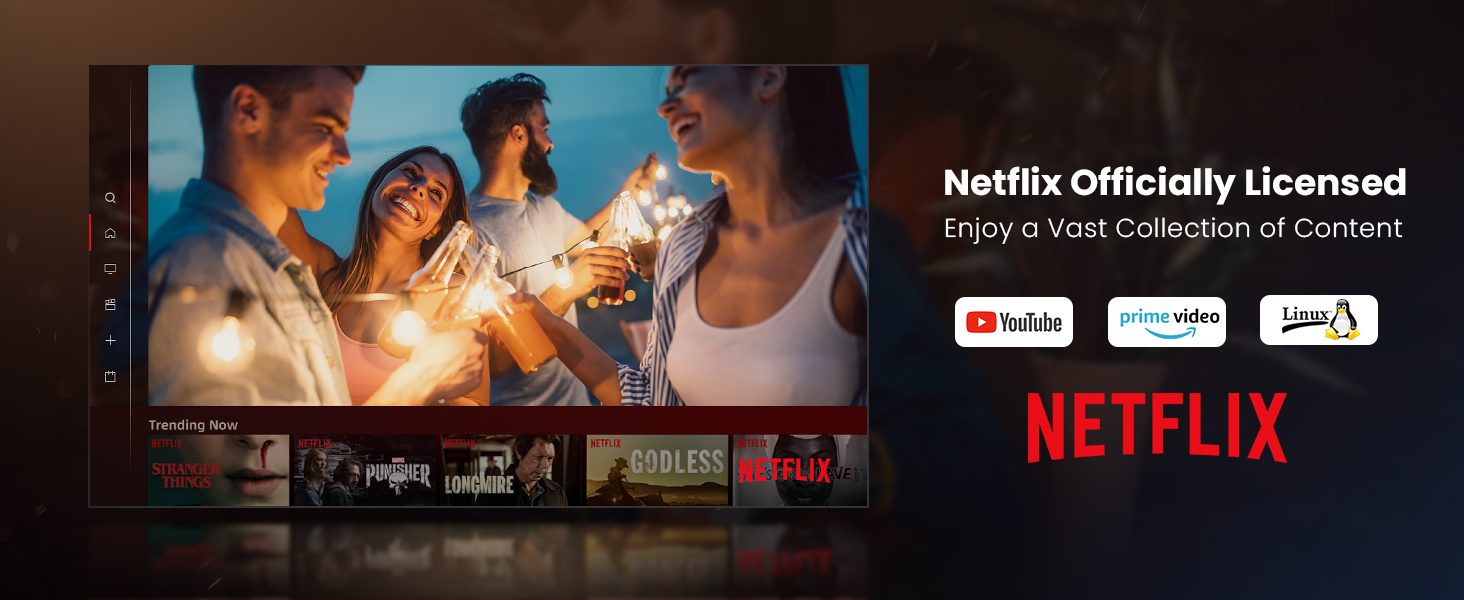
Figure 4.2: Illustrates the flexible projection sizes achievable with the Dangbei Neo, ranging from 37.5 inches to a maximum of 120 inches, allowing for versatile viewfent experiències.
4.2 Connexió d'alimentació
- Connect the AC cord to the power adapter.
- Plug the power adapter into the DC input port on the rear of the projector.
- Plug the other end of the AC cord into a power outlet.
4.3 Initial Setup (Intelligent Features)
The Dangbei Neo is equipped with intelligent features to simplify setup:

Figure 4.3: Visual representation of the projector's intelligent features, including automatic focus, keystone correction, obstacle avoidance, and smart screen adaptation for a perfect image.
- Enfocament automàtic: Upon startup or movement, the projector automatically adjusts the focus to ensure a clear and sharp image.
- Correcció trapezoidal automàtica: The projector automatically corrects trapezoidal distortion, ensuring a perfectly rectangular image even if the projector is not perfectly aligned with the screen.
- Object Avoidance: The projector can detect and avoid obstacles in the projection path, adjusting the image size or position to bypass them.
- Screen Adaption: The projector intelligently fits the image to the screen or wall, optimizing the display area.
These features typically activate automatically. If manual adjustment is needed, navigate to the 'Settings' menu using the remote control.
5. Instruccions de funcionament
5.1 Encès/Apagat
- Encès: Press the Power button on the remote control or the projector's top panel.
- Apagar: Press the Power button again. A shutdown confirmation prompt may appear; select 'Shutdown' to turn off the projector.
5.2 Navegació
Use the included remote control to navigate the projector's interface. The directional buttons allow you to move through menus, and the 'OK' button confirms selections. Other buttons provide quick access to Home, Back, Volume, and Settings.
5.3 Aplicacions de transmissió en temps real
The Dangbei Neo comes with officially-licensed Netflix, YouTube, and Prime Video pre-installed, running on a Linux system. This allows direct access to a vast library of content without additional devices.

Figure 5.1: The projector's home screen displaying pre-installed streaming applications like Netflix, YouTube, and Prime Video, ready for immediate use.
To access these apps, navigate to their icons on the home screen and select them. Ensure the projector is connected to the internet.
5.4 Connectivitat
El projector ofereix diverses opcions de connectivitat:
- Wi-Fi (5G): Connect to your wireless network for streaming content and accessing online features. Go to 'Settings' > 'Network' to configure Wi-Fi.
- Bluetooth 5.0: Connect external Bluetooth speakers, headphones, or other compatible devices for enhanced audio. Go to 'Settings' > 'Bluetooth'.
- HDMI: Connecteu dispositius externs com ara ordinadors portàtils, consoles de jocs o reproductors de Blu-ray mitjançant un cable HDMI. Seleccioneu la font d'entrada HDMI al menú del projector.
- USB: Plug in USB drives to play local media files (videos, photos, music). Select the USB input source.

Figure 5.2: Demonstrates the projector's high-speed 5G Wi-Fi capability, enabling seamless streaming and screen mirroring from iOS, Android, and Windows devices.

Figure 5.3: Illustrates the wide range of entertainment options and connectivity ports available on the Dangbei Neo, including USB, HDMI, and LAN, supporting various devices.
5.5 Àudio
The projector features built-in 2x6W speakers with Dolby Audio support, providing 360-degree surround sound for an immersive audio experience.

Figure 5.4: Depicts the immersive 360-degree surround sound experience provided by the projector's Dolby Audio speakers, enhancing entertainment.
Adjust the volume using the volume buttons on the remote control. For external audio systems, connect via Bluetooth or the S/PDIF port.
5.6 Protecció ocular
The Dangbei Neo is equipped with a TOF (Time-of-Flight) sensor for eye protection. This sensor intelligently detects obstacles within the projected image's range and rapidly dims the screen to prevent sudden eye irritation caused by direct exposure to the projected light.

Figure 5.5: Illustrates the eye protection feature, where the projector automatically dims the light when an object or person approaches the projection path, safeguarding eyes.
6. Manteniment
Un manteniment regular garanteix la longevitat i el rendiment òptim del projector.
6.1 Cura de les lents
The projector features a protection lens filter to prevent scratches and dust on the lens, extending its service life.

Figure 6.1: The projector's design includes a protective lens filter, which helps prevent dust and scratches, contributing to the device's durability and image clarity.
- Neteja de la lent: Use a soft, lint-free cloth specifically designed for optical lenses. Gently wipe the lens in a circular motion. Do not use abrasive cleaners or solvents.
- Prevenció de pols: Keep the projector covered when not in use to prevent dust accumulation.
6.2 Atenció general
- Neteja de la Casing: Netegeu l'exterior del projector amb un drap suau i sec.
- Ventilació: Ensure the ventilation grilles are not blocked to allow proper airflow and prevent overheating.
- Emmagatzematge: Guardeu el projector en un lloc fresc i sec, allunyat de la llum solar directa i de temperatures extremes.
7. Solució De Problemes
If you encounter issues with your Dangbei Neo Mini Projector, refer to the following common problems and solutions:
| Problema | Causa possible | Solució |
|---|---|---|
| Sense imatge o imatge borrosa | Power not connected, lens cap on, focus issue, incorrect input source. | Ensure power is connected. Remove lens cap. Allow auto-focus to complete or manually adjust focus. Select correct input source (HDMI, USB, etc.). |
| Sense so | Volume too low, mute enabled, incorrect audio output setting, external device audio issue. | Increase volume. Disable mute. Check audio output settings in projector menu. Ensure external device audio is working. |
| Problemes de connexió Wi-Fi | Contrasenya incorrecta, fora de rang, problema amb el router. | Verifiqueu la contrasenya del Wi-Fi. Acosteu el projector a l'encaminador. Reinicieu l'encaminador i el projector. |
| El comandament a distància no funciona | Batteries low/dead, obstruction, pairing issue. | Replace batteries. Ensure no obstructions between remote and projector. Re-pair remote if necessary (refer to remote control guide). |
| Sobreescalfament del projector | Ventilació bloquejada, ús prolongat en ambients calorosos. | Ensure ventilation grilles are clear. Operate in a well-ventilated area. Allow projector to cool down. |
8. Especificacions
Detailed technical specifications for the Dangbei Neo Mini Projector:
| Característica | Detall |
|---|---|
| Nom de marca | Dangbei |
| Pes de l'article | 5.85 lliures |
| Dimensions del producte | 7.87 x 6.18 x 3.94 polzades |
| Número de model de l'article | Neo |
| Nom del color | Blanc |
| Característiques especials | Auto Focus, Auto Obstacle Avoidance, Built-In Dolby Audio Speakers, Netflix Officially-Licensed, Short Throw |
| Usos recomanats per al producte | Education, Gaming, Home Cinema |
| Tecnologia de connectivitat | Bluetooth, HDMI, USB, Wi-Fi |
| Resolució de visualització | 1920 x 1080 (1080P FHD) |
| Diagonal de pantalla visible | 120" / 305 cm (Max) |
| Light Source Lifespan | Fins a 30,000 hores |
| Sortida d'àudio | 2x6W Speakers, Dolby Audio Support |
9. Garantia i Suport
Dangbei products are manufactured to the highest quality standards. For specific warranty details, please refer to the warranty card included with your product or visit the official Dangbei weblloc web. Conserveu el comprovant de compra per a reclamacions de garantia.
For technical support, troubleshooting assistance, or service inquiries, please contact Dangbei Customer Service through their official website or the contact information provided in your product packaging. When contacting support, please have your product model number (Neo) and purchase information ready.
Recursos en línia:
- Visit the official Dangbei weblloc web per a preguntes freqüents, actualitzacions de programari i recursos de suport addicionals.
- Check the product page on Amazon for updated information or community forums.