Benvingut
Thank you for choosing the Onikuma X16 (TEM-103) Professional Gaming Headset. This manual provides essential information for setting up, operating, and maintaining your headset to ensure optimal performance and longevity. Please read these instructions carefully before use.
Contingut del paquet
- Onikuma X16 (TEM-103) Gaming Headset
- 3.5mm Audio Splitter Cable (for separate headphone and microphone jacks)
- USB Cable (for LED lighting power)
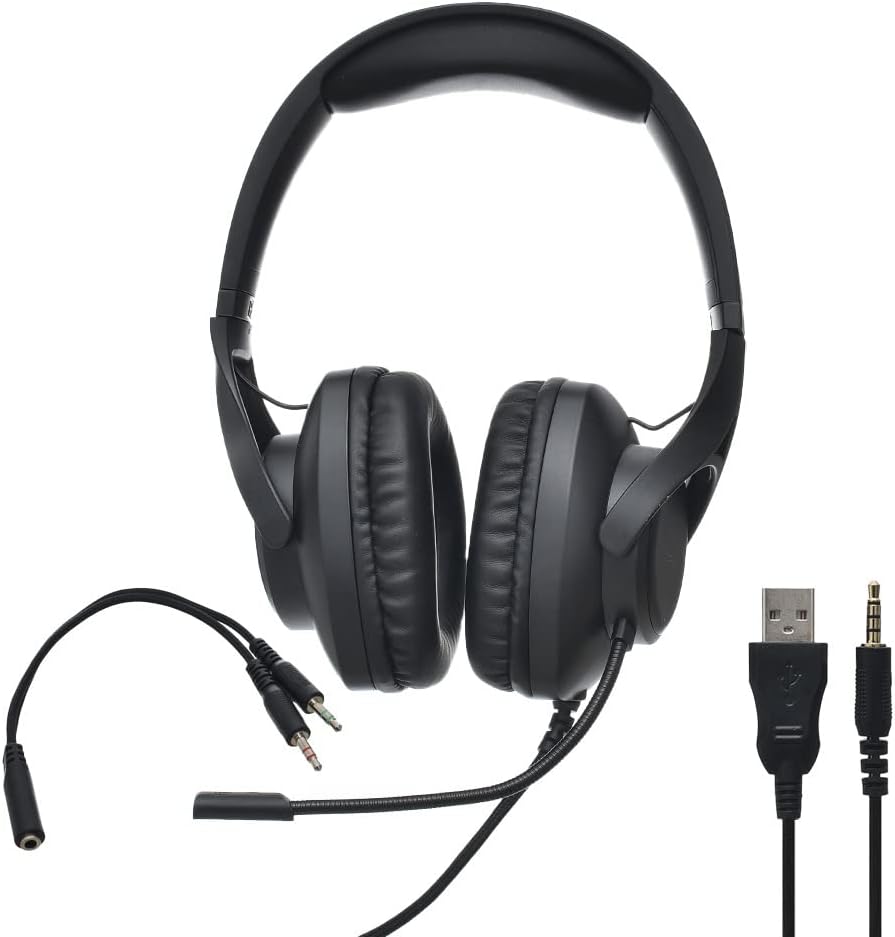
Image: Onikuma X16 Gaming Headset, showcasing the headset itself along with its integrated 3.5mm audio/microphone jacks and USB cable, and the separate 3.5mm audio splitter cable.
Producte acabatview
Components dels auriculars
- Diadema ajustable: Per a un ajust còmode.
- Over-Ear Earcups: Dissenyat per a la comoditat durant un ús prolongat.
- Flexible Noise-Cancelling Microphone: Adjustable for optimal voice pickup.
- Wired Connection Cable: Integrated 3.5mm audio and microphone jacks, plus a USB plug for LED power.
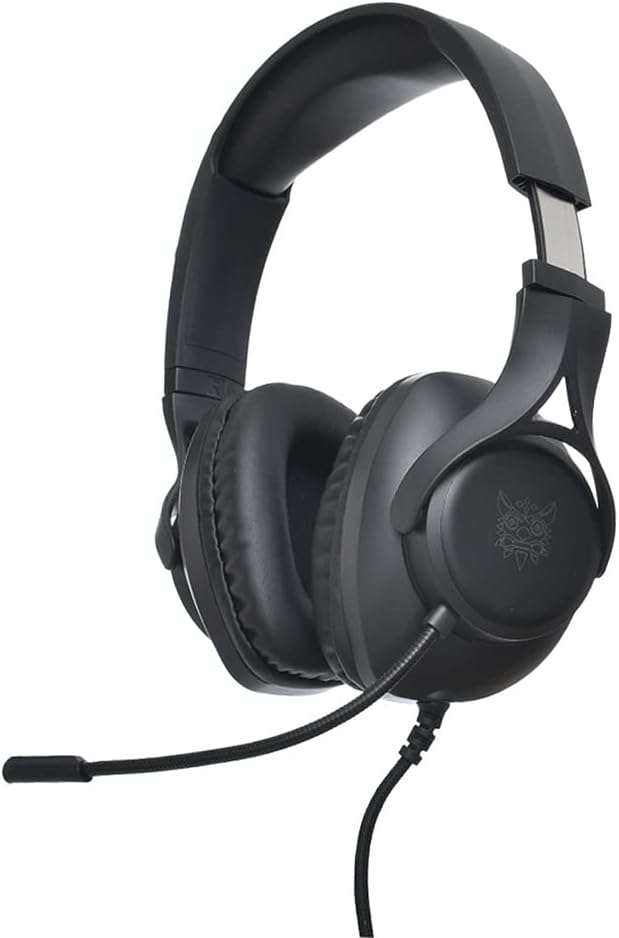
Imatge: Lateral view of the Onikuma X16 Gaming Headset, highlighting the over-ear earcup design and the flexible microphone arm.
Instruccions de configuració
Connecting to a PC with Separate Audio Jacks
- Connect the headset's 3.5mm audio jack (typically green) to the headphone output port on your PC.
- Connect the headset's 3.5mm microphone jack (typically red) to the microphone input port on your PC.
- Connect the USB plug to an available USB port on your PC to power the LED lighting.
Connecting to a PC/Console with a Single Combined Audio Jack
- Connect the headset's 3.5mm audio and microphone jacks to the provided 3.5mm audio splitter cable.
- Connect the single 3.5mm plug of the splitter cable to the combined audio/microphone jack on your device.
- Connect the USB plug to an available USB port on your device to power the LED lighting.

Image: The 3.5mm audio splitter cable, used to combine separate headphone and microphone jacks into a single 3.5mm TRRS connector.
Funcionament dels auriculars
Control d'àudio
Adjust the audio volume directly through your connected device's sound settings or operating system controls.
Ús del micròfon
Position the flexible microphone approximately 2-3 cm from your mouth for optimal voice clarity. The microphone features noise cancellation technology to help reduce background noise during communication.
Il·luminació LED
The headset's integrated LED lighting will activate automatically when the USB cable is securely connected to a powered USB port on your device.
Manteniment i cura
- Clean the earcups and headband regularly with a soft, dry cloth to remove dust and debris.
- Avoid exposing the headset to extreme temperatures, high humidity, or direct sunlight.
- Do not attempt to disassemble or modify the headset, as this may void the warranty and cause damage.
- Store the headset in a clean, dry, and safe place when not in use to prevent damage.
- Handle cables gently to prevent kinks or damage to the connectors.
Resolució de problemes
No hi ha so dels auriculars
- Ensure the 3.5mm audio jack (or splitter) is fully and correctly inserted into the audio output port of your device.
- Check your device's volume settings and confirm that the headset is selected as the primary audio output device.
- Test the headset on another device to determine if the issue is with the headset or the original device.
El micròfon no funciona
- Verify that the 3.5mm microphone jack (or splitter) is fully and correctly inserted into the microphone input port.
- Confirm that the microphone is enabled and selected as the input device in your device's sound settings.
- Ensure the microphone is not muted in your device's software or communication application.
LED Lights Not On
- Ensure the USB cable is securely connected to a powered and functional USB port on your device.
- Prova de connectar el cable USB a un port USB diferent.
Especificacions tècniques
| Marca | ONIKUMA |
|---|---|
| Model | X16 (TEM-103) |
| Connectivitat | Wired (3.5mm Jack, USB for LED power) |
| Tipus d’auriculars | Auriculars de joc supraaurals |
| Micròfon | Flexible, Noise-Cancelling |
| Control de soroll | Cancel·lació activa de soroll (micròfon) |
| Color | Negre |
| Material | Plàstic |
| Dimensions del paquet | 25 x 25 x 10 cm |
| Pes | 200 g |
Garantia i Suport
For detailed warranty information, technical support, or service inquiries, please refer to the retailer where you purchased the product or visit the official ONIKUMA manufacturer's weblloc web. Si us plau, conserveu el comprovant de compra per a qualsevol reclamació de garantia.


