Introducció
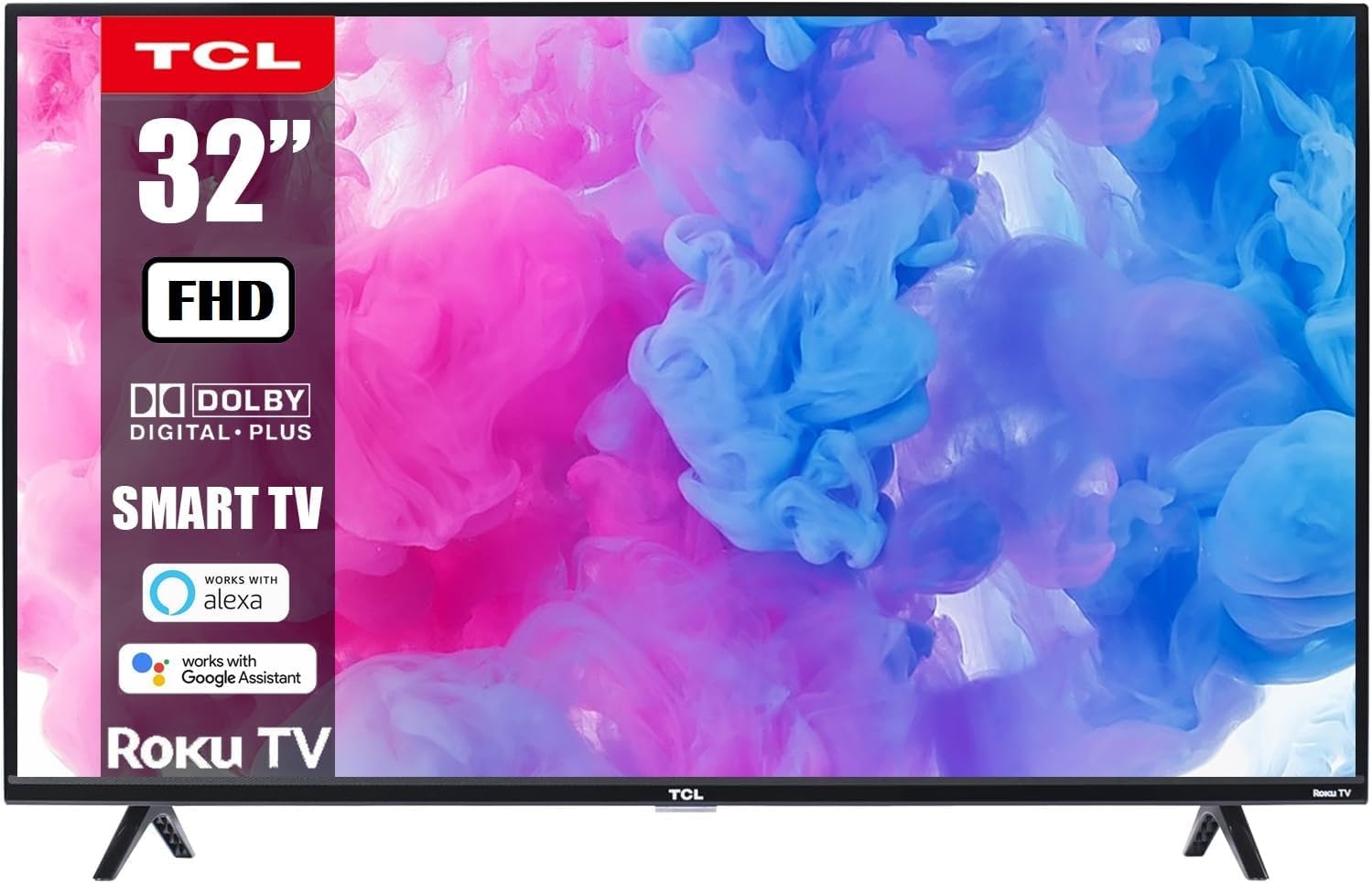
This manual provides essential information for the safe and efficient use of your TCL 32-Inch Class S-Series FHD LED Smart Roku TV, Model 32S331. Please read this manual thoroughly before operating the television and retain it for future reference.
Your TCL Smart Roku TV combines advanced display technology with the intuitive Roku entertainment platform, offering a seamless viewing experience with access to a wide range of streaming services.
Informació important de seguretat
- Font d'alimentació: Assegureu-vos que el televisor estigui connectat a una presa de corrent amb el volum correctetage (110-120V AC).
- Ventilació: Do not block ventilation openings. Maintain adequate space around the TV for proper airflow.
- Aigua i humitat: Do not expose the TV to rain or moisture. Avoid placing objects filled with liquids on or near the TV.
- Neteja: Desendolleu el televisor abans de netejar-lo. Feu servir un drap suau i sec. No utilitzeu netejadors líquids ni aerosols.
- Muntatge: If wall-mounting, ensure the wall mount is securely installed and capable of supporting the TV's weight.
- Nens: Superviseu els nens per evitar que s'enfilin al televisor o als mobles.
Contingut del paquet
Verifiqueu que tots els components siguin presents al paquet:
- TCL 32-Inch Class S-Series FHD LED Smart Roku TV
- Roku TV Remote Control
- Suports de televisió (2)
- Cargols per a suports de TV
- Cable d'alimentació
- Guia d'inici ràpid
Configuració
1. Fixació dels suports de TV
- Col·loqueu amb cura el televisor cap per avall sobre una superfície suau i neta per evitar que es faci malbé la pantalla.
- Alineeu cada suport de televisor amb els forats de cargol corresponents a la part inferior del televisor.
- Fixeu cada suport amb els cargols proporcionats amb un tornavís.

2. Muntatge a la paret (opcional)
If you choose to wall-mount your TV, ensure you use a compatible VESA wall mount (not included unless specified in your purchase bundle). Follow the instructions provided with your wall mount kit.


3. Potència de connexió
Plug the power cord into the TV's power input and then into a wall outlet. The TV will enter standby mode.
4. Connexió de dispositius externs
Your TV features multiple input ports for various devices:
- Entrades HDMI: Connect Blu-ray players, gaming consoles, cable/satellite boxes, etc. (3 HDMI ports available).
- Port USB: Per a la reproducció de contingut multimèdia des d'unitats USB.
- Entrada coaxial: Per a connexió d'antena o cable.
- Sortida d'àudio òptic: Per connectar-lo a una barra de so o a un receptor d'àudio.
- Auriculars Jack: Per a una escolta privada.

Operating Your TCL Smart Roku TV
1. First-Time Setup and Roku Account
- Engegueu el televisor amb el comandament a distància.
- Follow the on-screen instructions to select your language, connect to your Wi-Fi network, and activate your Roku account. A Roku account is required to access streaming channels.
- During setup, you will be guided to add your favorite streaming channels.
2. Using the Roku Remote Control
The included Roku remote is designed for simplicity and ease of use. It features dedicated buttons for popular streaming services.

- Bloc de navegació: Use the directional pad and OK button to navigate menus and select items.
- Botó d'inici: Returns you to the Roku Home screen.
- Botó enrere: Torna a la pantalla anterior.
- Botons de volum: Ajusteu el volum del televisor.
- Botó de silenci: Silencia l'àudio del televisor.
- Botons de canal dedicats: Provide quick access to services like Netflix, Prime Video, Hulu, etc.
3. Integració del control per veu
Your TCL Smart Roku TV supports voice control through compatible devices like Amazon Alexa and Google Assistant. This allows you to control your TV using voice commands for tasks such as turning the TV on/off, changing channels, adjusting volume, and searching for content.


4. Accés als serveis de transmissió en temps real
The Roku platform provides access to thousands of streaming channels. Navigate to the Home screen to browse and select your desired apps.

5. Jocs i multimèdia
Connect your gaming consoles via HDMI for a Full HD gaming experience with a 60Hz refresh rate for smooth motion.

Manteniment
- Neteja de pantalla: Netegeu suaument la pantalla amb un drap suau i sense borrissol. Per a marques difícils, netegeu lleugerament.ampen the cloth with water or a screen-specific cleaner (never spray directly onto the screen).
- Neteja d'armaris: Netegeu el moble del televisor amb un drap suau i sec.
- Pols: Netegeu regularment la pols de les obertures de ventilació per evitar el sobreescalfament.
- Comandament a distància: Replace batteries (AAA) when the remote's performance degrades.
Resolució de problemes
| Problema | Possible solució |
|---|---|
| Sense poder | Ensure the power cord is securely plugged into both the TV and a working electrical outlet. Check if the outlet has power by plugging in another device. |
| No hi ha imatge, però hi ha so | Check the input source. Press the "Input" button on your remote to cycle through available inputs (HDMI 1, HDMI 2, etc.). Ensure external devices are powered on and connected correctly. |
| No hi ha so, però hi ha imatge | Check the volume level on the TV and any connected audio devices. Ensure the TV is not muted. Check audio cables for secure connection. |
| El comandament a distància no funciona | Substituïu les piles del comandament a distància. Assegureu-vos que no hi hagi cap obstacle entre el comandament a distància i el sensor d'infrarojos del televisor. |
| No es pot connectar a la Wi-Fi | Ensure your Wi-Fi router is on and functioning. Try restarting your router and the TV. Verify the Wi-Fi password is entered correctly. |
| Picture is blurry or distorted | Check the resolution settings of the TV and the connected device. Ensure the input source is providing a high-quality signal. |
Especificacions
- Marca: TCL
- Model: 32S331
- Mida de la pantalla: 32 polzades
- Tecnologia de visualització: LED
- Resolució: 1080p Full HD
- Freqüència d'actualització: 60 Hz
- Plataforma de televisió intel·ligent: Roku TV
- Compatibilitat amb l'Assistent de veu: Works with Alexa, Google Assistant, Apple AirPlay, Apple HomeKit
- Connectivitat: Wi-Fi, 3x HDMI, 1x USB, Coaxial, Optical Audio Out, Headphone Jack
- Product Dimensions (with stands): 28.8" d'amplada x 18.9" d'alçada x 7.1" de profunditat
- Pes de l'article: 10.98 lliures
Garantia i Suport
Per obtenir informació sobre la garantia i assistència tècnica, consulteu la documentació inclosa amb el producte o visiteu el lloc web oficial d'assistència de TCL. weblloc web. Conserveu el rebut de compra com a comprovant de compra per a reclamacions de garantia.
Política de devolució: This product typically has a 90-day return policy for refund/replacement, as per Amazon Renewed terms. Please check your specific purchase details for exact terms.
Plans de protecció: És possible que hi hagi plans de protecció ampliats disponibles per a la compra. Consulteu el vostre distribuïdor per obtenir més informació sobre els plans de protecció de 2 o 3 anys.


