1. Introducció
Thank you for choosing the BYYBUO T10 Android Tablet. This device is designed to provide a versatile and powerful experience for entertainment, productivity, and communication. Featuring a vibrant 10.1-inch Full HD IPS display, an efficient Octa-Core processor, and ample storage, your new tablet is ready for a wide range of applications. This manual will guide you through the setup, operation, maintenance, and troubleshooting of your BYYBUO T10 tablet to ensure optimal performance and longevity.
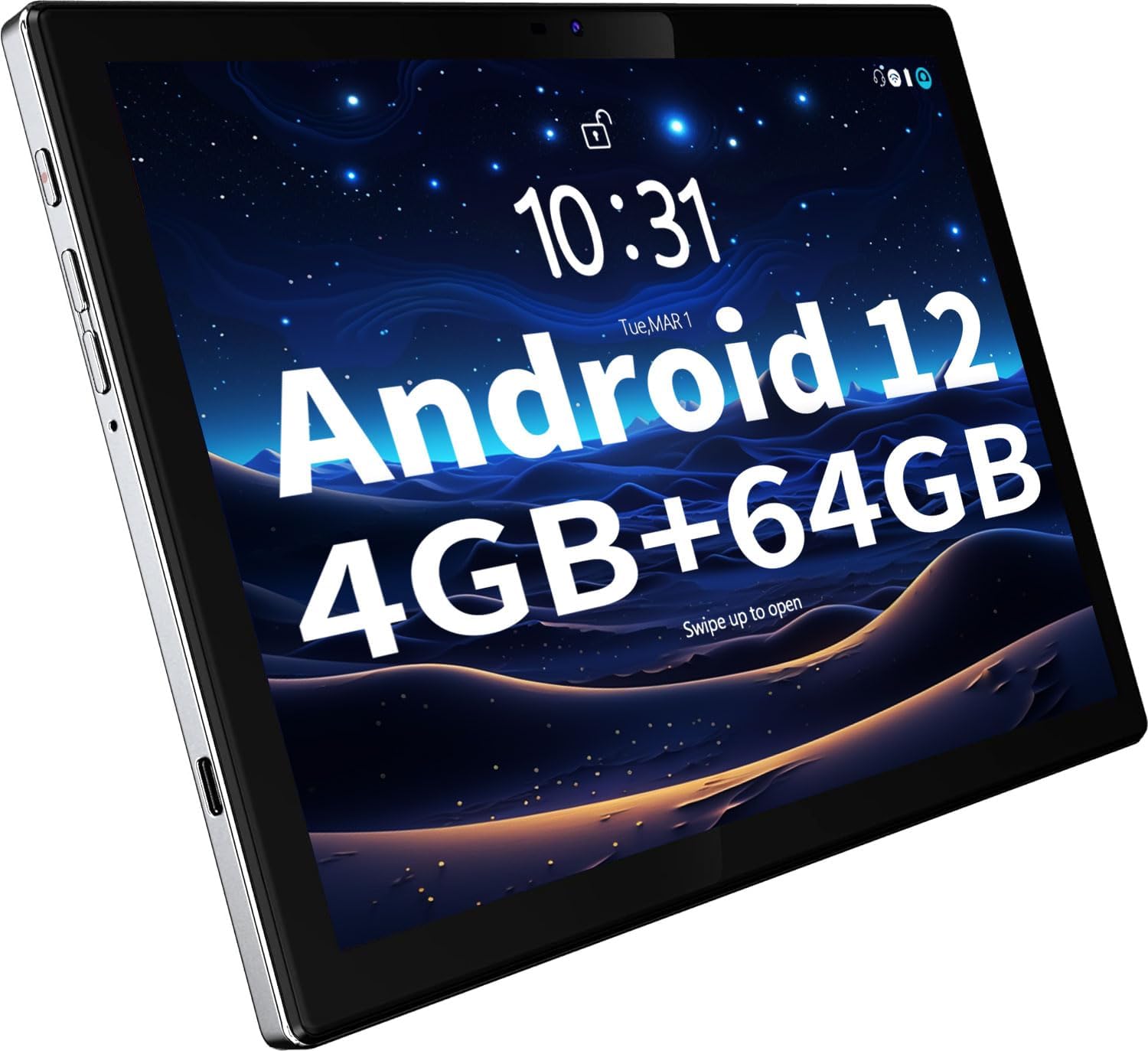
Figure 1: The BYYBUO T10 Android Tablet, highlighting its Android 12 operating system and 4GB RAM + 64GB ROM configuration.
2. Què hi ha a la caixa
Si us plau, comproveu el contingut del paquet per assegurar-vos que hi hagi tots els elements:
- BYYBUO T10 Android Tablet
- Cable USB-C
- Carregador
- Manual d'usuari (aquest document)
3. Configuració
3.1 Càrrega inicial
Before first use, fully charge your tablet. Connect the provided USB-C cable to the tablet's charging port and the charger to a power outlet. The battery indicator on the screen will show charging status. A full charge typically takes several hours.
3.2 Engegada/apagada
- Per encendre: Press and hold the Power button (located on the side) until the BYYBUO logo appears on the screen.
- Per apagar: Press and hold the Power button until a power-off menu appears. Select 'Power off' and confirm.
3.3 Assistent de configuració inicial
En engegar-la per primera vegada, la tauleta us guiarà a través d'un procés de configuració inicial. Seguiu les instruccions que apareixen a la pantalla per a:
- Seleccioneu el vostre idioma.
- Connect to a Wi-Fi network (supports 2.4G and 5G dual-band).
- Inicia la sessió amb el teu compte de Google o crea'n un de nou. Això és essencial per descarregar aplicacions de Google Play Store.
- Configura el bloqueig de pantalla (PIN, patró, contrasenya).
- Review i acceptar els termes i condicions.
3.4 Inserció d'una targeta MicroSD (opcional)
The tablet supports storage expansion up to 512GB via a MicroSD card. Locate the MicroSD card slot on the side of the tablet. Gently insert the card into the slot until it clicks into place. Ensure the tablet is powered off before inserting or removing the card.
4. Instruccions de funcionament
4.1 Pantalla i pantalla tàctil
The BYYBUO T10 features a 10.1-inch Full HD (1920x1200) IPS display with G+G 10-point multi-touch technology. This provides clear visuals and responsive touch interaction for all your activities.

Figure 2: The 10.1-inch 1920x1200 IPS FHD display offers a high-resolution viewexperiència.
4.2 Rendiment i emmagatzematge
Equipped with an Octa-Core CPU running up to 2.0 GHz and 4GB of RAM, the tablet ensures smooth multitasking and efficient performance for various applications and games. It comes with 64GB of internal storage, which can be expanded up to 512GB using a MicroSD card (sold separately), providing ampespai per a les teves aplicacions, fotos, vídeos i documents.

Figure 3: The Octa-core processor ensures smooth and responsive operation.

Figure 4: With 4GB RAM and 64GB ROM, expandable to 512GB, there's plenty of space for your digital content.
4.3 Durada de la bateria
The tablet is powered by a 7000mAh battery, offering extended usage times for daily activities, media consumption, and gaming. Actual battery life may vary based on usage patterns and settings.
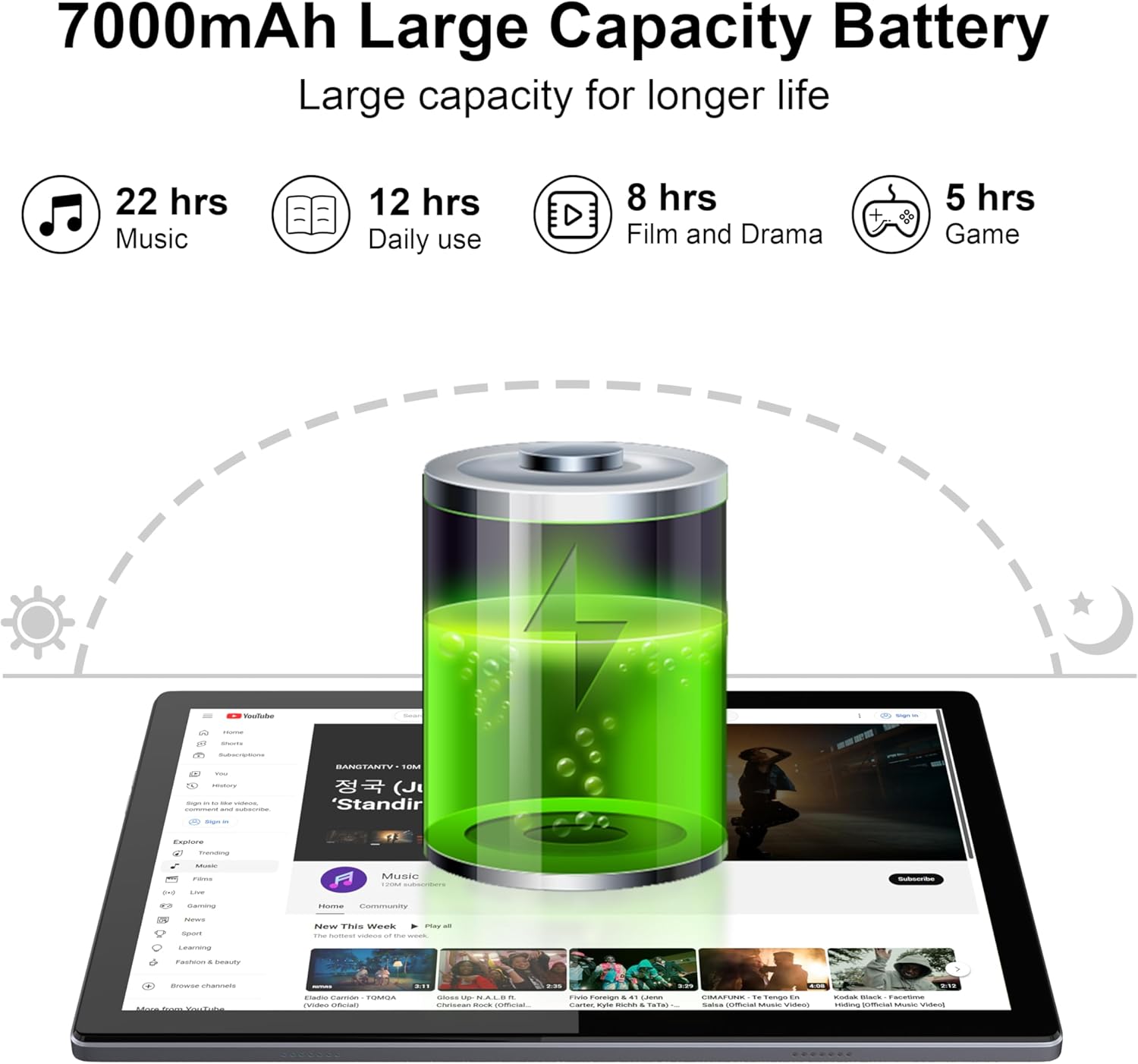
Figure 5: The 7000mAh battery provides long-lasting power for various activities.
4.4 Càmeres
Capture moments with the tablet's integrated cameras: a 5MP front camera for video calls and selfies, and a 13MP rear camera for higher-resolution photos and videos.
4.5 Connectivitat
- Wi-Fi: Supports 2.4G and 5G dual-band Wi-Fi for fast and stable internet connections.
- Bluetooth: Connecteu auriculars sense fil, altaveus i altres dispositius compatibles amb Bluetooth.
- GPS: Utilize the built-in GPS function for navigation and location-based services. The tablet supports multiple navigation systems for faster and more accurate directions.
- Ràdio FM: Enjoy FM radio broadcasts directly from your tablet.
- Projecció sense fil: Easily connect your tablet to a larger screen, such as a TV, for an enhanced viewexperiència.

Figure 6: Stay connected with GPS functionality for accurate navigation.

Figure 7: Connect and share content using 2.4G+5G Wi-Fi and Bluetooth 4.2.
4.6 Programari i aplicacions
The BYYBUO T10 runs on Android 12, a smart and user-friendly operating system. It is GMS (Google Mobile Services) certified, ensuring full access to the Google Play Store. You can download and install a vast array of applications, including popular streaming services like Netflix and YouTube, social media apps, games, and productivity tools.

Figure 8: The tablet is Google GMS Certified, allowing access to a wide range of apps from the Google Play Store.
5. Manteniment
Proper care and maintenance will extend the life of your BYYBUO T10 tablet.
- Neteja: Feu servir un drap suau i sense borrissol per netejar la pantalla i el cos de la tauleta. Eviteu utilitzar productes químics agressius o materials abrasius.
- Cura de la bateria: To prolong battery life, avoid exposing the tablet to extreme temperatures. Do not let the battery completely drain frequently.
- Actualitzacions de programari: Regularly check for and install system updates to ensure your tablet has the latest features and security patches.
- Gestió d'emmagatzematge: Netegeu periòdicament els innecessaris files and uninstall unused apps to free up storage space and maintain optimal performance.
6. Solució De Problemes
Si teniu problemes amb la tauleta, consulteu les solucions habituals següents:
| Problema | Possible solució |
|---|---|
| La tauleta no s'encén | Ensure the tablet is fully charged. Connect the charger and wait a few minutes before attempting to power on again. |
| Tablet freezes or is unresponsive | Press and hold the Power button for about 10-15 seconds to force a restart. If the issue persists, try uninstalling recently installed apps. |
| Problemes de connexió Wi-Fi | Comprova si el Wi-Fi està activat a la configuració. Reinicia el teu encaminador Wi-Fi. Oblida't de la xarxa i torna a connectar-te. Assegura't que estàs dins de l'abast del senyal Wi-Fi. |
| Rendiment lent | Close unused applications running in the background. Clear cached data from apps. Ensure sufficient free storage space. Restart the tablet. |
| La bateria s'esgota ràpidament | Reduce screen brightness. Disable Wi-Fi, Bluetooth, and GPS when not in use. Close background apps. Limit usage of power-intensive applications. |
| Cannot download apps from Google Play Store | Ensure you are signed into your Google account and have a stable internet connection. Clear the cache and data for the Google Play Store app. |
Si aquestes solucions no resolen el problema, poseu-vos en contacte amb l'atenció al client.
7. Especificacions
| Característica | Detall |
|---|---|
| Marca | BYYBUO |
| Nom del model | T10 |
| Sistema operatiu | Android 12 |
| Mida de la pantalla | 10.1 polzades |
| Resolució de pantalla | 1920 x 1200 pixels (FHD IPS) |
| Processador | Octa-Core, 2 GHz |
| RAM | 4 GB |
| Emmagatzematge intern | 64 GB |
| Emmagatzematge ampliable | Fins a 512 GB (MicroSD) |
| Resolució de la càmera posterior | 13 MP |
| Resolució de la càmera frontal | 5 MP |
| Capacitat de la bateria | 7000 mAh |
| Durada mitjana de la bateria | 10 hores (segons l'ús) |
| Tipus sense fil | 802.11n, 802.11b, 802.11g, 802.11ac (2.4G+5G WiFi) |
| Bluetooth | Sí |
| GPS | Sí |
| Ràdio FM | Sí |
| Pes de l'article | 1.23 lliures |
| Dimensions del producte | 9.45 x 6.3 x 0.31 polzades |
8. Garantia i Suport
BYYBUO products are designed for reliability and performance. For warranty information and customer support, please refer to the warranty card included with your product or visit the official BYYBUO brand store on Amazon. You can also find additional support and FAQs on the brand's official weblloc.
BYYBUO Brand Store: https://www.amazon.com/stores/BYYBUO/page/47DE307C-9B8B-46A8-AE96-1C00402EB0B1


