1. Introducció
This manual provides detailed instructions for the installation, operation, and maintenance of your XTRONS 19.5-inch Android Car Roof Monitor, model CM195AP. This device is designed to provide in-car entertainment with its large IPS display, Android operating system, 8K video support, and various connectivity options. Please read this manual thoroughly before using the product to ensure proper function and safety.
2. Informació de seguretat
- Ensure professional installation to prevent damage to the vehicle or the device.
- No intenteu desmuntar ni modificar la unitat. Això pot anul·lar la garantia i plantejar riscos per a la seguretat.
- Manteniu el dispositiu allunyat de l'aigua, la humitat i les temperatures extremes.
- Clean the screen with a soft, dry cloth. Avoid abrasive cleaners.
- Always operate the vehicle safely. Do not allow the monitor to distract the driver.
3. Configuració i instal·lació
3.1 Contingut del paquet
Verifiqueu que tots els components siguin presents al paquet:
- 1 x comandament a distància
- 1 x cable d'alimentació
- 6 x Nuts
- 1 x Manual d'usuari
- XTRONS Android Car Roof Monitor (Main Unit)

Figura 3.1: Package Contents and Dimensions. The image displays the monitor's physical dimensions (525mm x 363mm x 35mm, mounting plate 338mm x 250mm) and lists the included accessories.
3.2 Passos d'instal·lació
The following steps outline the general installation process. Professional installation is recommended.
- Install the bracket to the car roof: Secure the mounting bracket to the designated area on your vehicle's roof.
- Fix the car roof player to the bracket with screws: Attach the main monitor unit to the installed bracket using the provided screws.
- Connecteu el cable d'alimentació: Connect the power cable to the monitor and the vehicle's power supply according to the wiring diagram (not provided in this manual, refer to specific vehicle wiring instructions or professional installer).
Figura 3.2: Installation Diagram. This diagram visually guides through the process of mounting the monitor to the car roof.
4. Instruccions de funcionament
4.1 Android System Overview
The XTRONS CM195AP operates on an Android system, powered by an Octa-Core processor with 2GB RAM and 32GB ROM. This allows for the installation and use of various applications from the Google Play Store.
- Accés a l'aplicació: Enjoy popular streaming services like Netflix, YouTube, Prime Video, Hulu, Spotify, and Disney+.
- Connectivitat a Internet: Connect to Wi-Fi or use an XTRONS 4G Dongle (sold separately, search B07JNTX7CB) as a hotspot for internet access.

Figura 4.1: Android Interface and Key Features. This image highlights the monitor's Android capabilities and hardware specifications.
4.2 Mirall de pantalla
Mirror the screen of your smartphone directly onto the monitor. This feature allows you to share photos, videos, and games without needing to download additional applications.
- Compatibilitat: Supports iPhones with iOS 9.0 and above, and Android phones with Android 8.0 and above.
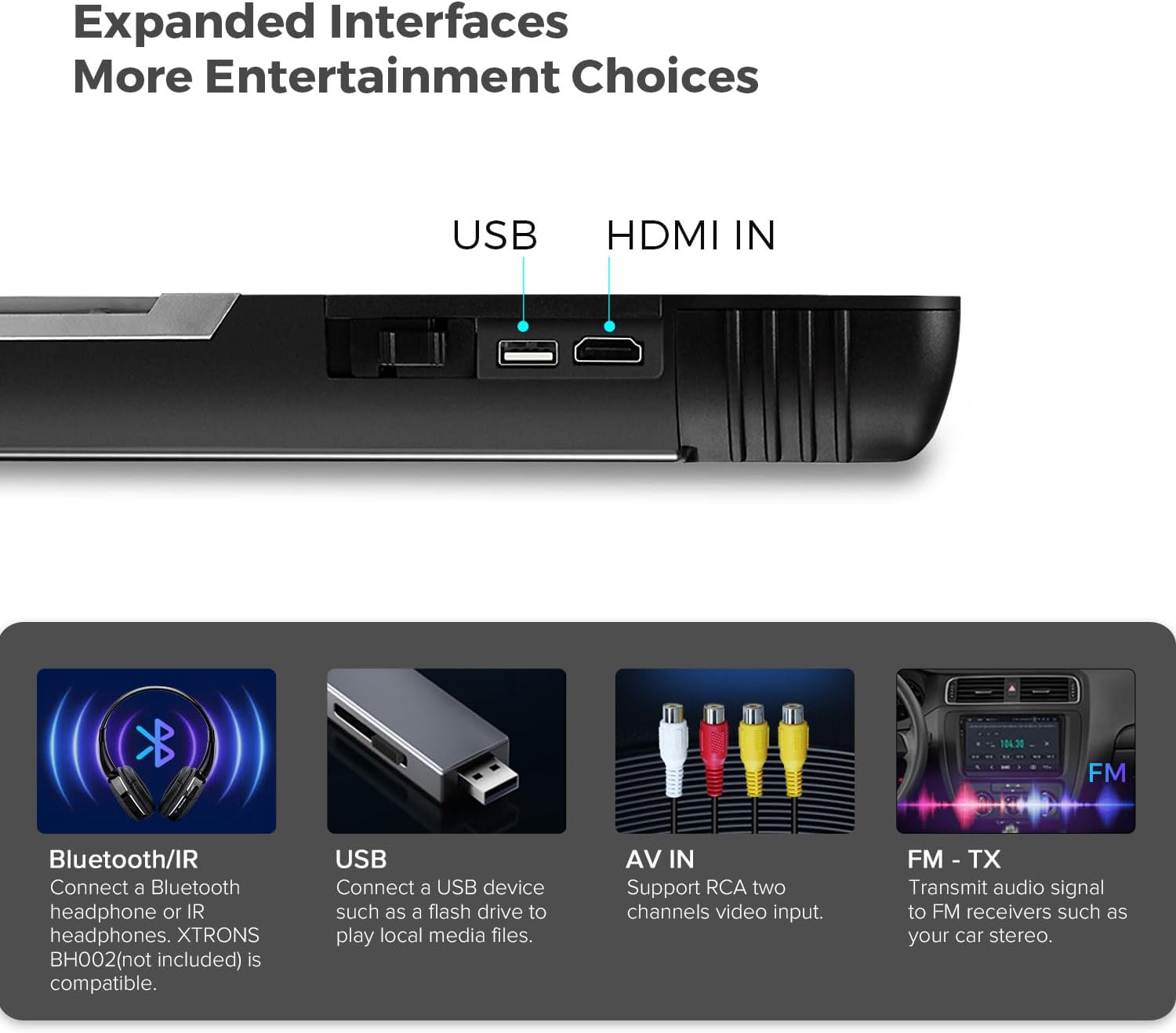
Figura 4.2: Wireless Screen Mirroring. The image illustrates how content from a mobile device can be displayed on the monitor.
4.3 Opcions de connectivitat
The monitor offers multiple ways to connect external devices and expand your entertainment choices.
- Entrada HDMI: Connect external devices such as game consoles, cameras, or video recorders for high-fidelity audio and video streaming.
- Port USB: Reprodueix música, vídeos o view photos from a USB flash drive (maximum compatibility: 128GB, USB 2.0 only).
- RCA Input (AV IN): Compatible with two-channel RCA video input.
- Bluetooth/IR Audio Transmission: Transmit audio to Bluetooth headphones or IR headphones (XTRONS BH002 not included).
- FM-TX: Transmit audio signals to FM receivers, such as your car's stereo system.
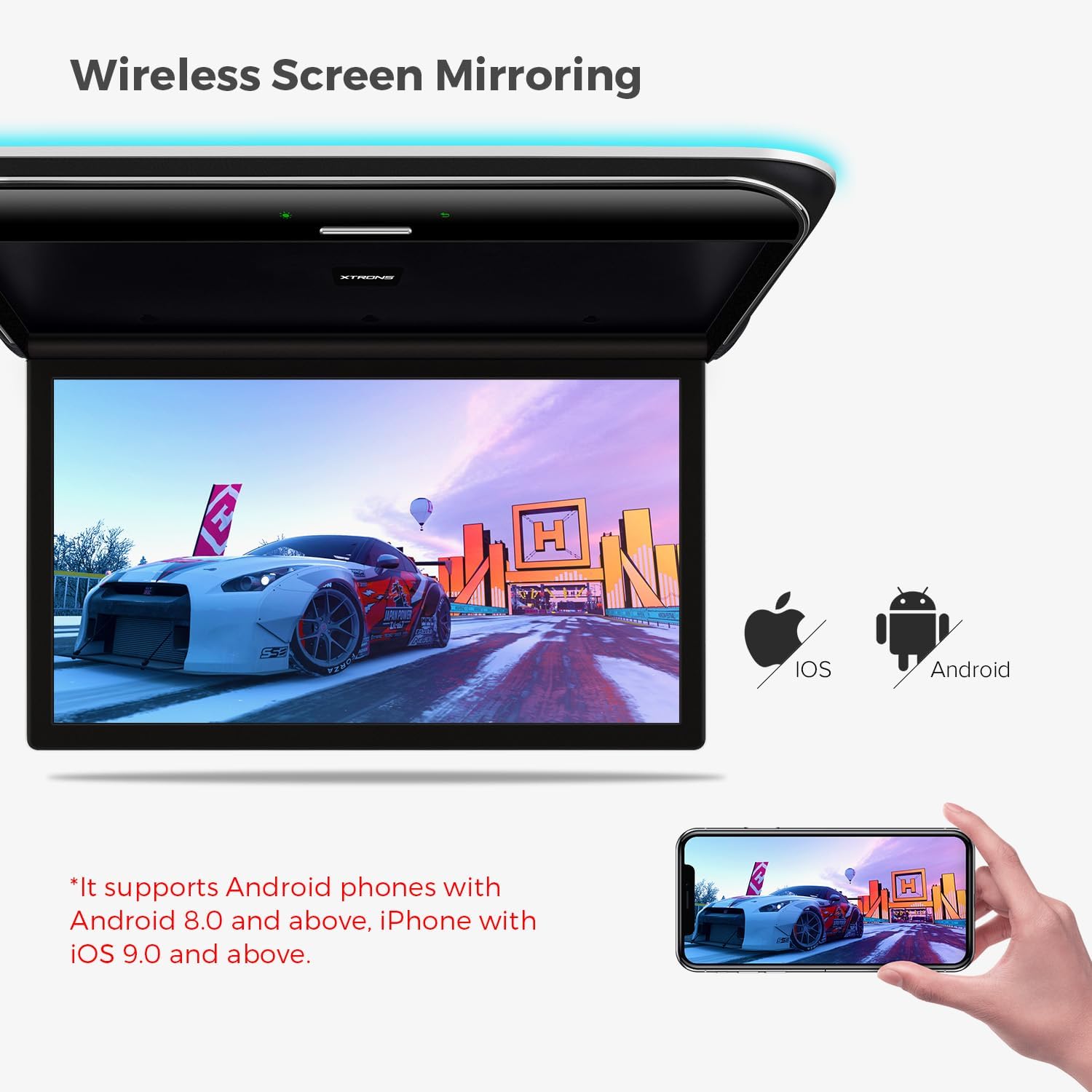
Figura 4.3: Expanded Interfaces. This image shows the various ports and wireless connectivity options available on the monitor.
4.4 Reproducció de vídeo
The monitor supports a wide range of video formats, including high-resolution 8K video, ensuring smooth and detailed playback.
- Formats admesos: MP4 / AVI / MKV / WMV / MPG / MPEG / MOV / RM / RMVB / DAT / FLV / MP3 / WMA / WAV / AAC / APE / FLAC / JPG / JPEG / BMP / PNG.
- Resolució: Supports 8K, 4K, 2K, and 1080p video playback.

Figura 4.4: High-Resolution Display. The image highlights the monitor's capability to display high-quality video content.
4.5 Característiques de visualització
- Angle d'obertura ajustable: The screen can be rotated up to 170° for optimal viewing.
- Virtual Touch Buttons: Buttons appear only when the unit is powered on, providing a clean aesthetic and easy operation.
- Colorful Aura Lighting: Enhances the in-car ambiance and reduces eye strain during night viewing. Note: This lighting replaces your existing dome light.
- Control automàtic d'il·luminació: Dual dome lights can be integrated with door control to automatically turn on/off when the door opens.

Figura 4.5: Lighting and Control Features. This image demonstrates the interactive and aesthetic lighting elements of the monitor.
5. Manteniment
- Neteja de la pantalla: Feu servir un drap suau i sense borrissol per netejar suaument la pantalla. Per a taques difícils, fregueu lleugeramentampNetegeu el drap amb aigua o un netejador de pantalles. Eviteu productes químics agressius.
- Neteja general: Netegeu l'exterior de la unitat amb un drap sec o lleugerament humit.amp cloth. Ensure no liquids enter the device.
- Actualitzacions de programari: Reviseu periòdicament els XTRONS website or the device's settings for available software updates to ensure optimal performance and access to new features.
6. Solució De Problemes
| Problema | Causa possible | Solució |
|---|---|---|
| Sense poder | Power cable disconnected or fuse blown. | Check power connections. Consult a professional to check vehicle's fuse box. |
| Sense so | Volume too low, incorrect audio output selected, or external device issue. | Increase volume. Verify audio output settings (e.g., internal speakers, Bluetooth, FM-TX). Check external device's audio settings. |
| La rèplica de pantalla no funciona | Incompatible phone OS version or connection issue. | Ensure phone meets OS requirements (iOS 9.0+, Android 8.0+). Reconnect or restart both devices. |
| Lagging performance | Too many apps running, low storage, or weak internet connection. | Close unnecessary apps. Clear cache/data. Ensure strong Wi-Fi or 4G signal. |
7. Especificacions
| Característica | Detall |
|---|---|
| Marca | XTRONS |
| Número de model | CM195AP |
| Mida de la pantalla | 19.5 polzades |
| Tipus de visualització | IPS |
| Resolució de visualització | 7680x4320 (8K) |
| Processador | Octa-Core |
| RAM | 2 GB |
| ROM | 32 GB |
| Tecnologia de connectivitat | HDMI, IR, USB, Wi-Fi, 4G (via optional dongle) |
| Dispositius compatibles | Smartphone, Tablet, Video Game Console |
| Característiques especials | HD/RCA Input, Screen Mirroring, Aura Lighting, Automatic Lighting Control |
| Dimensions del producte (unitat principal) | 525 mm (L) x 363 mm (A) x 35 mm (Al) (Note: JSON data provided 49.5L x 49.5W x 49.5H cm, which may be a generic placeholder. Dimensions from product image are used here.) |
| Color | Negre |
8. Garantia i Suport
Per obtenir informació sobre la garantia i l'atenció al client, consulteu la pàgina oficial de XTRONS. weblloc web o poseu-vos en contacte amb el vostre distribuïdor. Conserveu el comprovant de compra per a qualsevol reclamació de garantia.
- Disponibilitat de peces de recanvi: Informació no disponible.
- Actualitzacions de programari garantides fins a: Informació no disponible.
For technical assistance or inquiries, please visit the XTRONS official support page or contact their customer service.


