Introducció
This manual provides comprehensive instructions for setting up, operating, and maintaining your Google Pixel 7a. The Pixel 7a is a fast and secure Android cell phone, powered by the Google Tensor G2 chip, designed for enhanced online protection and exceptional camera capabilities.
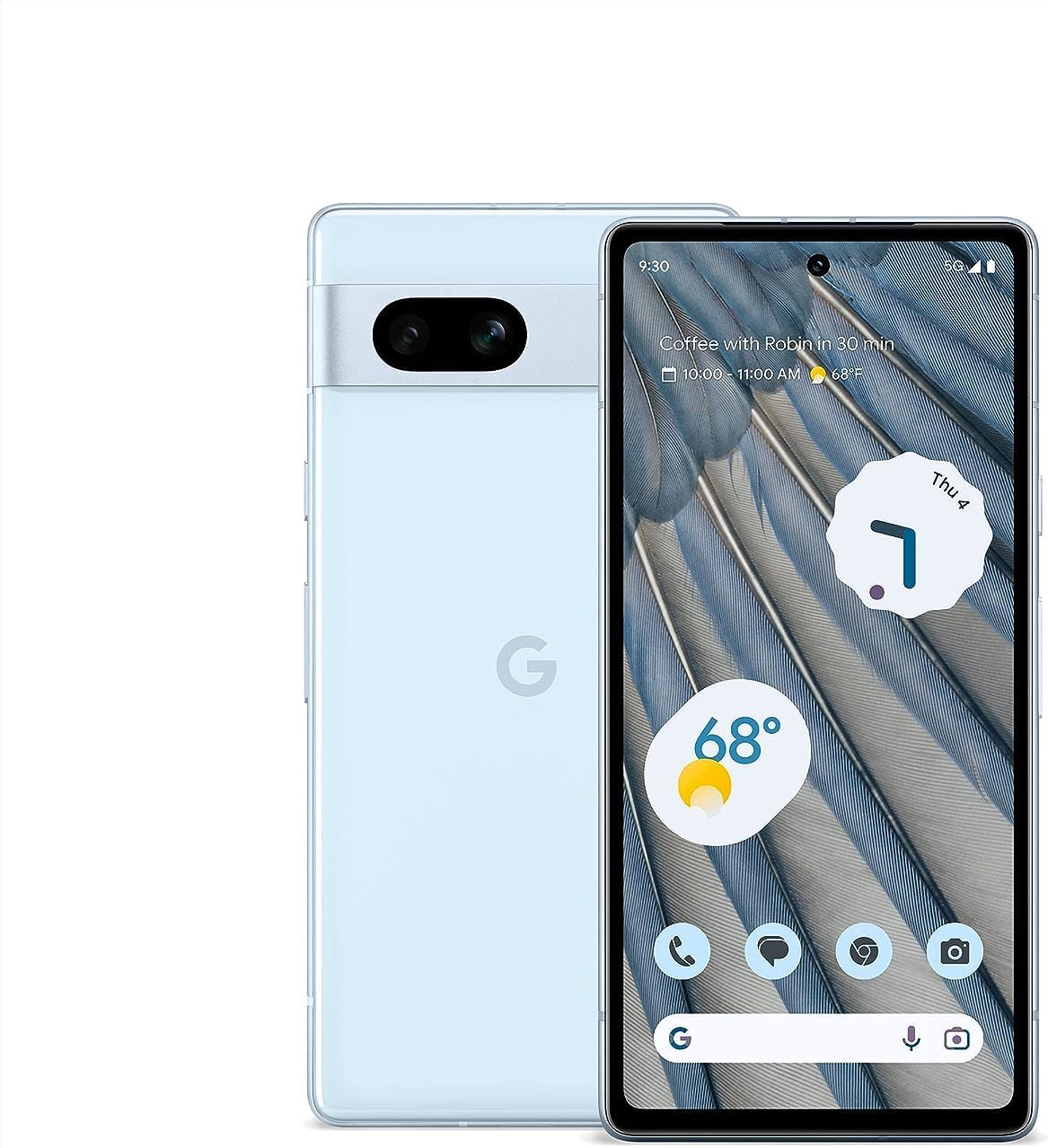
Imatge: Anvers i revers view of the Google Pixel 7a in Sea color, showcasinel seu disseny elegant i la barra de càmera.
Configuració
1. Desembalatge i primera engegada
Upon opening the box, you will find your Google Pixel 7a, a Quick Switch Adapter for data transfer, a SIM Tray Ejector, and a USB Cable. To begin, press and hold the power button located on the right side of the device until the Google logo appears.
2. Configuració Inicial
Follow the on-screen prompts to select your language, connect to a Wi-Fi network, and sign in with your Google account. You will also be guided through setting up your SIM card or downloading a new eSIM.
3. Security Setup
Enhance your device security by setting up Face Unlock or Fingerprint Unlock. These features allow for quick and secure access to your phone.

Image: A hand holding the Google Pixel 7a, showing the "Fingerprint added" screen, indicating successful biometric setup.
Instruccions de funcionament
1. Configuració de la pantalla
The Pixel 7a features a 6.1-inch FHD+ display with a 90Hz refresh rate for smoother scrolling and visuals. You can adjust display settings such as brightness, dark theme, and refresh rate in the 'Display' section of your phone's settings.
2. Pixel Call Assist
Utilize Pixel Call Assist for managing your calls efficiently. This feature helps screen calls from unknown numbers, identifies optimal times to call businesses, and can even wait on hold for you.

Image: A person relaxing with a book, and a Google Pixel 7a nearby displaying the Call Assist interface, highlighting its call screening and hold-waiting capabilities.
3. Live Translate
The Live Translate feature allows for real-time language translation. You can have face-to-face conversations in 48 languages, chat in real-time using messaging apps, and translate menus using your camera.

Image: Two people conversing, with a Google Pixel 7a held between them, displaying a real-time translation of their conversation.
4. Circle to Search
Instantly search for anything on your screen by simply circling, highlighting, or scribbling on an image, text, or video, without needing to switch apps.

Image: A Google Pixel 7a screen showing a picture of a dog wearing goggles, with a circle drawn around the goggles to initiate a search.
Característiques de la càmera
The Pixel 7a is equipped with an advanced camera system, featuring a 64 MP wide lens, a 13 MP ultrawide lens, and a 13 MP front camera. All cameras are capable of shooting 4K videos.
Advanced Photo Editing
- Photo Unblur: Make your blurry pictures sharper with ease.
- Magic Eraser: Easily remove unwanted distractions from your photos.
- Visió nocturna: Capture stunning photos in low-light conditions and starry skies.

Image: A collage demonstrating the Pixel 7a's camera capabilities, including sharpening blurry photos, removing distractions, and capturing clear night images.
Bateria i rendiment
The Google Pixel 7a is powered by the Google Tensor G2 chip, ensuring super fast and efficient performance. Its adaptive battery is designed to last over 24 hours on a single charge, and up to 72 hours when Extreme Battery Saver is enabled. The device also supports wireless charging.

Image: A close-up of the Google Tensor G2 chip, representing the powerful processor behind the Pixel 7a's performance.

Image: The Google Pixel 7a resting on a wireless charging stand, illustrating its wireless charging capability.
Característiques de seguretat
Your Pixel 7a is built with multiple layers of security. The Google Tensor G2 and the certified Titan M2 chip work together to keep your personal information safe. Additionally, VPN by Google One helps protect your online activity across any browser or app.

Image: A hand holding the Google Pixel 7a, displaying the "Security & privacy" settings screen, showing various security checks and options.
Connectivity and Ecosystem
The unlocked Android 5G phone offers flexibility with various carriers including Google Fi, Verizon, T-Mobile, and AT&T. The Pixel 7a is designed to work seamlessly with other Google Pixel devices such as tablets, watches, and earbuds, providing a cohesive and personalized user experience.

Image: A Google Pixel phone, Pixel Watch, and Pixel Buds arranged on a wooden surface, illustrating the integrated Google ecosystem.
Especificacions
| Característica | Detall |
|---|---|
| Dimensions del producte | 6 x 2.8 x 0.4 polzades |
| Pes de l'article | 6.9 unces |
| Número de model de l'article | GWKK3 |
| Sistema operatiu | Android 13.0 |
| RAM | 8 GB |
| Capacitat d'emmagatzematge de memòria | 128 GB |
| Mida de la pantalla | 6.1 polzades |
| Resolució | 1080 x 2400 |
| Freqüència d'actualització | 90 Hz |
| Model de CPU | Google Tensor G2 |
| Capacitat de la bateria | 4385 milionsamp Hores |
| Característiques especials | Dual SIM, Fast Charging Support, Water Resistant, Wireless Charging |
Què hi ha a la caixa
- Google Pixel 7a Cell Phone
- Cable USB
- Expulsor de la safata SIM
- Adaptador de canvi ràpid
- Guia d'inici ràpid
Manteniment i cura
To ensure the longevity of your Google Pixel 7a, keep it clean and free from dust and debris. Use a soft, lint-free cloth for cleaning. Avoid exposing the device to extreme temperatures or direct sunlight for prolonged periods. While the Pixel 7a is water resistant, it is not waterproof; avoid submerging it in liquids.
Resolució de problemes
For common issues such as connectivity problems, app crashes, or performance slowdowns, try restarting your device. If the issue persists, check for system updates in your phone's settings or consult the official Google Pixel support website for detailed troubleshooting guides and FAQs.
Garantia i Suport
For detailed warranty information, technical support, and service options for your Google Pixel 7a, please visit the official Google support weblloc web. Conserveu el comprovant de compra per a reclamacions de garantia.


