1. Introducció
This manual provides detailed instructions for the installation, operation, and maintenance of your MSI GeForce RTX 4070 VENTUS 2X 12G OC graphics card. This high-performance graphics card is built with the NVIDIA Ada Lovelace architecture, offering advanced features for gaming and creative applications, including fast ray tracing and AI-accelerated performance with DLSS 3.
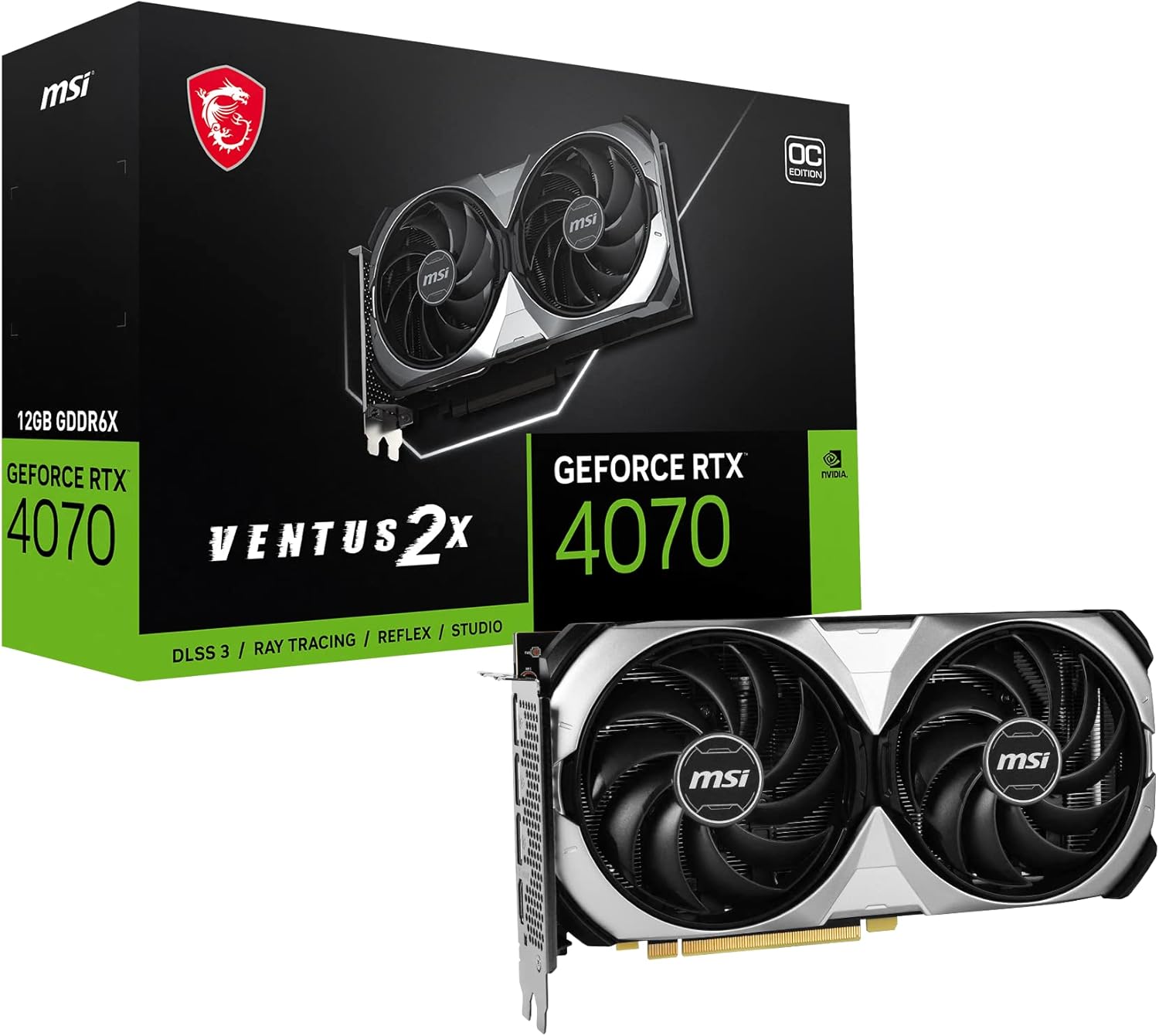
Figure 1.1: MSI GeForce RTX 4070 VENTUS 2X 12G OC Graphics Card and its retail packaging.
2. Què hi ha a la caixa
Verifiqueu que tots els elements siguin presents al paquet del producte:
- Targeta gràfica MSI GeForce RTX 4070 VENTUS 2X 12G OC
- Guia de configuració ràpida
3. Producte acabatview
The MSI GeForce RTX 4070 VENTUS 2X 12G OC features a robust design optimized for performance and thermal efficiency.
3.1. Components clau
- Dual TORX Fan 4.0 Cooling System: Features two powerful fans designed for efficient heat dissipation and quiet operation.
- Copper Baseplate: Directly contacts the GPU and memory modules to capture heat effectively.
- Core Pipes: Precision-crafted heat pipes maximize contact with the GPU baseplate to spread heat along the heatsink.
- Silencing Heatsink Design: Airflow Control with Wave Curve 2.0, updated deflectors, and Air Antegrade fin design for optimized cooling and reduced noise.
- Effective Thermal Padding: Clay-based thermal pads provide additional heat dissipation for board components.
- Reinforcing Backplate: A flow-through design enhances ventilation and protects the card.
- Ports de sortida: Includes 3x DisplayPort 1.4a and 1x HDMI 2.1 for versatile display connectivity.
3.2. Referència visual

Figura 3.1: Frontal view de la targeta gràfica, mostraasing the dual TORX fans.

Figura 3.2: lateral view of the graphics card, showing the heatsink fins and power connector location.

Figura 3.3: posterior view of the graphics card, highlighting the protective backplate.

Figura 3.4: Ports de sortida de pantalla, inclosos els connectors HDMI i DisplayPort.
3.3. Cooling System Details

Figure 3.5: TORX Fan 4.0 design, featuring pairs of fan blades bound together to focus airflow.

Figure 3.6: Copper Baseplate design, showing direct contact with GPU and memory for efficient heat capture.

Figure 3.7: Core Pipes illustration, demonstrating how heat is spread along the heatsink.

Figure 3.8: Silencing Heatsink Design, showing airflow control for balanced cooling and acoustics.

Figure 3.9: Illustration of clay-based thermal pads providing additional heat dissipation.

Figure 3.10: Fan operation diagram, indicating fans stop at low temperatures for silent operation and restart under load.
4. Configuració i instal·lació
Follow these general steps to install your graphics card. Always refer to your motherboard's manual for specific PCIe slot information.
- Prepareu el vostre sistema: Apagueu l'ordinador i desconnecteu tots els cables. Obriu la carcassa del PC.
- Localitza la ranura PCIe: Identify an available PCIe x16 slot on your motherboard.
- Treure les cobertes de les ranures: Traieu les cobertes de les ranures d'expansió necessàries de la carcassa de l'ordinador.
- Inseriu la targeta gràfica: Carefully align the graphics card with the PCIe slot and press down firmly until it is securely seated. Ensure the retention clip on the PCIe slot locks into place.
- Targeta segura: Feu servir cargols per fixar la targeta gràfica a la carcassa de l'ordinador.
- Connectar l'alimentació: Connect the appropriate power cables from your power supply unit (PSU) to the graphics card's power connectors. The MSI GeForce RTX 4070 VENTUS 2X 12G OC typically requires an 8-pin power connector.
- Tanca el cas: Close your PC case and reconnect all cables.
- Instal·leu els controladors: Power on your computer. Once the operating system loads, install the latest graphics drivers from the official NVIDIA or MSI weblloc.
5. Instruccions de funcionament
After successful installation, your graphics card is ready for use. To optimize performance and manage features, consider using MSI's dedicated software.
5.1. Instal·lació del controlador
Always install the latest graphics drivers for optimal performance and stability. Visit the official NVIDIA weblloc (www.nvidia.com/drivers) and select your graphics card model to download the most recent drivers.
5.2. Centre MSI
MSI Center is a utility that helps you get the most out of your MSI products. It allows you to monitor, tweak, and optimize your system in real-time. Features include Mystic Light for RGB lighting control and system performance adjustments.

Figure 5.1: MSI Center software interface for system monitoring and optimization.
5.3. MSI Afterburner
MSI Afterburner is a widely recognized graphics card overclocking software. It provides comprehensive control over your graphics card, allowing you to monitor key system metrics in real-time and adjust clock speeds, voltage, and fan performance. It is compatible with most graphics cards.

Figure 5.2: MSI Afterburner software interface for advanced graphics card control.
5.4. Vídeos de productes
The following videos provide additional visual information about the graphics card:
Vídeo 5.1: Un overview of the MSI GeForce RTX 4070 VENTUS 2X graphics card, highlighting its physical features and design.
Video 5.2: A closer look at the MSI GeForce RTX 4070's features, including its 12GB GDDR6X memory and cooling capabilities.
6. Manteniment
Un manteniment adequat garanteix la longevitat i el rendiment òptim de la targeta gràfica.
- Neteja regular: Netegeu periòdicament la pols dels ventiladors i del dissipador de calor amb aire comprimit. Assegureu-vos que el sistema estigui apagat i desendollat abans de netejar-lo.
- Actualitzacions de controladors: Mantingueu els controladors gràfics actualitzats per aprofitar les millores de rendiment i les correccions d'errors.
- Monitor de temperatures: Use monitoring software (like MSI Afterburner) to keep an eye on GPU temperatures, especially during heavy loads, to prevent overheating.
7. Solució De Problemes
Si teniu problemes amb la targeta gràfica, proveu els passos següents per resoldre problemes:
- Sense sortida de pantalla:
- Assegureu-vos que el cable del monitor estigui connectat correctament tant a la targeta gràfica com al monitor.
- Verifiqueu que la targeta gràfica estigui completament col·locada a la ranura PCIe.
- Check that all necessary power connectors are plugged into the graphics card.
- Si és possible, prova amb un cable de pantalla o monitor diferent.
- Inestabilitat/Avaries del sistema:
- Ensure graphics drivers are up-to-date. Consider performing a clean installation of drivers.
- Monitor GPU temperatures. Excessive heat can cause instability.
- Si s'ha fet overclock, torna a la configuració predeterminada per comprovar l'estabilitat.
- Ensure your PSU provides sufficient wattage for the graphics card.
- Rendiment baix:
- Verify that your system meets the minimum requirements for the applications or games you are running.
- Comproveu si hi ha aplicacions en segon pla que consumeixen recursos del sistema.
- Ensure the graphics card is running at its expected clock speeds (monitor with MSI Afterburner).
8. Especificacions
| Característica | Detall |
|---|---|
| Chipset | GeForce RTX 4070 |
| Memòria de vídeo | 12 GB GDDR6X |
| Interfície de memòria | 192 bits |
| Extreme Clock | 2520 MHz |
| Ports de sortida | DisplayPort x 3 (v1.4a) / HDMI 2.1 x 1 |
| Resolució digital màxima | 7680 x 4320 |
| Sèrie | VENTUS 2X |
| Número de model de l'article | RTX 4070 VENTUS 2X 12G OC |
| Pes de l'article | 2.1 lliures |
| Dimensions del producte (LxWxH) | 9.5 x 4.9 x 0.1 polzades |
9. Garantia i Suport
For warranty information and technical support, please refer to the official MSI website or contact MSI customer service. Keep your proof of purchase for warranty claims.
MSI Official Weblloc: www.msi.com


