1. Introducció
This manual provides comprehensive instructions for the Black Shark Wireless Gaming Earbuds, Model BS-T2. It covers product features, setup, operation, maintenance, and troubleshooting to ensure optimal performance and user experience. Please read this manual thoroughly before using the product.
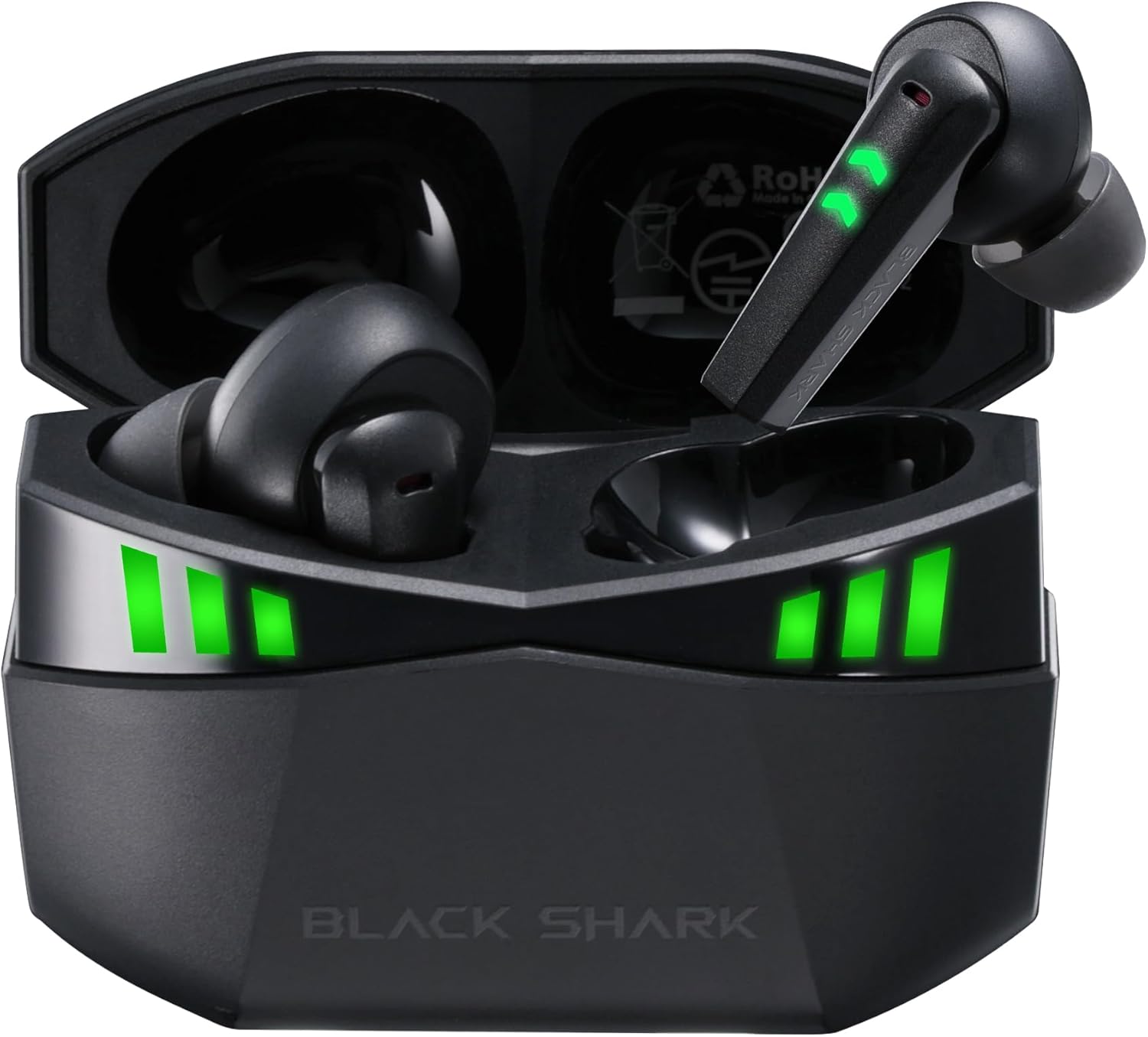
Figure 1: Black Shark Wireless Gaming Earbuds (Model BS-T2) in charging case.
2. Què hi ha a la caixa
Verifiqueu que tots els elements siguin presents al paquet:
- Black Shark Wireless Gaming Earbuds (Left and Right)
- Estoig de càrrega
- Cable de càrrega USB-C
- Multiple Sizes of Eartips (Small, Medium, Large)
- Manual d'usuari

Figure 2: Package contents including earbuds, charging case, cable, and eartips.
3. Configuració
3.1 Càrrega inicial
Abans del primer ús, carregueu completament els auriculars i l'estoig de càrrega.
- Col·loqueu els dos auriculars a la caixa de càrrega.
- Connecteu el cable de càrrega USB-C al port de càrrega de la funda i a una font d'alimentació.
- The LED indicators on the case and earbuds will illuminate to show charging status. A full charge is indicated when all LEDs are solid.

Figure 3: Charging the earbuds and case using the provided USB-C cable.
3.2 Encès/Apagat
- Encès: Obre l'estoig de càrrega. Els auriculars s'encendran automàticament.
- Apagar: Torneu a col·locar els auriculars a l'estoig de càrrega i tanqueu la tapa. S'apagaran automàticament i començaran a carregar-se.
3.3 Vinculació Bluetooth
The earbuds feature one-step auto-pairing for convenience.
- Assegureu-vos que els auriculars estiguin carregats i dins de l'estoig de càrrega.
- Open the charging case. The earbuds will enter pairing mode, indicated by flashing LED lights.
- Al dispositiu (telèfon intel·ligent, tauleta, ordinador), activeu el Bluetooth i cerqueu els dispositius disponibles.
- Select "Black Shark Lucifer T2" from the list of devices.
- Once connected, the earbuds' LED indicators will stop flashing.
The earbuds support Bluetooth 5.2 for a stable and fast connection within a 10-meter range. They also support multipoint pairing.

Figure 4: Bluetooth 5.2 pairing process with a mobile device.
4. Instruccions de funcionament
4.1 Controls tàctils
Els auriculars disposen de controls tàctils intuïtius per a diverses funcions:
- Reproduir/pausa: Double tap either the Left or Right earbud.
- Respondre/Finalitzar la trucada: Double tap either the Left or Right earbud.
- Rebutja la trucada: Mantingueu premut qualsevol dels auriculars durant 2 segons.
- Pista següent: Hold the Right earbud for 2 seconds.
- Pista anterior: Hold the Left earbud for 2 seconds.
- Activa l'Assistent de veu: Toqueu tres vegades l'auricular esquerre.
- Switch Gaming/Music Mode: Toqueu tres vegades l'auricular dret.

Figura 5: Mésview of touch control functions on the earbuds.
4.2 Gaming Mode (Ultra-low Latency)
Activate Gaming Mode for a 35ms ultra-low latency experience, ensuring audio and video synchronization during gameplay.
- To activate Gaming Mode, triple tap the Right earbud.
- To switch back to Music Mode, triple tap the Right earbud again.
Video 1: Demonstration of Black Shark Wireless Gaming Earbuds features, including gaming mode.
4.3 Audio Quality and Microphones
The earbuds are equipped with 10MM high-sensitivity dynamic drivers for clear, detailed sound. Each earbud features two built-in microphones, totaling four, which utilize environmental noise-canceling technology for clear voice capture during calls and team communication.

Figure 6: Hi-Fi Stereo Sound with 10MM dynamic drivers.

Figure 7: Earbuds featuring 4 ultra-clear microphones for enhanced call clarity.
5. Battery Life and Indicators
The earbuds provide up to 5 hours of playback on a single charge. The charging case extends the total playtime to approximately 20 hours.
- Bateria de l'auricular: Fins a 5 hores d'ús continu.
- Temps de reproducció total (amb estoig): Fins a 20 hores.
The charging case and earbuds feature 3-level LED grid indicators to display the current battery level.

Figure 8: Battery life details for earbuds and charging case.
6. Manteniment
To ensure the longevity and performance of your Black Shark Wireless Gaming Earbuds, follow these maintenance guidelines:
- Neteja: Netegeu regularment els auriculars i l'estoig de càrrega amb un drap suau i sec. Eviteu utilitzar materials abrasius o productes químics agressius.
- Puntes d'orelles: Remove and clean the eartips periodically. Replace them if they become worn or damaged.
- Resistència a l'aigua: The earbuds are IPX5 waterproof, meaning they are resistant to splashes and sweat. Do not submerge them in water or expose them to heavy rain. Dry them thoroughly if they get wet.
- Emmagatzematge: Guardeu els auriculars a la funda de càrrega quan no els feu servir per protegir-los i mantenir-los carregats.
- Temperatura: Eviteu exposar els auriculars a temperatures extremes (calor o fred) o a la llum solar directa durant períodes prolongats.
7. Solució De Problemes
Si teniu problemes amb els auriculars, consulteu les solucions habituals següents:
- Sense so/Volum baix:
- Assegureu-vos que els auriculars estiguin correctament emparellats i connectats al dispositiu.
- Comprova el nivell de volum tant del dispositiu com dels auriculars.
- Assegureu-vos que els auriculars estiguin nets i lliures de residus.
- Els auriculars no s'aparellen:
- Assegureu-vos que el Bluetooth estigui habilitat al vostre dispositiu.
- Torneu a col·locar els auriculars a la funda, tanqueu la tapa, espereu uns segons i, a continuació, obriu-la per tornar a entrar al mode d'emparellament.
- Oblida't del dispositiu de la configuració de Bluetooth i intenta emparellar-lo de nou.
- Assegureu-vos que els auriculars i l'estoig tinguin prou càrrega.
- Problemes de càrrega:
- Verifiqueu que el cable USB-C estigui connectat correctament tant a la carcassa com a la font d'alimentació.
- Prova un cable de càrrega o un adaptador de corrent diferent.
- Assegura't que els contactes de càrrega dels auriculars i de l'interior de la funda estiguin nets.
- Connexió inestable:
- Assegureu-vos que el dispositiu estigui dins de l'abast de 10 metres del Bluetooth.
- Avoid obstacles between the earbuds and your device that may interfere with the signal.
- Minimitzar les interferències d'altres dispositius sense fil.
8. Especificacions
| Característica | Especificació |
|---|---|
| Nom del model | Black Shark (BS-T2) |
| Tecnologia de connectivitat | Sense fil (Bluetooth) |
| Versió Bluetooth | 5.2 |
| Interval Bluetooth | 10 metres |
| Mida del controlador d'àudio | 10 mil·límetres |
| Micròfons | 4 Ultra-Clear Microphones (2 per earbud) |
| Latència | 35 ms (mode de joc) |
| Temps de reproducció de l'auricular | Fins a 5 hores |
| Temps de reproducció total (amb estoig de càrrega) | Fins a 20 hores |
| Nivell de resistència a l'aigua | IPX5 |
| Tipus de control | Control tàctil |
| Característiques especials | Fast Charging, Lightweight, Multipoint Pairing |
| Pes de l'article | 4.2 unces |
9. Garantia i Suport
Black Shark products are covered by a limited warranty. For detailed warranty information, product support, or to contact customer service, please refer to the warranty card included in your package or visit the official Black Shark weblloc web. Conserveu el comprovant de compra per a reclamacions de garantia.


