Introducció
Thank you for choosing the PUTORSEN Dual Monitor Wall Mount. This product is designed to provide a secure, space-saving, and ergonomically adjustable solution for mounting two monitors to a wall. This manual contains important information regarding the safe and proper installation, operation, and maintenance of your new monitor mount. Please read it thoroughly before beginning installation and retain it for future reference.
Producte acabatview
The PUTORSEN Dual Monitor Wall Mount is engineered for optimal performance and durability. Key features include:
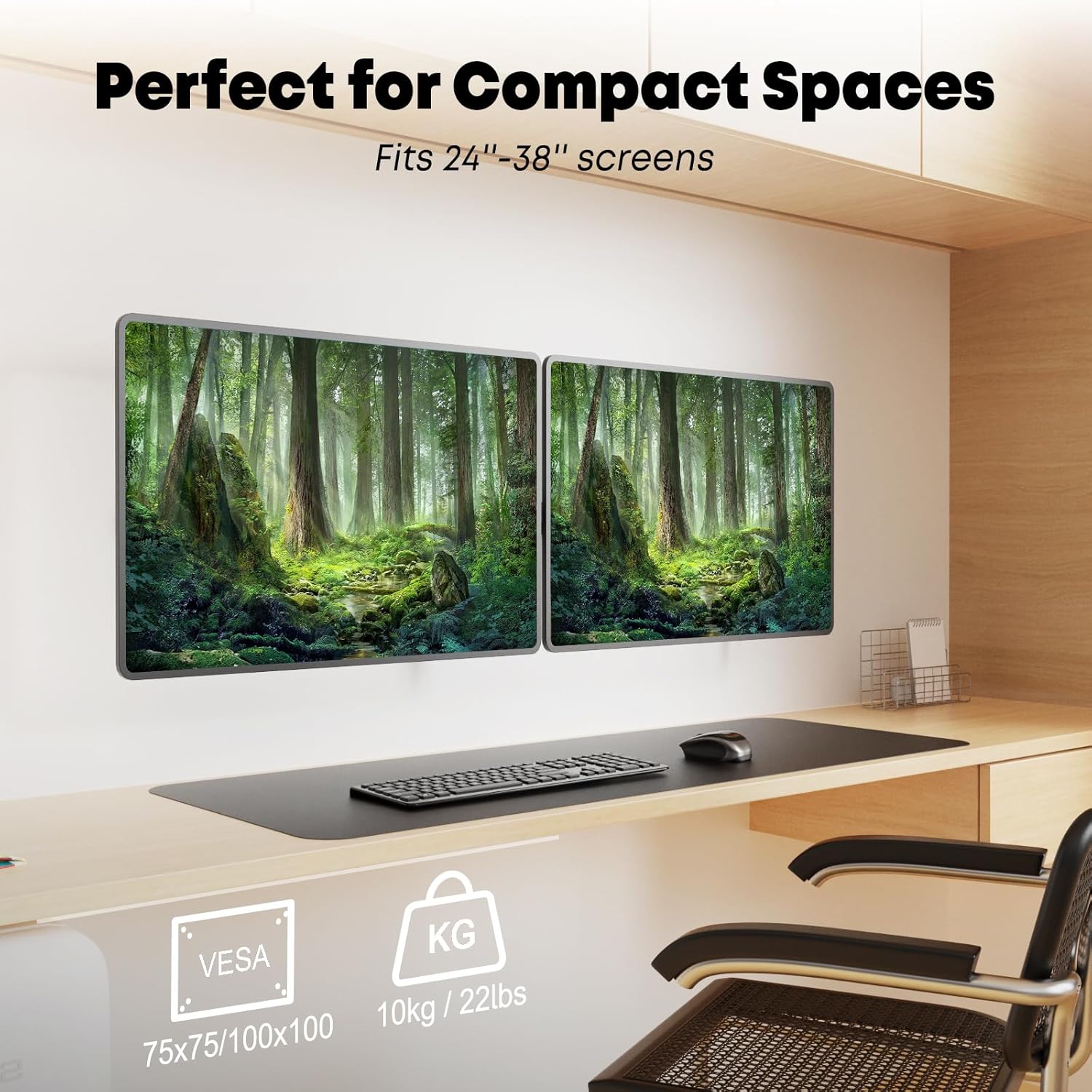
- Ultra-Wide Screen Compatibility: Supports most 24 to 38-inch monitors, with a maximum weight capacity of 22 lbs (10kg) per screen.
- Conformitat VESA: Compatible with VESA patterns 75 x 75 mm and 100 x 100 mm.
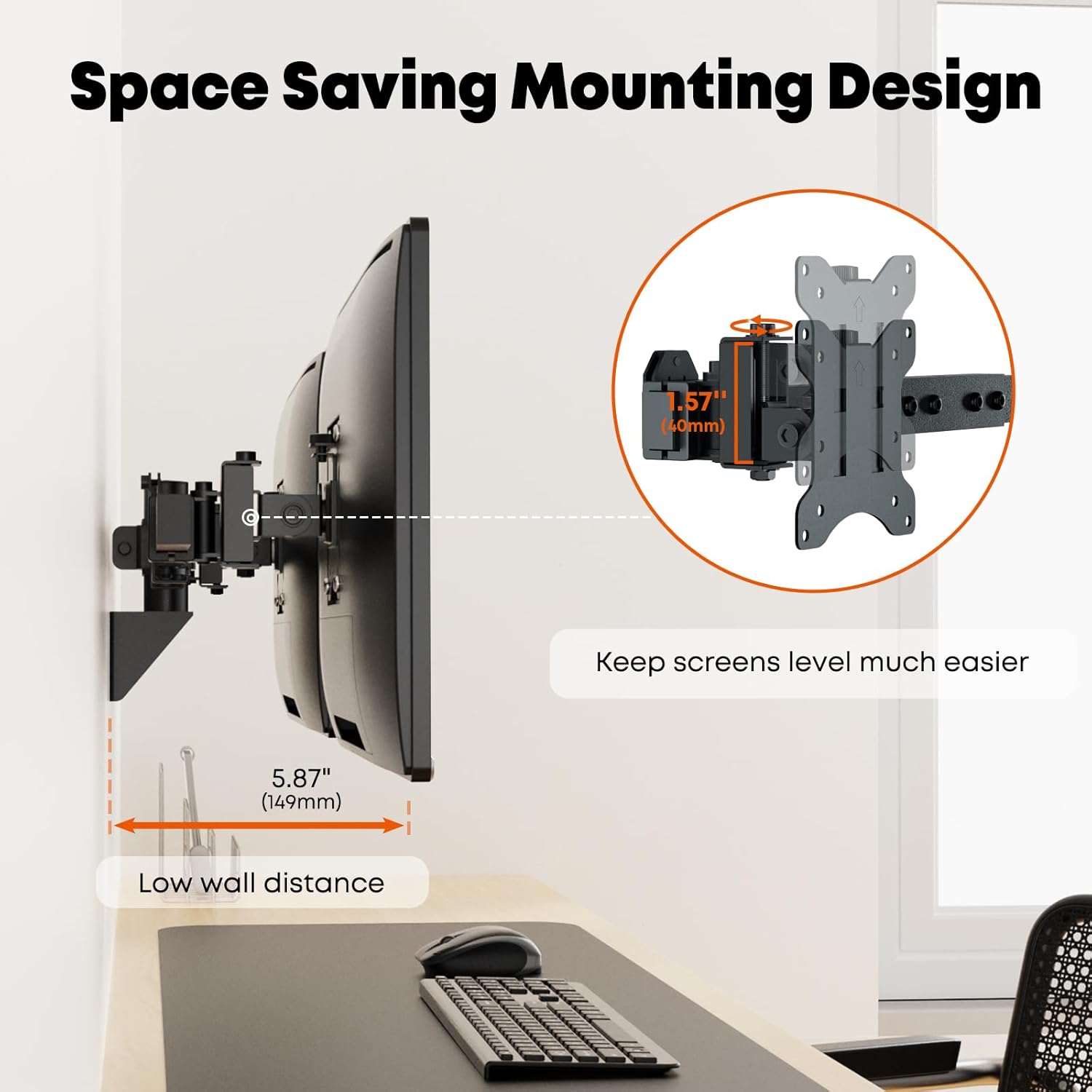
- Flush Wall Setup: Unique heavy-duty arm design allows for a clean, close-to-wall installation.
- Estalvi d'espai: Frees up valuable desk space by elevating monitors.
- Gestió de cables: Integrated clips help organize and conceal cables for a neat appearance.
- Totalment ajustable: Offers +45° to -45° tilt, 180° swivel, and 360° rotation for optimal viewangles d'ajust.

Configuració i instal·lació
Proper installation is crucial for the stability and safety of your monitors. This mount can be installed on concrete walls, masonry walls, or single wood studs.
1. Wall Type Identification
Before drilling, identify your wall type. The mount is suitable for concrete, masonry, or wood stud walls. Ensure you have the correct tools and hardware for your specific wall type.

2. Muntatge de la placa de paret
Secure the main wall plate to your chosen wall location. Use a stud finder for wood studs. Drill pilot holes according to the provided template and secure the plate using the appropriate screws and anchors for your wall type.
3. Muntatge dels braços del monitor
Attach the horizontal arm to the wall plate. Ensure all connections are secure. The design allows for a flush setup, minimizing the distance from the wall to the back of your monitors.
4. Attaching Monitors to VESA Plates
Attach the VESA plates to the back of your monitors using the provided screws. Ensure the VESA pattern (75x75mm or 100x100mm) matches your monitor. The detachable VESA brackets simplify this step.
5. Mounting Monitors to the Arm
Carefully slide the monitors, with VESA plates attached, onto the monitor arms. Secure them in place. Adjust the horizontal position of each monitor along the arm to achieve your desired alignment.
6. Gestió de cables
Utilize the integrated cable management clips on the arm to route and conceal your monitor cables. This helps maintain a clean and organized workspace.

Guia de vídeo d'instal·lació
Per obtenir una guia visual pas a pas, consulteu el vídeo oficial d'instal·lació:
Video 1: Official installation guide for the PUTORSEN Dual Monitor Wall Mount.
Funcionament i ajustos
The PUTORSEN Dual Monitor Wall Mount offers extensive adjustability to customize your viewExperiència:
- Ajust d'inclinació: Adjust the monitor tilt from +45° to -45° to reduce glare and find the perfect vertical angle.
- Ajust de gir: Swivel your monitors up to 180° (90° left/right from center) to share your screen or change viewdirecció.
- Ajust de rotació: Rotate your monitors 360° to switch between landscape and portrait orientations.
- Horizontal Sliding: Monitors can be slid left or right along the horizontal arm to achieve optimal spacing and alignment.


Manteniment
To ensure the longevity and optimal performance of your PUTORSEN Dual Monitor Wall Mount, follow these simple maintenance guidelines:
- Neteja regular: Wipe down the mount with a soft, dry cloth to remove dust and debris. Avoid abrasive cleaners or solvents.
- Comproveu les connexions: Periodically inspect all screws and bolts to ensure they remain tight and secure. Re-tighten if necessary.
- Lubricació: No regular lubrication is required for the moving parts. If any joints become stiff, contact customer support.
- Límit de pes: Do not exceed the maximum weight capacity of 22 lbs (10kg) per monitor.
Resolució de problemes
If you encounter any issues with your monitor mount, please refer to the following common problems and solutions:
| Problema | Causa possible | Solució |
|---|---|---|
| Monitors are not level or sag | Insufficient tightening of adjustment screws; monitor weight exceeding capacity. | Ensure all adjustment screws are securely tightened. Verify monitor weight is within the 22 lbs (10kg) limit per arm. |
| Dificultat per ajustar la posició del monitor | Screws are too tight; mechanism is stiff. | Loosen the relevant adjustment screws slightly. If stiffness persists, contact customer support. |
| Mount feels unstable on the wall | Improper wall installation; loose wall plate screws. | Re-check wall plate installation. Ensure screws are fully engaged in the wall stud or appropriate anchors. Consult a professional if unsure about wall integrity. |
Especificacions
| Característica | Detall |
|---|---|
| Marca | PUTORS |
| Número de model | PTWM02 |
| Mida de pantalla compatible | 24 - 38 Inches (per monitor) |
| Capacitat de pes | 22 lbs (10kg) per monitor |
| Compatibilitat VESA | 75x75mm, 100x100mm |
| Angle d'inclinació | +45° a -45° |
| Angle de gir | 180° |
| Rotació | 360° |
| Material | Acer d'aliatge |
| Color | Negre |
Garantia i Suport
PUTORSEN offers a 10-year service to all customers who purchased this dual monitor wall mount. For any questions, technical assistance, or warranty claims, please contact our customer support team.
You can also find additional resources and information on the official PUTORSEN store: Visit the PUTORSEN Store
An Installation Manual in PDF format is also available for download: Descarrega el manual d'instal·lació (PDF)