1. Introducció
The JOYO MONOMYTH R-26 is a versatile bass simulator effect pedal designed for bass guitarists. It combines overdrive, a 6-band graphic equalizer, and noise reduction features to enhance your tone in various musical settings. This manual provides detailed instructions for proper setup, operation, and maintenance of your pedal.

Image 1.1: The JOYO MONOMYTH R-26 Bass Simulator Pedal. This image displays the pedal's top view, espectacleasing its controls and overall design.
2. Informació de seguretat
- Use only a DC 9V (center negative) power supply with a current consumption greater than 200mA. Incorrect power supply may damage the unit.
- No exposeu la unitat a temperatures extremes, humitat ni llum solar directa.
- Eviteu deixar caure la unitat ni sotmetre-la a impactes forts.
- No intenteu desmuntar ni reparar la unitat vosaltres mateixos. Encarregueu tot el manteniment a personal qualificat.
3. Producte acabatview
3.1. Controls i Funcions

Image 3.1: Labeled controls of the JOYO MONOMYTH R-26 pedal. This image highlights the VOICE, BLEND, LEVEL, DRIVE knobs, and the HI BOOST and GAIN BOOST switches.
- VOICE Knob: Adjusts the brightness of the tone. Turning clockwise increases brightness.
- Manilla BLEND: Adjusts the level of sound blend between the dry signal and the effected signal.
- Control de nivell: Adjusts the overall output volume of the pedal.
- Maneta DRIVE: Adjusts the degree of overdrive effect.
- HI BOOST Switch: Engages a high-frequency boost for the tone.
- GAIN BOOST Switch: Engages an additional boost to the overdrive gain.
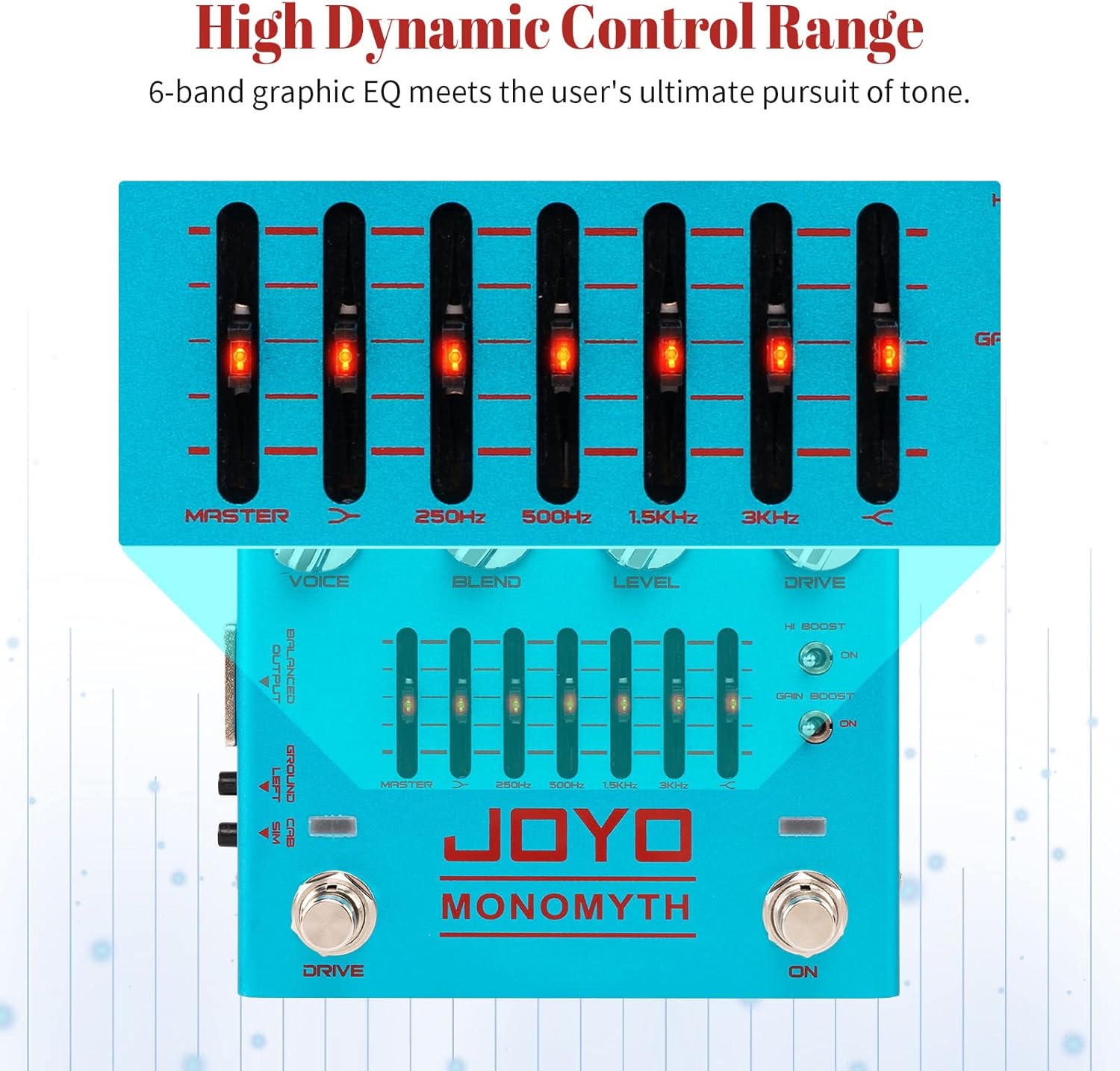
Image 3.2: Close-up of the 6-band graphic EQ section. This image shows the sliders for MASTER, 250Hz, 500Hz, 1.5KHz, and 3KHz frequency bands.
- EQ gràfic de 6 bandes: Provides precise control over various frequency bands (MASTER, 250Hz, 500Hz, 1.5KHz, 3KHz, and an additional high-frequency band). Use the sliders to cut or boost specific frequencies.
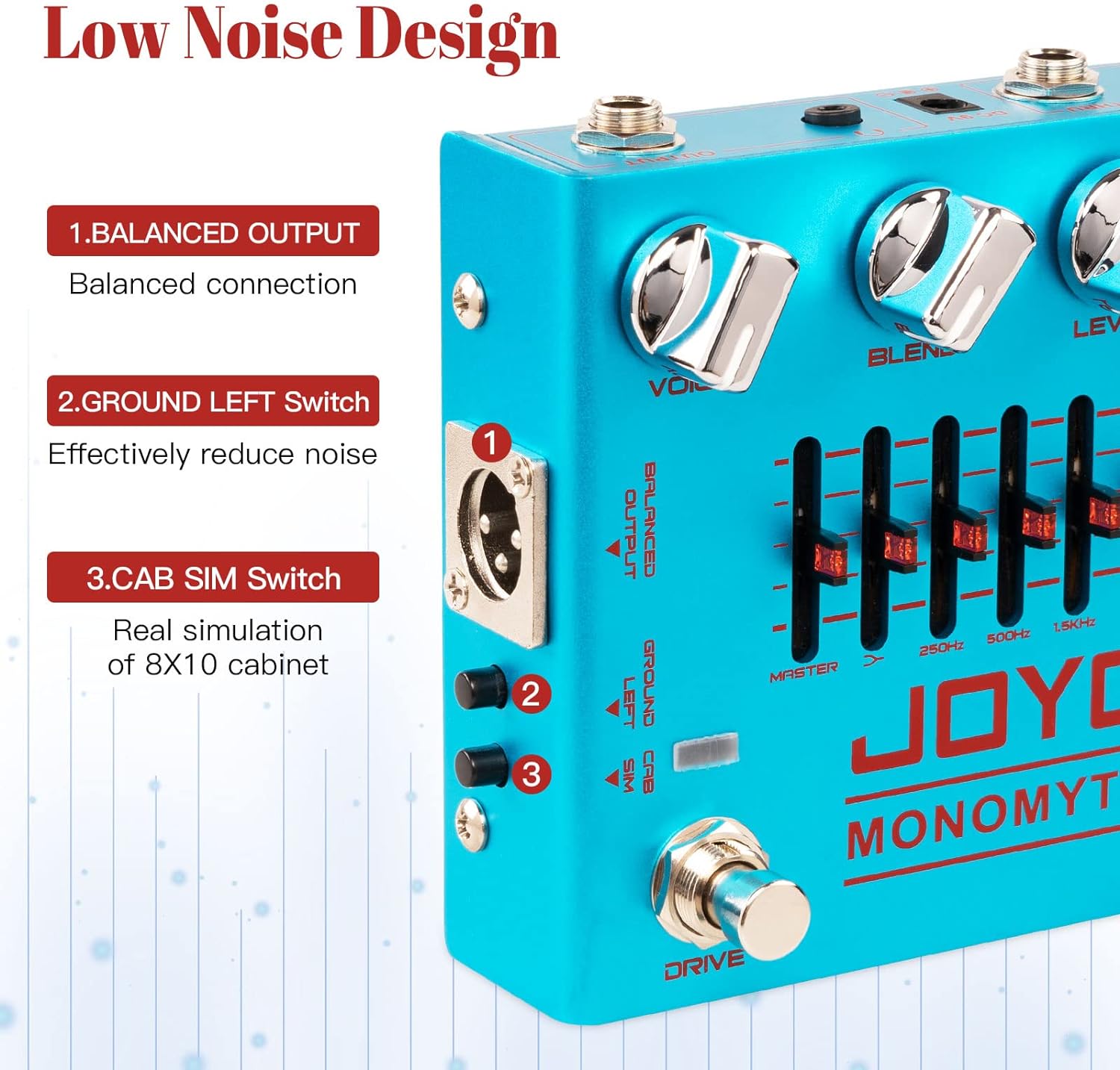
Imatge 3.3: Lateral view showing the Balanced Output, Ground Left, and CAB SIM switches. This image details the switches located on the left side of the pedal.
- RESULTAT EQUILIBRADA: XLR output for balanced connection to mixing consoles or audio interfaces.
- GROUND LEFT Switch: Helps reduce noise caused by ground loops.
- CAB SIM Switch: Activates an 8x10 bass cabinet simulation for a realistic amplified tone.

Image 3.4: Input, Output, THRU, and DC 9V power connections. This image illustrates the various jacks on the rear of the pedal for signal and power.
- Jack d'ENTRADA: 1/4-inch mono input for your bass guitar.
- Presa de SORTIDA: 1/4-inch mono output to your amplificador o següent pedal.
- THRU Jack: 1/4-inch mono output for a dry signal pass-through.
- Entrada DC 9V: Power input for a 9V DC (center negative) adapter.
- DRIVE Footswitch: Activates or deactivates the overdrive effect.
- Pedal d'encesa: Activates or deactivates the overall pedal effect.
4. Configuració
4.1. Connexió d'alimentació
- Ensure the pedal is switched off.
- Connect a DC 9V (center negative) power adapter to the DC 9V input jack on the pedal.
- Connecteu l'adaptador de corrent a una presa de corrent adequada.
4.2. Connexions d'àudio
- Connecta el teu baix a ENTRADA jack using a 1/4-inch instrument cable.
- Connecteu el SORTIDA jack al teu amplifier or the input of another effect pedal using a 1/4-inch instrument cable.
- For balanced output to a mixing console or audio interface, use an XLR cable from the SORTIDA EQUILIBRADA.
- If you wish to send a dry signal to another destination, connect a cable from the PER jack.
5. Instruccions de funcionament
5.1. Funcionament bàsic
- After connecting power and audio, press the ON footswitch to activate the pedal. The LED ambient lights will illuminate.
- Start with all knobs at their middle position (12 o'clock) and EQ sliders flat (center).
- Ajusteu el NIVELL knob to achieve a suitable output volume.
5.2. Overdrive Control
- Premeu el botó CONDUCIR footswitch to engage the overdrive effect.
- Utilitza el CONDUCIR knob to adjust the intensity of the overdrive.
- Experimenta amb el HOLA BOOST i GUANY IMPULS switches to further shape the overdrive character.
5.3. Tone Shaping with EQ
- Ajusteu el VEU knob to control the overall brightness of your tone.
- Utilize the 6-band graphic EQ sliders to fine-tune specific frequencies. Boost lower frequencies for more bass, or cut harsh high frequencies.
- El MESTRE slider controls the overall level of the EQ section.
5.4. Cabinet Simulation
- Involucrar el CAB SIM switch for an 8x10 bass cabinet simulation, ideal for direct recording or connecting to a PA system.
5.5. Reducció de soroll
- If experiencing hum or noise, try engaging the GROUND LEFT switch to mitigate ground loop issues.

Image 5.1: Animated illustration of knob adjustments. This image demonstrates the rotation of the VOICE, BLEND, LEVEL, and DRIVE knobs.
6. Manteniment
- Neteja: Use a soft, dry cloth to clean the pedal. Do not use abrasive cleaners or solvents.
- Emmagatzematge: Store the pedal in a dry, cool place away from direct sunlight when not in use. Disconnect power and cables.
- Footswitches and Jacks: Periodically check footswitches and input/output jacks for any debris or loose connections.
7. Solució De Problemes
- Sense so:
- Comproveu totes les connexions dels cables (entrada, sortida, alimentació).
- Ensure the pedal is powered on and the ON footswitch is engaged.
- Verifica el teu ampL'activador està encès i el seu volum està pujat.
- Comproveu el NIVELL knob on the pedal; ensure it is not set to minimum.
- Soroll/bruix excessiu:
- Ensure you are using a JOYO 9V DC pedal power supply.
- Involucrar el GROUND LEFT switch to reduce ground loop noise.
- Check for faulty cables or power supply.
- Assegureu-vos que no hi hagi altres dispositius electrònics que causin interferències a prop.
- Overdrive Not Engaging:
- Assegureu-vos el CONDUCIR footswitch is engaged.
- Comproveu el CONDUCIR knob setting; increase it to hear the effect.
8. Especificacions
| Característica | Especificació |
|---|---|
| Model | MONOMYTH R-26 |
| Pes de l'article | 14.5 unces (410 grams) |
| Dimensions del producte | 5.12 x 4.33 x 1.97 polzades (130 mm de llargada x 110 mm d'amplada x 50 mm d'alçada) |
| Material del cos | Aliatge |
| Color | Blau |
| Dispositius compatibles | Bass, Effect Pedals, Guitar Combo, Guitar Amplifier, Pedal Controller |
| Tipus de connector | 1/4-Inch Straight |
| Interfície del maquinari | Àudio d'1/4 de polzada |
| Format del senyal | Analògic |
| Font d'alimentació | Elèctric amb cable |
| Voltage | 9 volts (CC) |
| Consum actual | > 200 mA |
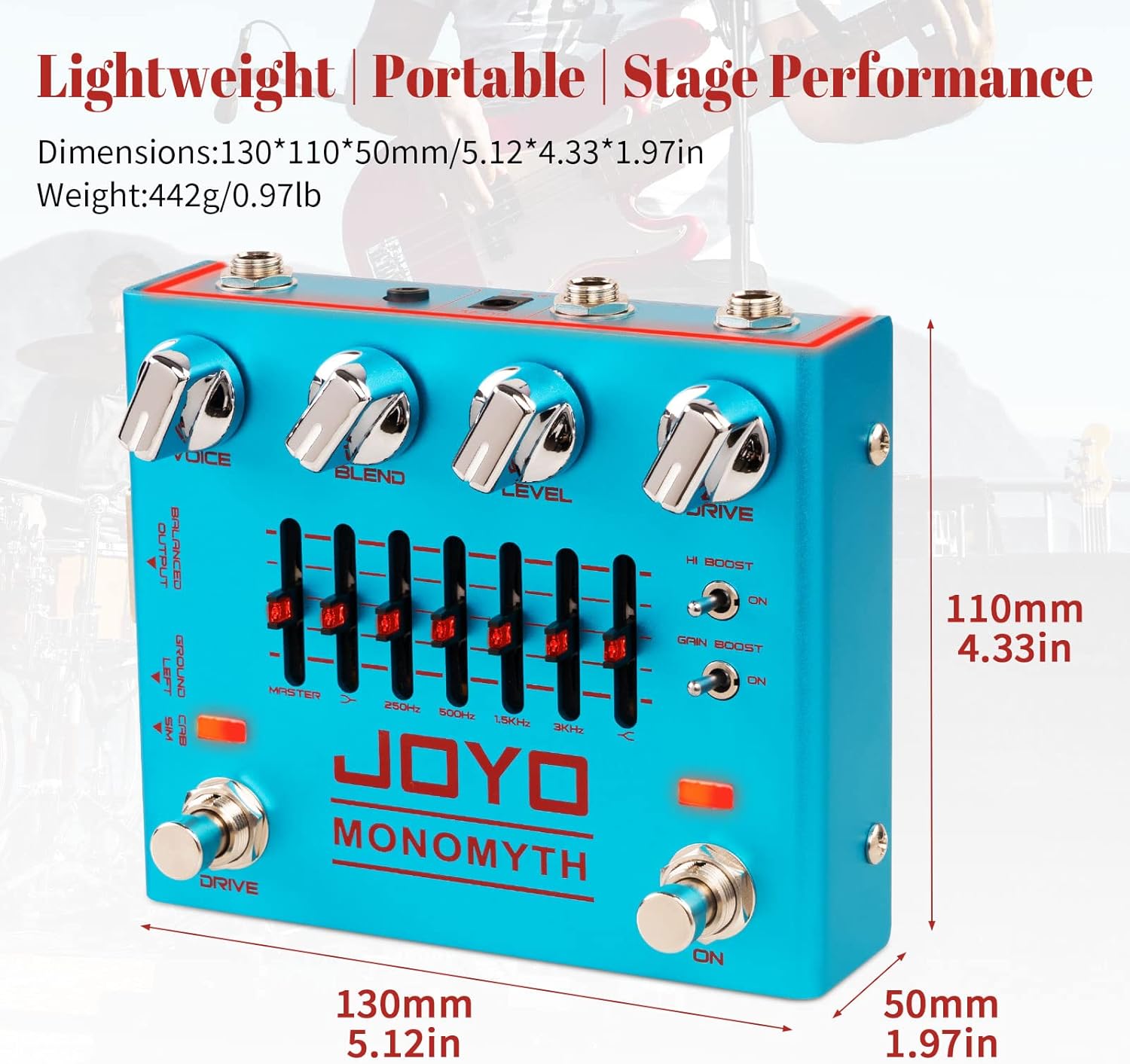
Image 8.1: Dimensions and weight of the JOYO MONOMYTH R-26 pedal. This image provides a visual representation of the pedal's physical size.
9. Què hi ha a la caixa
- JOYO MONOMYTH R-26 Effect Pedal
- Manual d'usuari (aquest document)
10. Garantia i Suport
JOYO products are designed for reliability and performance. This product comes with a standard manufacturer's warranty against defects in materials and workmanship. For specific warranty details, please refer to the warranty card included with your purchase or contact JOYO customer support.
For technical support, troubleshooting assistance, or warranty claims, please contact JOYO customer service through their official weblloc web o el venedor on es va comprar el producte.


