Introducció
Welcome to your Vixic P3200 Label Maker. This manual provides detailed instructions for the setup, operation, and maintenance of your device to ensure optimal performance and longevity. The Vixic P3200 is a portable, Bluetooth-enabled thermal label printer designed for various labeling needs in home, office, and organizational environments.
The Vixic P3200 utilizes advanced thermal transfer technology, eliminating the need for ink cartridges and providing durable, high-definition labels resistant to fading, water, and cold temperatures.

Image: The Vixic P3200 label maker, a compact grey and white device, shown with various colored labels being printed.
Contingut del paquet
Si us plau, verifiqueu que tots els elements que s'enumeren a continuació estiguin inclosos al vostre paquet:
- Vixic P3200 Bluetooth Label Maker (1 unit)
- Label Tape (pre-installed, 12mm / 0.47 inches)
- USB Charging Cable (Type-C, approximately 12 inches in length)
- Full d'instruccions
Característiques clau
The Vixic P3200 Label Maker offers a range of features designed for convenience and versatility:
- Disseny portàtil: Compact and lightweight with a built-in 1200mAh rechargeable battery for on-the-go printing.
- Connectivitat sense fils: Seamlessly connects via Bluetooth to iOS and Android smartphones.
- Impressió versàtil: Supports printing of texts, numbers, graphics, symbols, logos, barcodes, and QR codes.
- Tecnologia tèrmica sense tinta: Produces high-definition, durable labels without the need for ink cartridges.
- Personalització extensa: Offers 11 languages, over 110 fonts, 1500+ icons, 26 templates, and 270+ borders for personalized label creation.
- Aplicació fàcil d'utilitzar: Controlled by a dedicated smartphone application for intuitive label design and printing.
Configuració
1. Càrrega del dispositiu
Before initial use, fully charge your Vixic P3200 Label Maker. Connect the provided USB Type-C cable to the charging port on the device and to a compatible USB power source. The charging indicator will provide status updates. A full charge allows for approximately 4 hours of continuous operation.

Image: Close-up of the Vixic P3200 label maker showing the USB-C charging port and a charging indicator.
2. Instal·lació de l'App
The Vixic P3200 is controlled via a smartphone application. Follow these steps to install it:
- Cerca "Print Master" in your device's app store (Apple App Store for iOS or Google Play Store for Android).
- Baixeu i instal·leu l'aplicació al vostre telèfon intel·ligent.
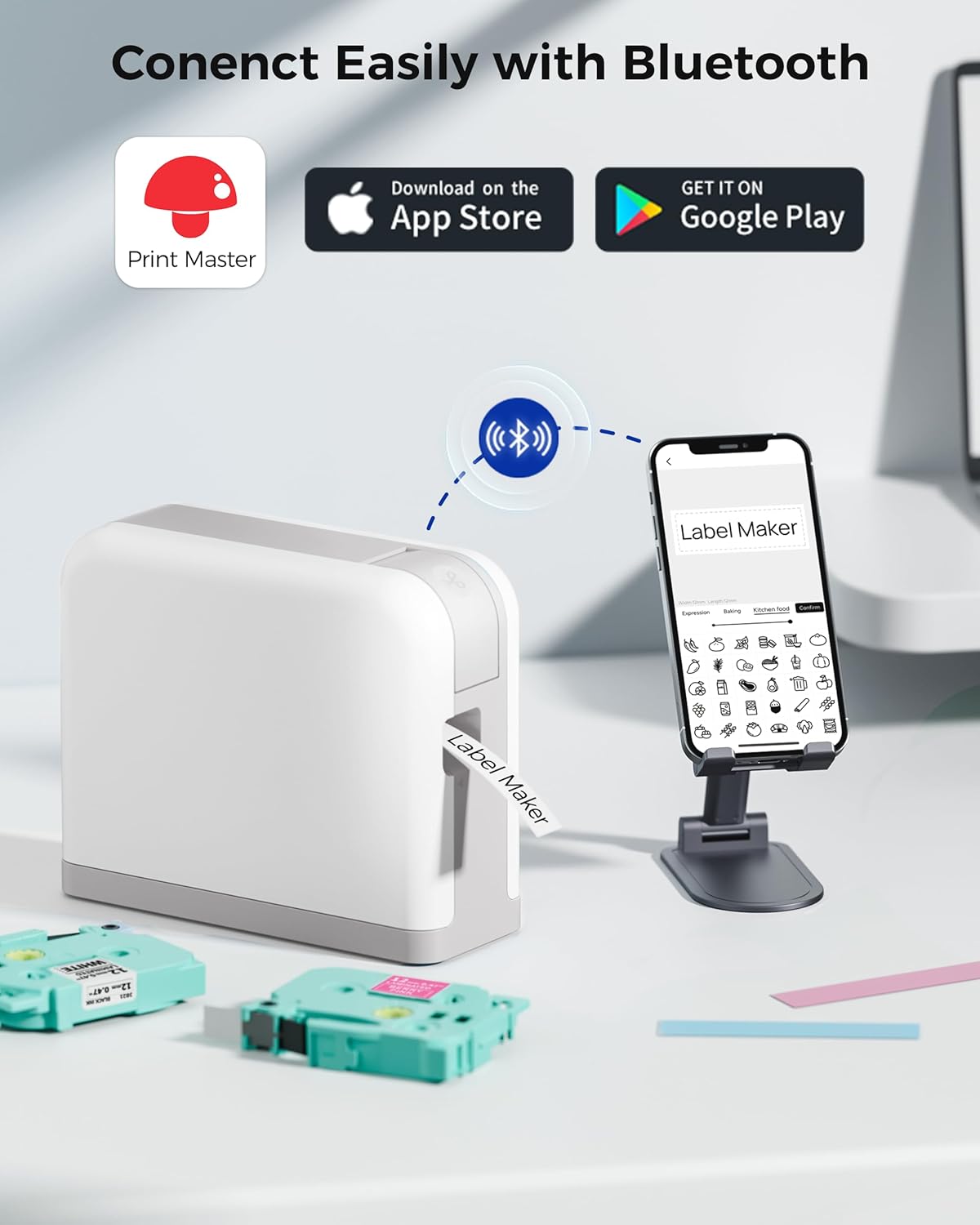
Image: An illustration of the Vixic P3200 label maker connecting via Bluetooth to a smartphone running the "Print Master" app, with download links visible.
3. Càrrega de la cinta d'etiquetes
The device typically comes with a label tape roll pre-installed. To replace or load new tape:
- Gently open the label compartment cover on the side of the device.
- Insert the new label roll, ensuring the label end feeds out through the slot. The roll should be seated securely.
- Tanqueu fermament la tapa del compartiment fins que encaixi al seu lloc.
Instruccions de funcionament
1. Connexió mitjançant Bluetooth
- Ensure your Vixic P3200 Label Maker is powered on.
- Activa el Bluetooth al teu telèfon intel·ligent.
- Open the "Print Master" app. The app will automatically search for and connect to your P3200 device. A successful connection will be indicated within the app interface.
2. Disseny d'etiquetes
The "Print Master" app provides a comprehensive interface for designing your labels:
- Entrada de text: Enter desired text, numbers, and special characters.
- Icones i símbols: Choose from a library of over 1500 icons across various categories to enhance your labels.
- Templates & Borders: Utilize 26 pre-designed templates and over 270 borders for quick and creative label creation.
- Tipus de lletra: Select from over 110 fonts to match your style.
- Codis de barres i codis QR: Generate and print various code types directly from the app.

Image: A smartphone screen displaying the "Print Master" app, showing options for adding text, numbers, and a wide array of icons for label customization.

Image: A smartphone screen displaying the "Print Master" app, illustrating the selection of different border styles for labels.
3. Impressió d'etiquetes
- Once your label design is complete, tap the "Print" button within the app.
- The label maker will begin printing. Use the integrated cutter to neatly separate the printed label from the roll.
Note on Tape Waste: To minimize blank tape waste, especially when printing multiple short labels, design them consecutively within the app and print them as a single batch. You can then manually cut them apart after printing.

Image: The Vixic P3200 label maker actively printing a label, with several household items like sunblock and cream already labeled, demonstrating its versatility.

Image: A person organizing kitchen containers with labels created using the Vixic P3200 Label Maker, showcasing practical application.
Manteniment
Neteja del capçal d’impressió
Regular cleaning of the print head is essential to maintain clear print quality:
- Apagueu el dispositiu.
- Obriu la tapa del compartiment d'etiquetes.
- Gently wipe the print head with a soft, lint-free cloth or an alcohol wipe. Avoid using abrasive materials.
- Allow the print head to dry completely before closing the compartment cover.
Cura de la bateria
To prolong the life of your device's rechargeable battery:
- Avoid frequently fully discharging the battery.
- Guardeu el dispositiu en un lloc fresc i sec quan no el feu servir durant períodes prolongats.
- Charge the device periodically if stored for a long time to prevent deep discharge.
Resolució de problemes
Problemes comuns i solucions
- El dispositiu no es connecta per Bluetooth:
- Ensure the label maker is powered on and within close range of your smartphone.
- Verifiqueu que el Bluetooth està activat al vostre telèfon intel·ligent.
- Try restarting the "Print Master" app and/or the label maker.
- Mala qualitat d'impressió:
- Netegeu el capçal d'impressió tal com es descriu a la secció Manteniment.
- Ensure the label tape is correctly installed and not damaged.
- Check the battery level; low battery can affect print quality.
- Label tape not feeding:
- Verify the label tape is properly loaded and not jammed.
- Assegureu-vos que la coberta del compartiment estigui ben tancada.
- Excessive blank tape dispensed:
- A small amount of blank tape may be dispensed when the machine starts. To minimize waste, consider batch printing multiple labels consecutively within the app.
Especificacions
| Característica | Especificació |
|---|---|
| Marca | Vixic |
| Model | P3200 Etiquetadora |
| Mitjans impresos | Etiquetes |
| Tecnologia d'impressió | Tèrmica |
| Sortida de la impressora | Monocrom |
| Resolució d'impressió màxima | 203 ppp |
| Tecnologia de connectivitat | Bluetooth |
| Dispositius compatibles | Smartphones (iOS, Android) |
| Mida màxima del suport | 12mm x 8m |
| Tipus de bateria | Rechargeable Lithium-Nickel Manganese Cobalt (NMC) |
| Dimensions del producte | 14.61 x 11.99 x 7.59 cm |
| Pes de l'article | 440 g |
| Color | Gris |
| Impressió a doble cara | No |
Garantia i Suport
For detailed warranty information, technical assistance, or customer support, please refer to the contact details provided on the sticker located inside the label cartridge compartment of your device. Additionally, support options may be available directly within the "Print Master" application.
Customer support is typically available Monday through Friday, from 9 AM to 5 PM (US Eastern Standard Time). You may also visit the official Vixic website for further resources and frequently asked questions.


