1. Introducció
The SONOFF SV DC 5V-24V Wi-Fi Wireless Relay Module is a low-voltage smart home device designed for remote control and automation of electronic equipment. This module allows users to monitor device status in real-time and set schedules via a smartphone application. It integrates with various smart home platforms for enhanced control.
2. Informació de seguretat
- Always ensure power is disconnected before installation, wiring, or maintenance.
- This device operates with low voltage (5V-24V DC). Do not connect to AC power.
- Consulteu un electricista qualificat si no teniu clar quins són els procediments de cablejat.
- No exposeu el dispositiu a la humitat, temperatures extremes ni ambients corrosius.
- Mantenir fora de l'abast dels nens.
3. Producte acabatview
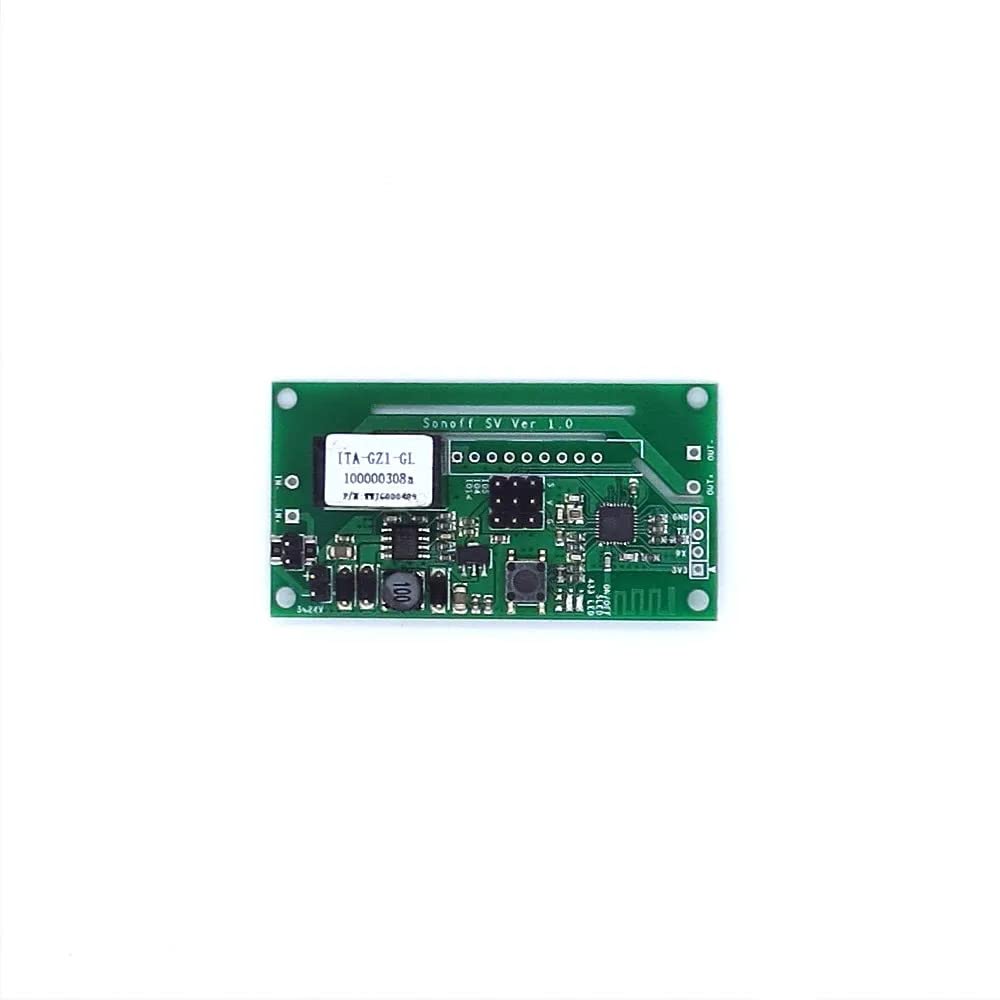
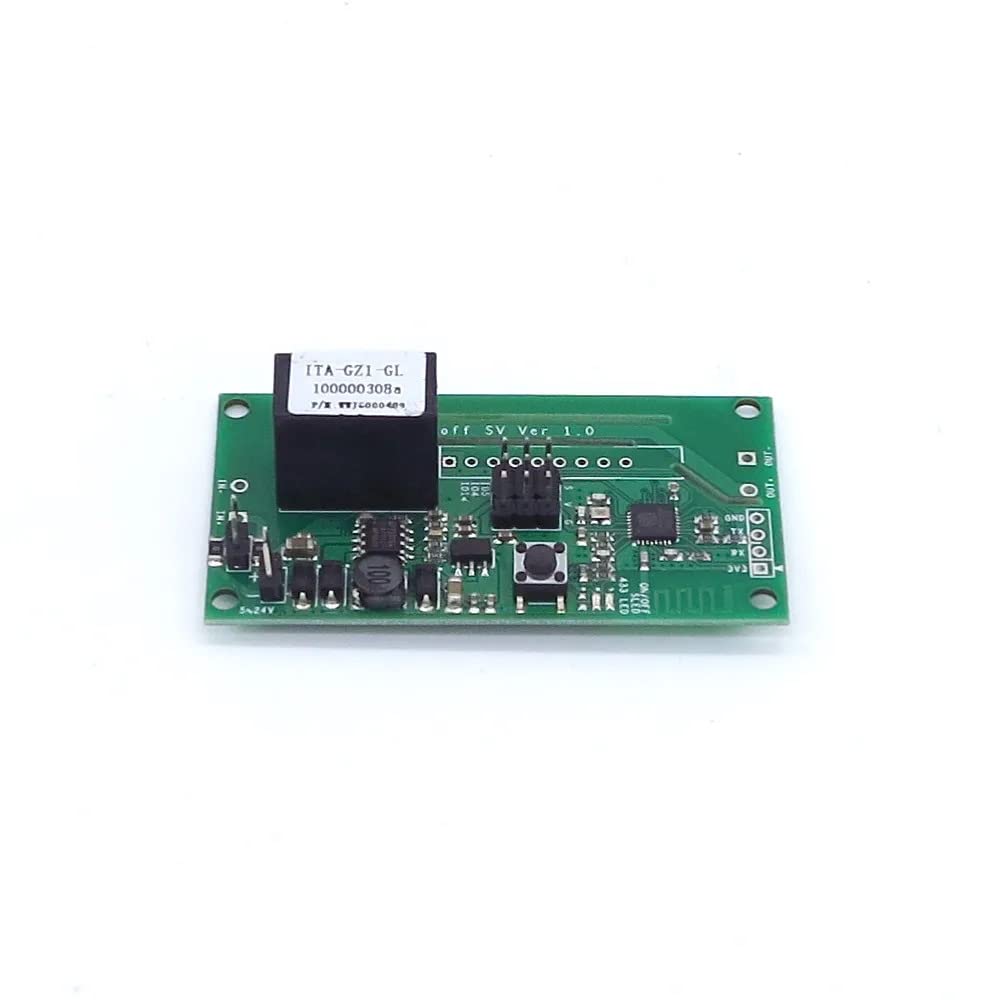
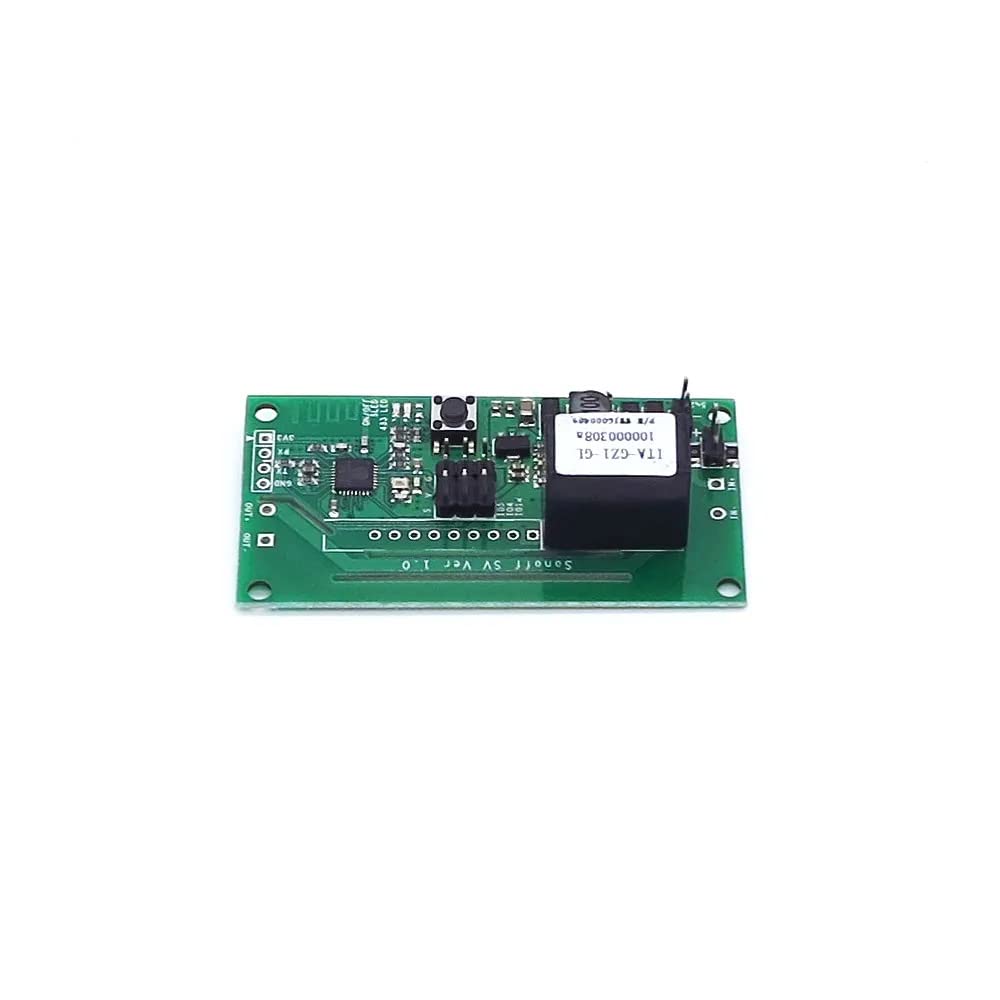
The SONOFF SV module is a compact circuit board designed for integration into various low-voltage systems. It features input terminals for power, output terminals for controlling a device, a Wi-Fi antenna, and a pairing button.
3.1 Característiques clau
- Comandament ON/OFF: Control connected devices from anywhere via the eWeLink app.
- Control LAN: Operate devices even without internet access (within your local network).
- Volum baixtage Entrada: Compatible with 5V-24V DC power sources.
- Suport de l'aplicació: Free eWeLink app available for iOS and Android.
- Estat de sincronització: Real-time device status feedback in the app.
- Control de veu: Works with Amazon Alexa and Google Home/Nest.
- GIPO Reserves: Provides additional General Purpose Input/Output pins for advanced users.
3.2 Identificació de components

4. Configuració
4.1 Instruccions de cablejat
Before proceeding, ensure all power sources are disconnected. The SONOFF SV module requires a 5V-24V DC power supply. It acts as a switch for a connected device.
- Connect your 5V-24V DC power supply to the input terminals labeled '5-24V' i 'GND' on the module. Ensure correct polarity.
- Connect the device you wish to control to the output terminals labeled 'OUT'. The module's relay will switch the circuit connected to these terminals.
- Double-check all connections for security and correctness before applying power.
Note: The module's output is a dry contact (potential-free) relay, meaning it simply opens or closes a circuit. It does not provide power to the connected device.
4.2 Instal·lació de l'aplicació i emparellament de dispositius
- Descarrega't el eWeLink aplicació des de l'App Store (iOS) o Google Play Store (Android).
- Register an eWeLink account and log in.
- Power on the SONOFF SV module. The Wi-Fi LED indicator should blink rapidly (usually two short and one long blink). If not, press and hold the pairing button for 5 seconds until it blinks rapidly.
- In the eWeLink app, tap the '+' icon at the bottom center to add a device.
- Seleccioneu 'Quick Pairing' or the appropriate pairing mode.
- Follow the on-screen instructions to connect the module to your 2.4GHz Wi-Fi network. Enter your Wi-Fi password when prompted.
- Un cop s'hagi emparellat correctament, podeu canviar el nom del dispositiu i assignar-lo a una habitació.
5. Instruccions de funcionament
5.1 Control remot mitjançant l'aplicació eWeLink
- Open the eWeLink app and select your SONOFF SV device.
- Tap the power icon to toggle the connected device ON or OFF.
- The app will display the real-time status of the device (ON/OFF).
5.2 Programació i temporitzadors
- Within the device settings in the eWeLink app, navigate to the 'Timer' or 'Schedule' section.
- Set one-time, repeating, or countdown timers to automatically turn the connected device ON or OFF at specified times.
5.3 Integració del control per veu
The SONOFF SV module can be controlled using voice commands through Amazon Alexa or Google Home/Nest devices.
- Ensure your eWeLink account is linked to your Alexa or Google Home account via their respective apps.
- Discover new devices in the Alexa or Google Home app.
- Utilitzeu ordres com ara:
- "Alexa, turn on [device name]"
- "Hey Google, turn off [device name]"
5.4 Control de LAN
If your Wi-Fi network is active but lacks internet access, the device can still be controlled locally via the eWeLink app, provided your smartphone is on the same local network as the SONOFF SV module.
6. Manteniment
- Mantingueu el dispositiu net i sec. Feu servir un drap suau i sec per netejar-lo.
- Do not attempt to disassemble or repair the module yourself. There are no user-serviceable parts inside.
- Comproveu regularment si hi ha actualitzacions de firmware a través de l'aplicació eWeLink per garantir un rendiment i una seguretat òptims.
7. Solució De Problemes
7.1 El dispositiu no es connecta a la Wi-Fi
- Ensure your Wi-Fi network is 2.4GHz. The module does not support 5GHz Wi-Fi.
- Check that the Wi-Fi password entered in the app is correct.
- Move the module closer to your Wi-Fi router to improve signal strength.
- Reinicieu el vostre encaminador Wi-Fi i torneu a intentar l'emparellament.
- Perform a factory reset on the module by pressing and holding the pairing button for approximately 10 seconds until the LED indicator changes its blinking pattern, then try pairing again.
7.2 Device Not Responding to App Commands
- Verify that the module is powered on and the Wi-Fi LED is solid (connected).
- Comproveu la vostra connexió a Internet.
- Ensure the eWeLink app is up to date.
- If using LAN control, ensure your phone is on the same local network.
7.3 El control per veu no funciona
- Confirm that your eWeLink account is correctly linked to Alexa or Google Home.
- Try rediscovering devices in the Alexa or Google Home app.
- Ensure the device name used in voice commands matches the name set in the eWeLink app.
8. Especificacions
| Model | SV |
| Font d'alimentació | DC 5V-24V |
| Corrent màxim | 1A |
| Potència màxima | 24W |
| Wi-Fi estàndard | IEEE 802.11 b / g / n a 2.4 GHz |
| Mode de funcionament | ON-OFF-ON |
| Tipus de contacte | Normalment obert |
| Material | PC V0 (Plastic) |
| Dimensions (L x A x A) | 6.5 x 3.4 x 1.2 cm |
| Pes | 10 g |
9. Garantia i Suport
For technical support, warranty information, or further assistance, please visit the official SONOFF weblloc web o contacteu directament amb el servei d'atenció al client. Conserveu el rebut de compra per a reclamacions de garantia.
SONOFF oficial Weblloc: www.sonoff.com