Introducció
This manual provides instructions for the Trust 25025 AZERTY Wireless Keyboard and Mouse Set. This comfortable wireless set features silent keys and buttons, and is constructed using 85% recycled materials. It is designed for ease of use and long-lasting performance.
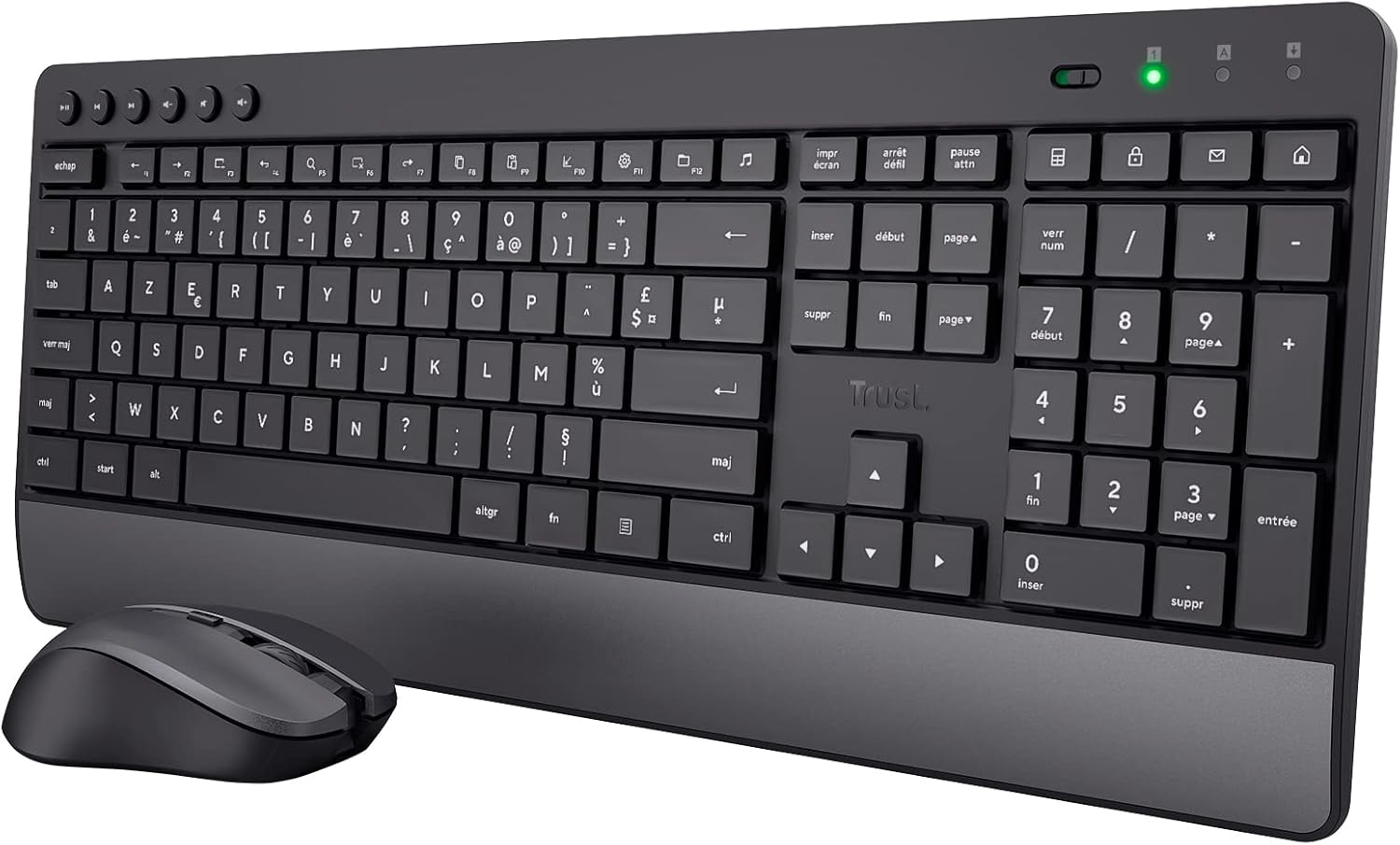
Image: The Trust 25025 AZERTY Wireless Keyboard and Mouse Set, featuring a full-size keyboard with a wrist rest and a compact mouse.
Contingut del paquet
- Trust 25025 AZERTY Wireless Keyboard
- Confia en el ratolí sense fils
- Micro receptor USB
- 3 piles AA (preinstal·lades o incloses per separat)
- Manual d'usuari (aquest document)
Configuració
1. Instal·lació de la bateria
The keyboard requires 2 AA batteries and the mouse requires 1 AA battery. These are typically included. If not, or if replacing, ensure correct polarity.
- Localitzeu els compartiments de les piles a la part inferior del teclat i del ratolí.
- Obriu les cobertes de la bateria.
- Insert the AA batteries, matching the + and - indicators.
- Tanqueu bé les cobertes de les piles.
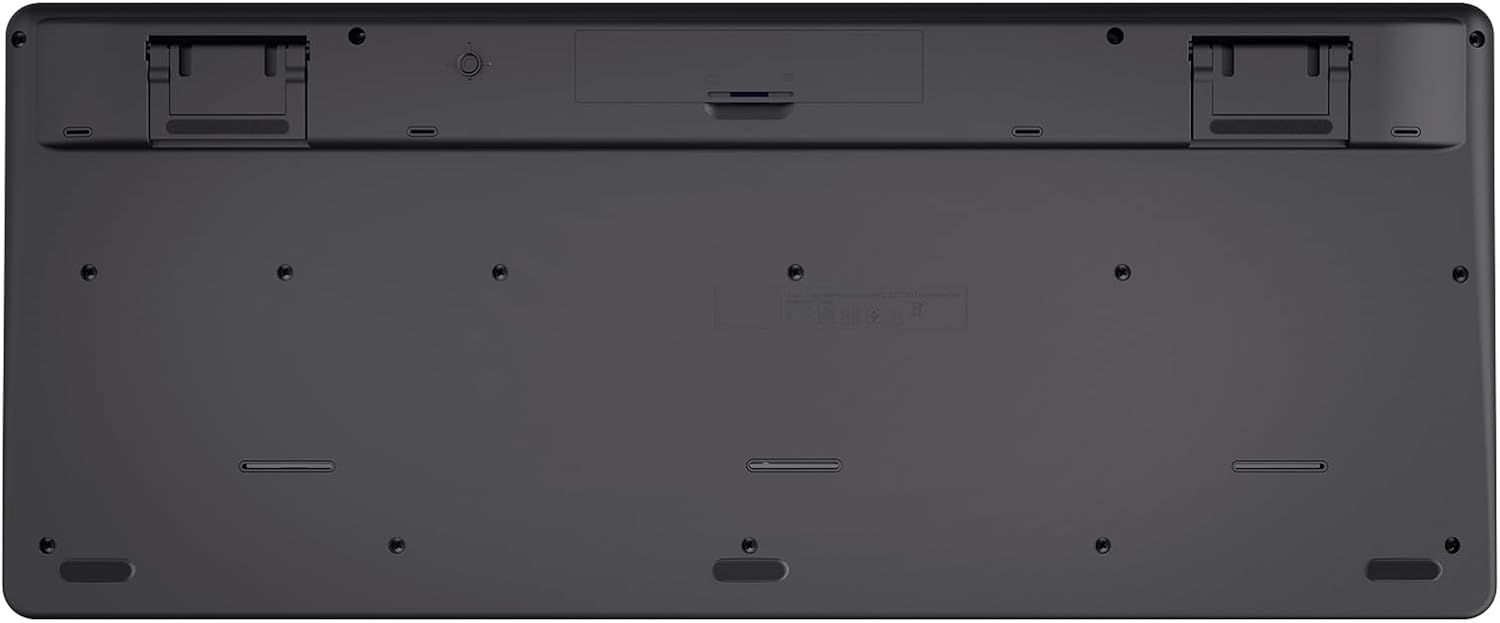
Image: The underside of the Trust 25025 keyboard, showing the battery compartment and the storage slot for the USB micro receiver.
2. Connecting the USB Micro Receiver
The keyboard and mouse connect wirelessly to your computer via a single USB micro receiver.
- Locate the USB micro receiver, usually stored in the mouse's battery compartment or a dedicated slot on the keyboard's underside.
- Plug the USB micro receiver into an available USB port on your computer (PC or Mac).
- L'ordinador hauria de detectar i instal·lar automàticament els controladors necessaris. Aquest és un dispositiu plug-and-play, que no requereix cap instal·lació de programari addicional.

Image: An icon representing 'Plug & Play' functionality, indicating easy setup without additional drivers.
3. Encès
Ensure the keyboard and mouse are switched on. The mouse typically has an on/off switch on its underside. The keyboard may have an indicator light to show it's active.
Instruccions de funcionament
Característiques del teclat
- AZERTY Layout: Standard French keyboard layout for comfortable typing.
- Tecles silencioses: Designed for quiet operation, reducing typing noise.
- Reposa-canell integrat: Provides ergonomic support during extended use.
- Tecles multimèdia: Dedicated keys for quick access to media controls (play, pause, volume, etc.).
- Disseny resistent a vessaments: Helps protect against accidental liquid spills.
- Llarga vida útil de la bateria: Up to 48 months of battery life under typical usage conditions.

Imatge: Vista de dalt a baix view of the Trust 25025 keyboard and mouse, highlighting the AZERTY layout and multimedia keys.
Funcions del ratolí
- Silent Buttons: Reduces click noise for a quieter working environment.
- DPI ajustable: Cycle through 1000, 1400, and 1800 DPI settings for precise cursor control. Use the DPI button located near the scroll wheel to change sensitivity.
- Disseny ambidextre: Apte tant per a usuaris esquerrans com dretans.
- Llarga vida útil de la bateria: Up to 12 months of battery life under typical usage conditions.

Imatge: Un primer pla view of the Trust wireless mouse, showing its ergonomic shape and the DPI adjustment button.
Manteniment
Neteja
- Feu servir un drap suau i sec per netejar les superfícies del teclat i del ratolí.
- Per a la brutícia persistent, lleugerament dampNetegeu el drap amb aigua o una solució de neteja suau. Eviteu productes químics agressius.
- Do not immerse the devices in water.
Canvi de bateria
When the battery indicator light (if present) illuminates or performance degrades, replace the batteries.
- Turn off the mouse using its power switch.
- Open the battery compartments on both devices.
- Traieu les piles velles i llenceu-les d'acord amb la normativa local.
- Introduïu piles AA noves, assegurant-vos de la polaritat correcta.
- Close the battery covers.
Resolució de problemes
No Response from Keyboard or Mouse
- Comproveu les bateries: Assegureu-vos que les piles estiguin correctament instal·lades i que no estiguin esgotades. Substituïu-les si cal.
- Interruptor d'alimentació: Verify that the mouse (and keyboard, if applicable) is switched ON.
- Receptor USB: Ensure the USB micro receiver is securely plugged into a working USB port on your computer. Try a different USB port.
- Distància: Make sure the keyboard and mouse are within the operational range of the USB receiver (typically up to 10 meters).
- Interferència: Move the devices away from other wireless devices or large metal objects that might cause interference.
Mouse Cursor Jumps or is Erratic
- Superfície: Feu servir el ratolí sobre una superfície neta i no reflectant. Es recomana utilitzar una estora de ratolí.
- Configuració de DPI: Adjust the DPI setting using the button on the mouse to find a comfortable sensitivity.
- Bateries: Low battery power can affect mouse performance. Replace batteries if needed.
Especificacions
| Característica | Detall |
|---|---|
| Marca | Confia |
| Número de model | 25025 |
| Sèrie | Trezo |
| Color | Negre |
| Tecnologia de connectivitat | Radiofreqüència (sense fil) |
| Disposició del teclat | AZERTY |
| Configuració de DPI del ratolí | 1000, 1400, 1800 |
| Durada de la bateria del teclat | Fins a 48 mesos |
| Durada de la bateria del ratolí | Fins a 12 mesos |
| Piles necessàries | 3 x AA (inclosos) |
| Dimensions del producte | 18.2 x 43.6 x 4.4 cm |
| Pes de l'article | 752 g |
| Plataforma de maquinari | Mac, PC |
| Compatibilitat de sistemes operatius | Windows, Mac OS, Chrome OS |
| Característiques especials | 85% recycled plastic, long battery life, silent typing and clicks, wrist rest, single USB adapter for mouse and keyboard |
| Dispositius compatibles | Portàtil, PC |

Image: An icon indicating compatibility with multiple devices, including laptops and PCs.
Garantia i Suport
Per obtenir informació sobre la garantia i assistència tècnica, consulteu la pàgina oficial de Trust weblloc web o contacteu directament amb el seu servei d'atenció al client. Els detalls sobre els períodes de garantia específics i els canals d'assistència normalment es proporcionen amb l'embalatge del producte o a la fitxa del fabricant. weblloc.


