1. Introducció
Thank you for choosing the Ankbit E600 Wireless Over-Ear Bluetooth Headphones. These headphones are designed to provide a superior audio experience with advanced features for both music enjoyment and clear communication. Please read this manual carefully before using the product to ensure proper operation and to maximize its lifespan.
Característiques principals:
- Àudio d'alta resolució: Equipped with LDAC, AptX, and AptX HD codecs, along with integrated 40mm dynamic drivers, for high-definition sound and incredible musical detail.
- Cancel·lació de soroll efectiva: Features active noise cancellation to reduce ambient distractions, allowing you to focus on your audio.
- Qualitat de trucada clara: Qualcomm cVc Echo 8.0 Noise Cancellation and Suppression (ECNS) technology ensures clear calls even in noisy environments.
- Comfortable Over-Ear Design: Designed for extended wear with a circum-aural form factor.
- Controls tàctils intuïtius: Manage your audio playback and calls with simple touch gestures.
2. Informació de seguretat
Per garantir un funcionament segur i correcte, si us plau, observeu les precaucions següents:
- No exposeu els auriculars a temperatures extremes, humitat ni substàncies corrosives.
- Eviteu deixar caure els auriculars ni sotmetre'ls a impactes forts.
- Aquests auriculars ho són no impermeable. Avoid contact with water or other liquids.
- Do not attempt to disassemble, repair, or modify the headphones yourself. This will void the warranty and may cause damage or injury.
- Prolonged listening at high volume levels can cause permanent hearing damage. Adjust the volume to a safe and comfortable level.
- Exercise caution when using headphones in situations where you need to be aware of your surroundings, such as while driving, cycling, or walking in traffic.
- Mantenir fora de l'abast dels nens i mascotes.
3. Contingut del paquet
Si us plau, comproveu el contingut del paquet en desempaquetar-lo:
- Ankbit E600 Wireless Over-Ear Bluetooth Headphones
- Cable de càrrega
- Manual d'usuari (aquest document)
4. Producte acabatview
Familiarize yourself with the components and controls of your Ankbit E600 headphones.

Figure 4.1: Ankbit E600 Headphones - Front View. This image shows the overall design of the black over-ear headphones, highlighting the earcups and headband.

Figure 4.2: Ankbit E600 Headphones - Side View with Controls. This image provides a closer look at the right earcup, showing the power button, volume controls, and other touch-sensitive areas.
Controls i indicadors:
- Botó d'encesa: Used to turn the headphones on/off and initiate Bluetooth pairing.
- Controls de volum: Ajusta el volum de l'àudio amunt o avall.
- Multi-function Touch Area: For playback control (play/pause, skip tracks) and call management (answer/end calls).
- Botó ANC: Activates or deactivates the Active Noise Cancellation feature.
- Indicador LED: Displays power status, pairing mode, and charging status.
- Port de càrrega USB-C: Per connectar el cable de càrrega.
- Micròfon: Per a trucades de veu.
5. Configuració
5.1 Càrrega dels auriculars
Before first use, fully charge your Ankbit E600 headphones.
- Connect the provided charging cable to the USB-C charging port on the headphones.
- Connecteu l'altre extrem del cable a un adaptador de corrent USB (no inclòs) o al port USB d'un ordinador.
- The LED indicator will show the charging status. It typically takes approximately 2 hores per una càrrega completa.
- Un cop completament carregat, l'indicador LED canviarà (per exemple, s'apagarà o canviarà de color) per indicar que s'ha completat. Desconnecteu el cable de càrrega.
Note: The headphones use a Lithium-polymer battery. For optimal battery life, avoid completely draining the battery frequently.
5.2 Vinculació Bluetooth
To connect your headphones to a Bluetooth-enabled device (e.g., smartphone, tablet, TV), follow these steps:
- Encès: Press and hold the Power button on the headphones until the LED indicator lights up.
- Introduïu el mode de vinculació: If this is the first time pairing, the headphones will automatically enter pairing mode, and the LED indicator will flash (e.g., blue and red alternately). If not, press and hold the Power button for an extended period (e.g., 5-7 seconds) until the LED flashes rapidly.
- Activa el Bluetooth al teu dispositiu: Go to the Bluetooth settings on your smartphone, tablet, or other device.
- Cerca Dispositius: Activa el Bluetooth i cerca els dispositius disponibles.
- Select "Ankbit E600": From the list of found devices, select "Ankbit E600".
- Confirmeu la connexió: Once connected, the LED indicator on the headphones will stop flashing and may glow solid blue. A voice prompt may also confirm the connection.
Note: The headphones will automatically try to reconnect to the last paired device when powered on. If connection fails, repeat the pairing steps.
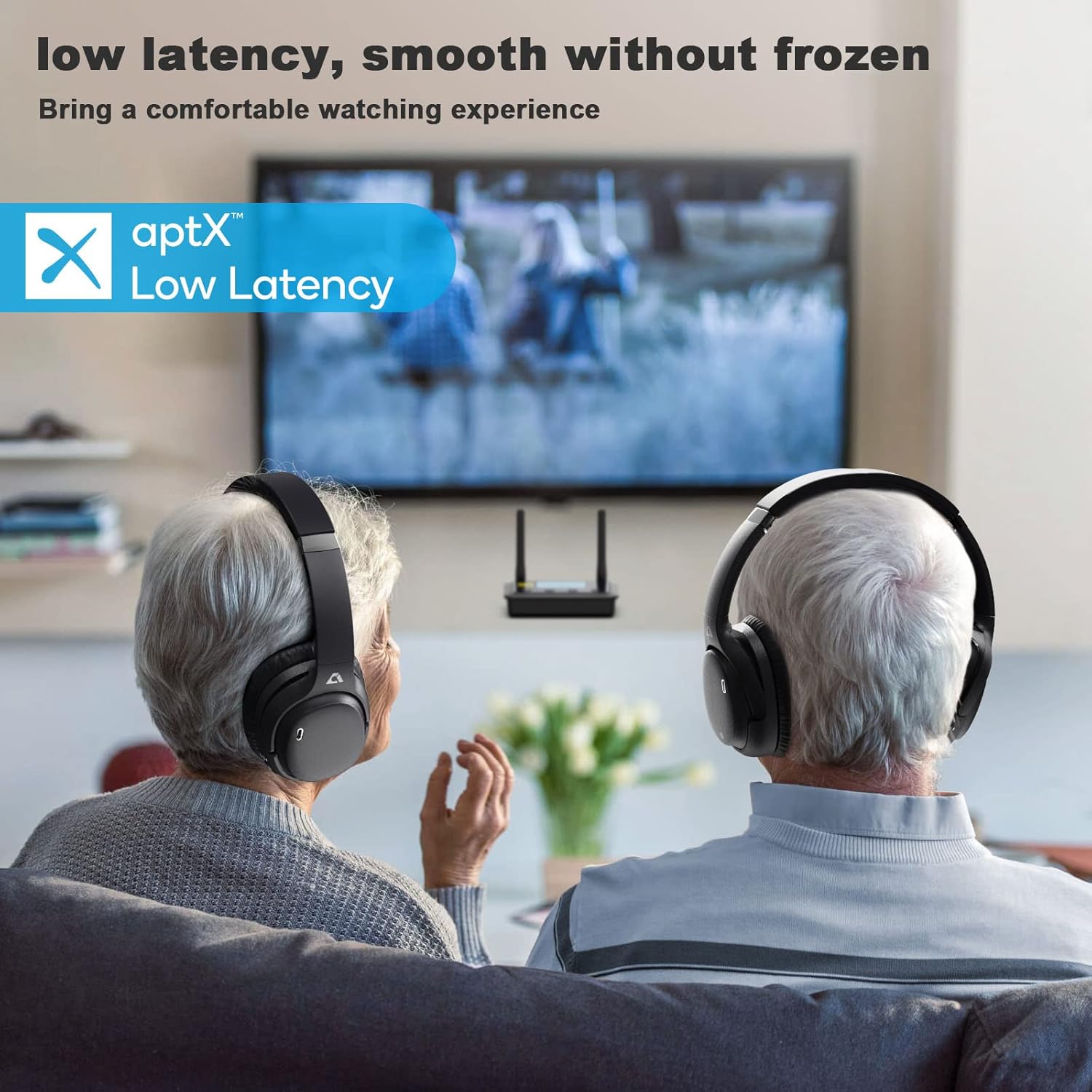
Figure 5.1: Headphones in Use with TV. This image illustrates the headphones being used with a television, emphasizing their low latency capabilities for a smooth viewexperiència.
6. Instruccions de funcionament
6.1 Encès/Apagat
- Encès: Press and hold the Power button for approximately 2-3 seconds until the LED indicator lights up and you hear a power-on prompt.
- Apagar: Press and hold the Power button for approximately 3-4 seconds until the LED indicator turns off and you hear a power-off prompt.
6.2 Reproducció de música
- Reproduir/pausa: Tap the Multi-function Touch Area once.
- Pujar el volum: Tap the Volume Up (+) button.
- Baixar el volum: Tap the Volume Down (-) button.
- Pista següent: Double-tap the Multi-function Touch Area.
- Pista anterior: Triple-tap the Multi-function Touch Area.
6.3 Gestió de trucades
- Respondre/Finalitzar la trucada: Tap the Multi-function Touch Area once during an incoming call or an active call.
- Rebutja la trucada: Press and hold the Multi-function Touch Area for approximately 2 seconds during an incoming call.
- Assistent de veu: Press and hold the Multi-function Touch Area for approximately 1 second to activate your device's voice assistant (Siri, Google Assistant, etc.).
6.4 Cancel·lació activa del soroll (ANC)
- Activa l'ANC: Press the ANC button once. The ANC indicator light will illuminate.
- Desactiva l'ANC: Press the ANC button again. The ANC indicator light will turn off.
7. Manteniment i cura
- Neteja: Feu servir un drap suau, sec i sense borrissol per netejar els auriculars. No utilitzeu productes de neteja abrasius, alcohol ni dissolvents químics.
- Emmagatzematge: Quan no els utilitzeu, guardeu els auriculars en un lloc fresc i sec, allunyats de la llum solar directa i de temperatures extremes.
- Cura de la bateria: To preserve battery life, charge the headphones regularly, even if not used for extended periods (e.g., once every 3 months).
- Eviteu la humitat: As the headphones are not waterproof, keep them away from rain, spills, and excessive sweat.
8. Solució De Problemes
| Problema | Causa possible | Solució |
|---|---|---|
| Els auriculars no s'engeguen. | Bateria baixa. | Carregueu els auriculars completament. |
| No es pot emparellar amb el dispositiu. | Auriculars no en mode d'emparellament; Bluetooth desactivat al dispositiu; dispositiu massa lluny. | Ensure headphones are in pairing mode. Turn Bluetooth on your device. Move device closer to headphones (within 10 meters). Clear previous pairings on your device and try again. |
| Sense so o so distorsionat. | Volum massa baix; auriculars no connectats; problema amb la font d'àudio. | Increase volume on headphones and device. Reconnect headphones. Check audio source (e.g., app, media player). |
| Mala qualitat de trucada. | Weak signal; environmental noise; microphone obstruction. | Move closer to your device. Ensure microphone is not covered. Try moving to a quieter environment. |
| L'ANC no funciona eficaçment. | ANC not activated; specific noise types. | Ensure ANC is activated (check indicator light). ANC is most effective against low-frequency, constant noise. |
9. Especificacions
| Característica | Detall |
|---|---|
| Marca | Ankbit |
| Nom del model | E600 |
| Número de model | Ankbit E600 |
| Tecnologia de connectivitat | Sense fil (Bluetooth) |
| Factor de forma | Over-Ear (Circum-Aural) |
| Col·locació de l'orella | Sobre l'orella |
| Característiques especials | Active Noise Cancellation, LDAC, AptX, AptX HD, Qualcomm cVc Echo 8.0 |
| Tipus de control | Control tàctil |
| Interval de freqüència | 20 Hz - 20,000 Hz |
| Pes | 250 grams |
| Composició de la bateria | Polímer de liti |
| Temps de càrrega | Aproximadament 2 hores |
| Nivell de resistència a l'aigua | No impermeable |
| Ús recomanat | Music, Gaming, Calls, Watching TV/Movies |
| Dispositius compatibles | Television, other Bluetooth-enabled devices |
10. Garantia i Suport
Ankbit products are designed and manufactured to the highest quality standards. For information regarding warranty coverage, please refer to the warranty card included with your product or visit the official Ankbit weblloc.
- Disponibilitat de peces de recanvi: Informació no disponible.
- Actualitzacions de programari garantides fins a: Informació no disponible.
For technical support, troubleshooting assistance, or any other inquiries, please contact Ankbit customer service through their official channels. Details can typically be found on the product packaging or the official brand weblloc.


