Introducció
Thank you for choosing the Taiahiro Retro Typewriter Mechanical Keyboard. This keyboard combines vintage aesthetics with modern functionality, offering a unique typing experience with its clicky blue switches and versatile connectivity options. This manual provides detailed instructions for setting up, operating, maintaining, and troubleshooting your new keyboard.

The Taiahiro Retro Typewriter Mechanical Keyboard, showcasing its unique design and LED backlighting.
Contingut del paquet
Si us plau, verifiqueu que tots els elements siguin presents al vostre paquet:
- Retro Typewriter Backlit Mechanical Gaming Keyboard
- Extractor de tecles
- Cable USB-C desmuntable
- Blue Switches (2 extra)
- Manual d'usuari

All items included in the Taiahiro Retro Typewriter Mechanical Keyboard package.
Característiques
- Authentic Typewriter Experience: Blue switches provide satisfying clicky sound and tactile feedback for fluid typing.
- 14 Modes Backlighting Switching: Rainbow backlighting with adjustable brightness and volume via knobs, and 14 customizable modes.
- Double-Modes Connectivity: Connect via USB-C or Bluetooth to up to three devices (tablet, laptop, phone).
- Hot-Swappable Design: Easily swap out keycaps and switches without tools for personalization.
- Disseny compacte i ergonòmic: 83-key layout (no numeric keypad) for comfort and desk space efficiency.
- Marc metàl·lic resistent: High-quality materials ensure stability and long lifespan.
- Device Holder for Easy Access: Integrated holder accommodates smartphones and tablets.
Configuració
1. Càrrega del teclat
The keyboard is equipped with a 2000mAh Lithium Ion battery. Before first use, or when the battery is low, connect the included USB-C cable to the keyboard's charging port and to a power source (e.g., computer USB port, USB wall adapter).
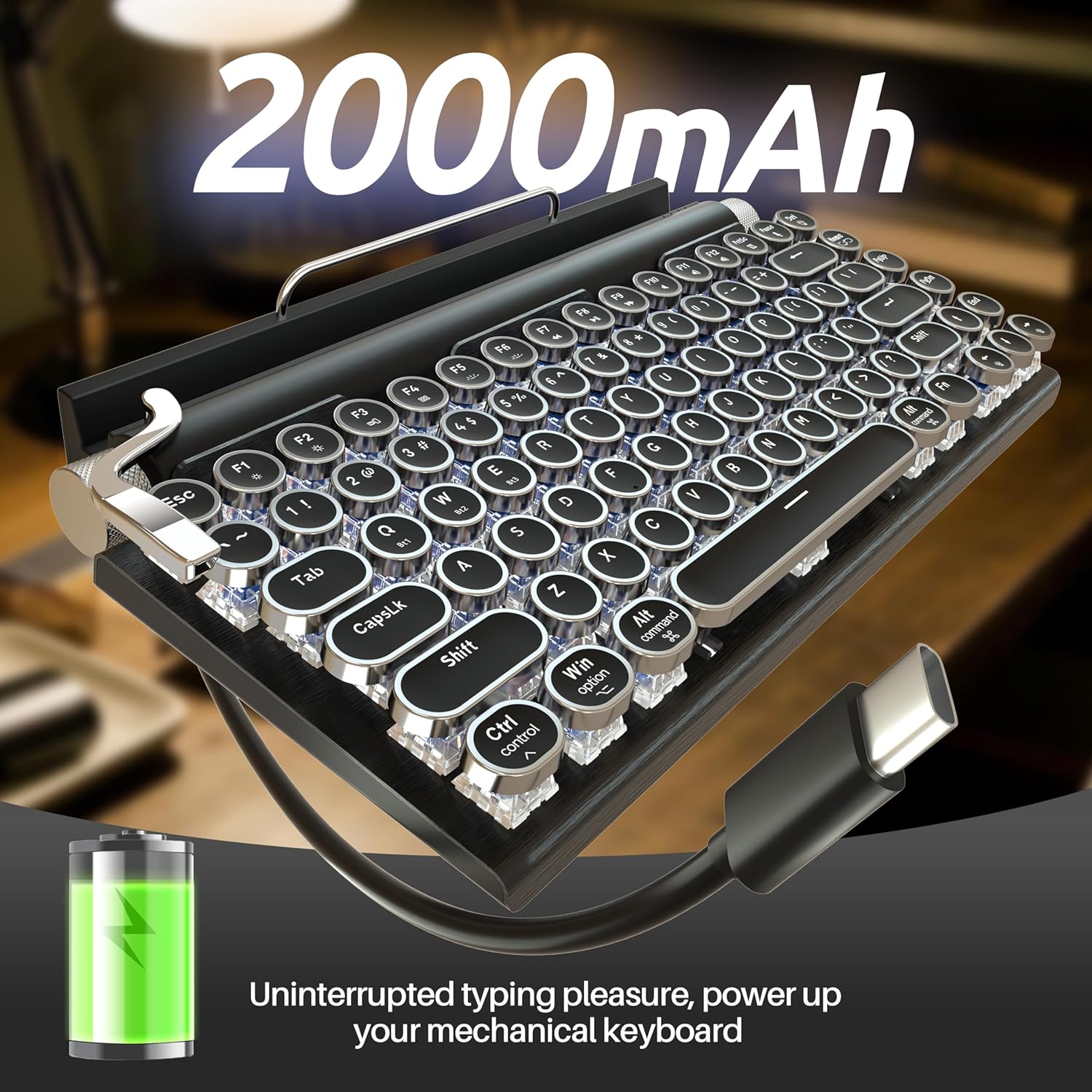
Charging the keyboard via the USB-C port to ensure uninterrupted typing pleasure.
2. Opcions de connectivitat
The keyboard supports both wired (USB-C) and wireless (Bluetooth 5.0) connections.

The keyboard offers dual-mode connectivity for seamless switching between multiple devices.
Connexió amb cable (USB-C)
Connect the included USB-C cable from the keyboard to your computer's USB port. The keyboard will be automatically recognized and ready for use.
Connexió Bluetooth
The keyboard can pair with up to three different Bluetooth devices. Use the switch on the back of the keyboard to select the desired connection mode (BT OFF USB / BT1 / BT2 / BT3).

posterior view of the keyboard, highlighting the connectivity switch and charging port.
- Switch the keyboard to one of the Bluetooth modes (BT1, BT2, or BT3).
- On your device (PC, laptop, tablet, phone), enable Bluetooth and search for new devices.
- Seleccioneu "Teclat Taiahiro" (o un nom similar) de la llista de dispositius disponibles.
- Seguiu les indicacions de la pantalla per completar el procés de vinculació.
- To switch between paired devices, simply move the switch to the corresponding BT channel.
3. Compatibilitat del sistema
The keyboard is compatible with Windows, macOS, and Android operating systems. Ensure the correct system mode is selected using the switch on the back of the keyboard (Win/Mac/iOS Transition).
Instruccions de funcionament
1. Control de la retroiluminació
The keyboard features 14 different rainbow backlighting modes. The stainless-steel lever on the left side of the keyboard is used to cycle through these modes. The left knob controls brightness, and the right knob controls volume (when connected to a compatible device).

The keyboard's stunning LED backlit modes offer 14 different lighting options.
2. Hot-Swappable Keycaps and Switches
The keyboard's design allows for easy customization of keycaps and switches. Use the included keycap puller to remove keycaps. For switches, gently pull them out using a switch puller (not included, but two extra blue switches are provided). This feature allows for personalized typing feel and aesthetics.

Demonstration of the hot-swappable design, allowing easy replacement of keycaps and switches.
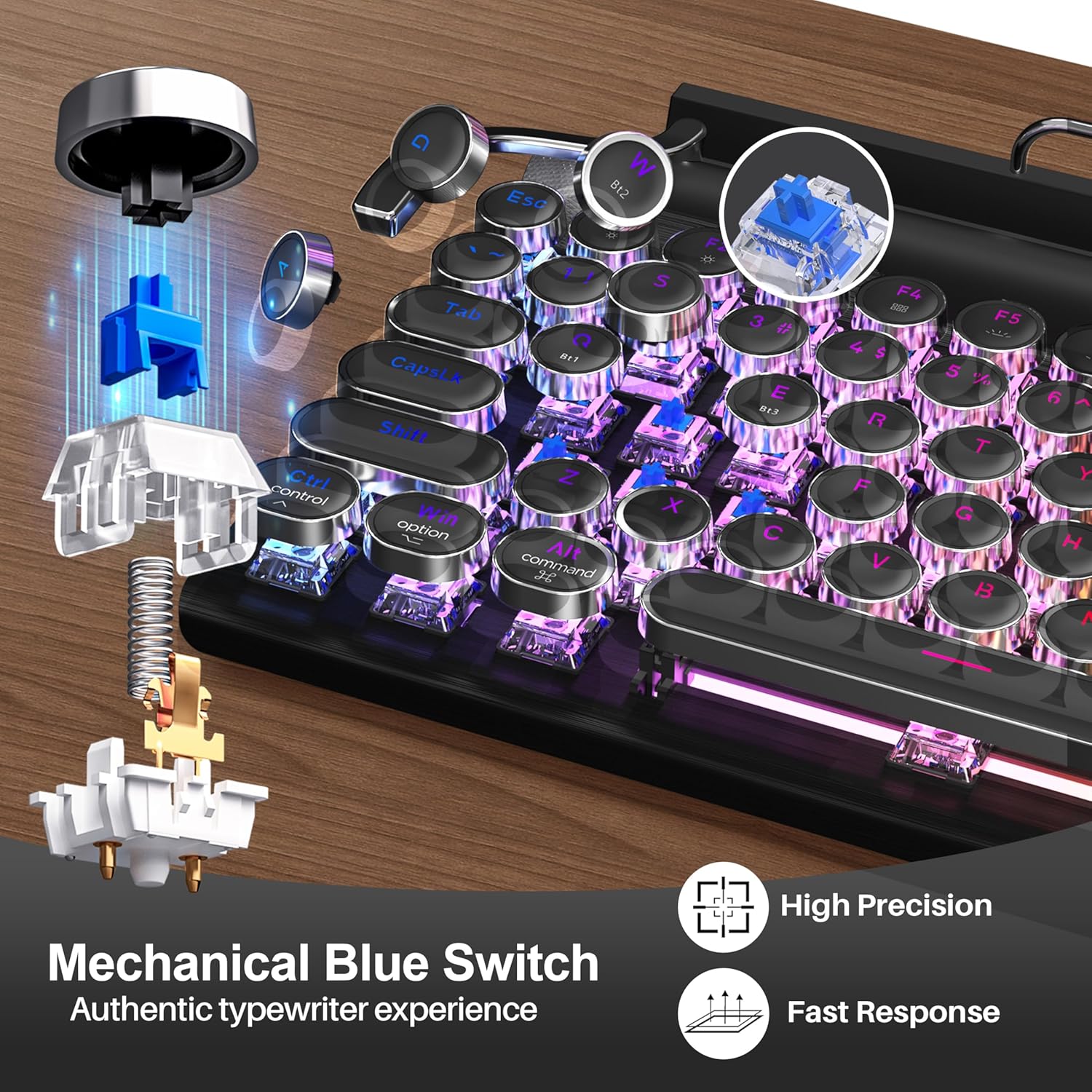
Detallada view of the mechanical blue switch, providing authentic typewriter feedback.
3. Device Holder
The integrated device holder at the top of the keyboard is designed to securely hold smartphones and tablets, providing convenient access while typing or working across multiple devices.
4. Multimedia Shortcuts
The keyboard includes 12 multimedia shortcut keys (F1-F12) for quick access to functions like media playback, volume control, and more. Refer to the keycap legends for specific functions.
Official product video demonstrating the retro typewriter mechanical keyboard's features and design.
Manteniment
- Neteja: Use a soft, dry cloth to wipe down the keyboard. For deeper cleaning, use the keycap puller to remove keycaps and clean underneath with compressed air or a small brush.
- Emmagatzematge: Guardeu el teclat en un lloc fresc i sec, allunyat de la llum solar directa i de temperatures extremes.
- Cura de la bateria: Per allargar la durada de la bateria, eviteu descarregar-la completament amb freqüència. Carregueu-la regularment.
Resolució de problemes
| Problema | Causa possible | Solució |
|---|---|---|
| El teclat no es connecta per Bluetooth. | Bluetooth not enabled on device, keyboard not in pairing mode, interference, low battery. | Ensure Bluetooth is on. Switch keyboard to BT1/2/3 and try re-pairing. Charge keyboard. Move closer to device. Restart device. |
| Keys are sticking or not registering. | Debris under keycap/switch, faulty switch. | Remove keycap and clean. If issue persists, replace the switch using the provided extra blue switches. |
| Backlight not working or stuck. | Backlight off, low battery, software glitch. | Use the lever to cycle through modes. Charge keyboard. Restart keyboard (turn off/on). |
| Keyboard not recognized via USB-C. | Cable issue, port issue, keyboard in Bluetooth mode. | Ensure cable is fully inserted. Try a different USB port or cable. Switch keyboard to USB mode. |
Especificacions
- Número de model: 981
- Dimensions del producte: 12.6 x 7 x 1.5 polzades
- Pes de l'article: 2.23 lliures
- Fabricant: Taiahiro
- Tecnologia de connectivitat: Bluetooth, USB-C
- Dispositius compatibles: Ordinador portàtil, PC, tauleta, telèfon intel·ligent
- Descripció del teclat: Gaming Mechanical Retro Typewriter Keyboard
- Nombre de claus: 83
- Retroil·luminació del teclat: Rainbow, 14 modes
- Bateria: 1 bateria de ions de liti (inclosa)
- Capacitat de la bateria: 2000 mAh
- Estil: Vin retrotage
- País d'origen: Xina
- Data de primera disponibilitat: 8 de maig de 2023
Garantia i Suport
Taiahiro is committed to providing high-quality products. For any questions, concerns, or technical support regarding your Retro Typewriter Mechanical Keyboard, please contact Taiahiro customer service. Refer to your purchase documentation or the official Taiahiro weblloc web per obtenir detalls específics de la garantia i informació de contacte.
You can visit the official Taiahiro Store for more information: Taiahiro Store on Amazon


