Introducció
This manual provides comprehensive instructions for the Taiahiro Retro Typewriter Keyboard (Model 981). This mechanical keyboard combines a vintage aesthetic with modern functionality, offering a unique typing experience. It features blue mechanical switches, customizable LED backlighting, and versatile connectivity options for various devices.
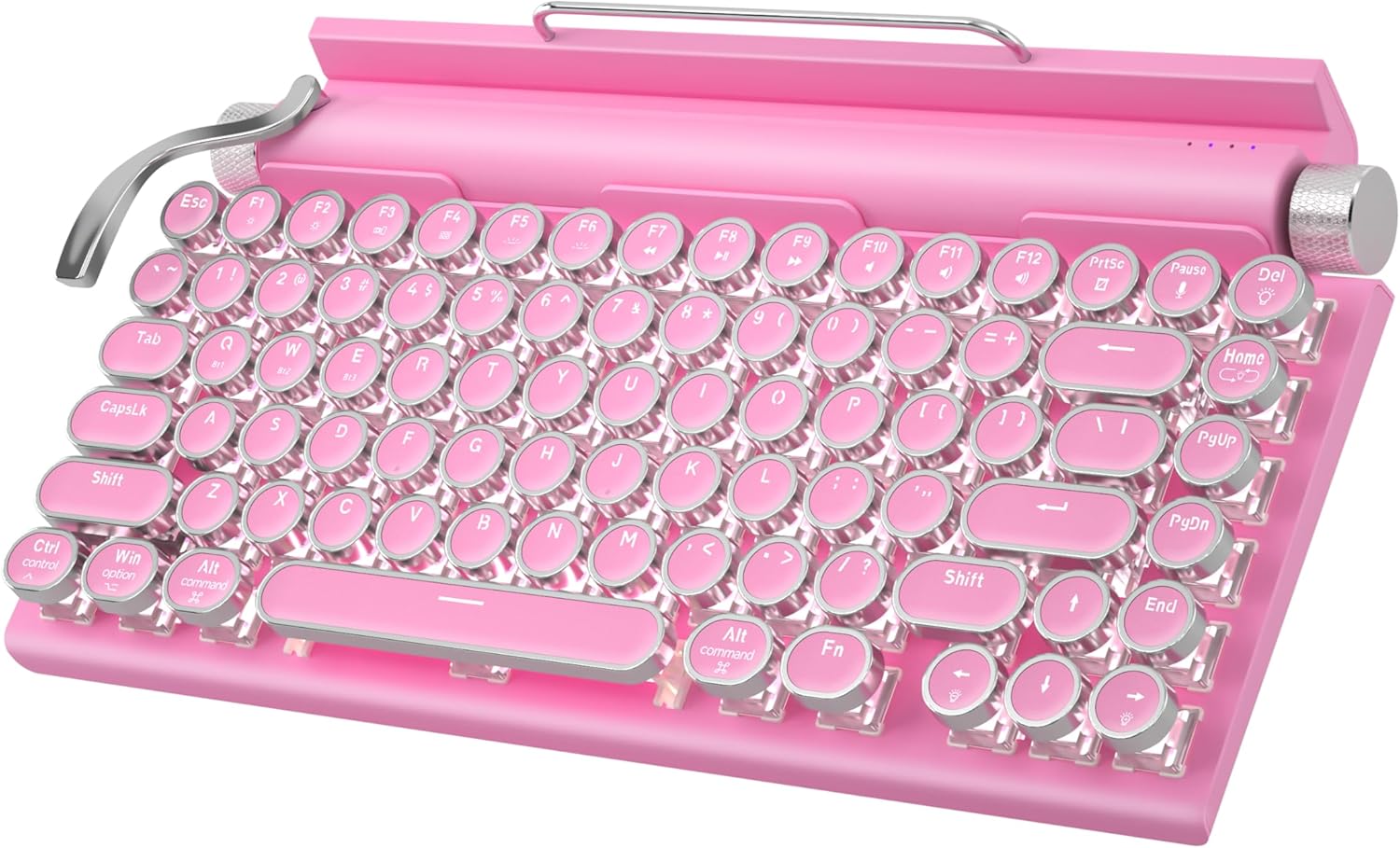
Figure 1: Taiahiro Retro Typewriter Keyboard (Pink Model)
Contingut del paquet
Si us plau, verifiqueu que tots els elements que s'enumeren a continuació estiguin inclosos al vostre paquet:
- Retro Typewriter Backlit Mechanical Gaming Keyboard
- Cable USB-C desmuntable
- Extractor de tecles
- Blue Switches (2 extra)
- Manual d'usuari (aquest document)

Figura 2: Elements inclosos al paquet del producte.
Configuració
The Taiahiro Retro Typewriter Keyboard offers both wired and wireless (Bluetooth) connectivity options. Ensure the keyboard is charged before initial use.
Carregant el teclat
The keyboard is equipped with a 2000mAh rechargeable battery. To charge, connect the provided USB-C cable to the Type-C charging port on the keyboard and the other end to a compatible USB power source (e.g., computer USB port, wall adapter).

Figure 3: Keyboard charging via USB-C port.
Connexió amb cable (USB-C)
For a direct and stable connection, use the provided USB-C cable:
- Connect one end of the USB-C cable to the keyboard's Type-C port.
- Connect the other end of the USB-C cable to an available USB port on your computer or device.
- El teclat es reconeixerà automàticament i estarà llest per al seu ús.
Connexió Bluetooth
The keyboard supports Bluetooth 5.0 and can connect to up to three different devices. It is compatible with Windows, macOS, Android, and iOS.
- Ensure the keyboard is powered on and sufficiently charged.
- Premeu el botó Fn key simultaneously with one of the Bluetooth channel keys (BT1, BT2, o BT3) to select a channel.
- Mantén premut Fn + BT[1/2/3] for 3-5 seconds until the indicator light for the selected channel flashes rapidly, indicating pairing mode.
- On your device (PC, laptop, tablet, or phone), enable Bluetooth and search for new devices.
- Select "Taiahiro Keyboard" (or similar name) from the list of available devices to pair.
- Un cop emparellat, l'indicador lluminós deixarà de parpellejar i romandrà fix.
Per canviar entre dispositius Bluetooth emparellats, només cal que premeu Fn + BT1/BT2/BT3 corresponent al dispositiu desitjat.
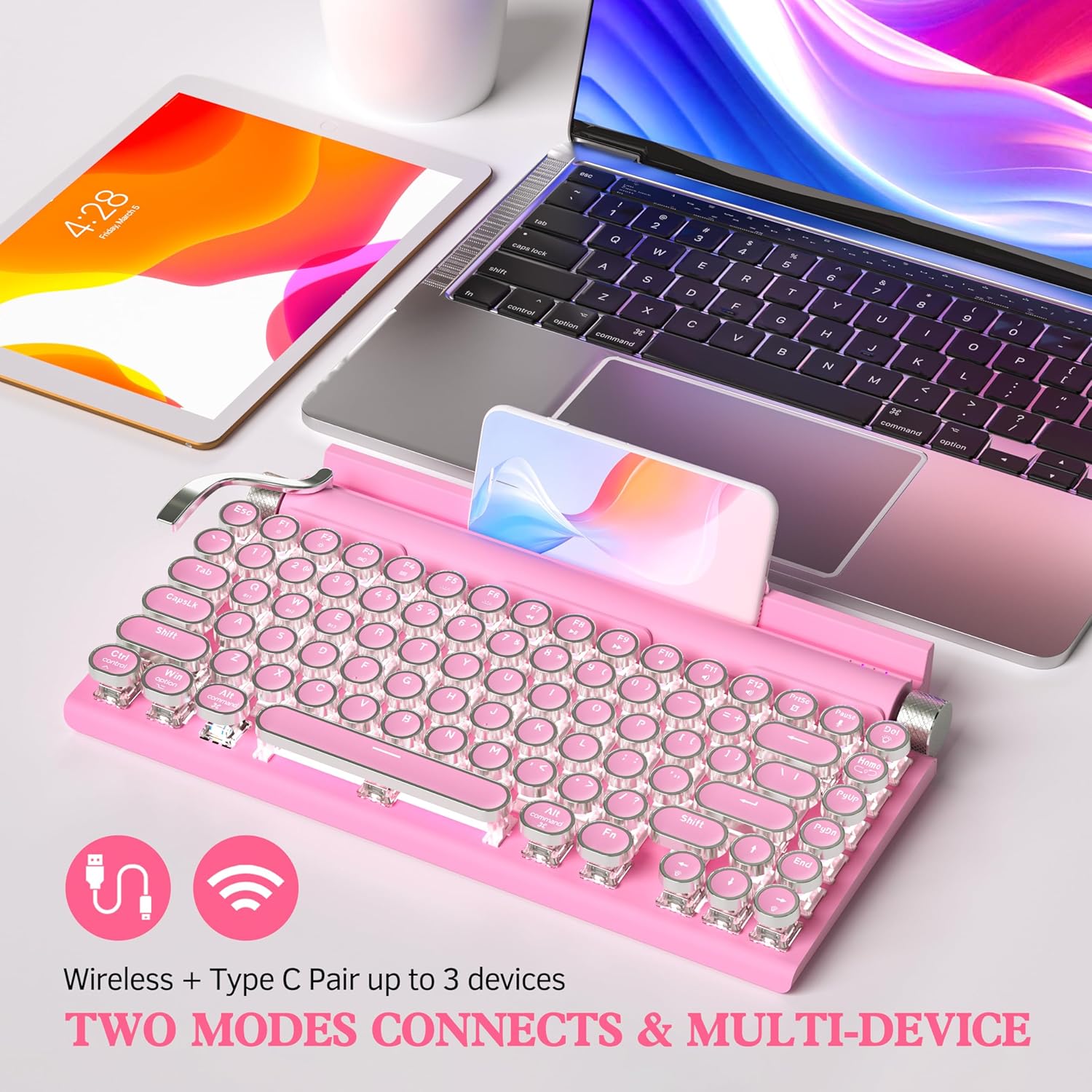
Figure 4: Dual-mode connectivity (Wireless & Type-C) for up to 3 devices.

Figure 5: Connectivity options and charging port details.
Instruccions de funcionament
Authentic Typewriter Experience (Blue Switches)
This keyboard features blue mechanical switches, designed to provide a satisfying clicky sound and tactile feedback, similar to a traditional typewriter. This design aims to reduce finger and hand fatigue during extended typing sessions.

Figure 6: Detail of the mechanical blue switch, offering high precision and fast response.
Control de retroiluminació LED
The keyboard features 14 distinct LED backlight modes. The white backlighting can be adjusted using the stainless-steel lever located on the left side of the keyboard. Pulling the lever will cycle through the available backlight modes.
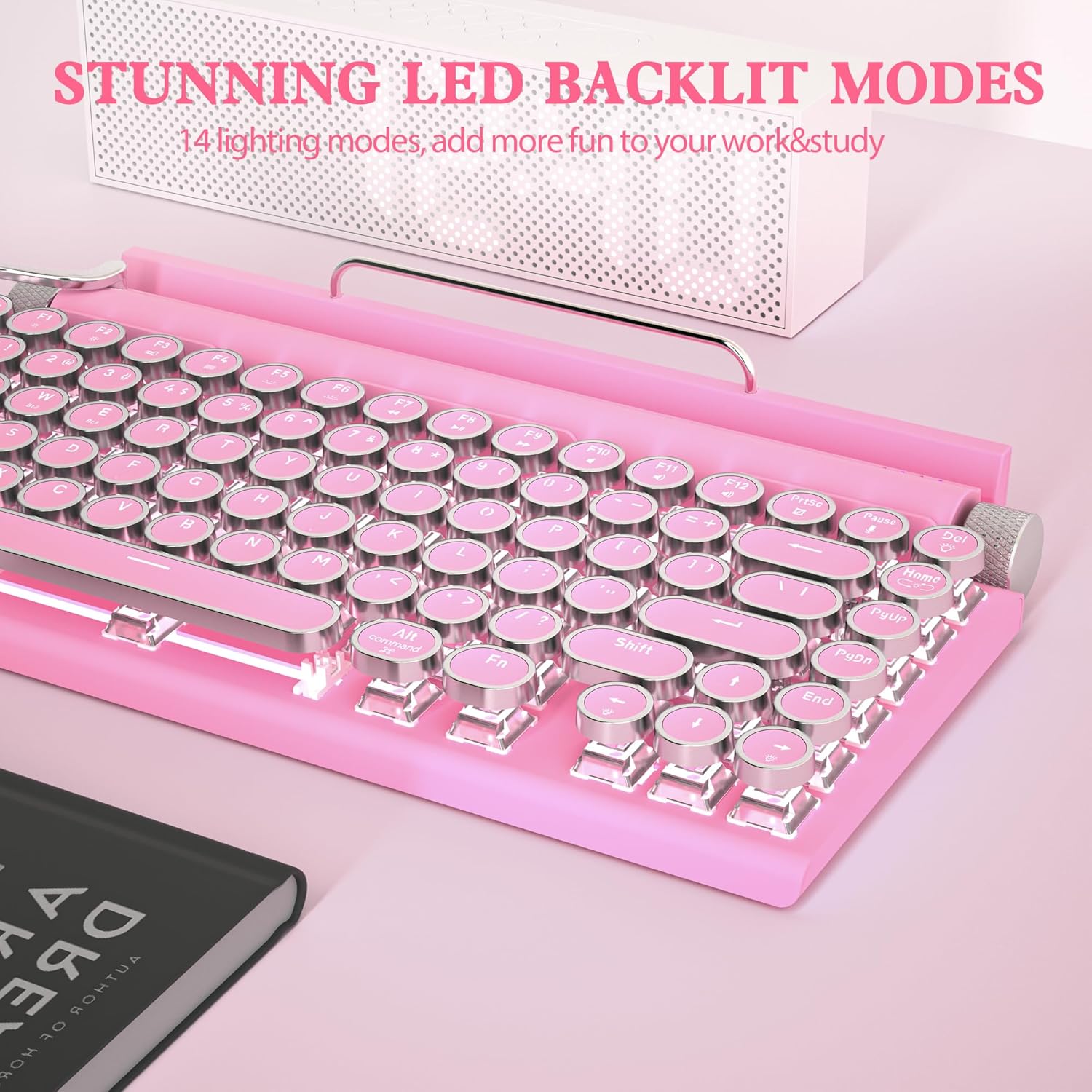
Figure 7: Keyboard displaying one of the 14 LED backlight modes.
Volume and Brightness Knobs
The keyboard includes two rotary knobs for quick adjustments:
- Pom esquerre: Controls the brightness of the LED backlight. Rotate to increase or decrease brightness.
- Pom dret: Controls the system volume. Rotate to adjust the audio output level.
Disseny intercanviable en calent
The keyboard features a hot-swappable design, allowing you to easily change keycaps and switches without soldering. This enables customization of your typing experience.
- Feu servir l'extractor de tecles proporcionat per treure suaument la tecla desitjada.
- Use the switch puller (often integrated with the keycap puller) to carefully remove the mechanical switch from its socket.
- Alineeu els pins del nou interruptor amb els forats de la placa de circuit imprès i premeu fermament fins que encaixi al seu lloc.
- Place the new keycap onto the switch stem.
The package includes two extra blue switches for replacement or experimentation.

Figure 8: Hot-swappable feature allowing easy replacement of keycaps and switches.
Suport de dispositiu integrat
The keyboard includes a built-in slot designed to hold smartphones and tablets, providing convenient access to your devices while typing. This feature enhances efficiency when working across multiple devices.

Figure 9: Keyboard with a tablet securely placed in the integrated device holder.
Manteniment
To ensure the longevity and optimal performance of your Taiahiro Retro Typewriter Keyboard, follow these maintenance guidelines:
- Neteja: Use a soft, dry cloth to wipe down the keyboard surface. For deeper cleaning, use a can of compressed air to remove dust and debris from between the keycaps. The keycap puller can be used to remove keycaps for thorough cleaning underneath.
- Eviteu líquids: Do not expose the keyboard to liquids. Spills can cause damage to the internal components.
- Emmagatzematge: Guardeu el teclat en un lloc fresc i sec, allunyat de la llum solar directa i de temperatures extremes.
- Cura de la bateria: For optimal battery life, avoid fully discharging the battery frequently. Charge the keyboard regularly.
Resolució de problemes
If you encounter issues with your keyboard, please refer to the following common problems and solutions:
Keyboard Not Responding (Wired)
- Ensure the USB-C cable is securely connected to both the keyboard and your device.
- Try connecting the keyboard to a different USB port on your device.
- Test the keyboard with a different USB-C cable if available.
- Reinicieu l'ordinador o el dispositiu.
Keyboard Not Connecting (Bluetooth)
- Ensure the keyboard is charged. Low battery can prevent Bluetooth connection.
- Comproveu que el Bluetooth estigui habilitat al vostre dispositiu.
- Make sure the keyboard is in pairing mode (indicator light flashing rapidly). If not, re-enter pairing mode by holding Fn + BT[1/2/3].
- Check if the keyboard is already paired to another device. Switch to an available channel or disconnect from the other device.
- Remove the keyboard from your device's Bluetooth list and attempt to re-pair.
- Move the keyboard closer to your device to ensure it's within range.
Backlight Not Working or Dim
- Adjust the backlight brightness using the left rotary knob.
- Cycle through backlight modes using the stainless-steel lever.
- Assegureu-vos que la bateria del teclat estigui prou carregada.
Claus que no es registren o que es teclegen dues vegades
- Netegeu els voltants i la part inferior de la tecla afectada amb aire comprimit.
- If the issue persists, consider replacing the switch using the hot-swappable feature and the provided extra switches.
Especificacions
| Dimensions del producte | 12.6 x 7 x 1.5 polzades |
| Pes de l'article | 2.18 lliures |
| Número de model | 981 |
| Bateries | Necessita 1 bateria de ions de liti (inclosa) |
| Dispositius compatibles | Laptop, Mac, PC, Smartphone, Tablet |
| Tecnologia de connectivitat | Bluetooth, USB-C |
| Descripció del teclat | Typewriter Mechanical Hot-Swap Bluetooth Keyboard |
| Característica especial | Blue switch keyboard wireless, Hot swappable mechanical keyboard, Rechargeable typewriter keyboard, Round key retro vintage gaming keyboard, iPad Mac Bluetooth mechanical keyboard |
| Color | Rosa |
| Nombre de claus | 83 |
| Il·luminació del teclat | Single Color (White LED), 14 Modes |
| Estil | 83 Keys Retro Typewriter Mechanical Keyboard |
Garantia i Suport
For warranty information and technical support, please refer to the official Taiahiro weblloc web o poseu-vos en contacte amb el servei d'atenció al client. Conserveu el rebut de compra per a reclamacions de garantia.
Additional resources, including a PDF user guide and manual, may be available:


