Introducció
The SIIG 10-port USB A/C wireless charging station and 200W GaN 3x USB-C/ 1x USB-A PD charger combo offers universal charging for up to 15 devices simultaneously. This versatile solution is suitable for homes, offices, and public spaces, providing efficient and reliable power delivery. Built-in intelligent charging technology optimizes charging speed and efficiency for each connected device, while comprehensive safety features protect against overcurrent, overvoltage, i curtcircuits.
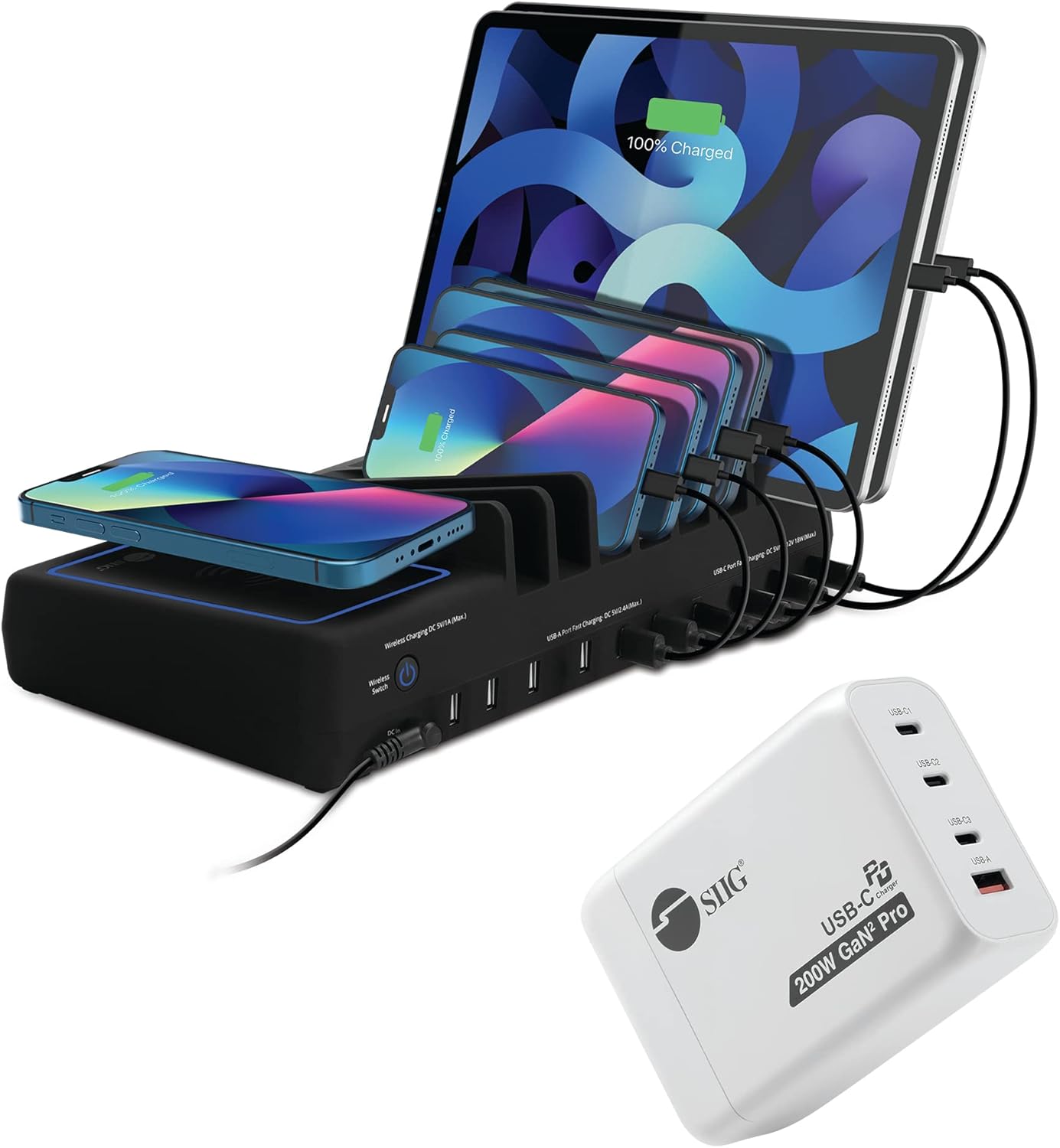
Image: The SIIG 10 Ports Charging Station with its wireless charging deck and the accompanying 200W GaN charger, illustrating its capability to charge multiple devices simultaneously.
Contingut del paquet
Si us plau, verifiqueu que tots els elements siguin presents al vostre paquet:
- 10-Port USB A/C Charging Station
- 200W GaN 3x USB-C/ 1x USB-A PD Charger
- Wireless Charging Deck (integrated)
- Power Adapter for Charging Station
- Power Cable for GaN Charger
Característiques del producte
- Cost-Effective Combo: Combines a 10-port USB A/C charging station and a 200W GaN 3x USB-C/ 1x USB-A PD charger.
- Càrrega universal: Capable of charging up to 15 devices simultaneously.
- Ús versàtil: Ideal for various environments including homes, offices, and public spaces, and suitable for travel.
- Segur i fiable: Equipped with overcurrent, overvoltage, and short-circuit protection for device safety.
- Càrrega sense fil integrada: Features a dedicated wireless charging spot on the station.
- Lliurament d'alta potència: The GaN charger provides up to 200W total output with dual 100W USB-C PD ports.
- Múltiples ports USB: The station includes 6 USB-A and 4 USB-C ports.
- Individual Slots: 8 individual open slots designed to fit most tablets or smartphones.

Imatge: Un cop mésview of the charging station highlighting its key features such as 150W high power, 6 USB-A ports, 4 USB-C ports, wireless switch, LED light, and non-slip deck.
Guia de configuració
- Desempaquetar components: Carefully remove the charging station, GaN charger, and all cables from the packaging.
- Position the Charging Station: Place the charging station on a stable, flat surface, ensuring adequate ventilation.
- Connect Power to Charging Station: Connect the provided power adapter to the DC input port on the back of the charging station, then plug the adapter into a wall outlet.
- Connect Power to GaN Charger: Plug the 200W GaN charger directly into a wall outlet.
- Organize Devices: Utilize the 8 individual open slots on the charging station to neatly arrange your smartphones and tablets.
- Preparació per a la càrrega: Ensure all devices are ready to be connected to the appropriate USB-A or USB-C ports.
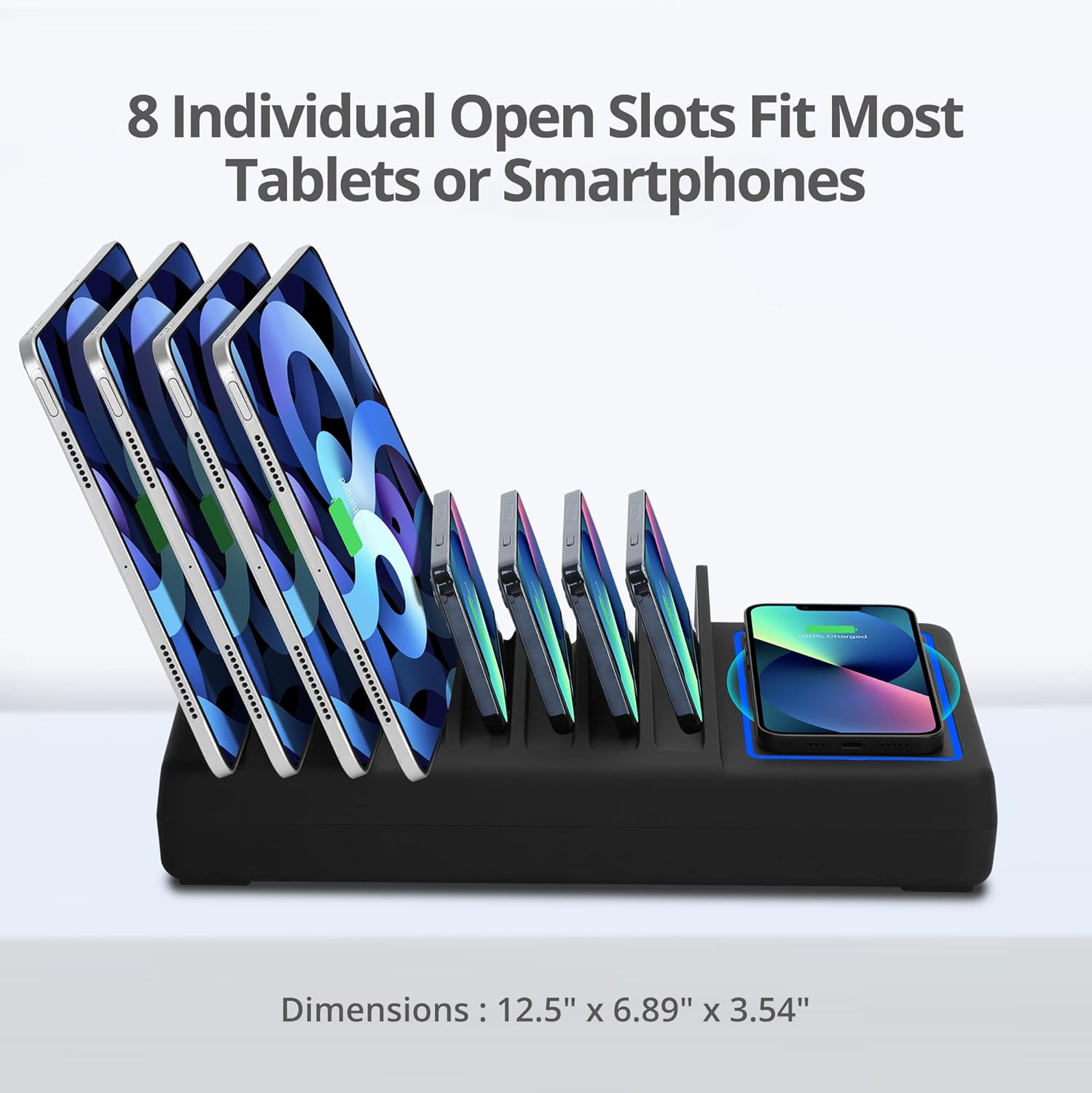
Image: The SIIG charging station showcasing its 8 individual open slots, designed to accommodate various sizes of tablets and smartphones, with dimensions of 12.5" x 6.89" x 3.54" indicated.
Instruccions de funcionament
Using the 10-Port Charging Station:
- Càrrega per cable: Connect your devices to the available USB-A (6 ports) or USB-C (4 ports) on the charging station using appropriate charging cables. The station provides up to 2.4A per USB-A port and up to 18W Power Delivery per USB-C port simultaneously for multiple devices.
- Càrrega sense fils: Place your Qi-compatible device (e.g., smartphone, earbuds case) on the designated wireless charging deck. Ensure the device is centered for optimal charging. An LED indicator will typically confirm charging status. Activate the wireless charging function using the integrated wireless switch.
- Interruptor d'alimentació: Use the integrated power switch on the charging station to turn the unit on or off, controlling power to all connected devices and the wireless charging deck.

Image: A close-up of the SIIG charging station showing its integrated power switch and highlighting the capability of up to 2.4A per USB-A charging port.
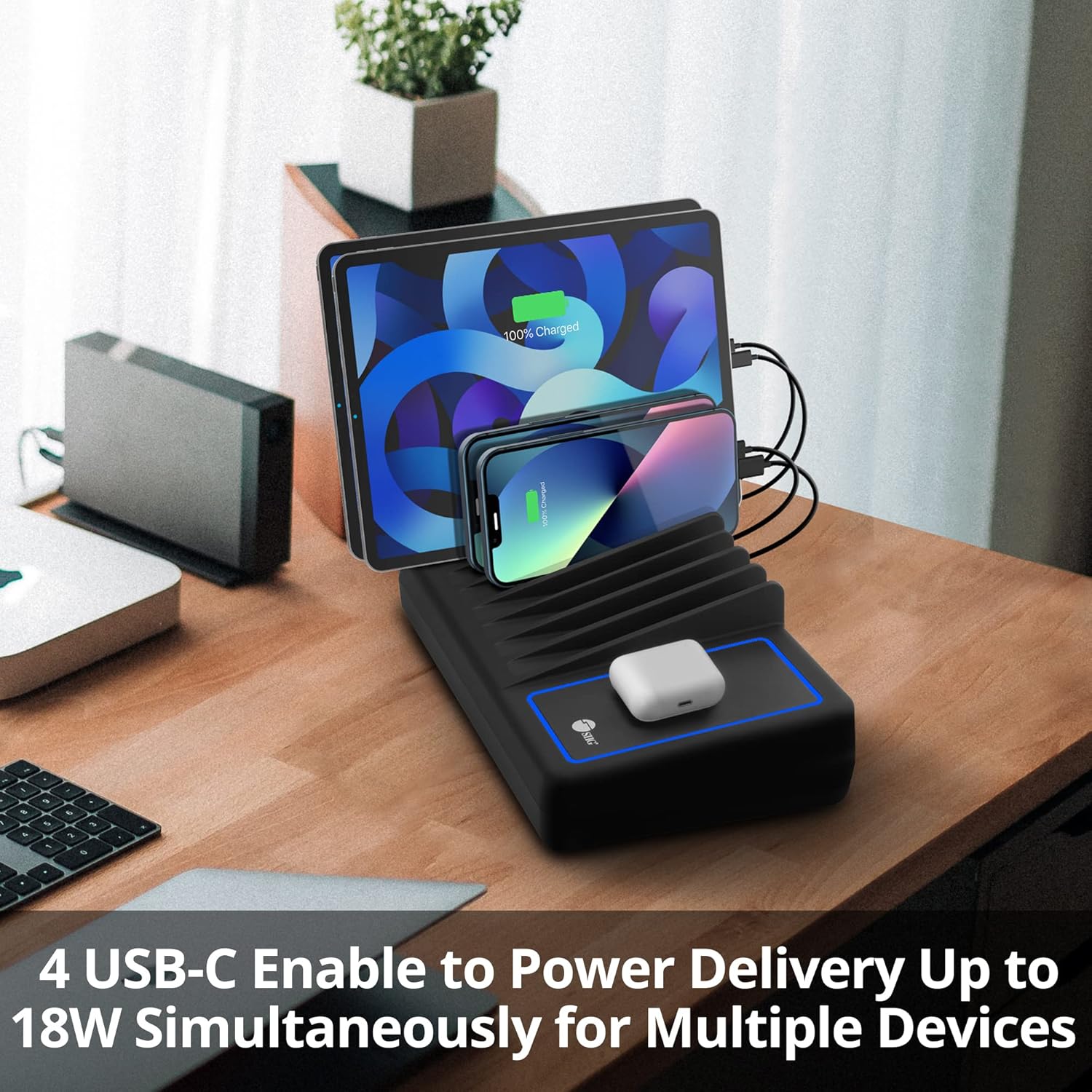
Image: The SIIG charging station demonstrating its 4 USB-C ports, which are enabled for Power Delivery (PD) up to 18W simultaneously for multiple devices.
Using the 200W GaN Charger:
- Connexió de dispositius: Plug your devices into the USB-C (3 ports) or USB-A (1 port) on the GaN charger. This charger supports high-power delivery, including dual 100W USB-C PD outputs.
- Optimal Power Distribution: The intelligent charging technology automatically detects and delivers the optimal charging speed for each connected device, up to a total of 200W.
- Càrrega simultània: Charge multiple high-power devices like laptops, tablets, and smartphones simultaneously.

Image: The SIIG 200W GaN charger demonstrating its capability for dual high-power USB-C Power Delivery, providing 100W to two devices simultaneously.

Image: The SIIG 200W GaN charger connected to and powering three USB-C devices simultaneously, showcasing its multi-device charging capability.
Manteniment
To ensure the longevity and optimal performance of your charging station and GaN charger, follow these maintenance guidelines:
- Neteja: Disconnect the devices from power before cleaning. Use a soft, dry, lint-free cloth to wipe down the surfaces. Avoid using abrasive cleaners, solvents, or aerosol sprays.
- Ventilació: Ensure the charging station and GaN charger are placed in a well-ventilated area to prevent overheating. Do not block any ventilation openings.
- Gestió de cables: Mantingueu els cables organitzats i desenredats per evitar danys i garantir un flux d'aire adequat.
- Emmagatzematge: Quan no els utilitzeu durant períodes prolongats, guardeu els dispositius en un lloc fresc i sec, allunyats de la llum solar directa i de temperatures extremes.
Resolució de problemes
If you encounter issues with your SIIG charging station or GaN charger, please refer to the following common solutions:
- El dispositiu no es carrega:
- Ensure the charging station/GaN charger is properly plugged into a live power outlet.
- Verify that the power switch on the charging station is in the 'ON' position.
- Check the charging cable for damage and ensure it is securely connected to both the charger/station and your device. Try a different cable if necessary.
- For wireless charging, ensure your device is Qi-compatible and correctly aligned on the wireless charging deck.
- If charging multiple devices, temporarily disconnect some to see if the issue is related to power distribution.
- Càrrega lenta:
- Ensure you are using a high-quality cable that supports fast charging protocols (e.g., Power Delivery for USB-C).
- Check if your device supports the fast charging capabilities of the charger/station.
- Excessive background apps or device usage during charging can slow down the process.
- Sobreescalfament:
- Ensure the charging station/GaN charger has adequate ventilation and is not covered.
- If the device feels excessively hot, disconnect it immediately and allow it to cool down. Contact support if the issue persists.
- Sense llum indicadora d'alimentació:
- Confirm the power adapter/cable is fully inserted into the unit and the wall outlet.
- Proveu la presa de corrent amb un altre dispositiu per assegurar-vos que funciona.
Si aquests passos no resolen el problema, consulteu la secció Garantia i assistència per obtenir més ajuda.
Especificacions

Imatge: Un primer pla view of the SIIG 200W GaN2 Pro charger, highlighting its USB-C and USB-A ports and its 200W power capability.
| Característica | Detall |
|---|---|
| Marca | SIIG |
| Model | B0C2C6JKQH |
| Tecnologia de connectivitat | USB |
| Tipus de connector | USB tipus C, USB tipus A |
| Components inclosos | Wireless Charging Deck |
| Característiques especials | Travel, Wireless Charging, Overcurrent Protection, Overvoltage Protection, Short-circuit Protection |
| Tipus de muntatge | Muntatge de taula |
| Ports USB totals | 10 (Charging Station) + 4 (GaN Charger) = 14 physical ports |
| Wattage (GaN Charger) | 200 watts (Max Output) |
| Font d'alimentació | Elèctric amb cable |
| Tipus de connector d'alimentació principal | 2 Pin |
| Dimensions de l'estació de càrrega | 12.5" x 6.89" x 3.54" (aproximadament) |
Garantia i Suport
SIIG stands behind the quality of its products. This charging combo is covered by a limited 2-year warranty from the date of purchase. This warranty covers defects in materials and workmanship under normal use.
Additionally, SIIG provides free lifetime technical support for this product. If you encounter any issues or have questions regarding the setup, operation, or troubleshooting of your device, please do not hesitate to contact SIIG customer support. Contact information can typically be found on the SIIG official weblloc web o a través de la vostra plataforma de compra.


