Introducció
Thank you for choosing the AIFINI X2 Wireless Ear Cleaner. This device is designed to provide a clear, real-time view of your ear canal, assisting in safe and effective ear wax removal. It features a 1080P HD camera, bright LED lights, and connects wirelessly to your iOS or Android device for visual guidance.
Informació important de seguretat
- Always use the device gently and slowly within the ear canal.
- No utilitzeu el producte mentre s'està carregant.
- Ensure the silicone sleeve on the ear spoon is tightened before each use to prevent scratching the ear canal.
- Avoid inserting the device too deeply into the ear canal to prevent injury to the eardrum.
- Mantenir fora de l'abast dels nens.
- Consult a medical professional if you experience pain, discomfort, or have a pre-existing ear condition.
Contingut del paquet
Si us plau, verifiqueu que tots els elements siguin presents al vostre paquet:
- AIFINI X2 Otoscope with Light (1)
- Cable de càrrega tipus C (1)
- Silicone Ear Spoons (6) - 3 kinds of curved designs
- Manual d'usuari (1)
- 7-piece Ear Wax Removal Tool Kit (1)

Image: Contents of the AIFINI X2 package, showing the main device, charging cable, various ear spoons, and a separate set of metal ear cleaning tools.
Característiques del producte
- Càmera HD 1080P: Ofereix una informació clara i en temps real view del conducte auditiu.
- Integrated Ear Spoon Design: The ear spoon is firmly fixed to the camera, enhancing security and simplifying use.
- Soft Silicone Ear Spoons: Includes six interchangeable silicone ear spoons with three different curve types for comfortable and effective cleaning.
- Llums LED brillants: Illuminates the dark ear canal for improved visibility.
- Àmplia compatibilitat: Supports both iOS and Android devices via Wi-Fi connection.
- Six-Axis Gravity Sensor & Screen Reverse Design: Automatically adjusts the image orientation for consistent viewing regardless of device position.
- Càrrega tipus C: Càrrega còmoda i ràpida.
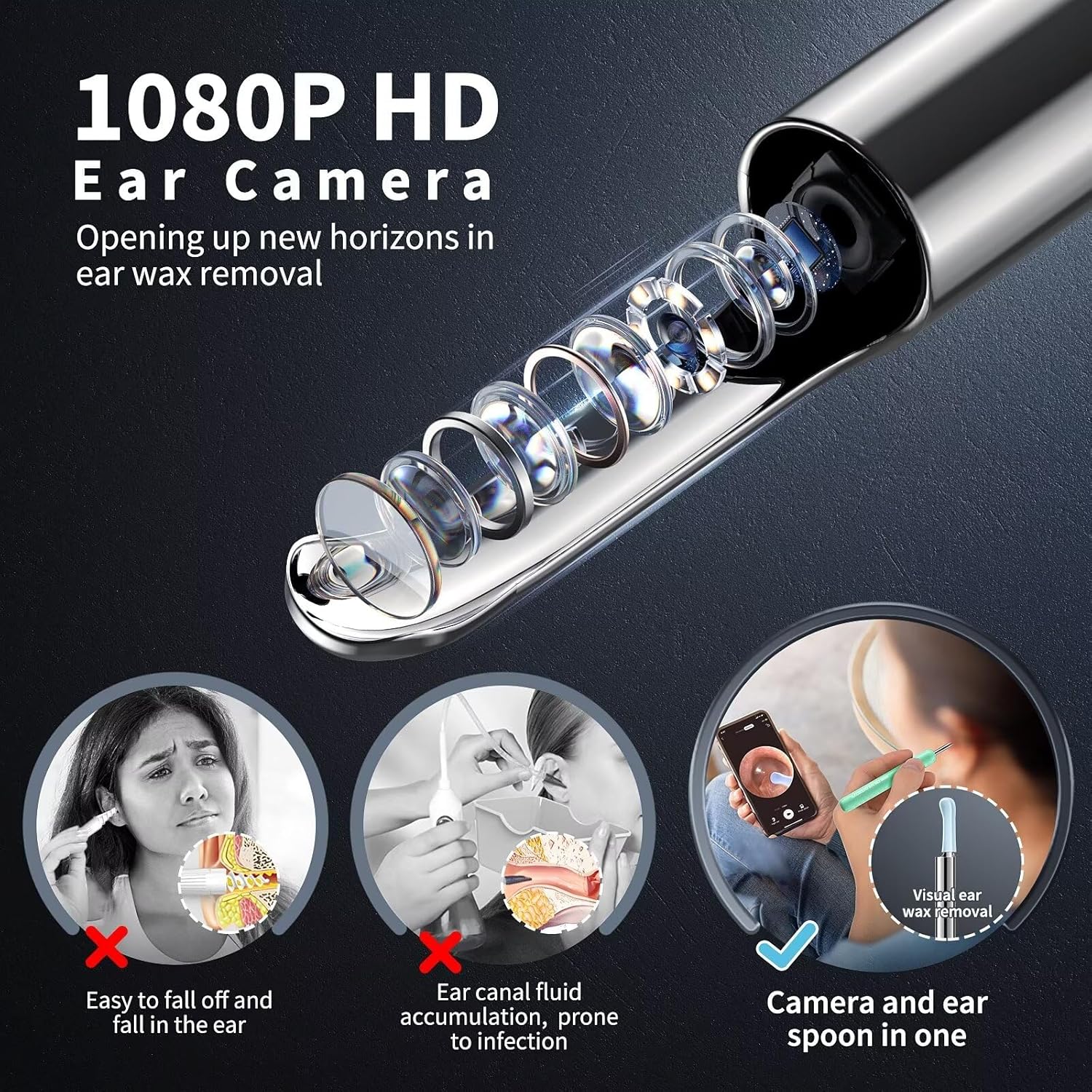
Imatge: Detallada view of the 1080P HD camera and integrated ear spoon design.

Image: Illustration of the soft silicone ear spoons with low, middle, and high arc designs.

Image: Key features of the AIFINI X2 device, including camera, LED lights, and charging port.
Guia de configuració
- Descarrega l'aplicació: Escaneja el codi QR a continuació o visita'l http://qr19.cn/CRUIhc to download the "Suear" application on your iOS or Android device.
- Encès: Press and hold the ear wax cleaner's on/off button for 1 to 2 seconds to turn on the device.
- Connecta't a Wi-Fi:
- Open your device's Wi-Fi settings.
- Locate and connect to the Wi-Fi network named "Suear -xxxx" (where xxxx is a unique identifier).
- Note: It is normal to see a "Network unavailable" prompt as this Wi-Fi connection is for device communication only and does not provide internet access.
- Inicia l'aplicació: Return to the "Suear" app. The live view from the ear cleaner camera should now be displayed.

Image: Visual guide for connecting the device to your smartphone.
Instruccions de funcionament
- Attach Ear Spoon: Select a suitable silicone ear spoon and firmly attach it to the device. Ensure it is securely tightened.
- Posicionament: Gently insert the ear cleaner into your ear canal. Observe the live feed on your smartphone.
- Neteja: Using the visual guidance, carefully and slowly maneuver the ear spoon to remove ear wax. Avoid aggressive scraping or pushing wax deeper.
- Ajustar View: The device features a six-axis gravity sensor, automatically adjusting the screen orientation for optimal viewing. You can switch between left and right ear views dins de l'aplicació.
- Optimal Posture: The device can be used comfortably in various positions, including sitting or reclining, thanks to its screen reverse design.
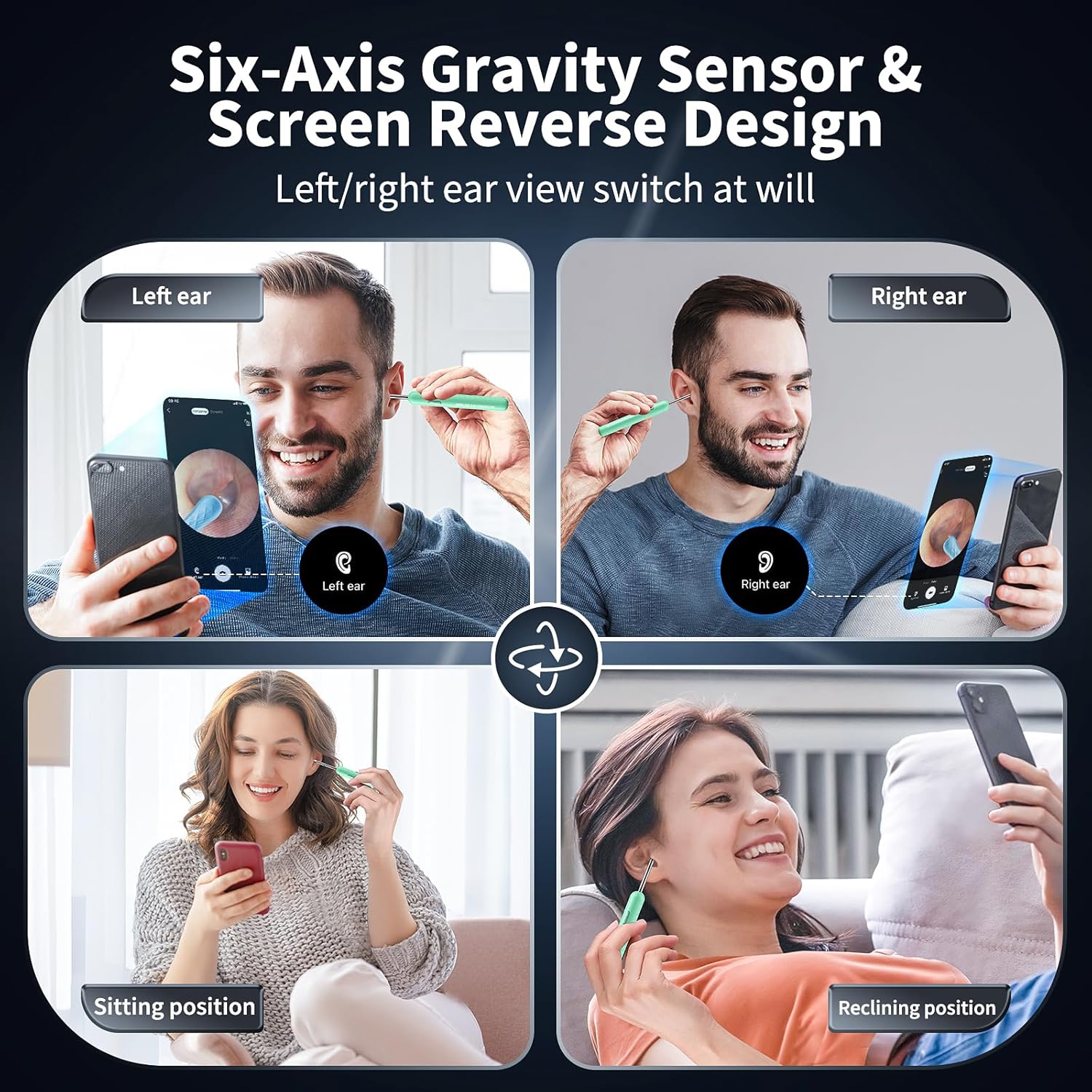
Image: Demonstrates flexible usage positions and automatic screen orientation.
Manteniment
- Cleaning Ear Spoons: After each use, remove the silicone ear spoon and clean it thoroughly with soap and water or an alcohol wipe. Ensure it is dry before storage.
- Neteja del dispositiu: Wipe the main body of the device with a soft, dry cloth. Do not immerse the device in water. The lens is waterproof and can be gently wiped.
- Emmagatzematge: Store the device and accessories in a clean, dry place away from direct sunlight and extreme temperatures.
- Càrrega: Charge the device using the provided Type-C charging cable. Do not use the device while it is charging.

Image: Illustrates features that aid in maintenance, such as soft silicone and waterproof lens.
Resolució de problemes
| Problema | Causa possible | Solució |
|---|---|---|
| El dispositiu no s’encén. | Bateria baixa o no carregada. | Charge the device using the provided Type-C cable. Ensure the power button is pressed and held for 1-2 seconds. |
| No es pot connectar a la Wi-Fi. | Device not powered on or incorrect Wi-Fi selected. | Ensure the device is powered on. Select the Wi-Fi network starting with "Suear -xxxx". Restart the device and try again. |
| "Network unavailable" message appears. | Aquest és un comportament normal. | The device's Wi-Fi provides a direct connection for the camera feed, not internet access. This message can be ignored. |
| No image in the app. | Not connected to device Wi-Fi or app not launched. | Verify Wi-Fi connection to "Suear -xxxx" and ensure the "Suear" app is open. |
| La imatge és borrosa o poc clara. | Lens might be dirty. | Netegeu suaument la lent de la càmera amb un drap suau i sec. |
Especificacions
- Número de model: X2
- Resolució de la càmera: 1080P HD
- Diàmetre de la lent: 4.00 mm
- Llums LED: 6 LED brillants
- Bateria: 1 bateria de polímer de liti (inclosa), 350 mAh
- Port de càrrega: Tipus-C
- Connectivitat: Wi-Fi (2.4 GHz)
- Compatibilitat: iOS & Android devices
- Dimensions del producte: 6.69 x 2.55 x 0.7 polzades
- Pes de l'article: 2.4 unces

Image: Highlights technical specifications like Type-C charging, LED lights, and Wi-Fi stability.
Garantia i Suport
For warranty information and customer support, please refer to the documentation included with your purchase or visit the official AIFINI store on Amazon:


