1. Introducció
Gràcies per la compraasing the KOORUI 27-inch IPS Full HD Monitor, Model 27N1FHD. This manual provides essential information for the proper installation, operation, and maintenance of your monitor. Please read this manual thoroughly before using the product and retain it for future reference.
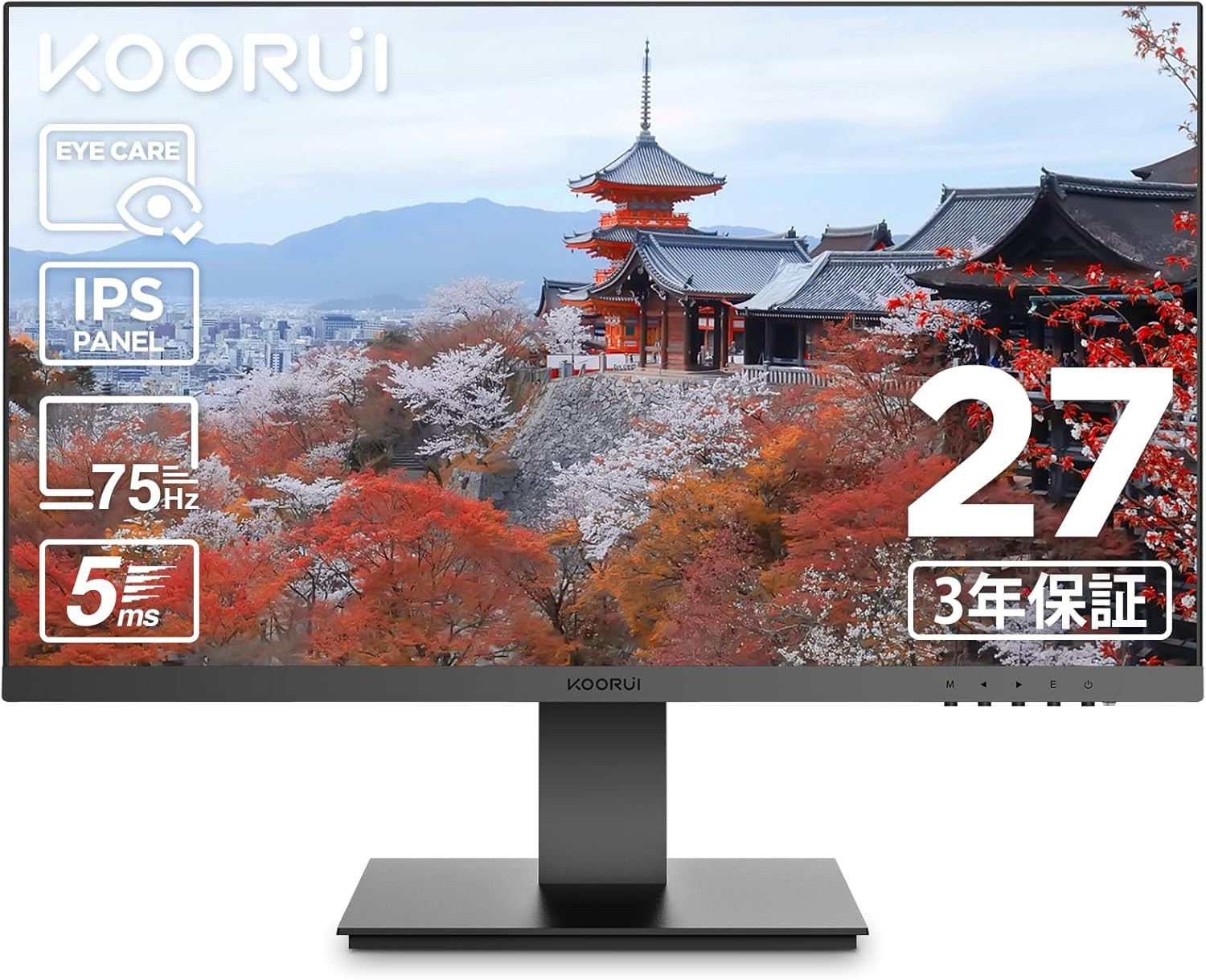
Imatge 1.1: Frontal view of the KOORUI 27-inch IPS Full HD Monitor.
2. Informació de seguretat
Per garantir un funcionament segur i evitar danys, observeu les següents precaucions de seguretat:
- No exposeu el monitor a la pluja, la humitat ni a temperatures extremes.
- Eviteu col·locar el monitor a la llum solar directa o a prop de fonts de calor.
- Assegureu-vos que hi hagi una ventilació adequada al voltant del monitor. No bloquegeu les obertures de ventilació.
- Feu servir només l'adaptador de corrent que s'inclou amb el monitor.
- Desconnecteu el cable d'alimentació de la presa de corrent durant tempestes amb llamps o quan no el feu servir durant períodes prolongats.
- No intenteu obrir el monitor casing. Demaneu totes les tasques de manteniment a personal qualificat.
- Mantingueu el monitor allunyat de camps magnètics forts.
3. Contingut del paquet
Verifiqueu que tots els elements siguin presents al vostre paquet:
- KOORUI 27-inch IPS Full HD Monitor (Model 27N1FHD)
- Cable HDMI (1.5 m)
- Adaptador d'alimentació
- Guia de l'usuari (aquest manual)
- Base del suport del monitor
- Monitor Stand Column

Imatge 3.1: Davant i darrere view of the KOORUI 27N1FHD monitor, showing ports and VESA mounting points.
4. Instruccions de configuració
4.1 Muntatge del suport
- Col·loqueu el monitor cara avall sobre una superfície suau i neta per evitar ratllades.
- Attach the stand column to the back of the monitor until it clicks into place or is secured with screws (if provided).
- Attach the stand base to the bottom of the stand column and secure it with the thumb screw or screws.
- Carefully lift the monitor and place it on a stable, flat surface.
4.2 Connexió del monitor
The monitor supports HDMI and VGA connections.
- Connexió d'alimentació: Connect the power adapter to the monitor's power input and then plug the adapter into a power outlet.
- Connexió de vídeo (HDMI): Connect one end of the provided HDMI cable to the HDMI port on your computer and the other end to the HDMI port on the monitor.
- Connexió de vídeo (VGA): Connect a VGA cable (not included) to the VGA port on your computer and the other end to the VGA port on the monitor.

Imatge 4.1: posterior view of the monitor showing VESA mount (75x75mm) and tilt adjustment range (-5° to +15°).
4.3 Muntatge VESA
This monitor is compatible with VESA 75x75mm mounting standards, allowing for alternative mounting solutions such as wall mounts or monitor arms (sold separately).
- Remove the stand column from the monitor.
- Attach your VESA-compatible mount to the four screw holes on the back of the monitor.
- Ensure the screws are tightened securely.

Imatge 4.2: Ex.ample of the monitor mounted on a VESA-compatible arm.
5. Instruccions de funcionament
5.1 Engegada/apagada
Premeu el botó d'engegada situat a la part inferior dreta del monitor per encendre'l o apagar-lo.
5.2 Menú de visualització en pantalla (OSD)
The OSD menu allows you to adjust various display settings. Use the control buttons (usually located on the bottom right or rear of the monitor) to navigate the menu.
- Botó de menú: Obre el menú OSD.
- Botons de navegació: Used to move through menu options (Up/Down or Left/Right).
- Botó Selecciona/Intro: Confirma una selecció o entra en un submenú.
- Botó de sortida: Surt del menú o de l'OSD actual.
5.3 Configuració comuna de l'OSD
- Brillantor/Contrast: Adjusts the overall luminance and contrast of the display.
- Configuració de color: Allows adjustment of color temperature, gamma, and individual RGB levels.
- Selecció d'entrada: Canvia manualment entre les fonts d'entrada HDMI i VGA.
- Mode d'imatge: Pre-set display modes for different content types (e.g., Standard, Game, Movie, Text).
- Mode de cura dels ulls: Activates or adjusts the blue light filter.
- Idioma: Selecciona l'idioma del menú OSD.
- Restablir: Resets all OSD settings to factory defaults.
6. Característiques clau
6.1 Tecnologia per a la cura dels ulls
The KOORUI 27N1FHD monitor incorporates advanced eye care features to enhance user comfort during prolonged use:
- Flicker-Free (DC Dimming): Utilizes DC dimming technology to eliminate screen flickering, which can cause eye strain and fatigue.
- Filtre de llum blava baixa: Reduces the emission of harmful high-energy short-wave blue light, protecting your eyes and promoting better sleep patterns.

Image 6.1: Visual representation of blue light reduction and flicker-free technology for eye comfort.
6.2 IPS Panel with Full HD Resolution
Experience vibrant colors and sharp details with the IPS (In-Plane Switching) panel and Full HD (1920x1080p) resolution.
- Tecnologia IPS: Provides consistent and accurate colors from wide viewing angles (178° horizontal and vertical).
- Full HD (1920x1080p): Delivers crisp and clear images for work, entertainment, and general computing.
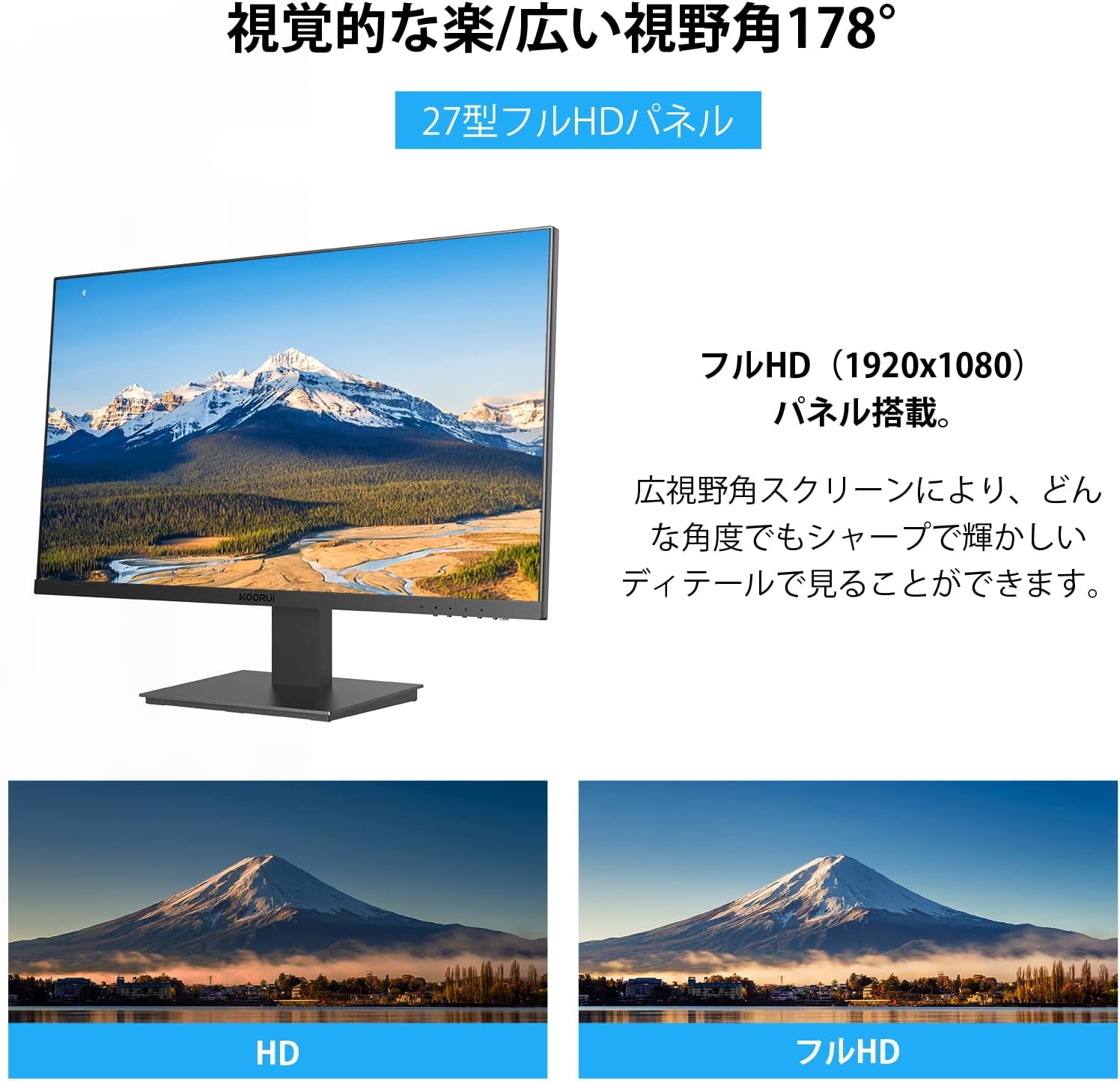
Image 6.2: Illustration of the 178° wide viewing angle and comparison between HD and Full HD image quality.

Image 6.3: Demonstrates the wide 178° viewing angle, allowing multiple viewers to see clear images.
6.3 Ultra-Slim Bezel Design
The monitor features a 3-sided ultra-slim bezel, also known as a "zero-frame design," which maximizes screen space and is ideal for multi-monitor setups.

Imatge 6.4: Ex.ample of a multi-monitor setup showcasing the ultra-slim bezel design.

Imatge 6.5: Una altra view of a multi-screen setup, highlighting the seamless visual experience.
6.4 Connectivitat i rendiment
- Múltiples interfícies: Equipped with HDMI and VGA ports for versatile connectivity with various devices like PCs, laptops, and gaming consoles.
- Freqüència de refresc de 75 Hz: Provides smoother visuals compared to standard 60Hz monitors, beneficial for everyday use and casual gaming.
- Temps de resposta d'5 ms: Reduces motion blur and ghosting, ensuring a clear image during fast-paced scenes.

Image 6.6: The monitor is suitable for diverse applications including office work, graphic design, gaming, and movie watching.
7. Manteniment
Un manteniment adequat garanteix la longevitat i el rendiment òptim del monitor.
- Neteja de la pantalla: Netegeu suaument la pantalla amb un drap suau i sense borrissol. Per a marques difícils, dampen the cloth with a small amount of screen cleaner specifically designed for LCD/LED displays. Do not spray cleaner directly onto the screen.
- Neteja de la Casing: Feu servir un drap suau i sec per netejar el monitor casing. Eviteu utilitzar productes de neteja o dissolvents abrasius.
- Apagueu quan no estigui en ús: Apagueu el monitor quan no l'utilitzeu durant períodes prolongats per estalviar energia i allargar-ne la vida útil.
8. Solució De Problemes
Si teniu problemes amb el monitor, consulteu els problemes i solucions més comuns següents:
| Problema | Causa possible | Solució |
|---|---|---|
| No hi ha imatge a la pantalla |
|
|
| La imatge és borrosa o distorsionada |
|
|
| La pantalla parpelleja |
|
|
| No sound (Note: This monitor does not have built-in speakers) |
|
|
If the problem persists after trying these solutions, please contact KOORUI customer support.
9. Especificacions
| Característica | Detall |
|---|---|
| Marca | KOORUI |
| Model | 27N1FHD |
| Mida de la pantalla | 27 polzades |
| Tipus de panell | IPS |
| Resolució | 1920x1080 (Full HD) |
| Freqüència d'actualització | 75 Hz |
| Temps de resposta | 5 ms |
| Relació d'aspecte | 16:9 |
| Viewangle ing | 178° (H) / 178° (V) |
| Tractament superficial | Non-Glare / Anti-Glare |
| Connectivitat | HDMI, VGA |
| Compatibilitat VESA | 75 mm x 75 mm |
| Ajust d'inclinació | -5° a +15° |
| Altaveus incorporats | No |
| Característiques de la cura dels ulls | Flicker-Free (DC Dimming), Low Blue Light Filter |

Image 9.1: Key specifications of the KOORUI 27-inch monitor, including IPS panel, Full HD resolution, 99% sRGB color gamut, and 5ms response time.
10. Garantia i Suport
KOORUI provides a 3-year free exchange warranty for this product. If you encounter any issues or have questions regarding your monitor, please do not hesitate to contact our customer support team.
For support, please refer to the contact information provided on the KOORUI official weblloc web o la documentació de la compra.


