1. Producte acabatview
The Taiahiro Low Profile Mechanical Keyboard is an ultra-slim 87-key keyboard designed specifically for Mac users, offering a compact 80% layout. It features ultra-low profile brown switches for a tactile and responsive typing experience. This wired keyboard provides full support for Mac function keys and customizable white backlighting.
Característiques clau
- Pro baixfile Brown Switches for tactile feedback.
- 87-key (TKL) compact design.
- Full Mac Function Keys Support.
- Detachable Type-C connection.
- 18-Modes LED White Backlighting with 4 adjustable brightness levels.
- Durable Aluminum Alloy Panel construction.
- Double Shot Injection Keycaps for comfortable typing.
- Ergonomic design for comfortable angle.
Contingut del paquet
- Taiahiro Low Profile Teclat mecànic
- Cable USB-C a USB-A
- Manual d'usuari
Diagrama del producte

Figura 1: Mésview of the Taiahiro Low Profile Mechanical Keyboard, highlighting its compact design and key layout.
2. Guia de configuració
Connexió del teclat
- Localitza el port USB-C a la part posterior del teclat.
- Connect one end of the provided USB-C cable to the keyboard's USB-C port.
- Connect the other end of the USB-C cable to an available USB-A port on your computer (MacBook Pro/Air, iMac, Mac Mini, or PC).
- El teclat és plug-and-play i el sistema operatiu l'hauria de reconèixer automàticament.
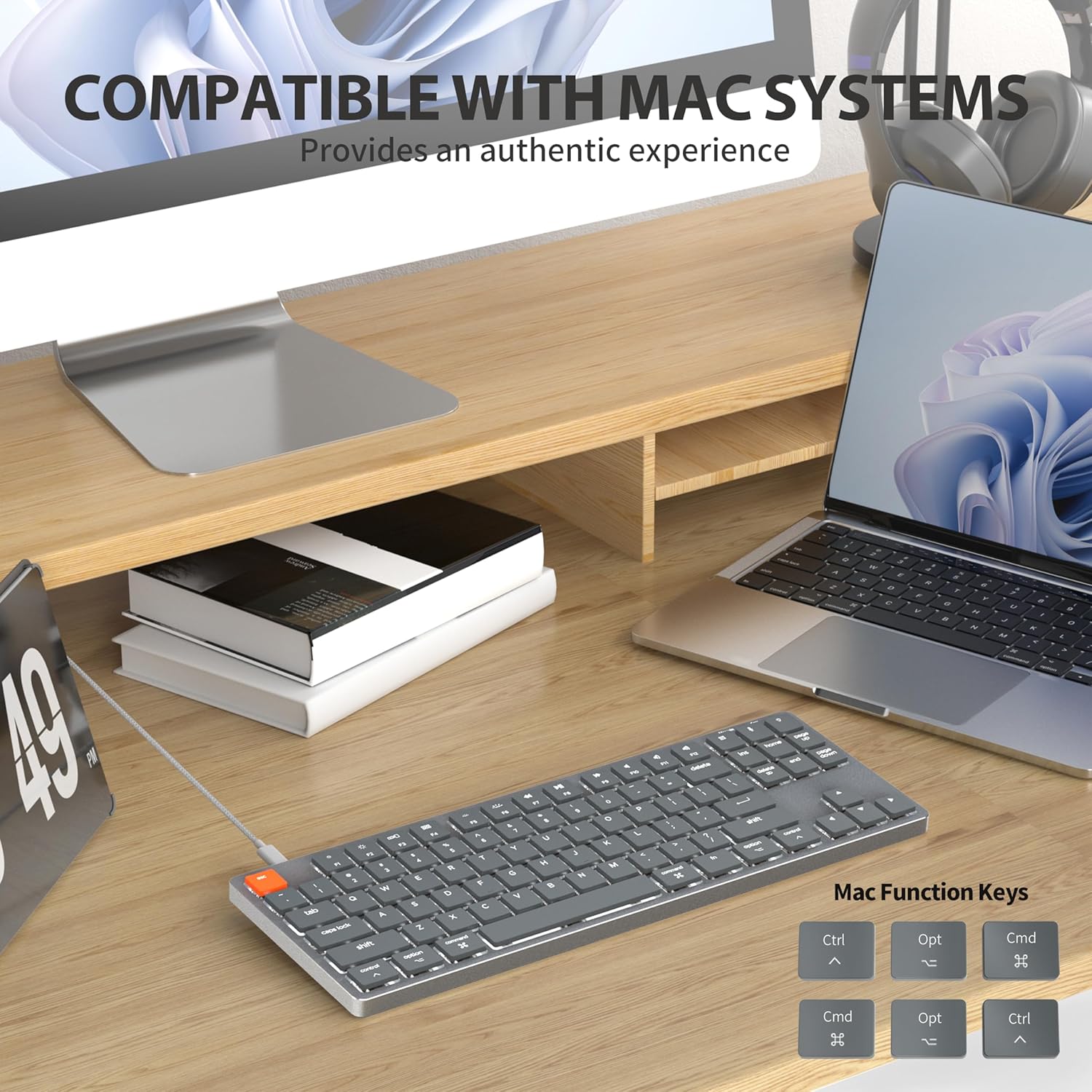
Figure 2: Connecting the detachable Type-C cable to the keyboard for convenience and efficiency.
Compatibilitat del sistema
This keyboard is designed for full compatibility with Mac OS and Windows operating systems. It supports Mac Mini, MacBook Air, MacBook Pro, PC, and iMac devices.

Figure 3: The keyboard seamlessly integrated with a Mac system, providing an authentic user experience.
3. Instruccions de funcionament
Mecanografia bàsica
El low-profile brown switches provide a quiet yet responsive typing experience with satisfying tactile feedback. The ultra-thin design and high-quality keycaps enhance fingertip comfort during extended use.
Control de retroiluminació
The keyboard features 18 distinct LED white backlighting modes. You can cycle through these modes and adjust brightness levels using the dedicated function keys. Refer to the keyboard's layout for specific key combinations, typically involving the 'Fn' key combined with other keys (e.g., Fn + F1/F2 for brightness, Fn + arrow keys for modes).

Figure 4: The keyboard's 18-modes LED white backlighting, offering customizable illumination.
Mac Function Keys Support
The keyboard is specifically designed to support Mac function keys, allowing you to easily control system functions such as screen brightness, volume, and media playback directly from the keyboard. These functions are typically accessed by pressing the 'Fn' key in combination with the corresponding F-keys (F1-F12).
Tecles de drecera
The keyboard includes multifunctional shortcut keys for enhanced productivity. These keys provide quick access to various commands, including multimedia controls. Consult the keycap legends for specific shortcut functions.

Figure 5: The keyboard's multifunctional shortcut keys, providing 100% fully loaded functionality.
4. Manteniment i cura
Neteja del teclat
- Desconnecteu el teclat de l'ordinador abans de netejar-lo.
- Utilitzeu un drap suau i sense pelusa lleugerament dampEsbandiu amb aigua o una solució netejadora suau per netejar les tecles i la superfície.
- Per a la pols i les restes entre les tecles, feu servir aire comprimit o un raspall petit.
- Eviteu l'ús de productes químics agressius, netejadors abrasius o humitat excessiva.
Emmagatzematge
When not in use for extended periods, store the keyboard in a cool, dry place away from direct sunlight and extreme temperatures to prevent damage.
5. Solució De Problemes
El teclat no respon
- Comprova la connexió: Assegureu-vos que el cable USB-C estigui connectat correctament tant al teclat com a l'ordinador.
- Prova un port diferent: Plug the keyboard into a different USB port on your computer.
- Reinicieu l'ordinador: Sometimes a simple system restart can resolve connectivity issues.
- Comproveu el cable: If possible, try using a different USB-C cable to rule out a faulty cable.
Problemes de retroiluminació
- Enable Backlight: Ensure the backlight is not turned off. Use the designated function keys (e.g., Fn + backlight key) to toggle it on/off.
- Ajusta la brillantor: Cycle through brightness levels using the appropriate function keys (e.g., Fn + F1/F2) to ensure it's not set to the lowest level.
- Canvia el mode: Try cycling through different backlight modes to see if the issue persists across all modes.
Mac Compatibility Concerns
- Versió del sistema operatiu: Ensure your Mac OS is up to date or meets the minimum requirements for peripheral compatibility.
- Tipus de processador: While designed for Mac, some specific processor architectures (e.g., M2/ARM) might require updated drivers or system settings. Check Taiahiro's official support page for any specific driver downloads or compatibility notes.
- Mode de teclat: If your keyboard has a physical switch or key combination to toggle between Mac/Windows mode, ensure it is set to Mac mode.
6. Especificacions tècniques
| Característica | Detall |
|---|---|
| Número de model | 201 |
| Marca | Taiahiro |
| Tipus de teclat | Pro baixfile Teclat mecànic |
| Tipus de canvi | Interruptor marró |
| Nombre de claus | 87 |
| Connectivitat | Cablejat (USB-C) |
| Il·luminació de fons | 18-Modes LED White Backlighting |
| Material | Aluminum Alloy Panel |
| Color | Black-Gray |
| Dimensions del producte | 12.5 x 1.8 x 34.59 cm (4.92 x 0.71 x 13.62 polzades) |
| Pes de l'article | 971 g |
| Sistema operatiu compatible | Mac OS, Windows |
Dimensions and Profile

Figure 6: Detailed dimensions of the 87-key ultra-thin mechanical keyboard, illustrating its compact and slim profile.
Tecnologia de commutació

Figure 7: Comparison of Ultra Low Profile Brown Switch with standard mechanical switches, highlighting shorter actuation point for faster and more precise input.
Keycap Design

Figure 8: The ultra-thin double shot injection keycaps, designed for comfortable and durable typing.
Ergonomia
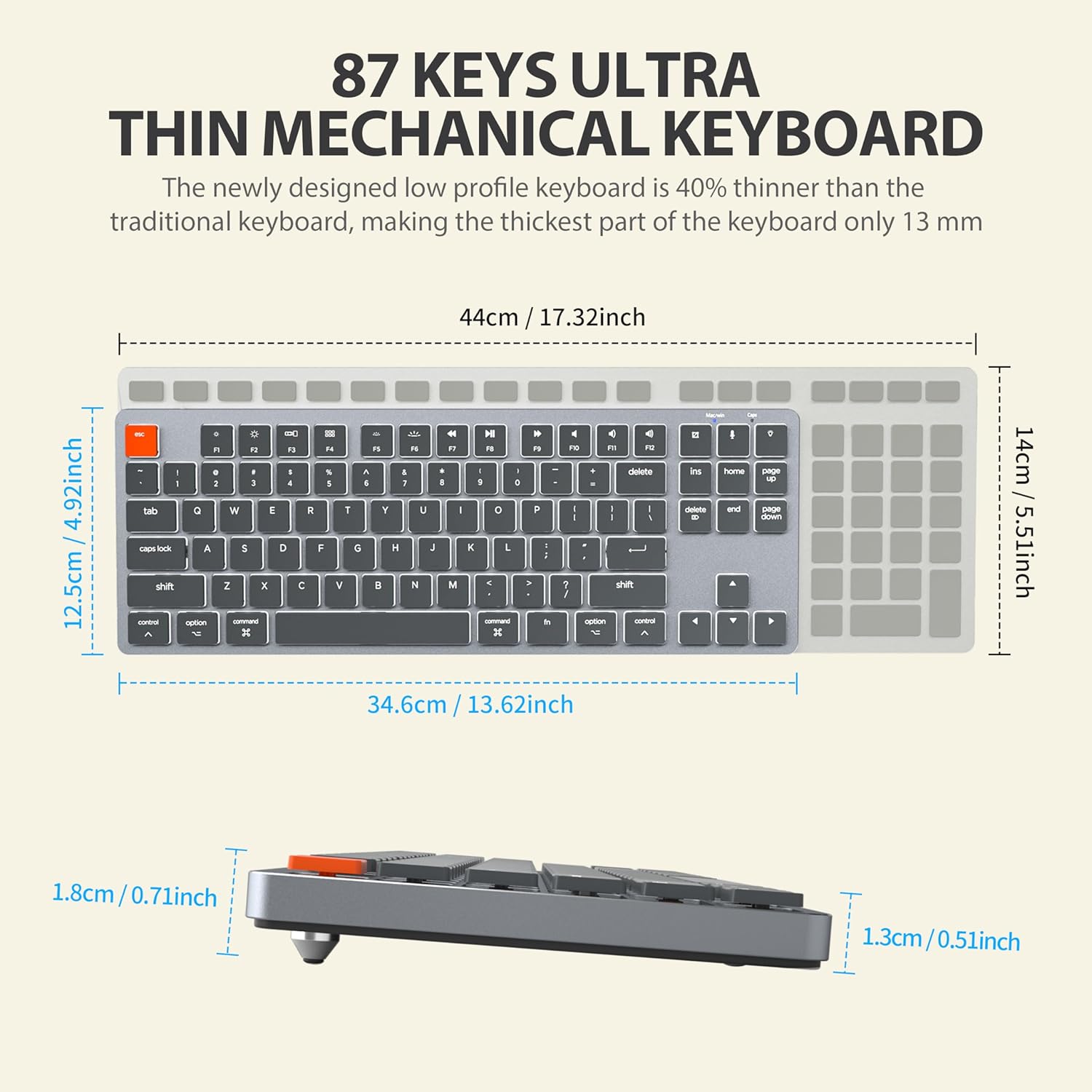
Figure 9: The ergonomic design of the keyboard, providing a comfortable angle for extended typing sessions.
7. Garantia i Suport
Informació de la garantia
This Taiahiro product comes with a standard manufacturer's warranty. Please refer to the product packaging or the official Taiahiro weblloc web per conèixer els termes i condicions específics de la garantia, incloent-hi el període de cobertura i els procediments de reclamació.
Atenció al client
For technical assistance, troubleshooting, or any product-related inquiries, please visit the official Taiahiro website or contact their customer service department. Contact information can typically be found on the product packaging or the brand's official online presence.


