Instruccions importants de seguretat
Si us plau, llegiu i comprengui totes les instruccions de seguretat abans d'utilitzar aquest producte. Conservi aquest manual per a futures consultes.
- Seguretat elèctrica: Assegureu-vos que la font d'alimentació voltage matches the rating label on the soundbar. Do not expose the unit to rain or moisture to prevent fire or electric shock.
- Ventilació: No bloquegeu cap obertura de ventilació. Instal·leu-ho d'acord amb les instruccions del fabricant.
- Calor: No instal·leu a prop de cap font de calor com ara radiadors, registres de calor, estufes o altres aparells (inclosos amplificadors) que produeixen calor.
- Aigua i humitat: No utilitzeu aquest aparell prop de l'aigua.
- Neteja: Netegeu només amb un drap sec.
- Manteniment: Demaneu tot el servei a personal de servei qualificat. El manteniment és necessari quan l'aparell s'ha fet malbé d'alguna manera, com ara el cable d'alimentació o l'endoll està danyat, s'ha vessat líquid o han caigut objectes a l'aparell, l'aparell ha estat exposat a la pluja o la humitat, no funciona amb normalitat. , o s'ha deixat caure.
Contingut del paquet
Carefully unpack your soundbar system and ensure all items are present and in good condition. If any item is missing or damaged, contact your retailer.
- Barra de so
- Subwoofer
- Control remot
- Cable d'alimentació
- Cable Aux
- Manual d'usuari (aquest document)
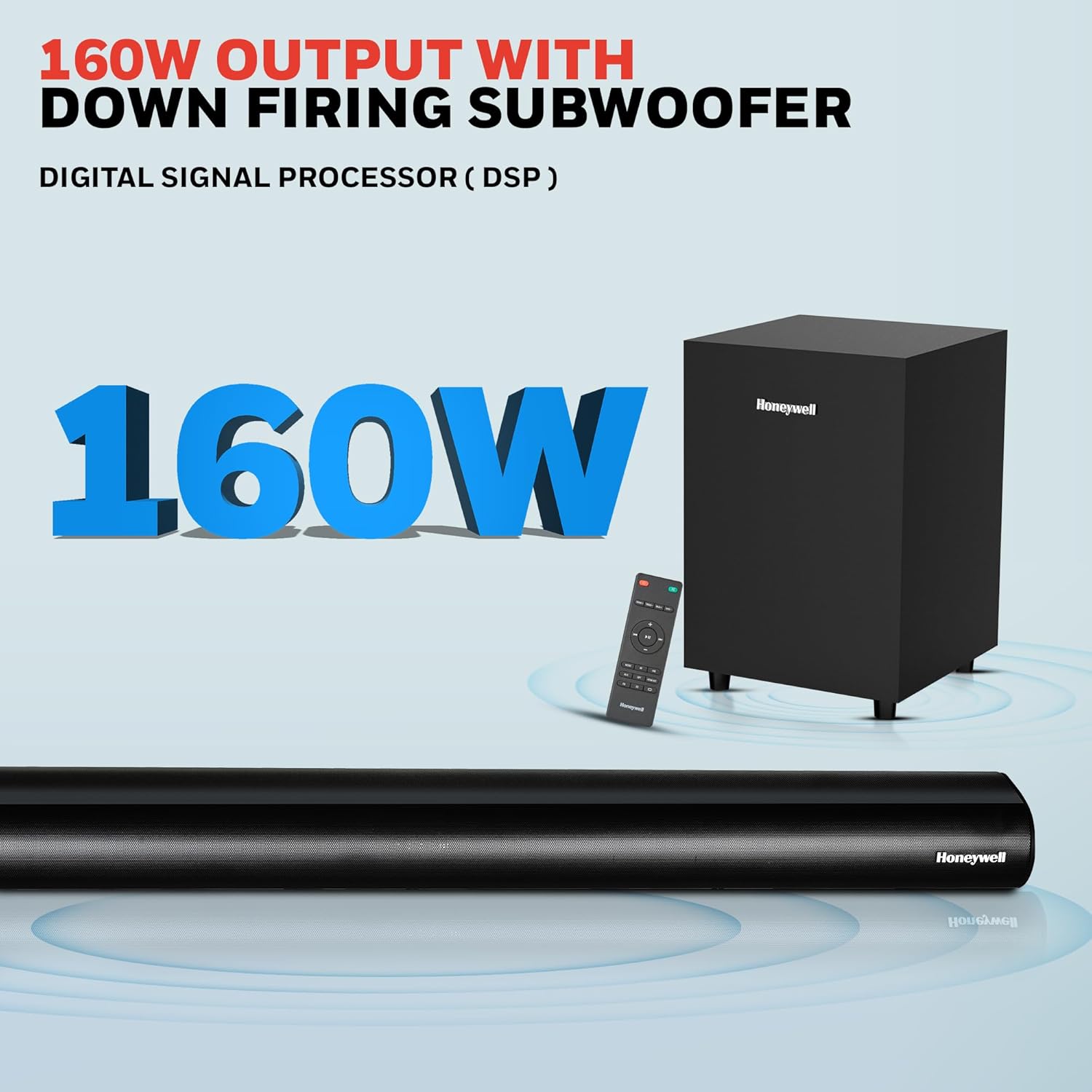
Image: Contents of the Honeywell Trueno U2000 package, including the soundbar, subwoofer, remote control, and cables.
Producte acabatview
The Honeywell Trueno U2000 is a 2.1 channel soundbar system designed to enhance your audio experience. It features a soundbar with four 57mm drivers and a wired subwoofer with a 165mm (6-inch) driver, delivering 160W of total output. Multiple connectivity options and EQ modes allow for versatile use.
Característiques principals:
- Potència de sortida total de 160 W
- 2.1 Channel Configuration with Wired Subwoofer
- Bluetooth V5.3 Connectivity
- Multiple Input Options: HDMI ARC, Optical, AUX, USB
- 3 Equalizer (EQ) Modes: News, Movie, Music
- Pantalla LED
- Disseny de muntatge a la paret

Image: Visual representation of the soundbar's features, including its drivers, connectivity, and EQ modes.
Configuració
1. Col·locació
- Barra de so: Place the soundbar on a stable, flat surface directly in front of your television, or mount it on the wall below your TV. Ensure there are no obstructions in front of the soundbar.
- subwoofer: Position the subwoofer on the floor near the soundbar. The wired connection requires it to be within cable reach of the soundbar.
2. Connexions
Connect your audio sources to the soundbar using the appropriate cables. The soundbar supports HDMI ARC, Optical, AUX, and USB inputs.

Image: Rear panel of the soundbar displaying various input ports for connectivity.
- ARC HDMI: Connect an HDMI cable from the HDMI ARC port on the soundbar to the HDMI ARC port on your TV. This allows audio from your TV to play through the soundbar and enables TV remote control of the soundbar volume.
- Òptic: Connect an optical cable from the OPTICAL port on the soundbar to the optical output port on your TV or other audio device.
- AUX: Use the provided 3.5mm AUX cable to connect the AUX IN port on the soundbar to the audio output (headphone jack) of your device.
- USB: Inseriu una unitat USB al port USB per reproduir àudio directament.
- subwoofer: Connect the wired subwoofer to the SW OUT port on the soundbar.
3. Connexió d'alimentació
Connect the power cord to the soundbar's power input and then plug it into a wall outlet. The soundbar will enter standby mode.
Instruccions de funcionament
1. Encendre/apagar
Premeu el botó d'engegada de la barra de so o del comandament a distància per encendre o apagar la unitat.
2. Funcions de control remot
El comandament a distància inclòs proporciona totes les funcions de la barra de so.

Image: The remote control for the soundbar, showing its layout and buttons.
- Botó d'encesa: Activa o desactiva la barra de so.
- Botó d'entrada/font: Cycles through input modes (HDMI ARC, Optical, AUX, USB, Bluetooth).
- Pujar/baixar el volum: Ajusta el nivell de volum principal.
- Botó de silenci: Silencia o activa el so.
- EQ Mode Buttons: Selects between News, Movie, and Music sound modes.
- Play/Pause, Skip Tracks: For USB and Bluetooth playback.
3. Emparellament Bluetooth
Per connectar un dispositiu Bluetooth:
- Turn on the soundbar and select Bluetooth mode using the Input/Source button on the remote or soundbar. The LED display will show "BT".
- Activa el Bluetooth al teu dispositiu mòbil (telèfon intel·ligent, tauleta, etc.).
- Cerca "Honeywell Trueno U2000" in your device's Bluetooth list and select it to pair.
- Un cop emparellat, la barra de so indicarà una connexió correcta i podràs reproduir àudio des del teu dispositiu.

Image: Illustrates the process of connecting a mobile device to the soundbar via Bluetooth.
4. Selecció de la font d'entrada
Press the Input/Source button on the remote or the soundbar to cycle through the available input modes: HDMI ARC, OPTICAL, AUX, USB, and Bluetooth. The selected mode will be displayed on the soundbar's LED screen.
5. Modes d'equalització
The soundbar offers three preset equalizer modes to optimize audio for different content types:
- Mode de notícies: Enhances vocal clarity for spoken content.
- Mode pel·lícula: Proporciona sons dinàmicstage with enhanced bass for cinematic experiences.
- Mode de música: Offers balanced audio reproduction suitable for various music genres.
Press the corresponding EQ button on the remote control to switch between these modes.

Image: Demonstrates the three EQ modes (News, Movie, Music) and how they can be selected via the remote.
Manteniment
Neteja
- Always unplug the soundbar from the power outlet before cleaning.
- Feu servir un drap suau i sec per netejar les superfícies de la barra de so i el subwoofer.
- No utilitzeu netejadors líquids, aerosols ni dissolvents, ja que poden danyar l'acabat o els components interns.
Emmagatzematge
Si guardeu la unitat durant un període prolongat, desendolleu-la de la font d'alimentació i guardeu-la en un lloc fresc i sec, allunyat de la llum solar directa i de temperatures extremes.
Resolució de problemes
Si teniu problemes amb la barra de so, consulteu la taula següent per veure els problemes i les solucions més habituals.
| Problema | Causa possible | Solució |
|---|---|---|
| Sense poder | Cable d'alimentació no connectat; Presa de corrent no activa | Ensure power cord is securely connected. Check if the power outlet is working by plugging in another device. |
| Sense so | Incorrect input source; Volume too low; Mute function active; Incorrect cable connection | Seleccioneu la font d'entrada correcta. Augmenteu el volum. Desactiveu el silenci. Comproveu totes les connexions del cable d'àudio. |
| L'aparellament de Bluetooth falla | La barra de so no està en mode d'emparellament; Dispositiu massa lluny; Interferència | Ensure soundbar is in Bluetooth mode and ready for pairing. Move device closer to soundbar. Avoid other wireless devices. |
| El comandament a distància no funciona | Piles esgotades; Obstrucció entre el comandament a distància i la barra de so | Replace remote control batteries. Remove any obstructions. Ensure remote is pointed at the soundbar's sensor. |
| So distorsionat | Source audio quality is poor; Volume too high; Incorrect EQ mode | Try a different audio source. Reduce volume. Experiment with different EQ modes. |
Si el problema persisteix després de provar aquestes solucions, poseu-vos en contacte amb l'atenció al client.
Especificacions
Detailed technical specifications for the Honeywell Trueno U2000 Soundbar with Subwoofer.
| Característica | Especificació |
|---|---|
| Nom del model | Barra de so Trueno U2000 |
| Número de model | HC000258/AUD/SB/U2000/BLK |
| Tipus d'altaveu | Barra de so amb subwoofer |
| Configuració del canal | 2.1 |
| Potència total de sortida | 160 watts (màxim) / 120 watts (RMS) |
| Controladors de barra de so | 4 x 57mm Dynamic Drivers |
| Controlador de subwoofer | 1 x 165mm (6 Inches) Woofer |
| Tecnologia de connectivitat | Bluetooth V5.3, HDMI ARC, Optical, AUX, USB |
| Interval Bluetooth | Fins a 10 metres |
| Resposta de freqüència | 20 Hz (mínim) |
| Ràtio senyal / soroll | 82 dB |
| Mètode de control | Control remot |
| Tipus de muntatge | Tabletop Mount, Wall Mountable |
| Dimensions del producte (barra de so) | 6.5P x 94A x 6H centímetres |
| Pes de l'article | 1.6 Kilograms (Soundbar) |
| Entrada Voltage | 240 volts (CA) |
| Material | Plàstic |
| Color | Negre |
Informació de la garantia
The Honeywell Trueno U2000 Soundbar with Subwoofer comes with a 2 any de garantia del fabricant des de la data de compra. Aquesta garantia cobreix defectes de fabricació i avaries en condicions d'ús normals.
Please retain your purchase receipt as proof of purchase for warranty claims. The warranty does not cover damage caused by misuse, accidents, unauthorized modifications, or normal wear and tear.
For detailed terms and conditions, please refer to the warranty card included in your package or contact Honeywell customer support.
Atenció al client
For any assistance, technical support, or warranty claims, please contact Honeywell customer support.

Image: Honeywell customer support information, including phone number and email address, and a map indicating nationwide service centers.
- Suport telefònic: 022-238 535 35 (Monday to Friday, 10 AM to 7 PM)
- Suport per correu electrònic: Assistència@honeywellconnection.com
- Recursos en línia: Visita el lloc web oficial de Honeywell weblloc per a preguntes freqüents i suport addicional.
Vídeo del producte
Watch this official product video for a visual guide on the Honeywell Trueno U2000 Soundbar.
Video: An official product video demonstrating the features and usage of the Honeywell Trueno U2000 Soundbar.
Informació d'eliminació
Do not dispose of this product with household waste. This product contains electronic components that should be recycled according to local regulations. Contact your local authorities or retailer for information on recycling and disposal.


