1. Introducció
The GAMDIAS HELIOS P2-1000G is a fully modular power supply unit designed for high-performance computing systems. It features 80 Plus Gold certification for energy efficiency, supports ATX 3.1 and PCIe Gen 5.1 standards, and incorporates 100% Japanese capacitors for enhanced reliability. This manual provides essential information for the safe installation, operation, and maintenance of your power supply.
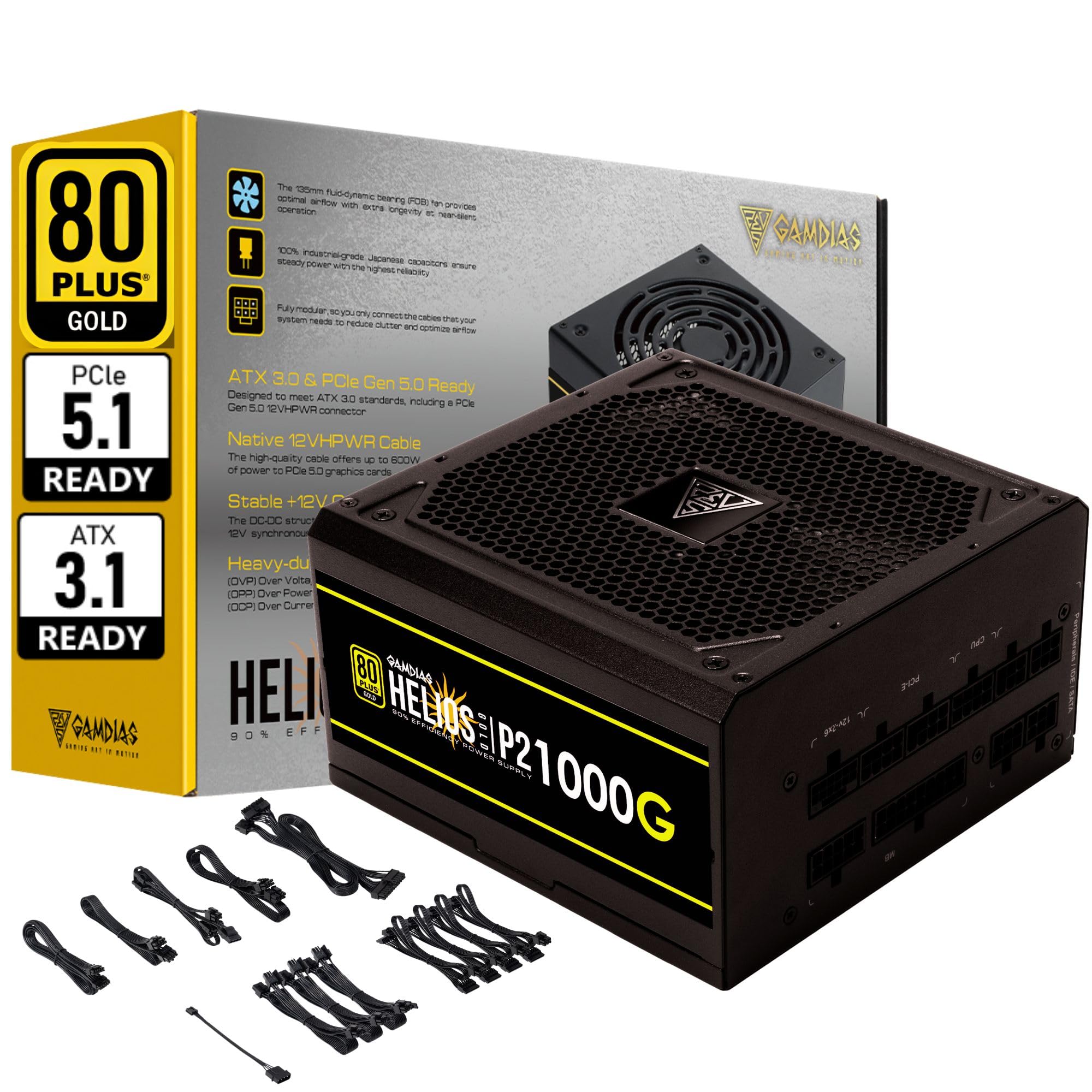
Imatge 1.1: acabatview of the GAMDIAS HELIOS P2-1000G Power Supply.
2. Informació de seguretat
- Vol. Alttage: The power supply contains high voltage components. Do not open the power supply casing. There are no user-serviceable parts inside. Opening the unit will void the warranty and poses a risk of electric shock.
- Connexió a terra adequada: Ensure the power supply is properly grounded using the provided power cord.
- Ventilació: No bloquegeu les obertures de ventilació de la font d'alimentació. Assegureu-vos que hi hagi un flux d'aire adequat al voltant de la unitat per evitar el sobreescalfament.
- Medi ambient: Eviteu instal·lar la font d'alimentació en entorns amb molta humitat, temperatures extremes o excés de pols.
- Apagar: Always disconnect the AC power cord from the wall outlet before installing, removing, or cleaning the power supply or any connected components.
- Correcte Wattage: Ensure the power supply's wattage is sufficient for your system's components.
3. Contingut del paquet
Verifiqueu que tots els elements siguin presents al paquet:
- GAMDIAS HELIOS P2-1000G Power Supply Unit
- Modular Cable Set (including 24-pin ATX, CPU, PCIe, SATA, Molex, and 12VHPWR cables)
- Cable d'alimentació CA
- Cargols de muntatge
- Manual d'usuari (aquest document)
4. Característiques del producte
The HELIOS P2-1000G power supply incorporates several features designed for performance and reliability:
- 80 PLUS Gold Certified Efficiency: Achieves up to 92% efficiency at 50% load, reducing power consumption and heat generation.
- ATX 3.1 and PCIe Gen 5.1 Ready: Designed to meet the latest power standards, supporting next-generation graphics cards with up to 200% total power excursion.
- Native 12VHPWR Cable: Includes a native 16-pin (12VHPWR) PCIe connector capable of delivering up to 600W for PCIe 5.1 graphics cards.
- Quiet Operation with 135mm Dual-Ball Bearing Smart Fan: Features a high-quality 135mm fan with a dual-ball bearing design for durability and quiet operation. The smart fan control adjusts speed based on load to minimize noise.
- Disseny totalment modular: Allows for connecting only the necessary cables, improving cable management and airflow within the PC case.
- Premium Japanese Capacitors: Built with 100% high-quality Japanese 105°C/221°F electrolytic capacitors for superior durability and power stability.
- Comprehensive Protection Mechanisms: Includes Over Current Protection (OCP), Over Temperature Protection (OTP), Over Voltage Protection (OVP), Over Power Protection (OPP), Under Voltagprotecció contra curtcircuits (UVP) i protecció contra curtcircuits (SCP) per garantir la seguretat del sistema.
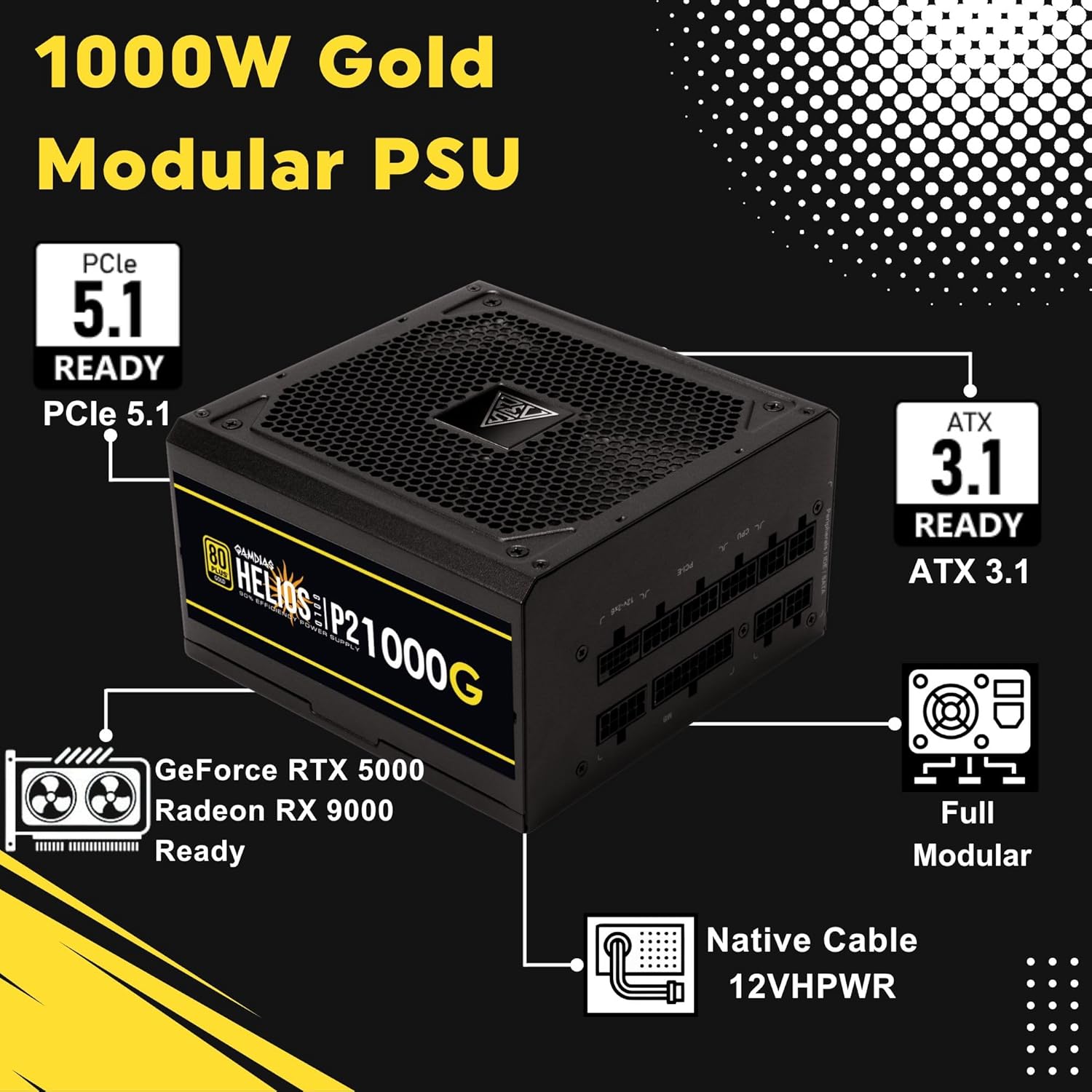
Image 4.1: Key features of the HELIOS P2-1000G, including PCIe 5.1 and ATX 3.1 readiness.

Image 4.2: The 80 Plus Gold certification ensures high energy efficiency.
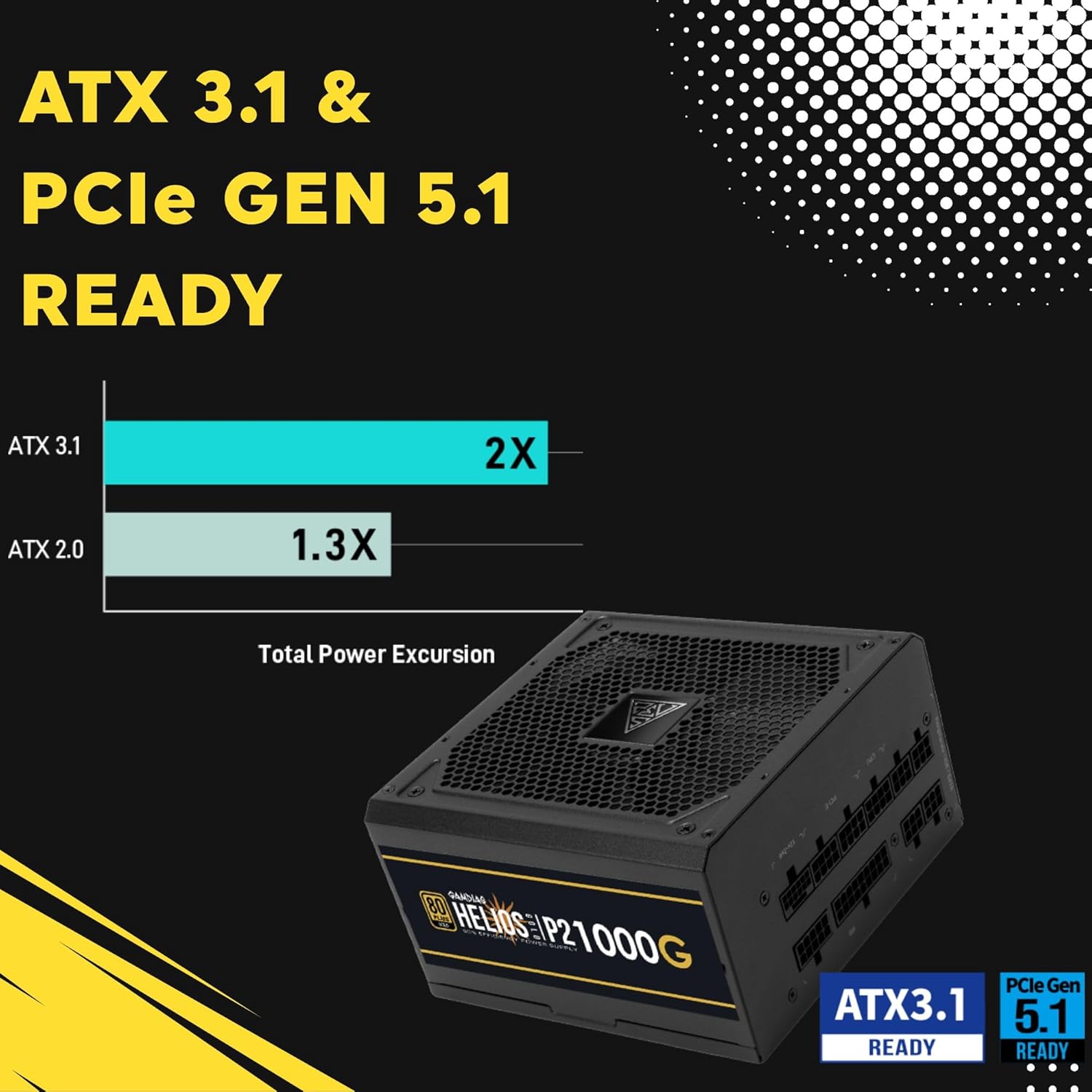
Image 4.3: The power supply is ready for ATX 3.1 and PCIe Gen 5.1, offering improved power excursion.

Image 4.4: Icons representing the various protection features integrated into the power supply.
5. Configuració i instal·lació
5.1 Instal·lació física
- Prepareu el vostre sistema: Assegureu-vos que l'ordinador estigui completament apagat i desendollat de la presa de corrent.
- Muntar la font d'alimentació: Carefully slide the HELIOS P2-1000G into the power supply bay of your PC case. Ensure the fan is oriented correctly (typically facing downwards for bottom-mounted PSUs, or upwards if your case design requires it for optimal airflow).
- Secure the PSU: Use the provided mounting screws to secure the power supply to the PC case from the rear.
5.2 Connexions de cable
The HELIOS P2-1000G is fully modular. Connect only the cables required for your system components.
- Cable de placa base ATX de 24 pins: Connect the large 24-pin cable to the corresponding port on your motherboard. Ensure it clicks into place.
- CPU (EPS) Cable: Connect the 4+4-pin or 8-pin CPU cable to the CPU power connector(s) on your motherboard. High-end motherboards may require two 8-pin connectors.
- PCIe Graphics Card Cables:
- 12VHPWR Cable: For compatible PCIe 5.1 graphics cards, connect the native 16-pin 12VHPWR cable directly to the GPU. Ensure a firm connection.
- Cables PCIe de 6+2 pins: For other graphics cards, connect the 6+2-pin PCIe cables to the GPU power connectors.
- Cables d'alimentació SATA: Connect SATA power cables to your SSDs, HDDs, and other SATA-powered devices.
- Cables perifèrics (Molex): Connecteu els cables Molex per a qualsevol perifèric antic que els requereixi.
- Cable d'alimentació de CA: Once all internal connections are made, connect the AC power cord to the power supply and then to a grounded wall outlet.

Image 5.1: The native 16-pin 12VHPWR cable for direct connection to PCIe 5.1 graphics cards.
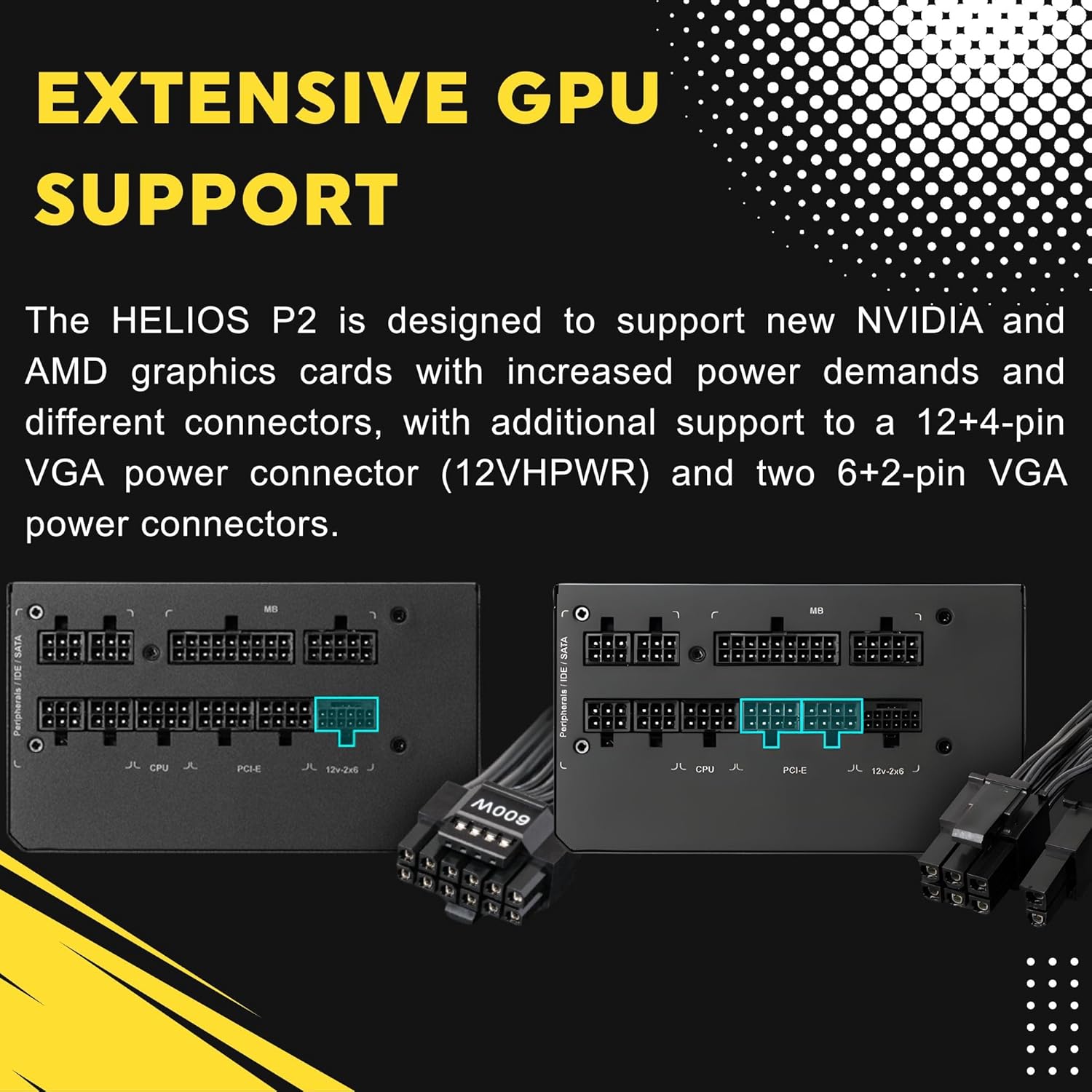
Image 5.2: Illustration of the fully modular design, showing various cable connections.
6. Instruccions de funcionament
6.1 Powering On Your System
After ensuring all cables are securely connected, flip the power switch on the back of the power supply to the 'ON' (I) position. You can then power on your computer using the case's power button.
6.2 Smart Fan Control
The HELIOS P2-1000G features a smart fan control system. The 135mm fan will adjust its speed automatically based on the power supply's load and internal temperature. This ensures optimal cooling while minimizing noise during lighter loads.

Image 6.1: Graph illustrating the smart fan's speed adjustment relative to power output.
7. Manteniment
7.1 Neteja
To maintain optimal performance and longevity, periodically clean the power supply:
- Desconnecteu l'alimentació: Always unplug the AC power cord from the wall outlet and the power supply before cleaning.
- Eliminació de pols: Use compressed air to gently blow dust out of the fan grille and ventilation openings. Hold the fan blades to prevent them from spinning rapidly during cleaning, which can damage the bearings.
- Neteja exterior: Wipe the exterior of the power supply with a soft, dry cloth. Do not use liquid cleaners or solvents.
7.2 Emmagatzematge
If storing the power supply, keep it in a cool, dry environment, away from direct sunlight and extreme temperatures. Use its original packaging if available to protect it from dust and physical damage.
8. Solució De Problemes
Si teniu problemes amb la font d'alimentació, consulteu els passos habituals següents per a la resolució de problemes:
- Sense energia:
- Assegureu-vos que el cable d'alimentació de CA estigui connectat correctament tant a la font d'alimentació com a la presa de corrent.
- Comproveu que l'interruptor d'alimentació de la part posterior de la font d'alimentació estigui en la posició 'ON' (I).
- Verify all modular cables are firmly seated in both the power supply and the components.
- Proveu la presa de corrent amb un altre dispositiu per confirmar que tingui corrent.
- Inestabilitat/Avaries del sistema:
- Assegureu-vos que els requisits d'alimentació del vostre sistema no superin la capacitat de 1000 W de la font d'alimentació.
- Check for loose cable connections, especially to the motherboard and graphics card.
- Assegureu-vos que hi hagi una ventilació adequada a l'interior de la carcassa del vostre PC per evitar el sobreescalfament dels components, inclosa la font d'alimentació.
- Soroll fort del ventilador:
- The fan speed adjusts based on load. High system load will naturally increase fan speed.
- Check for dust accumulation in the fan or vents and clean as described in the Maintenance section.
If issues persist after performing these steps, contact GAMDIAS customer support.
9. Especificacions
| Característica | Especificació |
|---|---|
| Nom del model | HELIOS P2-1000G |
| Marca | GAMDIAS |
| Potència de sortidatage | 1000 watts |
| Factor de forma | ATX |
| Certificació d'eficiència | 80 PLUS Or |
| Mètode de refrigeració | Air (135mm Dual-Ball Bearing Smart Fan) |
| Tipus de connector | ATX, PCI Express (Native 12VHPWR) |
| Dispositius compatibles | Ordinador personal |
| Dimensions del producte (L x A x A) | 12.8 x 8.27 x 4.13 polzades |
| Pes de l'article | 7.28 lliures (3300 grams) |
| Data de primera disponibilitat | 19 d'abril de 2023 |
10. Informació de la garantia
GAMDIAS products are manufactured to the highest quality standards. For detailed warranty terms and conditions, please refer to the official GAMDIAS weblloc web o la targeta de garantia inclosa amb el producte. Conserveu el comprovant de compra per a reclamacions de garantia.
11. Atenció al client
If you require technical assistance or have questions regarding your GAMDIAS HELIOS P2-1000G power supply, please visit the official GAMDIAS support website or contact their customer service department. Contact information can typically be found on the GAMDIAS weblloc o a l'embalatge del producte.


