1. Introducció
Gràcies per la compraasing the BlitzMax 480P Mini WiFi Projector. This compact and portable projector is designed to provide a versatile entertainment experience with its advanced DLP technology, Android 9.0 system, 5G WiFi, and Bluetooth connectivity. Please read this manual carefully to ensure proper setup, operation, and maintenance of your device.

Image 1.1: The BlitzMax Mini HD Projector providing an immersive visual experience.
2. Informació de seguretat
- No mireu directament a la lent del projector quan estigui encès.amp està activat.
- Assegureu-vos una ventilació adequada al voltant del projector per evitar el sobreescalfament.
- Keep the projector away from water, moisture, and flammable materials.
- Utilitzeu només l'adaptador d'alimentació subministrat.
- No intenteu desmuntar ni reparar el projector vosaltres mateixos. Poseu-vos en contacte amb el servei d'atenció al client per obtenir ajuda.
- Mantenir fora de l'abast dels nens.
3. Contingut del paquet
Verifiqueu que tots els elements siguin presents al paquet:
- BlitzMax Mini WiFi Projector
- Control remot
- Adaptador d'alimentació
- Cable HDMI
- Manual d'usuari (aquest document)

Image 3.1: Contents included in the BlitzMax Mini WiFi Projector package.
4. Producte acabatview
Familiarize yourself with the projector's components and interfaces.

Image 4.1: Front, rear, and top views of the projector highlighting ports and touch controls.
4.1. Interfícies
- USB 2.0: Per connectar dispositius d'emmagatzematge USB.
- IR: Receptor d'infrarojos per al comandament a distància.
- DC IN: Port d'entrada d'alimentació.
- Compatible amb HDMI: For connecting external devices like laptops, gaming consoles, or TV boxes.
4.2. Toqueu Tauler de control
The top panel features sensitive touch controls for easy navigation and operation, even in low-light conditions due to its LED screen light.
- Menú: Accedir a la configuració i les opcions.
- Inici: Torna a la interfície principal.
- Volum: Ajusta el nivell de sortida d'àudio.
- Tornada: Torneu a la pantalla anterior.
5. Configuració
5.1. Encès / apagat
- Connect the power adapter to the DC IN port on the projector and then to a power outlet.
- Premeu el botó d'engegada del projector o del comandament a distància per encendre'l.
- To turn off, press the power button again and confirm shutdown.
5.2. Initial Setup (Android 9.0 System)
Upon first use, the projector will guide you through initial setup steps, including:
- Selecció d'idioma: Trieu el vostre idioma preferit.
- Connexió de xarxa: Connect to a 5G or 2.4G WiFi network for internet access and streaming.
- Zona horària: Estableix la zona horària correcta.
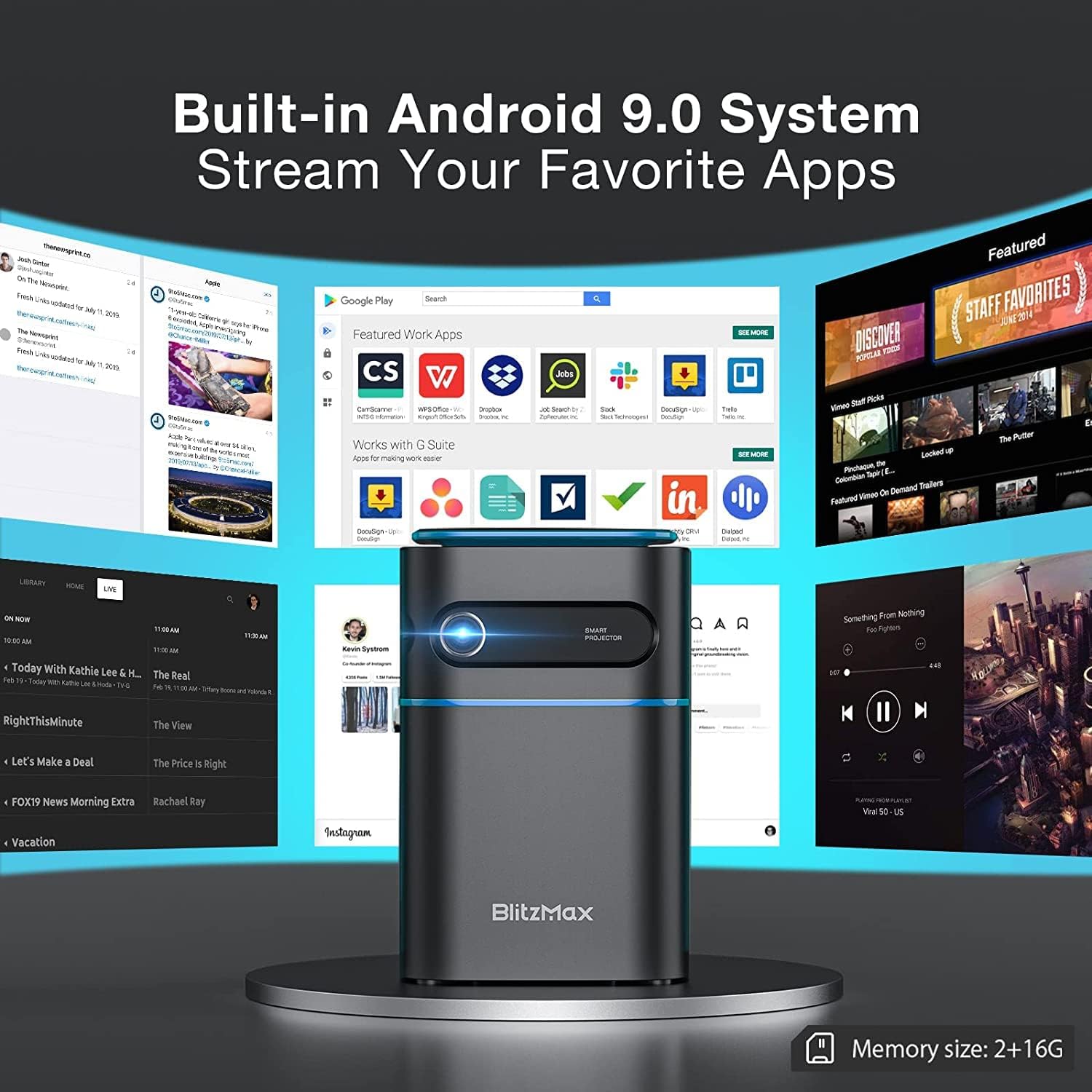
Image 5.1: The projector's built-in Android 9.0 system allows streaming of favorite apps.
5.3. Enfocament i correcció Keystone
Adjust the image for clarity and proper rectangular shape.
- Focus: Rotate the focus ring near the lens until the projected image is sharp.
- Correcció Keystone: The projector supports ±40° keystone correction. Access this setting through the menu to adjust the image geometry if the projector is not perfectly perpendicular to the screen.

Image 5.2: Illustrating the ±40° keystone correction capability.
6. Funcionament
6.1. Connexió de dispositius externs
El projector ofereix diverses opcions de connectivitat:
- HDMI: Connect devices like PCs, DVD players, PS3/PS4, or TV boxes using an HDMI cable. Select the HDMI input source from the projector's menu.
- USB: Insert a USB flash drive into the USB 2.0 port to play media files directament.
- Wireless Projection (WiFi): Connect your smartphone or tablet wirelessly via the 5G WiFi chip for screen mirroring. Ensure both devices are on the same network.
- Bluetooth: Pair with Bluetooth-enabled devices such as smartphones for audio output.

Image 6.1: Wireless projection and Bluetooth connectivity with a smartphone.
6.2. Using Touch Control
The intelligent touch control panel provides a sensitive and convenient operation experience.

Image 6.2: Demonstrating the touch screen control functionality.
6.3. Mode d'altaveu Bluetooth
The projector can function as a standalone Bluetooth speaker, providing clear and balanced sound.

Image 6.3: The projector operating in Bluetooth speaker mode.
7. Manteniment
7.1. Neteja
- Lent: Feu servir un drap suau i sense borrissol dissenyat específicament per a lents òptiques. No utilitzeu productes de neteja abrasius.
- Exterior: Netegeu l'exterior del projector amb un drap suau i sec. Per a marques difícils, netegeu lleugerament.ampen el drap amb aigua.
- Ports de ventilació: Regularly check and clean the ventilation ports to ensure unobstructed airflow and prevent overheating. Use a soft brush or compressed air.
7.2. Emmagatzematge
Quan no l'utilitzeu durant períodes prolongats, guardeu el projector en un lloc fresc i sec, allunyat de la llum solar directa i de temperatures extremes. Feu servir l'embalatge original o una funda protectora per evitar l'acumulació de pols i els danys físics.
7.3. Cura de la bateria
The projector has a built-in battery with a working time of approximately 1.5 hours. To prolong battery life:
- Eviteu descarregar completament la bateria amb freqüència.
- Carregueu la bateria regularment, fins i tot si no l'esteu fent servir, per mantenir-ne el bon estat.
- Store the projector with a partial charge (around 50%) if storing for a long time.
8. Solució De Problemes
Si teniu problemes amb el projector, consulteu els problemes i solucions més comuns següents:
| Problema | Causa possible | Solució |
|---|---|---|
| No es projecta cap imatge | Problema d'alimentació, font d'entrada incorrecta, tapa de l'objectiu posada. | Check power connection, select correct input source (HDMI, USB, WiFi), remove lens cap. |
| La imatge és borrosa | Desenfocat. | Adjust the focus ring near the lens. |
| La imatge està distorsionada (forma trapezoïdal) | Projector no perpendicular a la pantalla. | Use keystone correction feature in the settings menu. |
| Sense so | Volume too low, incorrect audio output, external device muted. | Increase projector volume, check audio settings, unmute external device. |
| Connexió WiFi inestable | Signal interference, distance from router. | Ensure projector is within range of the WiFi router, minimize interference from other devices. |
| Projector freezes or bugs frequently | Software issue, insufficient memory, overheating. | Restart the projector. Ensure sufficient free storage. Check for firmware updates. Ensure proper ventilation. |
9. Especificacions
Key technical specifications of the BlitzMax Mini WiFi Projector:
| Característica | Especificació |
|---|---|
| Fabricant | BlitzMax |
| Dimensions del producte | 20 x 16 x 8 cm |
| Pes del producte | 400 grams |
| Resolució de visualització | 1920 x 1080 (1080P Compatible, Native 480P) |
| Brillantor | 180 lúmens ANSI |
| Distància de projecció | 0.5 - 8 metres |
| Mida de projecció | 40 - 300 polzades |
| Relació d'aspecte | 16: 9/16: 10/4: 3 |
| Sistema operatiu | Android 9.0 |
| Connectivitat sense fil | 5G WiFi, Bluetooth V4.2 |
| Capacitat de la bateria | 7.4V 4000mAh (Approx. 1.5-2 hours working time) |
| Lamp La vida | Fins a 10,000 hores |
| Tipus de control | Control remot, control tàctil |
| Dispositius compatibles | Smartphone, PC, DVD, PS3/4, Camera, TV Box, Laptop |

Image 9.1: Physical dimensions and weight of the projector.

Image 9.2: Projection distance, size, and aspect ratio capabilities.
10. Garantia i Suport
For warranty information and technical support, please refer to the documentation provided with your purchase or contact BlitzMax customer service through their official website or the retailer where the product was purchased. Keep your purchase receipt as proof of purchase for warranty claims.


