1. Producte acabatview
The NETUM C750 is a versatile mini 2D barcode scanner designed for efficient data capture. It features advanced CMOS sensor technology, enabling it to read both 1D and 2D barcodes (including QR, PDF417, Data Matrix) from various surfaces, including paper and digital screens like computer monitors, smartphones, and tablets. Its compact and portable design, combined with multiple connection options, makes it suitable for inventory management, point-of-sale (POS) systems, and other data collection tasks.
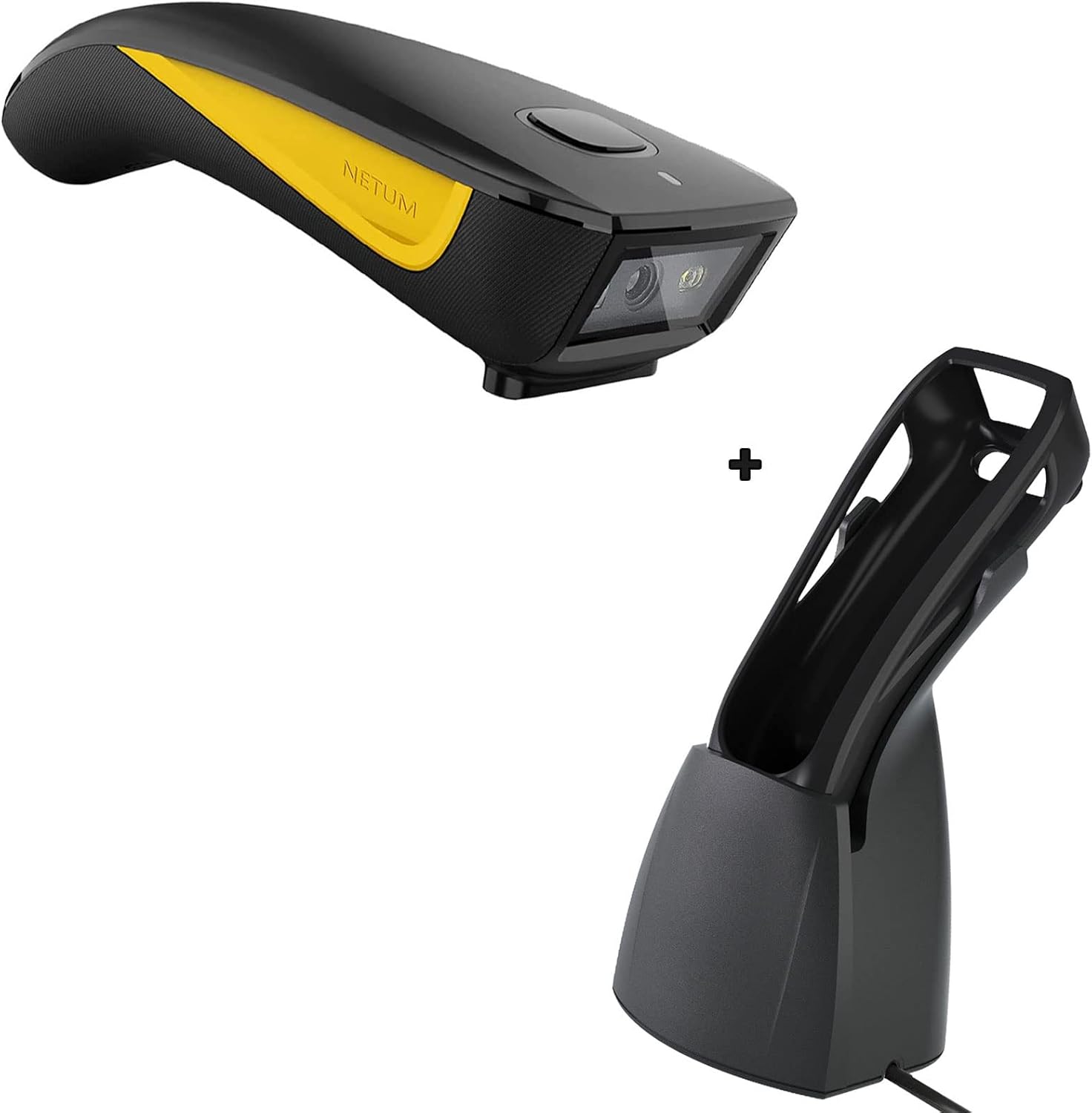
Figure 1.1: NETUM C750 QR Code Scanner and its dedicated charging dock.
2. Contingut del paquet
Si us plau, verifiqueu que tots els elements siguin presents al vostre paquet:
- NETUM C750 QR Code Scanner
- Base de càrrega
- Cable USB-Type C
- Adaptador USB sense fil 2.4G

Figure 2.1: The NETUM C750 scanner shown with its USB Type-C charging cable and 2.4G wireless USB dongle.

Figure 2.2: The charging dock for the NETUM C750 scanner, designed for convenient charging and hands-free operation.
3. Guia de configuració
3.1 Càrrega de l'escàner
Before initial use, fully charge the scanner. Place the scanner into the charging dock. The dock also serves as a charger when the scanner is seated in it. The 1200mAh battery provides approximately 20 hours of continuous scanning.

Figura 3.1: Part inferior view of the charging dock, showing the cable connection point for power input.
3.2 Connection Modes (3-in-1 Design)
The NETUM C750 offers three connection methods: Bluetooth, 2.4G Wireless, and Wired USB. Choose the mode that best suits your device and environment.

Figure 3.2: The scanner supports USB Wired, 2.4GHz Wireless, and Bluetooth connections, compatible with various devices.
3.2.1 Connexió Bluetooth
- Assegureu-vos que l'escàner estigui engegat.
- Activate Bluetooth on your host device (laptop, PC, mobile phone, tablet, iPhone, iPad).
- Scan the Bluetooth pairing barcode (usually found in the quick start guide or on the scanner itself).
- Select "NETUM C750" from the list of available Bluetooth devices on your host device to pair.
3.2.2 Connexió sense fil 2.4G
- Insert the 2.4G USB dongle into an available USB port on your computer or POS system.
- Power on the scanner. It should automatically connect to the dongle.
3.2.3 Connexió per cable
- Connect the USB Type-C cable to the scanner's port.
- Connect the other end of the USB cable to an available USB port on your computer or POS system.
- The scanner will function as a wired device and also charge simultaneously.
4. Funcionament de l'escàner
4.1 Modes d'escaneig
The C750 supports multiple scanning modes to suit different operational needs:
- Escaneig manual: Press the trigger button to activate the scanner and read a barcode.
- Auto-sensing Scan: The scanner automatically detects a barcode placed in its scanning field and reads it without requiring a trigger press. This mode is ideal for hands-free operation when placed in the charging dock.
- Escaneig continu: The scanner continuously emits its scanning beam, reading any barcode that passes through its field.
4.2 Compatibilitat de codis de barres
The imager barcode scanner is equipped with an advanced CMOS sensor capable of easily capturing 1D and 2D barcodes. This includes common formats such as QR codes, PDF417, and Data Matrix codes. It effectively reads barcodes from both printed materials and digital screens.

Figure 4.1: The NETUM C750 scanner in use, demonstrating its ability to read 1D and 2D barcodes. The scanner also supports multi-languages.
5. Manteniment i cura
To ensure the longevity and optimal performance of your NETUM C750 scanner, follow these maintenance guidelines:
- Neteja: Feu servir un drap suau i sec per netejar l'exterior de l'escàner. Per a la finestra d'escaneig, feu servir un drap de neteja de lents per evitar ratllades. No utilitzeu productes de neteja abrasius ni dissolvents.
- Protecció: The scanner case is made of soft silicone material, designed to cushion the impact of accidental drops and resist abrasion and scratches. While durable, avoid unnecessary drops or harsh impacts.
- Emmagatzematge: Guardeu l'escàner en un lloc fresc i sec, allunyat de la llum solar directa i de temperatures extremes.
6. Solució De Problemes
If you encounter issues with your NETUM C750 scanner, please refer to the following common problems and solutions:
- Scanner not powering on: Ensure the battery is charged. Place the scanner in the charging dock or connect it directly via USB cable.
- L'escàner no es connecta: Verify the chosen connection mode (Bluetooth, 2.4G, Wired). For Bluetooth, ensure pairing is complete. For 2.4G, ensure the dongle is properly inserted. For wired, check cable connections.
- L'escàner no llegeix els codis de barres: Ensure the barcode is clean and not damaged. Check if the barcode type is supported (1D/2D). Adjust the distance and angle of the scanner to the barcode. Ensure sufficient lighting.
- Slow or inconsistent scanning: This could be due to low battery. Recharge the scanner. Ensure there are no obstructions between the scanner and the host device in wireless modes.
- No data transmission after scanning: Check if the scanner is successfully connected to your device. Ensure the application you are using is ready to receive input.
Per a més ajuda, poseu-vos en contacte amb el servei d'atenció al client de NETUM.
7. Especificacions tècniques

Figure 7.1: Physical dimensions and key features of the NETUM C750 scanner, including its USB Type-C port and hooking ring.
| Característica | Descripció |
|---|---|
| Model | C750 |
| Marca | NETUM |
| ASIN | B0C39NSXSY |
| Dispositius compatibles | Ordinador de sobretaula, portàtil, telèfon intel·ligent, tauleta |
| Font d'alimentació | Funciona amb piles, elèctric amb cable |
| Tecnologia de connectivitat | Bluetooth, 2.4G Wireless, Wired USB |
| Capacitat de la bateria | 1200 mAh (aproximadament 20 hores d'escaneig continu) |
| Tipus de codis de barres compatibles | 1D/2D (QR, PDF417, Data Matrix, etc.) |
| Tipus de sensor | CMOS |
8. Garantia i Suport
NETUM products are designed for reliability and performance. For information regarding warranty coverage, technical support, or service inquiries, please refer to the warranty card included with your product or visit the official NETUM website. You may also contact NETUM customer support directly for assistance.
For more information about NETUM products, visit the Botiga de la marca NETUM a Amazon.


