Introducció
Thank you for choosing the SOAR NCAA Sport True Wireless Earbuds V.5. This manual provides detailed instructions for the proper setup, operation, and maintenance of your earbuds. Please read this manual thoroughly before use to ensure optimal performance and longevity of your device.
Contingut del paquet
- SOAR NCAA Sport True Wireless Earbuds V.5 (Left and Right)
- Estoig de càrrega portàtil
- Cable de càrrega USB tipus C
- Protectors d'orella addicionals (diverses mides)
- Manual d'usuari (aquest document)
Producte acabatview
Familiarize yourself with the components of your SOAR True Wireless Earbuds.

Image: The SOAR NCAA Sport True Wireless Earbuds V.5, featuring the TCU Horned Frogs logo, are shown both inside their open charging case and as a single earbud outside the case. The closed charging case lid is also displayed, highlighting the team logo.

Image: A diagram highlighting the functional aspects of the earbuds, including sweat resistance, secure fit ear hooks, the portable charging case, clear call quality, and intuitive one-touch controls.
- Auriculars: Left and Right earbuds with integrated controls and ear hooks for a secure fit.
- Estoig de càrrega: Stores and recharges the earbuds.
- Indicadors LED: Provide status updates for charging and pairing.
- Multi-function Button/Touch Control: Per gestionar la reproducció, les trucades i l'assistent de veu.
- Micròfon: Built-in for hands-free calling.
Configuració
1. Càrrega dels auriculars i l'estoig
- Abans del primer ús, carregueu completament els auriculars i l'estoig de càrrega.
- Col·loca els auriculars a l'estoig de càrrega. Assegura't que estiguin correctament col·locats.
- Connect the USB Type-C cable to the charging port on the case and the other end to a USB power source (e.g., computer, wall adapter).
- The LED indicators on the case and/or earbuds will show charging status. Refer to the LED indicator section for details.
- Once fully charged, disconnect the charging cable. A full charge provides over 10 hours of music and talk time.
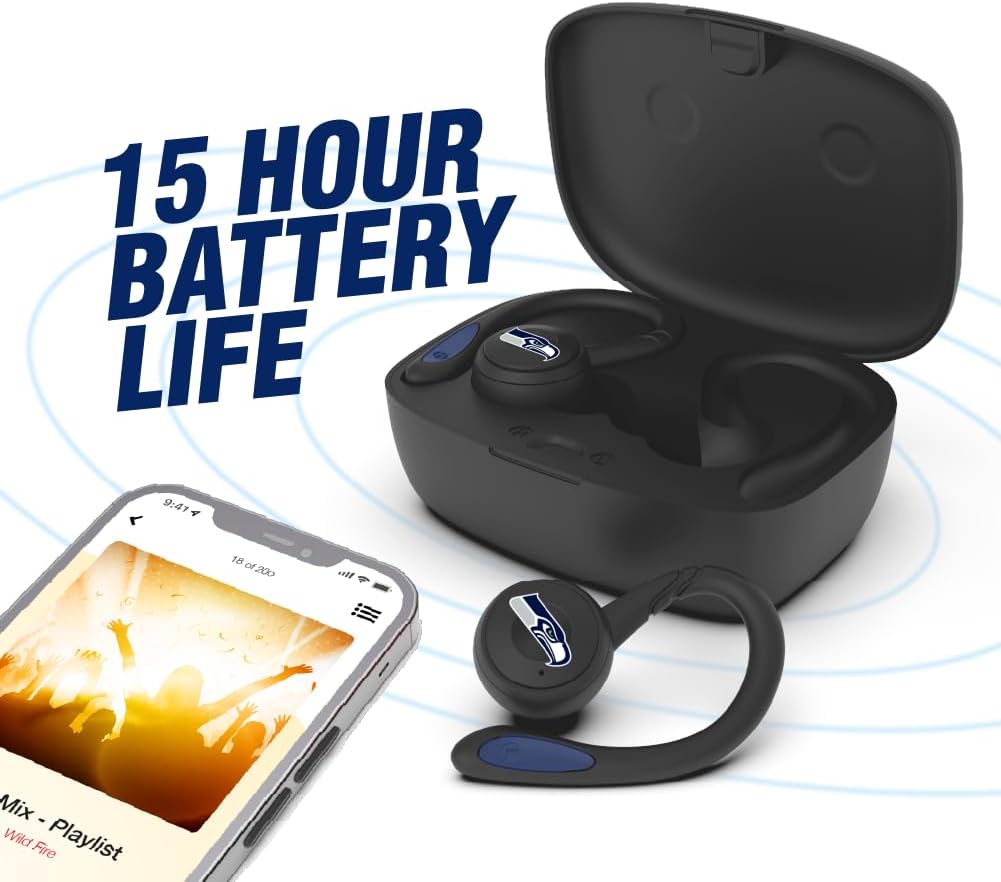
Image: The earbuds are shown within their charging case, positioned beside a smartphone playing music, emphasizing the extended battery life for continuous audio enjoyment.
2. Vinculació amb un dispositiu Bluetooth
- Assegureu-vos que els auriculars estiguin carregats.
- Obriu l'estoig de càrrega. Els auriculars entraran automàticament en mode d'emparellament i els seus indicadors LED parpellejaran (per exemple, blau i vermell alternativament).
- Al dispositiu (telèfon intel·ligent, tauleta, etc.), activeu el Bluetooth.
- Cerca available Bluetooth devices. You should see "SOAR Earbuds V.5" or a similar name appear in the list.
- Select the earbuds from the list to connect. Once connected, the LED indicators on the earbuds will stop flashing or show a solid blue light, and you will hear an audible confirmation.
- Si l'emparellament falla, apagueu els auriculars, desactiveu el Bluetooth al dispositiu i repetiu els passos.
Instruccions de funcionament
Encès/Apagat
- Encès: Open the charging case, or press and hold the multi-function button on each earbud for approximately 3 seconds.
- Apagar: Place the earbuds back into the charging case and close the lid, or press and hold the multi-function button on each earbud for approximately 5 seconds.
Reproducció de música
- Reproduir/pausa: Toqueu una vegada el botó multifunció de qualsevol dels auriculars.
- Pista següent: Toqueu dues vegades el botó multifunció de l'auricular dret.
- Pista anterior: Toqueu dues vegades el botó multifunció de l'auricular esquerre.
- Pujar el volum: Toqueu tres vegades el botó multifunció de l'auricular dret.
- Baixar el volum: Toqueu tres vegades el botó multifunció de l'auricular esquerre.
Gestió de trucades
- Respondre/Finalitzar la trucada: Toqueu una vegada el botó multifunció de qualsevol dels auriculars.
- Rebutja la trucada: Premeu i manteniu premut el botó multifunció de qualsevol dels auriculars durant 2 segons.
Assistent de veu
- Activa l'Assistent de veu: Premeu i manteniu premut el botó multifunció de qualsevol dels auriculars durant 2 segons (quan no esteu en una trucada).
Manteniment
- Neteja: Feu servir un drap suau, sec i sense borrissol per netejar els auriculars i l'estoig de càrrega. No utilitzeu productes químics agressius ni materials abrasius.
- Gels per a les orelles: Regularly remove and clean the ear gels with a damp drap. Assegureu-vos que estiguin completament secs abans de tornar-los a enganxar.
- Emmagatzematge: Quan no els utilitzeu, guardeu els auriculars a la seva funda de càrrega per protegir-los i mantenir-los carregats. Guardeu-los en un lloc fresc i sec, allunyat de la llum solar directa i de temperatures extremes.
- Resistència a l'aigua: The earbuds are sweat resistant, but not waterproof. Avoid submerging them in water or exposing them to heavy rain.
Resolució de problemes
| Problema | Solució |
|---|---|
| Els auriculars no s'encenen. | Assegura't que els auriculars estiguin carregats. Col·loca'ls a l'estoig de càrrega i connecta l'estoig a l'alimentació. |
| Els auriculars no s'emparellan amb el dispositiu. |
|
| Només funciona un auricular. |
|
| Mala qualitat de so o desconnexions. |
|
Especificacions
| Característica | Detall |
|---|---|
| Número de model | NCAA-TWS5-TXC |
| Connectivitat | Bluetooth 5.0 |
| abast sense fils | Fins a 30 peus (9 metres) |
| Durada de la bateria | Over 10 hours (music & talk time per charge) |
| Port de càrrega | USB tipus C |
| Tipus de control | Touch Control / Multi-function Button |
| Micròfon | Integrat |
| Material | Plàstic |
| Pes | Approximately 140 g (total item weight) |
Garantia i Suport
For warranty information and customer support, please refer to the official SOAR product weblloc web o poseu-vos en contacte amb el vostre distribuïdor. Conserveu el comprovant de compra per a qualsevol reclamació de garantia.
Per obtenir més ajuda, visiteu: www.soar.com (Note: This is a placeholder link. Please refer to the actual product packaging or manufacturer's website for accurate support information.)


