1. Introducció
This manual provides comprehensive instructions for the setup, operation, maintenance, and troubleshooting of your Havit MS951GT Wireless Mouse. Please read this manual carefully before using the product to ensure optimal performance and longevity.
2. Contingut del paquet
Si us plau, verifiqueu que tots els elements siguin presents al vostre paquet:
- Havit MS951GT Wireless Mouse
- Receptor USB
- Manual d'usuari (aquest document)
Note: An AA battery is typically not included and must be purchased separately.
3. Producte acabatview
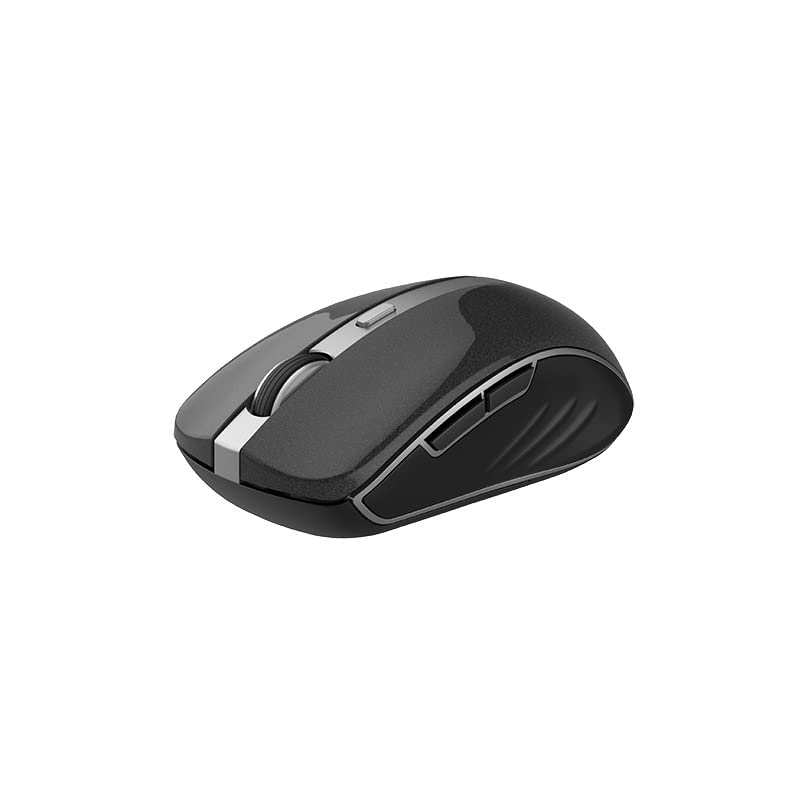
The Havit MS951GT is a wireless optical mouse designed for comfortable and precise control. It features symmetrical ergonomics, making it suitable for both left and right-handed users, and includes multi-level DPI adjustment for varied sensitivity needs.

Imatge 3.1: Havit MS951GT Wireless Mouse highlighting key features such as DPI adjustment and side buttons.
Components clau:
- Botons de clic esquerre/dret: Standard mouse functionality.
- Roda de desplaçament: Per a la funcionalitat de desplaçament vertical i clic amb el botó central.
- Botó d'ajust de DPI: Cycles through sensitivity settings (800-1200-1600 DPI).
- Botons laterals: Multi-functional, typically used for forward/backward page navigation.
- Compartiment de la bateria: Located on the underside of the mouse.
- Emmagatzematge del receptor USB: A dedicated slot on the underside for the USB receiver when not in use.
4. Configuració
4.1. Instal·lació de la bateria
- Turn the mouse over to access the underside.
- Locate the battery compartment cover and gently slide or lift it off.
- Insert one AA battery into the compartment, ensuring the polarity (+/-) matches the indicators inside.
- Torneu a col·locar la tapa del compartiment de la bateria fins que sentiu un clic i quedi ben fixada al seu lloc.
4.2. Connexió del receptor USB
- Locate the USB receiver, which is typically stored in a slot on the underside of the mouse or within the packaging.
- Connecteu el receptor USB a un port USB disponible de l'ordinador.
- Your computer should automatically detect and install the necessary drivers. This is a plug-and-play device, so no additional software installation is usually required.
Imatge 4.1: The underside of the Havit MS951GT mouse, illustrating the battery compartment and the storage slot for the USB receiver.
5. Instruccions de funcionament
5.1. Funcions bàsiques del ratolí
- Clic esquerre: Select items, open files, activate links.
- Clic dret: Access context menus.
- Roda de desplaçament: Desplaça't amunt o avall pels documents i web pages. Pressing the scroll wheel often acts as a middle-click.
5.2. Ajust de DPI
The DPI (Dots Per Inch) button, located behind the scroll wheel, allows you to adjust the mouse's sensitivity. Pressing this button will cycle through the available DPI settings:
- 800 DPI: Lower sensitivity for precise tasks.
- 1200 DPI: Sensibilitat estàndard per a ús general.
- 1600 DPI: Major sensibilitat per a un moviment més ràpid del cursor.
Choose the DPI setting that best suits your preference and task requirements.
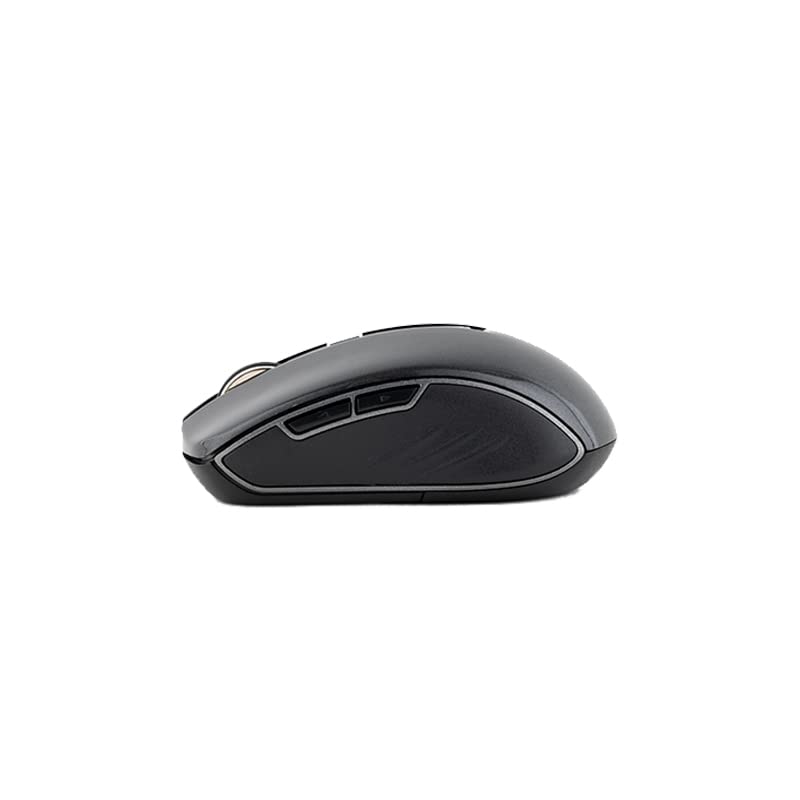
5.3. Botons laterals
The Havit MS951GT features multi-function side buttons, typically located on the left side of the mouse. By default, these buttons are configured for:
- Botó Endavant: Navega cap endavant web navegadors o file exploradors.
- Botó enrere: Navega cap enrere web navegadors o file exploradors.
Imatge 5.1: lateral view of the Havit MS951GT mouse, illustrating the position of the multi-function side buttons.
6. Manteniment
6.1. Neteja
Per mantenir un rendiment i una higiene òptims, netegeu el ratolí regularment:
- Disconnect the USB receiver from your computer.
- Utilitzeu un drap suau i sense pelusa lleugerament dampEsbandiu amb aigua o una solució netejadora suau per netejar la superfície del ratolí.
- Eviteu utilitzar productes químics o materials abrasius.
- Use a cotton swab or compressed air to clean around the scroll wheel and optical sensor.
6.2. Substitució de la bateria
When the mouse performance degrades or it stops responding, it is likely time to replace the AA battery. Refer to Section 4.1 for battery installation instructions.
6.3. Emmagatzematge
When not in use for an extended period, the mouse features a built-in auto-sleep function to conserve battery life. For transport or long-term storage, it is recommended to:
- Remove the AA battery to prevent leakage.
- Store the USB receiver in its dedicated slot on the underside of the mouse to prevent loss.
7. Solució De Problemes
If you encounter issues with your Havit MS951GT Wireless Mouse, please refer to the following common solutions:
7.1. El ratolí no respon
- Comproveu la bateria: Ensure the AA battery is correctly inserted and has sufficient charge. Replace if necessary.
- Comprovació del receptor USB: Assegureu-vos que el receptor USB estigui ben connectat a un port USB que funcioni de l'ordinador. Proveu-ho amb un altre port USB.
- Cicle d'alimentació: Turn off the mouse (if it has a power switch), remove the battery, wait a few seconds, then reinsert the battery and turn it back on.
7.2. Moviment erràtic del cursor
- Neteja el sensor òptic: Dust or debris on the optical sensor can cause erratic movement. Clean the sensor on the underside of the mouse with a soft, dry cloth or compressed air.
- Comprovar la superfície: Assegureu-vos que feu servir el ratolí sobre una superfície neta, no reflectant i uniforme. Eviteu el vidre o les superfícies molt reflectants.
7.3. Connection Issues / Lag
- Reduir la interferència: Move the mouse closer to the USB receiver. Avoid placing the receiver near other wireless devices (e.g., Wi-Fi routers, cordless phones) that might cause interference.
- Re-plug Receiver: Unplug and re-plug the USB receiver.
8. Especificacions
| Característica | Especificació |
|---|---|
| Marca | Havit |
| Model | MS951GT |
| Tecnologia sense fils | 2.4 GHz |
| Distància sense fils | 10 m |
| Nivells de DPI | 800-1200-1600 DPI |
| Número de clau | 6 (Left, Right, Scroll, DPI, 2 Side Buttons) |
| Font d'alimentació | 1 * AA Battery |
| Dimensions (LxWxH) | 50 x 50 x 50 mm (approximate) |
| Pes de l'article | 100 g |
| Compatibilitat de sistemes operatius | Windows XP and above (PC, Laptop) |
| Material | Plàstic |
| Orientació de la mà | Ambidextre |
9. Garantia i Suport
Havit products are designed for reliability and performance. For information regarding warranty coverage, please refer to the warranty card included with your product or visit the official Havit website. If you require technical assistance or have questions not covered in this manual, please contact Havit customer support through their official channels.
Conserveu el vostre comprovant de compra per a reclamacions de garantia.


