1. Introducció
This manual provides essential information for the proper setup, operation, and maintenance of your Bushnell LPX350 Walkie Talkie Radios. Designed for clear and reliable two-way communication, these radios are built to withstand various outdoor conditions.
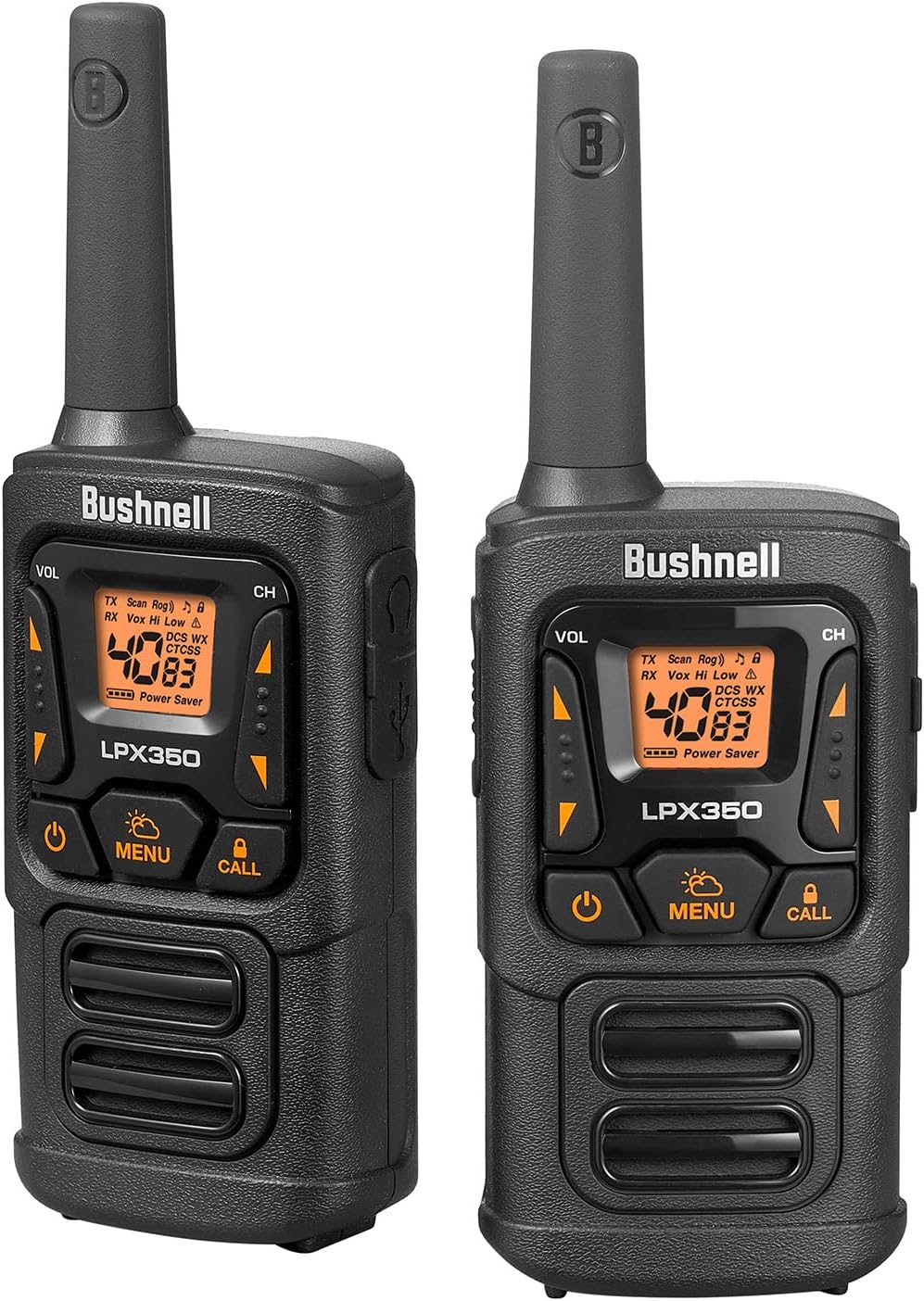
Figure 1: Bushnell LPX350 Walkie Talkie Radios
A pair of black and orange Bushnell LPX350 walkie talkie radios, showcasing their compact and rugged design.
2. Què hi ha a la caixa
Your Bushnell LPX350 package includes the following items:
- 2x LPX350 Walkie Talkie Two Way Radios
- 6x 650mAH NiMH Rechargeable Batteries
- 2x clips de cinturó
- 1x cable de càrrega USB-C
- 1x User Guide (this document)
Note: Radios can also be used with 3 AA alkaline batteries (not included) per radio.

Figura 2: Contingut del paquet
The image displays the two LPX350 radios, rechargeable batteries, belt clips, and a USB-C charging cable, laid out on a surface.
3. Característiques del producte
The Bushnell LPX350 radios offer a range of features designed for optimal performance:
- Ultra Clear Long Distance Reception: 1 Watt of power provides clear communication up to 36 miles (57 kilometers) in optimal conditions.
- Privacy with Preset Channels: Features 40 channels and 121 privacy codes to minimize interference.
- Rugged Water-Resistant Construction: Built to withstand the elements with an IPX2 rating, offering protection against splashing water.
- Hands-Free Operation (VOX): Permet la transmissió activada per veu sense prémer el botó PTT.
- Resistent a cops: Designed to endure impacts up to 1.5 meters.
- Càrrega USB-C: Convenient and modern charging solution.
- Roger Beep Tone: Audible tone indicates when transmission is complete.
- Tecla de bloqueig: Evita canvis accidentals a la configuració.
- Mode d'estalvi d'energia: Allarga la durada de la bateria durant els períodes d'inactivitat.
- Supressió automàtica: Automatically mutes weak transmissions and unwanted noise.
- Speaker / Microphone Jack: Per connectar accessoris d'àudio externs.
- Compatibilitat: Works with other FRS Walkie Talkies.
- Ràdio meteorològica de la NOAA: Provides 24/7 access to 10 different NOAA weather channels for emergency alerts and updates.
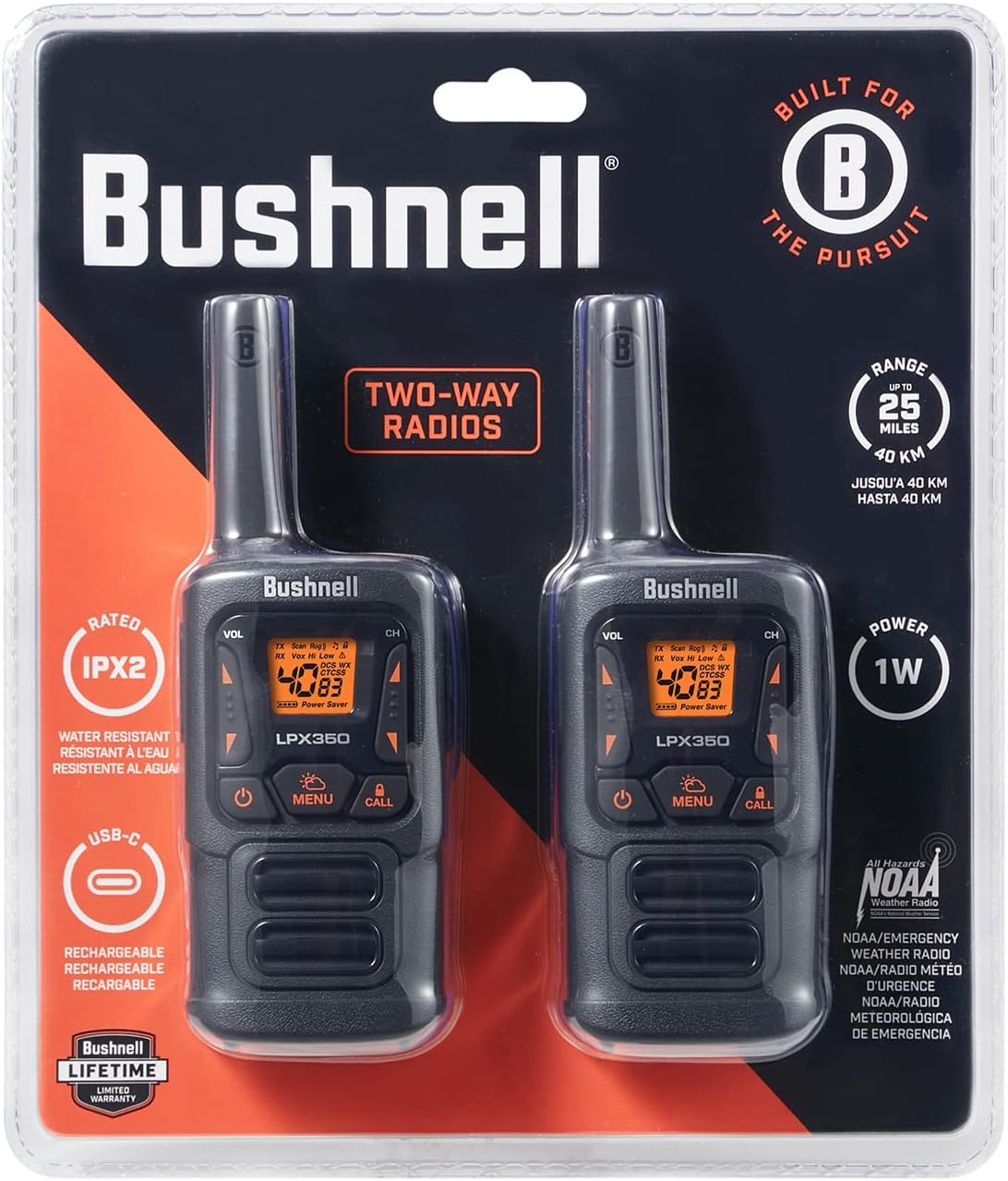
Figure 3: Radio Front Panel
Un detallat view of the LPX350's front panel, showing the display, volume, channel, menu, call, and power buttons.

Figure 4: Radio Side View
The side of the LPX350 radio, highlighting the Push-to-Talk (PTT) button and the attached belt clip.
Vídeo 1: Producte acabatview
Aquest vídeo ofereix una visió generalview of the Bushnell LPX350 Walkie Talkie Radio, demonstrating its key features and design.
4. Configuració
4.1 Instal·lació de la bateria
- Assegureu-vos que la ràdio estigui apagada.
- Localitzeu la tapa del compartiment de la bateria a la part posterior de la ràdio.
- Premeu la pestanya i feu lliscar la coberta cap avall per treure-la.
- Insert the 3 included NiMH rechargeable batteries into the compartment, observing the polarity markings (+/-). Alternatively, you may insert 3 AA alkaline batteries (not included).
- Torneu a col·locar la tapa del compartiment de la bateria lliscant-la cap amunt fins que encaixi fermament al seu lloc.
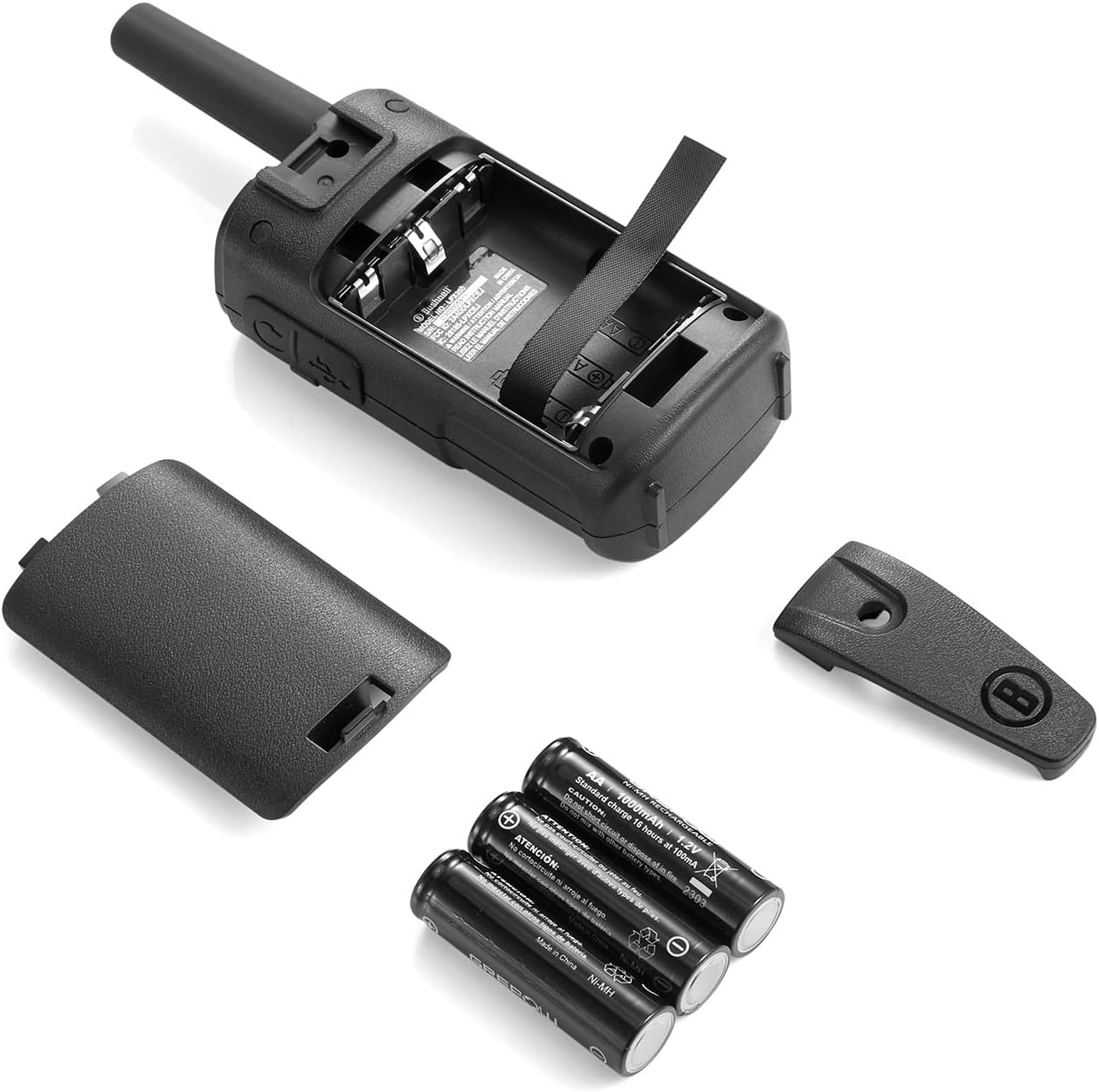
Figura 5: Instal·lació de la bateria
The image shows the back of the LPX350 radio with the battery compartment open, revealing the slots for three AA-sized batteries.
4.2 Càrrega de les bateries
- Connecteu el cable de càrrega USB-C al port USB-C del lateral de la ràdio.
- Connecteu l'altre extrem del cable USB-C a una font d'alimentació USB compatible (per exemple, un adaptador de paret, un port USB de l'ordinador).
- L'indicador de bateria a la pantalla de la ràdio mostrarà l'estat de càrrega.
- Charging typically takes several hours. Disconnect the cable once charging is complete.

Figure 6: USB-C Charging Port
A close-up of the side of the LPX350 radio, showing the USB-C charging port and the speaker/microphone jack, both protected by a rubber flap.
4.3 Col·locació del clip de cinturó
- Alineeu el clip del cinturó amb les ranures de la part posterior de la ràdio.
- Feu lliscar el clip del cinturó cap amunt fins que quedi ben encaixat.
- Per treure-la, premeu la pestanya d'alliberament del clip del cinturó i feu-la lliscar cap avall.

Figure 7: Belt Clip Attachment
The back of the LPX350 radio with the belt clip securely attached, ready for hands-free carrying.
5. Instruccions de funcionament
5.1 Encès/Apagat
Manteniu premut el botó Poder button (usually located at the bottom center of the front panel) until the display lights up or turns off.
5.2 Selecció de canals
- Premeu el botó Menú Premeu el botó una vegada. El número de canal parpellejarà a la pantalla.
- Utilitza el Up or Avall botons de fletxa per seleccionar el canal desitjat (1-40).
- Premeu el botó Menú de nou per confirmar la selecció del canal.
5.3 codis de privadesa
To set a privacy code (CTCSS/DCS):
- Després de seleccionar un canal, premeu la tecla Menú dues vegades. El codi de privacitat parpellejarà.
- Utilitza el Up or Avall arrow buttons to select a privacy code (1-121).
- Premeu el botó Menú button again to confirm. Both radios must be on the same channel and privacy code to communicate privately.
5.4 Ajust de volum
Utilitza el VOL Amunt or VOL Baix buttons on the side of the radio to adjust the listening volume.
5.5 Transmissió i recepció
Per transmetre, premeu i manteniu premut el botó Prem per parlar (PTT) button on the side of the radio and speak clearly into the microphone. Release the PTT button to receive.
5.6 Alerta de trucada
Premeu el botó Truca button to send an audible alert tone to other radios on the same channel and privacy code.
5.7 Bloqueig de tecles
To activate/deactivate the Key Lock feature, press and hold the Bloqueig button (often integrated with the Call button) until the lock icon appears/disappears on the display.
5.8 Ràdio meteorològica de la NOAA
Per accedir als canals meteorològics de la NOAA, premeu la tecla WX button. Use the arrow buttons to cycle through the 10 available weather channels. Press WX de nou per sortir.
Video 2: Bushnell LPX350 Basic Operation
This video demonstrates the basic functions of the Bushnell LPX350, including power on/off, channel selection, and call alert.
6. Manteniment
- Neteja: Utilitzeu un suau, damp drap per netejar l'exterior de la ràdio. No utilitzeu productes químics agressius ni netejadors abrasius.
- Emmagatzematge: If storing the radios for an extended period, remove the batteries to prevent leakage. Store in a cool, dry place.
- Cura de la bateria: Always use the recommended NiMH rechargeable batteries or high-quality AA alkaline batteries. Avoid overcharging.
7. Solució De Problemes
| Problema | Possible solució |
|---|---|
| Sense poder | Comproveu la instal·lació de la bateria i el nivell de càrrega. Canvieu les bateries si cal. |
| Cannot Transmit/Receive | Ensure both radios are on the same channel and privacy code. Check volume levels. Verify PTT button is functioning. |
| Qualitat d'àudio deficient | Check for obstructions between radios. Move to a higher elevation. Ensure microphone/speaker are clear of debris. |
| Teclat bloquejat | Press and hold the Key Lock button to unlock. |
8. Especificacions
| Característica | Detall |
|---|---|
| Número de model | LPX350 |
| Dimensions (A x A x P) | 6.93" x 2.32" x 1.38" |
| Pes | 5.8 unces (0.36 lliures) |
| Potència de sortida | 1 watts |
| Interval de freqüència | 400-470 MHz |
| Nombre de canals | 40 (including FRS channels) |
| Codis de privadesa | 121 |
| Abast màxim de conversa | Up to 36 Miles (under ideal conditions) |
| Nivell de resistència a l'aigua | IPX2 (resistent a l'aigua) |
| Resistència al xoc | Fins a 1.5M |
| Tipus de bateria | 650mAH NiMH Rechargeable (3 per radio, included) or 3 AA Alkaline (not included) |
| Temps de funcionament | Approx. 10 Hours (90% Standby, 10% Talk/Listen) |
| Port de càrrega | USB-C |
| Color | Negre/Taronja |
| Fabricant | Shineflex US LLC |
9. Garantia i Suport
Your Bushnell LPX350 Walkie Talkie Radios are backed by a Bushnell Lifetime Limited Warranty, ensuring quality and reliability. The included NiMH rechargeable batteries have a 180-day warranty.
For further assistance or warranty claims, please refer to the contact information provided in your product packaging or visit the official Bushnell weblloc.


