1. Introducció
The Keychron Q5 Pro is a highly customizable 96% layout wireless mechanical keyboard designed for a premium typing experience. It features QMK/VIA support for key remapping, a full aluminum body, double-gasket design, hot-swappable switches, and KSA Double-Shot PBT keycaps. This manual provides detailed instructions for setting up, operating, and maintaining your Keychron Q5 Pro keyboard.

2. Contingut del paquet
Verify that all items are present in your Keychron Q5 Pro package:
- 1x Fully Assembled Keyboard (including Aluminum Case, PCB, PC Plate, Sound Absorbing Foam, Case Foam, Battery, Silicone Gaskets, Bottom Case)
- 1 cable de tipus C a tipus C
- 1 adaptador de tipus A a tipus C
- 1x extractor d'interruptor
- 1x extractor de tecles
- 1x tornavís
- 1x clau hexagonal
- 14 juntes (10 instal·lades i 4 a la caixa)
- 7 jocs x estabilitzadors
- 1 set x Keycaps (Double-Shot KSA PBT)
- 1 joc x interruptors

3. Configuració
3.1 Càrrega inicial
Before first use, connect the keyboard to a power source using the provided USB Type-C cable to fully charge the internal 4000mAh battery. The charging indicator will show the charging status.

3.2 Connecting Wirelessly (Bluetooth)
- Locate the mode switch on the back of the keyboard. Slide it to the 'BT' position for Bluetooth mode.
- Al dispositiu (ordinador, tauleta, telèfon intel·ligent), activeu el Bluetooth i cerqueu els dispositius disponibles.
- Select 'Keychron Q5 Pro' from the list of devices to pair.
- The keyboard can connect to up to 3 devices. Use Fn + 1, Fn + 2, or Fn + 3 to switch between paired devices.
3.3 Connecting Wired (USB)
- Locate the mode switch on the back of the keyboard. Slide it to the 'Cable' position for wired mode.
- Connecteu el cable USB tipus C proporcionat del teclat al port USB de l'ordinador.
- El sistema operatiu reconeixerà automàticament el teclat.
3.4 Operating System Compatibility Switch
The Keychron Q5 Pro includes a switch to toggle between Windows and macOS layouts. Ensure this switch is set to your operating system for correct key functionality.

4. Instruccions de funcionament
4.1 QMK/VIA Key Remapping
The Keychron Q5 Pro supports QMK/VIA, an open-source software that allows you to remap keys and program macros. This includes customizing the rotary knob functions.
- Baixeu el programari VIA des del lloc web oficial de Keychron weblloc.
- Connect the keyboard in wired mode to your computer. Key remapping can only be performed in wired mode.
- Launch the VIA software and follow the on-screen instructions to customize key assignments and macros.
- Once programmed, the custom keymap will function in both wired and wireless modes.
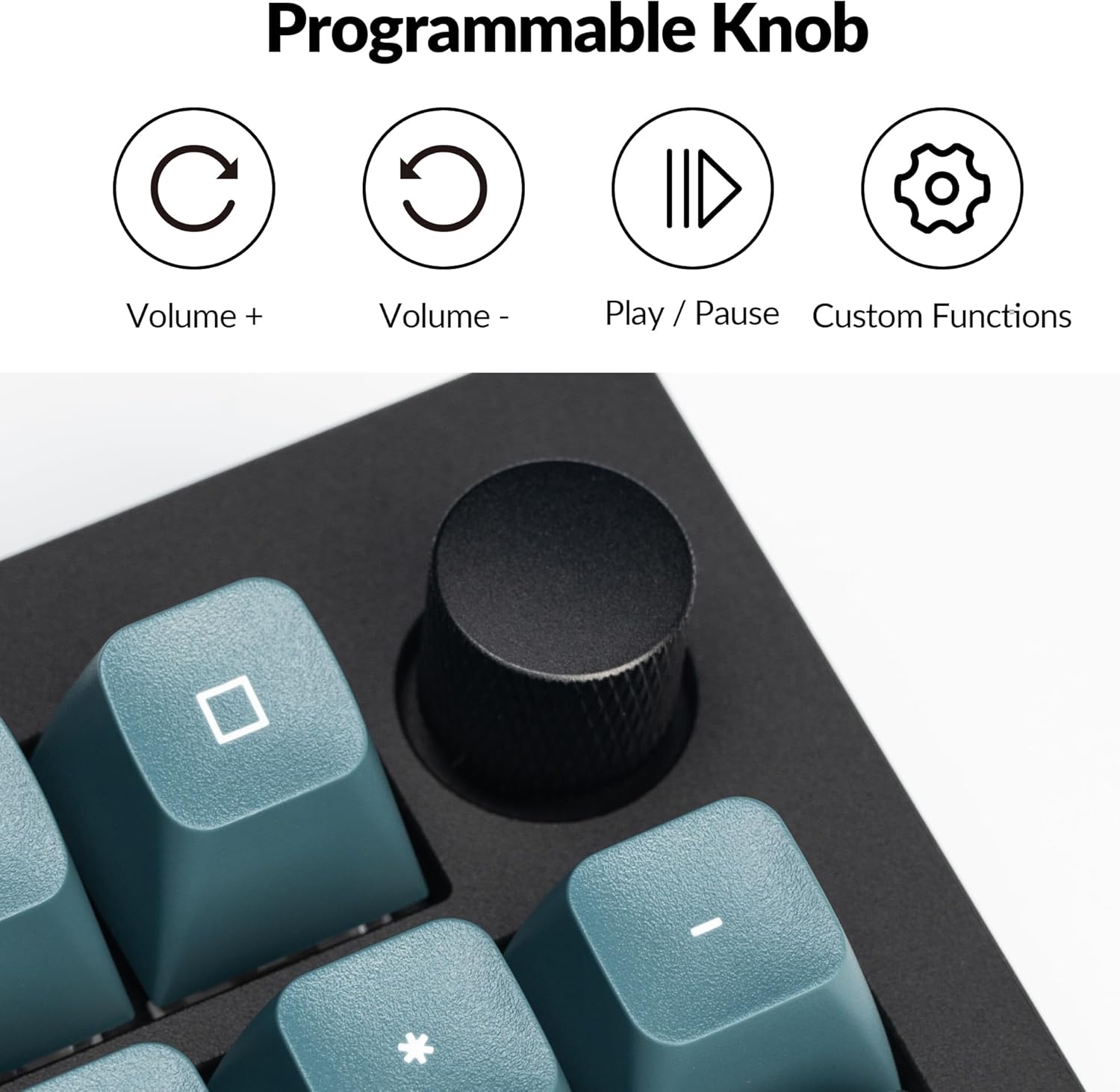
4.2 Programmable Rotary Knob
The rotary knob on the Keychron Q5 Pro offers versatile control. By default, it controls volume (rotate) and play/pause (press). Its functions can be customized using the VIA software.
- Girar en sentit horari: Augmenta el volum
- Girar en sentit antihorari: Disminuir el volum
- Premsa: Reproducció/pausa multimèdia
- Custom functions can be assigned via VIA software.

4.3 Commutadors intercanviables en calent
The Q5 Pro features hot-swappable sockets, allowing you to change mechanical switches without soldering. This supports most 3-pin and 5-pin MX-style mechanical switches.
- Apagueu el teclat o desconnecteu-lo de l'ordinador.
- Feu servir l'extractor de tecles proporcionat per treure amb cura la tecla desitjada.
- Use the provided switch puller to gently grip and pull the switch vertically out of its socket.
- Alineeu els pins del nou interruptor amb els forats de la placa de circuit imprès. Assegureu-vos que els pins estiguin rectes.
- Premeu fermament el nou interruptor a la presa fins que encaixi al seu lloc.
- Substitueix la tapa de les tecles.


4.4 Keycaps and Backlighting
The Q5 Pro comes with KSA profile double-shot PBT keycaps, known for their durability and oil resistance. The keyboard features south-facing RGB backlighting, which is optimized for non-shine-through keycaps.

5. Manteniment
5.1 Neteja
- Neteja general: Use a soft, dry cloth to wipe the keyboard surface. For stubborn dirt, slightly dampal drap amb aigua o una solució de neteja suau.
- Neteja de les tecles: Keycaps can be removed using the provided keycap puller and cleaned with mild soap and water. Ensure they are completely dry before reattaching.
- Eliminació de pols: Feu servir aire comprimit per eliminar la pols i les restes que hi ha entre les tecles i els interruptors.
5.2 estabilitzadors
The Q5 Pro utilizes screw-in stabilizers for enhanced key stability. If a large key (e.g., Spacebar, Shift, Enter) feels wobbly or rattles, the stabilizers may need lubrication or adjustment. Refer to online resources or Keychron support for detailed stabilizer maintenance guides.

6. Solució De Problemes
- El teclat no respon: Ensure the keyboard is charged. Check the mode switch (BT/Cable) and ensure it's set correctly. If in Bluetooth mode, re-pair the device. If in wired mode, try a different USB port or cable.
- Claus que no es registren: If a specific key is not working, try hot-swapping the switch with a known working one to determine if the issue is with the switch or the PCB socket. Ensure switches are fully seated.
- Problemes de connectivitat Bluetooth: Ensure the keyboard is within range of your device. Remove and re-pair the keyboard in your device's Bluetooth settings. Ensure no other devices are interfering with the connection.
- QMK/VIA software not detecting keyboard: Ensure the keyboard is connected in wired mode. Download the latest VIA software and firmware from the official Keychron weblloc.
- La retroiluminació no funciona: Check the keyboard's backlight settings. Ensure the brightness is turned up. If specific LEDs are not working, it may indicate a hardware issue.
7. Especificacions
| Característica | Detall |
|---|---|
| Número de model | Q5P-M3 |
| Disseny | 96% |
| Connectivitat | Bluetooth 5.1 (Wireless), USB Type-C (Wired) |
| Taxa de votació | 1000 Hz (amb cable), 90 Hz (sense fil) |
| Interruptors | Hot-swappable K Pro Brown Switch (3-pin & 5-pin MX style compatible) |
| Taps de claus | KSA Profile PBT de doble tret |
| Material del cos | Alumini complet |
| Gasket Design | Double-Gasket |
| Bateria | Polímer de liti de 4000 mAh |
| Compatibilitat de sistemes operatius | macOS, Windows, Linux |
| Il·luminació de fons | RGB orientat al sud |
| Dimensions del producte | 16.06 x 5.71 x 1.41 polzades |
| Pes de l'article | 4.76 lliures |
7.1 Keychron K Pro Switch Features

7.2 Explotat View de components

8. Garantia i Suport
For warranty information, technical support, or further assistance, please visit the official Keychron weblloc web o poseu-vos en contacte amb el servei d'atenció al client. Conserveu el comprovant de compra per a reclamacions de garantia.
- Oficial Weblloc: www.keychron.com
- Correu electrònic de suport: Consulteu l'oficial website for current support contact information.


