1. Introducció
This manual provides essential information for the safe and efficient operation of your HANMATEK HM605 Laboratory Power Supply. Please read this manual thoroughly before use and retain it for future reference.
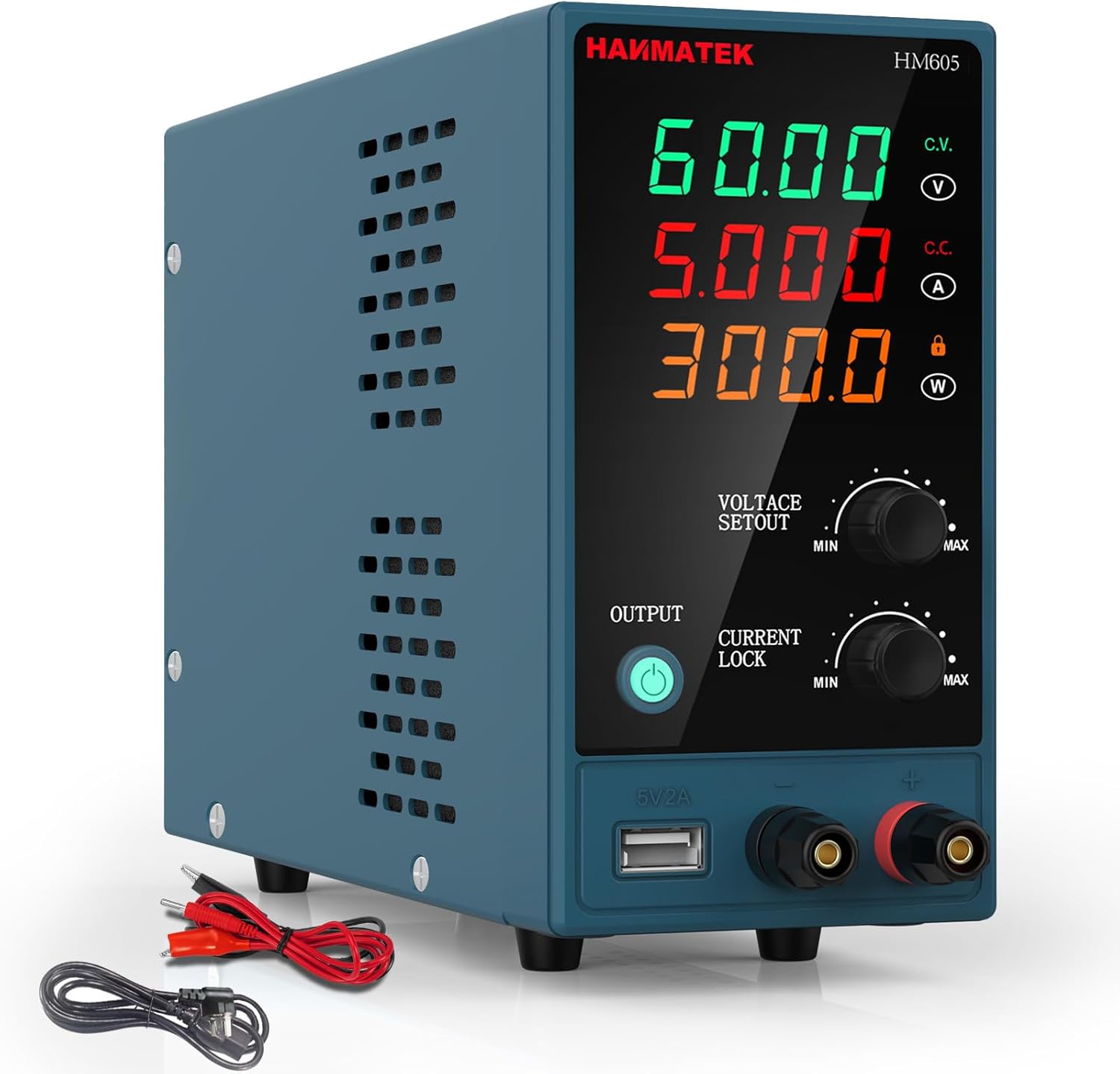
Imatge 1.1: Frontal view of the HANMATEK HM605 Laboratory Power Supply, showing the digital display and control knobs.
2. Instruccions de seguretat
WARNING: Failure to follow these safety instructions may result in electric shock, fire, or personal injury.
- Assegureu-vos que la font d'alimentació estigui connectada a una presa de corrent amb connexió a terra.
- No utilitzeu el dispositiu en mullat o damp condicions.
- No obriu la c.asing; no hi ha peces a l'interior que l'usuari pugui reparar. Demaneu totes les tasques de manteniment a personal qualificat.
- Verifiqueu el volum d'entradatage matches local power supply before connecting.
- Eviteu curtcircuitar els terminals de sortida.
- Always disconnect power before making or breaking connections to the output terminals.
- Assegureu-vos que hi hagi una ventilació adequada; no bloquegeu el ventilador ni les reixetes de ventilació.

Image 2.1: The HM605 unit highlighting its Overcurrent Protection (OCP) and Overvoltage Protection (OVP) features, ensuring safe operation.
3. Producte acabatview
3.1 Característiques
- Càlcul automàtic de potència: Intelligently calculates and displays output voltage, current, and power on a large 4-digit LED screen.
- Control precís: Fine adjustment knobs for voltage (0-60V) and current (0-5A) with automatic decimal point shifting.
- Bloqueig del teclat: Evita canvis accidentals a la configuració durant el funcionament.
- Proteccions de seguretat: Built-in Overcurrent Protection (OCP), Overvoltage Protection (OVP), and Over-temperature Protection (OTP). Includes a grounding terminal.
- Refrigeració eficient: Integrated low-noise cooling fan ensures stable operation.
- Port de càrrega USB: 5V/2A USB output for charging external devices.
3.2 Components

Imatge 3.1: Detallada view of the HM605, labeling the voltage, current, and power display, adjustment knobs, output button, USB charging port, and output terminals. The rear view shows the power switch, cooling fan, power input socket, and fuse holder.
- VoltagTaula de visualització de valors: Mostra el volum de sortidatage.
- Taula de visualització del valor actual: Mostra el corrent de sortida.
- Taula de visualització del valor de potència: Shows output power.
- Voltage Botó d'ajust de valor: Adjusts output voltage (Min/Max).
- Botó d'ajust del valor actual: Adjusts output current (Min/Max).
- Botó d'activació/desactivació de la sortida: Controls power output to terminals.
- Botó de bloqueig actual: Locks the current setting.
- Port de càrrega de 5V/2A: USB output for charging.
- Terminal de sortida positiu (vermell): Connect positive load.
- Terminal de sortida negatiu (negre): Connect negative load.
- Power Switch Key (Rear): Interruptor d'alimentació principal.
- Cooling Fan (Rear): Dissipates heat.
- Potència Voltage Input Socket (Rear): Connects to AC power.
- Fuse Holder (Rear): Conté el fusible de protecció.
4. Configuració
- Desembalatge: Carefully remove the power supply and all accessories from the packaging. Verify all components listed in the "Package Contents" section are present.
- Col·locació: Place the power supply on a stable, level surface with adequate ventilation. Ensure the cooling fan and vents are not obstructed.
- Connexió d'alimentació:
- Connect the provided input power cable to the Power Voltage Input Socket on the rear of the unit.
- Plug the other end of the input power cable into a grounded AC power outlet.
- Encesa inicial:
- Ensure the Power Switch Key on the rear is in the OFF position.
- Turn the Power Switch Key to the ON position. The LED display should illuminate.
- The output is initially OFF. The "OUTPUT" indicator light will be off.

Image 4.1: The HM605 power supply shown with its retail packaging, input power cable, and output test leads, illustrating the typical contents of the product package.
5. Instruccions de funcionament
5.1 Configuració Voltage i Actual
- Encès: Ensure the unit is powered on as described in Section 4.
- Ajust Voltage: Rotate the "VOLTAGE SETOUT" knob to set the desired output voltage. The 4-digit LED display will show the set voltage. Fine adjustments can be made by gently pressing the knob to switch between coarse and fine tuning.
- Ajusta el corrent: Rotate the "CURRENT LOCK" knob to set the desired output current limit. The 4-digit LED display will show the set current. This acts as a current limit to protect your circuit.
- Connectar càrrega: Connect your device or circuit to the Output Terminal Positive (red) and Output Terminal Negative (black) using appropriate test leads. Ensure connections are secure.
- Habilita la sortida: Press the "OUTPUT" button. The indicator light next to the button will illuminate, and power will be supplied to the output terminals.
- Desactiva la sortida: To stop power output, press the "OUTPUT" button again. The indicator light will turn off.

Image 5.1: Close-up of the HM605 front panel, showing the output button and the voltage and current adjustment knobs for precise control.
5.2 Funció de bloqueig del teclat
Per evitar canvis accidentals al volumtage and current settings during operation, you can activate the keypad lock function. Refer to the specific instructions in your printed manual for the exact procedure, as this feature is typically activated by a long press or combination of button presses.
5.3 Ús del port de càrrega USB
The 5V/2A USB charging port is located on the front panel. You can use this port to charge compatible USB-powered devices. Simply connect your device's USB cable to this port.

Image 5.2: The HM605's 5V/2A USB charging port being used to charge a smartphone, demonstrating its auxiliary functionality.
6. Manteniment
- Neteja: Desconnecteu l'alimentació de la presa de corrent abans de netejar-lo. Feu servir un drap suau i sec per netejar l'exterior. No utilitzeu productes de neteja abrasius ni dissolvents.
- Ventilació: Regularly check that the cooling fan and air vents are free from dust and obstructions to ensure proper airflow.
- Substitució de fusibles: If the power supply does not turn on, the fuse may need replacement.
- Disconnect the power supply from the AC outlet.
- Localitzeu el portafusibles al panell posterior.
- Carefully remove the fuse holder and replace the fuse with one of the same type and rating (e.g., 250V/5A).
- Reinsert the fuse holder securely.
- Emmagatzematge: When not in use for extended periods, store the power supply in a cool, dry place, away from direct sunlight and excessive dust.
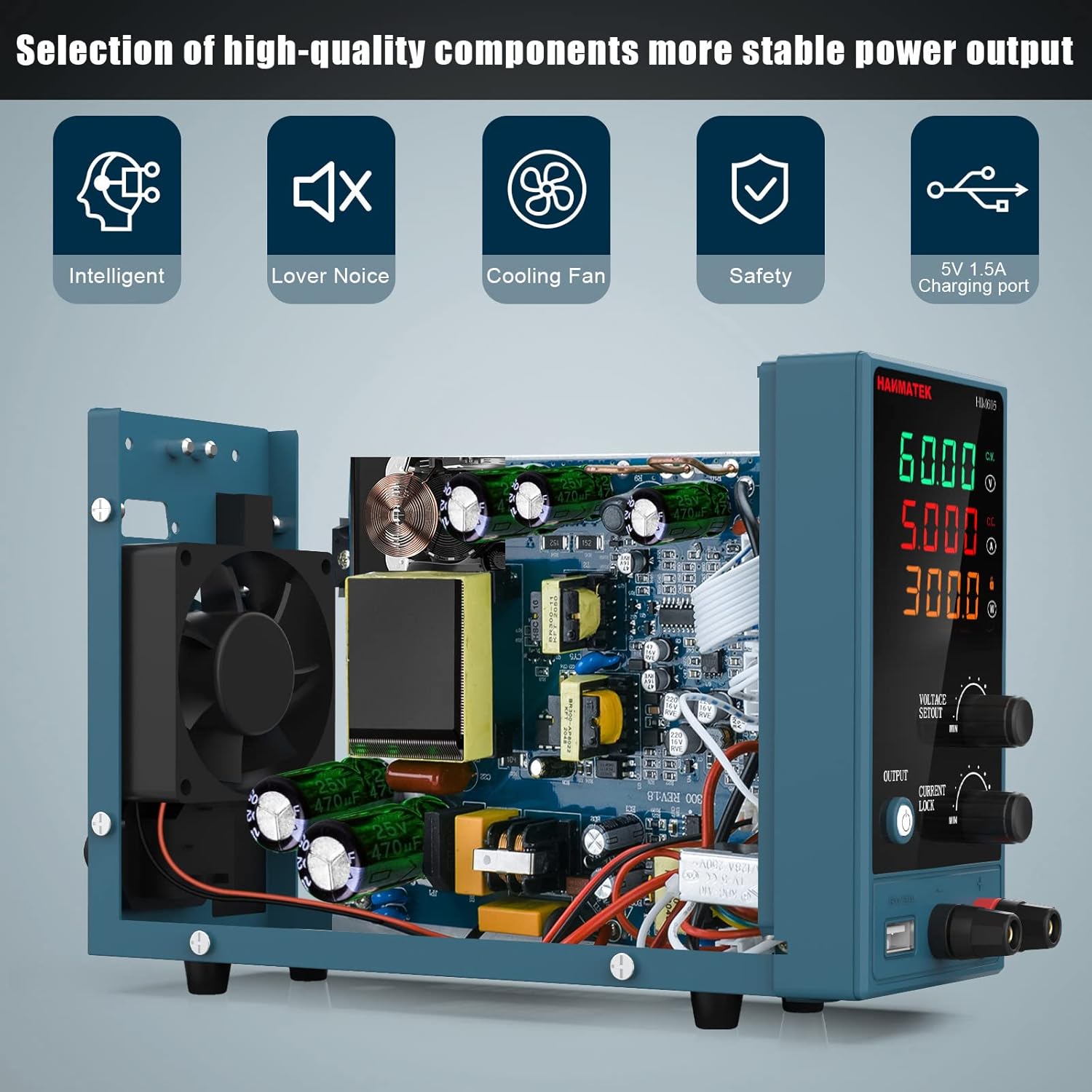
Imatge 6.1: Un intern view of the HM605, revealing its high-quality components and the integrated cooling fan, which is crucial for maintaining stable power output and device longevity.
7. Solució De Problemes
| Problema | Causa possible | Solució |
|---|---|---|
| No power when turned on. | Power cable not connected, AC outlet faulty, fuse blown. | Check power cable connection. Test AC outlet. Replace fuse (refer to Section 6). |
| Output indicator is off, no voltage / actual. | Output is disabled. | Press the "OUTPUT" button to enable output. |
| Voltage/Current cannot be adjusted. | El bloqueig del teclat està actiu. | Deactivate keypad lock (refer to Section 5.2 or printed manual). |
| Volum de sortidatage/current drops unexpectedly. | Sobrecorrent / sobrecàrregatage protection activated, load too high. | Check load for short circuits or excessive current draw. Reduce load or adjust current limit. |
| Unit overheats, fan runs loudly. | Blocked ventilation, prolonged high load. | Ensure vents are clear. Reduce load if operating at maximum capacity for extended periods. |
8. Especificacions

Image 8.1: The physical dimensions of the HM605 power supply, showing its compact size for easy placement and portability.
| Paràmetre | Valor |
|---|---|
| Marca | HANMATEK |
| Número de model | HM605 |
| Vol. De sortidatage Rang | 0-60V DC |
| Interval de corrent de sortida | 0-5A |
| Potència de sortida | 60 watts |
| Mostra | LED de 4 dígits (Volumtage, Corrent, Potència) |
| Característiques especials | Compact design, Keypad Lock, USB Charging Port (5V/2A) |
| Protecció | Protecció contra sobreintensitat (OCP), Overvoltage Protection (OVP), Over-temperature Protection (OTP) |
| Mètode de refrigeració | Air Cooling (Integrated Fan) |
| Pes de l'article | 1 quilogram (aprox. 2.2 lliures) |
9. Aplicacions
The HANMATEK HM605 Laboratory Power Supply is suitable for a wide range of applications, including:
- Proves de línia de producció
- Manteniment i reparació elèctrica
- Aging tests for electronic products
- Càrrega de la bateria
- Scientific research and educational laboratories
- Projectes d'electrònica de bricolatge
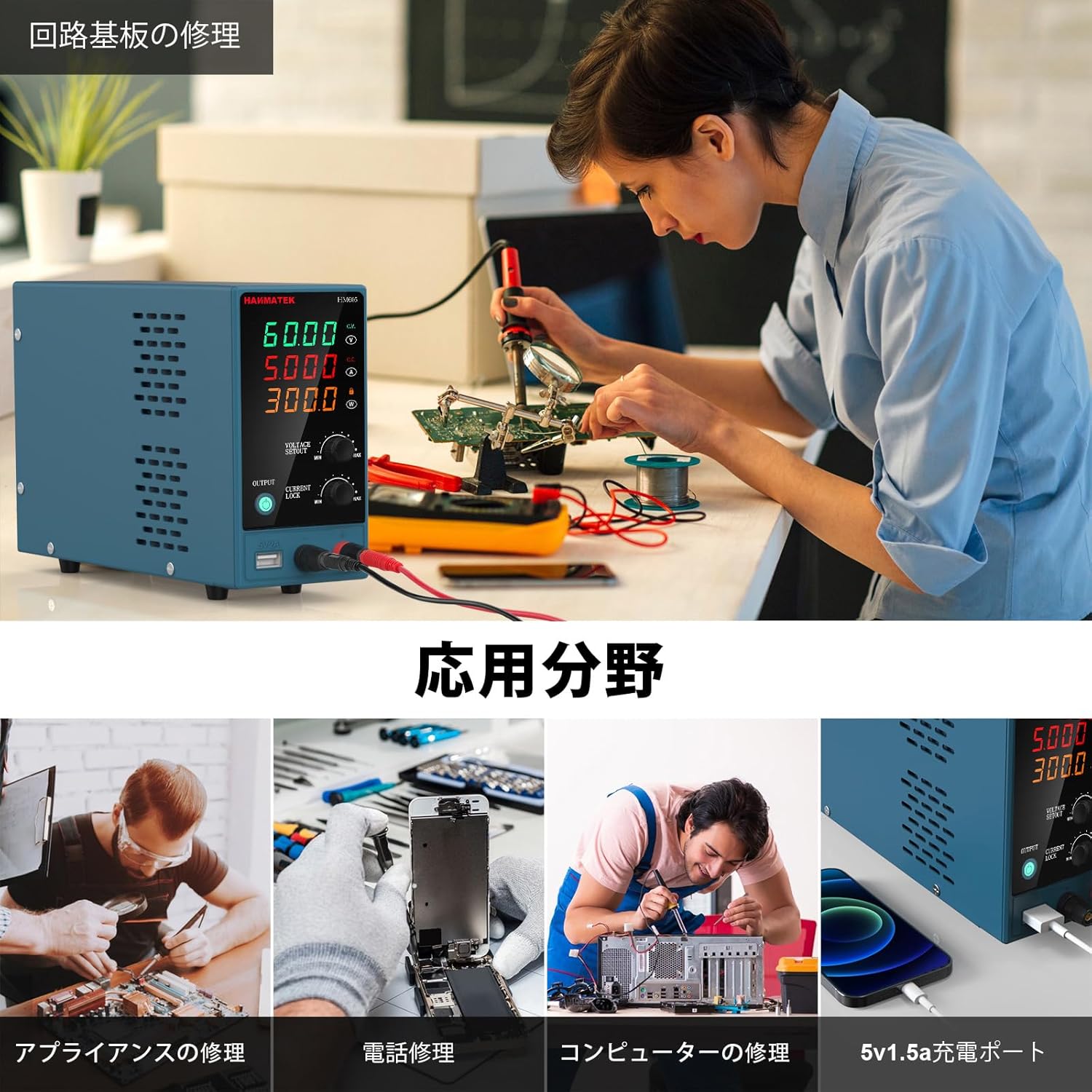
Image 9.1: Collage showing different application scenarios for the HM605, including circuit board repair, appliance repair, phone repair, computer repair, and using the 5V 1.5A charging port.
10. Garantia i Suport
For warranty information and technical support, please refer to the contact details provided in the original product packaging or visit the official HANMATEK weblloc web. Conserveu el rebut de compra com a comprovant de compra per a reclamacions de garantia.


