Introducció
Welcome to the world of wearable technology with your new Accutime Transformers Kids Smart Watch. This manual provides essential information for setting up, operating, maintaining, and troubleshooting your watch to ensure a fun and functional experience. Your smart watch features 10 changeable watch faces, a selfie camera, video recorder, interactive games, a pedometer, voice recorder, calculator, and an alarm clock.
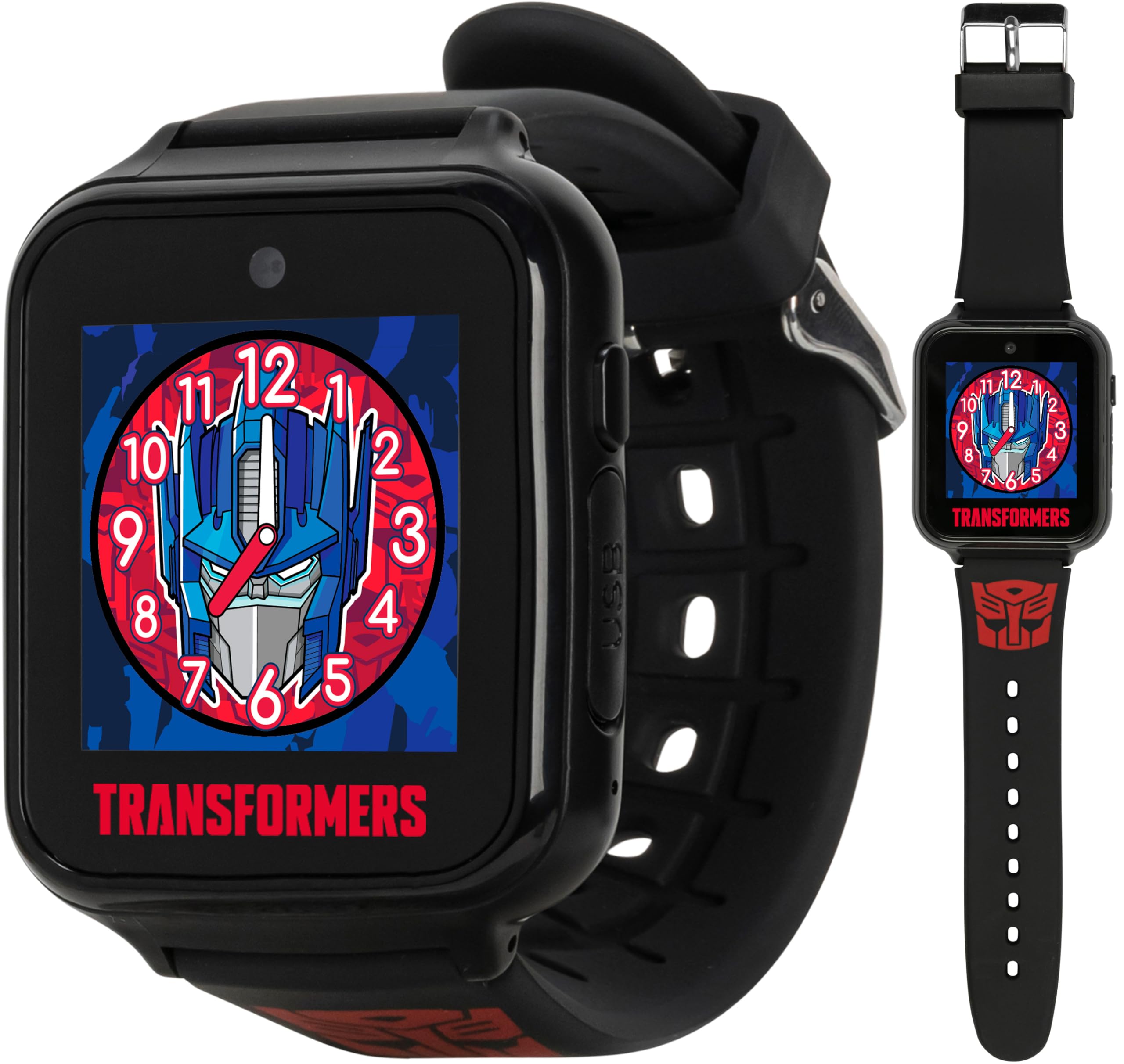
The Accutime Transformers Kids Smart Watch, featuring a vibrant Optimus Prime watch face.
Configuració
1. Càrrega del rellotge
The watch is powered by a 3.7V Lithium Polymer rechargeable battery. Before first use, fully charge the watch. Connect the included USB charging cable to the watch's charging port and to a standard USB power adapter (not included) or a computer's USB port. The charging indicator on the screen will show the charging status. A full charge typically takes approximately 2-3 hours.
2. Encès / apagat
To power on the watch, press and hold the power button located on the side of the watch until the screen illuminates. To power off, press and hold the power button until the power-off option appears on the screen, then confirm your selection.
3. Configuració inicial de la data i l'hora
Upon first power-on or after a complete battery drain, you may need to set the correct time and date. Navigate to the 'Settings' menu on the watch, then select 'Time' or 'Date' to adjust the values. Ensure these are set correctly for accurate timekeeping and proper function of features like the alarm.
Instruccions de funcionament
1. Changing Watch Faces
Your watch comes with 10 changeable Transformers-themed watch faces. To change the watch face, swipe left or right on the home screen or access the 'Watch Faces' option in the settings menu. Select your preferred design to customize the display.

The watch offers 10 different Transformers-themed watch faces for personalization.
2. Using the Selfie Camera and Video Recorder
The watch features a built-in selfie camera and video recorder. To access these functions, navigate to the 'Camera' or 'Video' icon from the main menu. Tap the screen to take a photo or start/stop video recording. Captured photos and videos can be viewed in the 'Photo Album' application.

A child interacting with the smart watch, showcasing its camera and other features.
3. Playing Interactive Games
The watch includes various interactive games for entertainment and engagement. Locate the 'Games' icon on the menu and tap to open. Select from the available games and follow the on-screen instructions to play.
4. Pedometer and Fitness Tracker
Utilize the built-in pedometer to track daily steps. Access the 'Pedometer' application to view your step count and monitor activity. This feature encourages an active lifestyle.
5. Eines addicionals
- Gravadora de veu: Record short audio clips using the 'Voice Recorder' app.
- Calculadora: Perform basic arithmetic calculations with the 'Calculator' app.
- Despertador: Set multiple alarms to help manage daily activities. Access through the 'Alarm' app.
Manteniment
1. Cura de la bateria
To prolong battery life, avoid fully discharging the watch frequently. Charge the watch when the battery level is low. Do not expose the watch to extreme temperatures, as this can affect battery performance.
2. Neteja
Clean the watch and strap regularly with a soft, dry cloth. For stubborn dirt, a slightly damp cloth can be used, but ensure no moisture enters the charging port or speaker/microphone openings. Avoid using harsh chemicals or abrasive cleaners.
3. Emmagatzematge
When storing the watch for extended periods, ensure it is partially charged (around 50%) and stored in a cool, dry place away from direct sunlight.
Resolució de problemes
1. El rellotge no s'encén
If the watch does not turn on, ensure it is fully charged. Connect it to the charger and wait a few minutes before attempting to power it on again. If the issue persists, try a different charging cable or power source.
2. Incorrect Time Display
The watch may require time and date to be reset after the battery has completely run out. Navigate to the 'Settings' menu and manually adjust the time and date as described in the 'Initial Time and Date Setting' section.
3. Applications Not Loading or Unresponsive Screen
If applications are not loading correctly or the screen becomes unresponsive, try restarting the watch by holding down the power button. If a restart does not resolve the issue, ensure the watch has sufficient battery charge. If problems continue, contact customer support.
Especificacions
- Número de model: TFC4025AZ
- Bateria: 1 bateria de polímer de liti (inclosa)
- Dimensions del paquet: 5.94 x 3.7 x 3.39 polzades
- Pes de l'article: 8.47 unces
- Fabricant: Accutime Watch Corp.
Producte acabatview Vídeo
Aquest vídeo ofereix una visió generalview of the Accutime Kids Smart Watch features and functionality.
Garantia i Suport
For warranty information, technical support, or further assistance, please refer to the manufacturer's official weblloc web o poseu-vos en contacte amb el seu departament d'atenció al client. Conserveu el rebut de compra com a comprovant de compra per a qualsevol reclamació de garantia.


