1. Introducció
This user manual provides comprehensive instructions for the Baseus Smooth Writing 2 Series Wireless Charging Stylus. It covers product features, setup, operation, maintenance, troubleshooting, and technical specifications to ensure optimal performance and user experience. Please read this manual thoroughly before using your stylus.
2. Producte acabatview
The Baseus Smooth Writing 2 Series Stylus is designed for seamless interaction with compatible devices, primarily iPads. It features advanced technology for precise control and a comfortable writing experience.
Característiques principals:
- Càrrega sense fil magnètica: Convenient and fast charging by attaching to compatible devices.
- Full-Screen Palm Rejection: Allows resting your hand on the screen naturally while writing or drawing.
- Control d'inclinació: Adjust line thickness and shading by tilting the stylus.
- Upgraded Gold-Plated Copper Tip: Ensures more precise control and a stable, lag-free connection.
- Llarga vida útil de la bateria: Provides extended usage and standby time.
- Durable Aluminum Material: Ensures longevity and scratch resistance.
- Botó de funció: Allows quick operations such as taking photos, adjusting volume, and turning document pages.

Figure 2.1: The Baseus Smooth Writing 2 Series Wireless Charging Stylus in white.

Figure 2.2: The stylus showing its replaceable tip, designed for extended use.

Figura 2.3: Un excésview of the stylus's key features, including magnetic wireless charging, palm rejection, fast charge, tilt control, and long battery life.
3. Configuració
3.1 Càrrega del llapis òptic
The Baseus Smooth Writing 2 Series Stylus supports magnetic wireless charging. Simply attach the stylus to the designated magnetic charging area on your compatible iPad. A full charge takes approximately 1 hour.
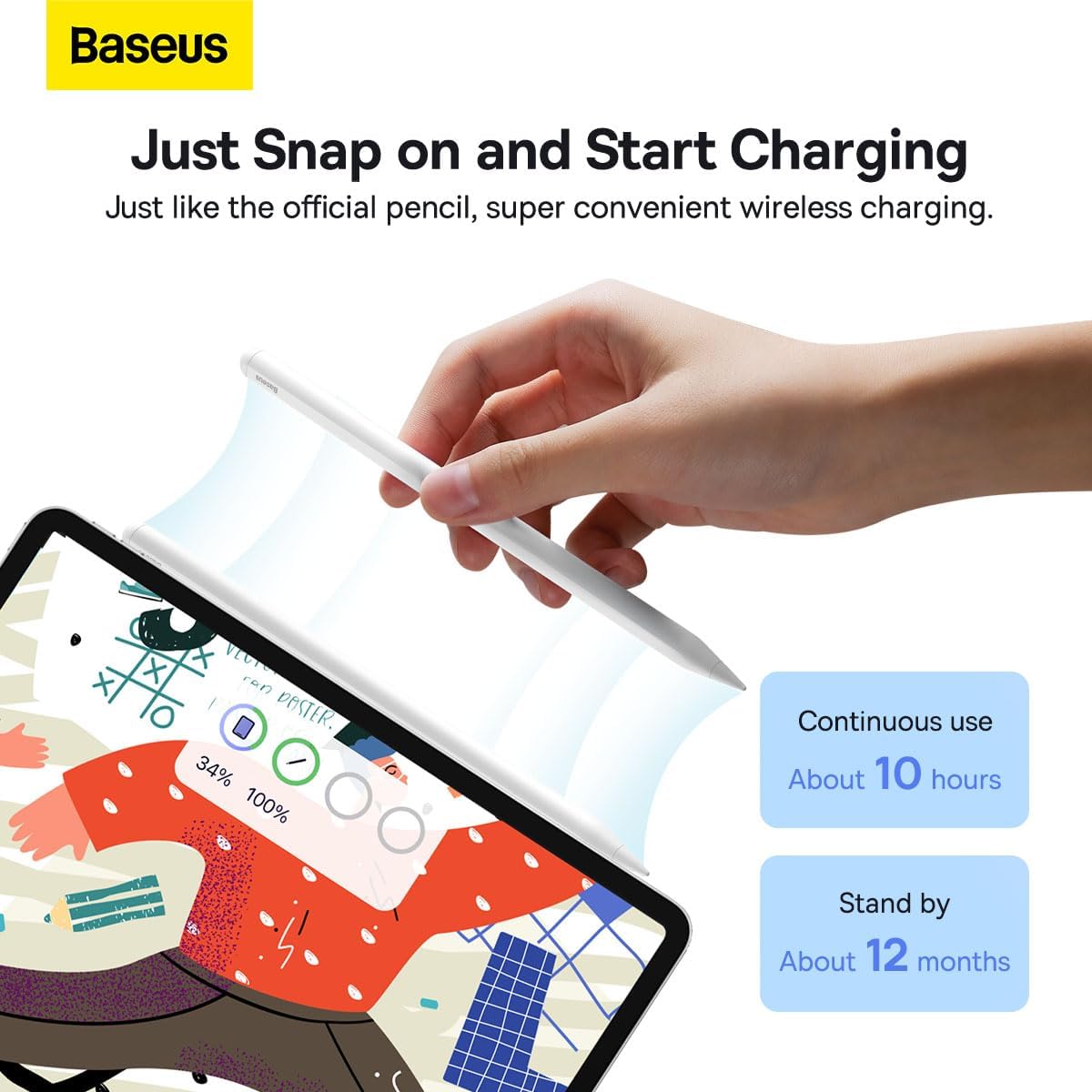
Figure 3.1: Illustrates how to snap the stylus onto a tablet for convenient wireless charging.
3.2 Connexió inicial
The stylus is designed for seamless connection with compatible iPad models. Once charged, it should automatically connect when brought near the device. If a connection is not established, ensure Bluetooth is enabled on your iPad and the stylus is sufficiently charged.
4. Instruccions de funcionament
4.1 Rebuig del palmell
The stylus features full-screen palm rejection, allowing you to rest your hand comfortably on the screen while writing or drawing without causing unintended marks or interactions. This mimics the natural feel of writing on paper.

Figure 4.1: Demonstrates the effectiveness of full-screen palm rejection, allowing comfortable hand placement on the screen.
4.2 Control d'inclinació
Utilize the tilt control feature to vary line thickness and shading. By tilting the stylus, you can achieve different artistic effects, similar to using a traditional pencil.
4.3 Botó de funció
The integrated function button on the stylus provides quick access to various operations. Depending on the application and device settings, this button can be used for actions such as taking photos, adjusting volume, or navigating through document pages.
4.4 Escenaris d'ús
The Baseus Smooth Writing 2 Series Stylus is versatile and suitable for a variety of tasks:
- Dibuix: Create detailed illustrations with precision and tilt control.
- Treball d'oficina: Annotate documents, sign papers, and navigate presentations.
- Presa de notes: Write notes naturally and efficiently during meetings or lectures.
- Jocs: Enjoy responsive and precise control in compatible games without lag.

Figura 4.2: Examples of multi-scenario application, including drawing, office use, note-taking, and gaming.
5. Manteniment
5.1 Replacing Pencil Tips
The stylus comes with replaceable pencil tips, extending its lifespan up to 12 months. To replace a tip, gently twist the old tip counter-clockwise to remove it, then align the new tip and twist clockwise until secure.
5.2 Neteja
To maintain optimal performance, regularly clean the stylus body and tip with a soft, dry, lint-free cloth. Avoid using abrasive materials or harsh chemicals.
5.3 Emmagatzematge
When not in use, you can conveniently store the stylus by snapping it onto your tablet using its strong magnetic attraction. This also ensures it remains charged and ready for use.

Figure 5.1: Highlights the magnetic design for easy wireless charging and storage, along with the 125mAh battery capacity.
6. Solució De Problemes
If you encounter issues with your Baseus Smooth Writing 2 Series Stylus, please refer to the following common problems and solutions:
| Problema | Causa possible | Solució |
|---|---|---|
| Stylus does not respond or write. | Low battery; Not properly connected; Incompatible device. | Ensure stylus is fully charged. Re-attach to iPad for connection. Verify iPad model compatibility. |
| Connection is unstable or frequently disconnects. | Interference; Loose connection; Outdated device software. | Ensure no strong magnetic fields nearby. Re-attach stylus firmly. Update iPadOS to the latest version. |
| Palm rejection not working effectively. | Incorrect settings; Software glitch. | Check iPad settings for stylus compatibility and palm rejection options. Restart iPad. |
| Stylus tip feels worn or less precise. | Desgast normal. | Replace the stylus tip as per Section 5.1. |

Figure 6.1: Illustrates the superior signal strength and ultra-fast response of the gold-plated copper tip compared to other stylus pens.
7. Especificacions
| Característica | Detall |
|---|---|
| Marca | Baseus |
| Número de model | SXBC060002 |
| Color | Blanc |
| Material | Alumini |
| Dimensions del producte | 16.55 x 0.15 x 0.9 cm |
| Pes de l'article | 13.5 g |
| Tipus de bateria | Polímer de liti |
| Capacitat de la bateria | 125 milionsamp Hores (mAh) |
| Temps de càrrega de la bateria | Aprox. 1 hora |
| Durada mitjana de la bateria en espera | Fins a 12 mesos |
| Dispositius compatibles | Tablet, Laptop (specifically designed for iPad) |
8. Garantia i Suport
For warranty information and customer support, please refer to the documentation provided at the time of purchase or visit the official Baseus weblloc web. Conserveu el comprovant de compra per a qualsevol reclamació de garantia.
Manufacturer: Baseus


