1. Introducció
This manual provides detailed instructions for the setup, operation, and maintenance of your Walfront Smart Security Camera. This indoor surveillance camera offers 1080P high-definition video, 360-degree rotation, two-way audio communication, and real-time motion detection alarms to enhance your home security. Please read this manual thoroughly before using the product to ensure proper functionality and safety.
2. Producte acabatview
2.1 Contingut del paquet
Upon opening the package, verify that all components are present and in good condition. The standard package includes:
- Walfront Smart Security Camera
- Cable d'alimentació USB
- Mounting Accessories (Base, Adhesive Pad)
- Manual d'usuari (aquest document)

Figure 2.1: Walfront Smart Security Camera with included USB power cable and mounting base.
2.2 Components de la càmera
Familiarize yourself with the various parts of the camera:

Figure 2.2: Labeled diagram of the camera's front and rear components.
- Microphone Hole: Captura àudio per a la comunicació bidireccional.
- Lent HD: 1080P high-definition camera lens.
- Photosensitive Resistor: Detecta la llum ambiental per al canvi automàtic del mode dia/nit.
- Base: Provides stability and mounting options.
- Horn Hole: Speaker for two-way audio output.
- Interfície d'alimentació: USB port for connecting the power cable.
- Small Memory Card Slot: For local storage (MicroSD card, not included).
- Llum indicadora: Mostra l'estat de la càmera (per exemple, alimentació, connexió de xarxa).
- Clau de restabliment: S'utilitza per restablir la càmera a la configuració de fàbrica.
2.3 Dimensions del producte

Figura 2.3: frontal i lateral view with dimensions (55mm width, 85mm height).
3. Configuració
3.1 Encès
- Connect the provided USB power cable to the camera's Power Interface (6).
- Plug the other end of the USB cable into a compatible USB power adapter (not included) and then into a power outlet.
- The indicator light (8) will illuminate, indicating the camera is powering on. Wait for the camera to initialize.
3.2 Instal·lació de l'aplicació i creació del compte
The Walfront Smart Security Camera operates via a smartphone application.
- Download the designated smart home security app from your smartphone's app store (e.g., Google Play Store for Android, Apple App Store for iOS). Refer to the packaging or quick start guide for the specific app name.
- Obriu l'aplicació i seguiu les instruccions que apareixen a la pantalla per crear un compte d'usuari nou.
- Inicia la sessió al teu compte recentment creat.
3.3 Connexió a Wi-Fi
Ensure your smartphone is connected to a 2.4GHz Wi-Fi network. The camera supports 2.4G Wi-Fi only.
- A l'aplicació, seleccioneu "Afegeix dispositiu" o la icona "+".
- Choose "Security Camera" or the appropriate device type.
- Follow the in-app instructions, which typically involve scanning a QR code displayed on your phone with the camera, or entering your Wi-Fi network details.
- Once connected, the indicator light (8) will change to a solid color (refer to app for specific status indications).
3.4 Muntatge de la càmera
The camera can be placed on a flat surface or mounted to a wall.
- Ubicació d'escriptori: Simply place the camera on a stable, flat surface in your desired indoor location.
- Muntatge a la paret: Use the provided mounting base and adhesive pad. Clean the wall surface thoroughly before applying the adhesive. Ensure the camera is securely attached.
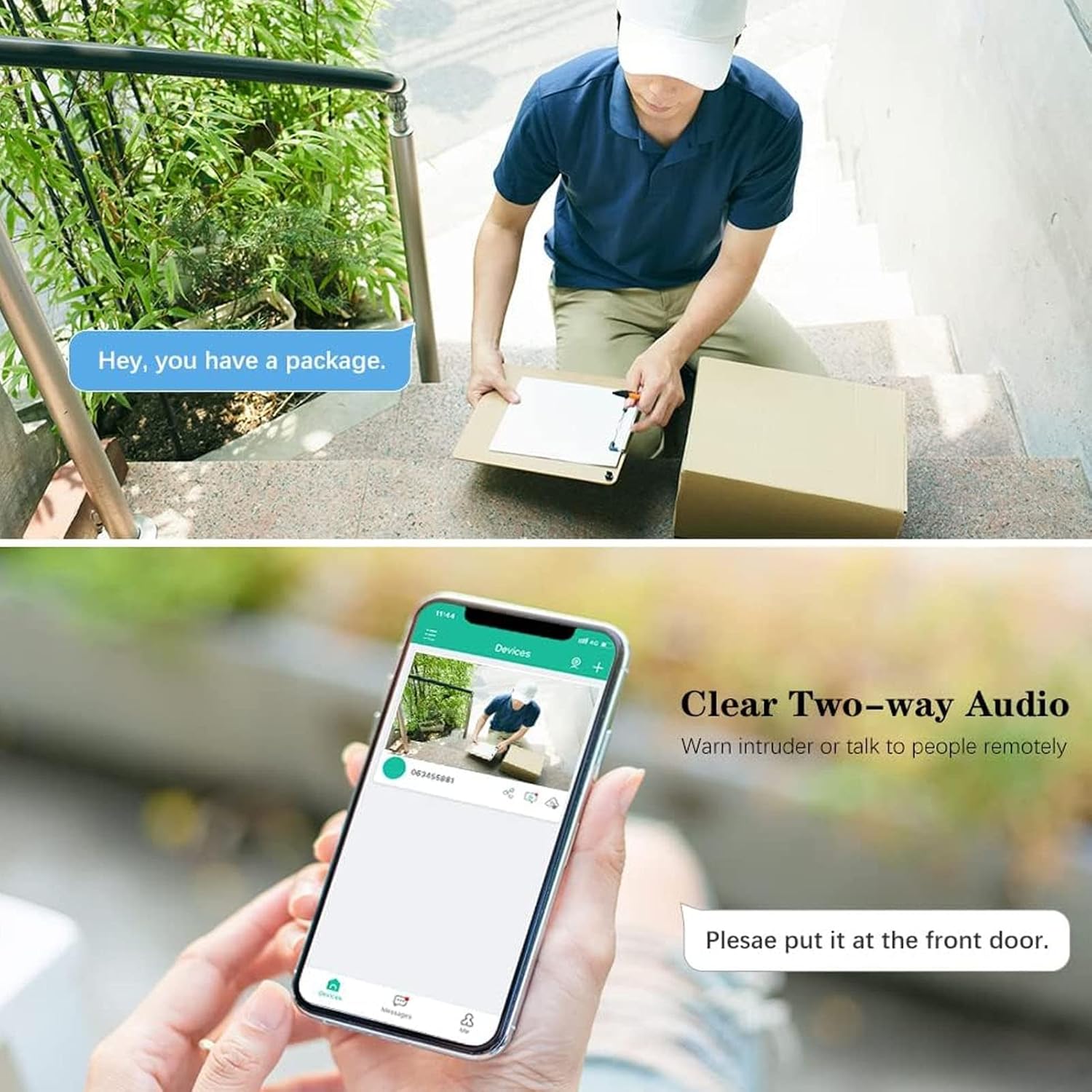
Figure 3.1: Camera positioned for indoor surveillance.
Nota: While the camera has an IP67 rating in specifications, the product is primarily designed for indoor home surveillance as indicated by its title and feature descriptions. For optimal performance and longevity, it is recommended for indoor use.
4. Funcionament
4.1 Viu View i control PTZ
Access the live video feed through the smartphone app.
- Open the app and select your camera from the device list.
- The live 1080P video stream will appear.
- Use the on-screen controls to pan (horizontal) and tilt (vertical) the camera for a 360-degree viewing angle. The camera supports 355° horizontal and 90° vertical rotation.

Figure 4.1: Demonstrating the camera's 360-degree pan and tilt (PTZ) functionality via the mobile application.
4.2 Comunicació d'àudio bidireccional
The camera features a built-in microphone and loudspeaker, enabling real-time two-way voice communication.
- Mentre viewing the live feed, tap the microphone icon in the app.
- Speak into your smartphone's microphone. Your voice will be transmitted through the camera's speaker.
- Listen for responses through your smartphone's speaker.

Figura 4.2: Example of using two-way audio to communicate with someone near the camera.
4.3 Detecció de moviment i alarmes
The camera is equipped with motion detection capabilities to alert you to activity.
- Enable motion detection in the camera settings within the app.
- When motion is detected, the camera will send a real-time notification to your phone.
- A 10-second video clip of the event will typically be recorded and sent with the notification.
- Adjust sensitivity settings in the app to minimize false alarms.
4.4 Opcions d'emmagatzematge
The camera supports two primary storage methods for recorded video:
- Emmagatzematge al núvol: Utilizes financial encryption technology for secure storage of your data. Subscription may be required (check app for details).
- Emmagatzematge local: Insert a MicroSD card (not included) into the Small Memory Card Slot (7) for local recording. The camera supports continuous recording or event-triggered recording to the card.
4.5 Control de veu
The camera supports voice control functionality. Refer to the app's integration section for compatible voice assistants and setup instructions.
5. Manteniment
- Neteja: Feu servir un drap suau i sec per netejar la lent i el cos de la càmera. Eviteu productes de neteja o dissolvents abrasius.
- Col·locació: Assegureu-vos que la càmera estigui col·locada en un lloc estable, allunyat de la llum solar directa, de fonts de calor i d'humitat excessiva.
- Actualitzacions de programari: Regularly check the smartphone app for firmware updates to ensure optimal performance and security.
- Restabliment: If the camera experiences issues, you can perform a factory reset using the Reset Key (9). Refer to the app or troubleshooting section for specific reset procedures.
6. Solució De Problemes
| Problema | Causa possible | Solució |
|---|---|---|
| La càmera no s'encén | Power cable disconnected; faulty power adapter; power outage. | Check power connections; try a different USB power adapter; verify power supply. |
| No es pot connectar a la Wi-Fi | Incorrect Wi-Fi password; camera too far from router; 5GHz Wi-Fi network used; router issues. | Verify Wi-Fi password; move camera closer to router; ensure 2.4GHz Wi-Fi is used; restart router. |
| Sense transmissió de vídeo en directe | Network connection unstable; camera offline; app issue. | Check Wi-Fi signal strength; restart camera and app; ensure camera is online. |
| La detecció de moviment no funciona | Detecció de moviment desactivada; sensibilitat massa baixa; configuració incorrecta de la zona de detecció. | Enable motion detection in app; adjust sensitivity; configure detection zones. |
| Problemes d'àudio bidireccional | Microphone/speaker blocked; volume too low; network latency. | Ensure microphone/speaker holes are clear; adjust volume in app; check network connection. |
7. Especificacions
| Característica | Detall |
|---|---|
| Marca | Walfront |
| Nom del model | WALFRONTou8t62b7z0 |
| Ús interior/exterior | Indoor (Note: IP67 rating is listed in specifications, but product is designed for indoor use.) |
| Resolució de captura de vídeo | 1080p (2 MP) |
| Protocol de connectivitat | Wi-Fi (només 2.4 GHz) |
| Tecnologia de comunicació sense fils | Wi-Fi |
| Font d'alimentació | Elèctric amb cable |
| Tipus de muntatge | Muntatge de paret |
| Característica especial | Motion Sensor, Two-Way Audio, 360-degree Rotation |
| Mètode de control | Veu, aplicació |
| Material | Acrilonitril butadiè estirè (ABS) |
| Pes de l'article | 4.9 unces |
| Dimensions del paquet | 4.09 x 2.91 x 2.91 polzades |
| Tipus d'alerta | Només moviment |
| Dispositius compatibles | Smartphone |
8. Garantia i Suport
Per obtenir informació sobre la garantia i assistència tècnica, consulteu la documentació inclosa amb la compra o visiteu el lloc web oficial de Walfront. weblloc web. Conserveu el rebut de compra com a comprovant de compra per a reclamacions de garantia.
Recursos en línia:
- Walfront Official Weblloc: Visita la botiga Walfront a Amazon
- Product Support: Check the app for in-app support options or FAQs.
