1. Introducció
This manual provides instructions for the proper use and maintenance of your ATN Odin LT 640x480 1-4x 19mm Thermal Monocular. The Odin LT is a compact, ergonomic, and versatile thermal imaging device designed for observation. It features ATN's Obsidian LT core, offering a hands-free experience when mounted.
Les característiques clau inclouen:
- Obsidian LT Core: Advanced thermal processing for clear imaging.
- White Hot/Black Hot Mode: Selectable color palettes for displaying thermal signatures.
- Disseny compacte: Fits comfortably in one hand for easy manipulation.
- Pantalla d'alta resolució: 1280x960 display for vivid images.
- Muntatge versàtil: Handheld, helmet, or head-mounted for various observation scenarios.
2. Contingut del paquet
En desempaquetar, comproveu que tots els elements que s'enumeren a continuació hi són presents i en bon estat:
- ATN Odin LT Thermal Monocular
Note: Additional accessories such as mounts or rechargeable batteries may be sold separately.
3. Producte acabatview
The ATN Odin LT is designed for intuitive operation with its ergonomic form factor.

Figura 3.1: Frontal view of the ATN Odin LT Thermal Monocular, showing the objective lens and eyepiece.

Figura 3.2: Diagram illustrating key features of the Odin LT, including the Obsidian LT core, USB-C port, step zoom, ergonomic design, and lightweight construction.
3.1 Components
- Objectiu de la lent: Collects thermal radiation.
- Ocular: Per viewing the thermal image.
- Botons de control: For power, menu navigation, and zoom.
- Port USB-C: For charging (with optional rechargeable battery) or data transfer.
- Punt de muntatge: For attaching to helmets or head mounts.
4. Configuració
4.1 Instal·lació de la bateria
- Localitzeu el compartiment de la bateria del dispositiu.
- Obriu la coberta del compartiment.
- Insert the required batteries (type specified in specifications) according to the polarity indicators.
- Tanqueu de manera segura la tapa del compartiment de la bateria.
4.2 Opcions de muntatge
The Odin LT can be used handheld or mounted for extended observation periods.
- Ús portàtil: Simply hold the monocular to your eye for observation.
- Helmet/Head Mount: Attach the monocular to a compatible helmet or head mount using the integrated mounting point. Ensure the mount is securely fastened and adjusted for comfortable viewing.

Figura 4.1: Example of handheld use of the ATN Odin LT in an outdoor environment.
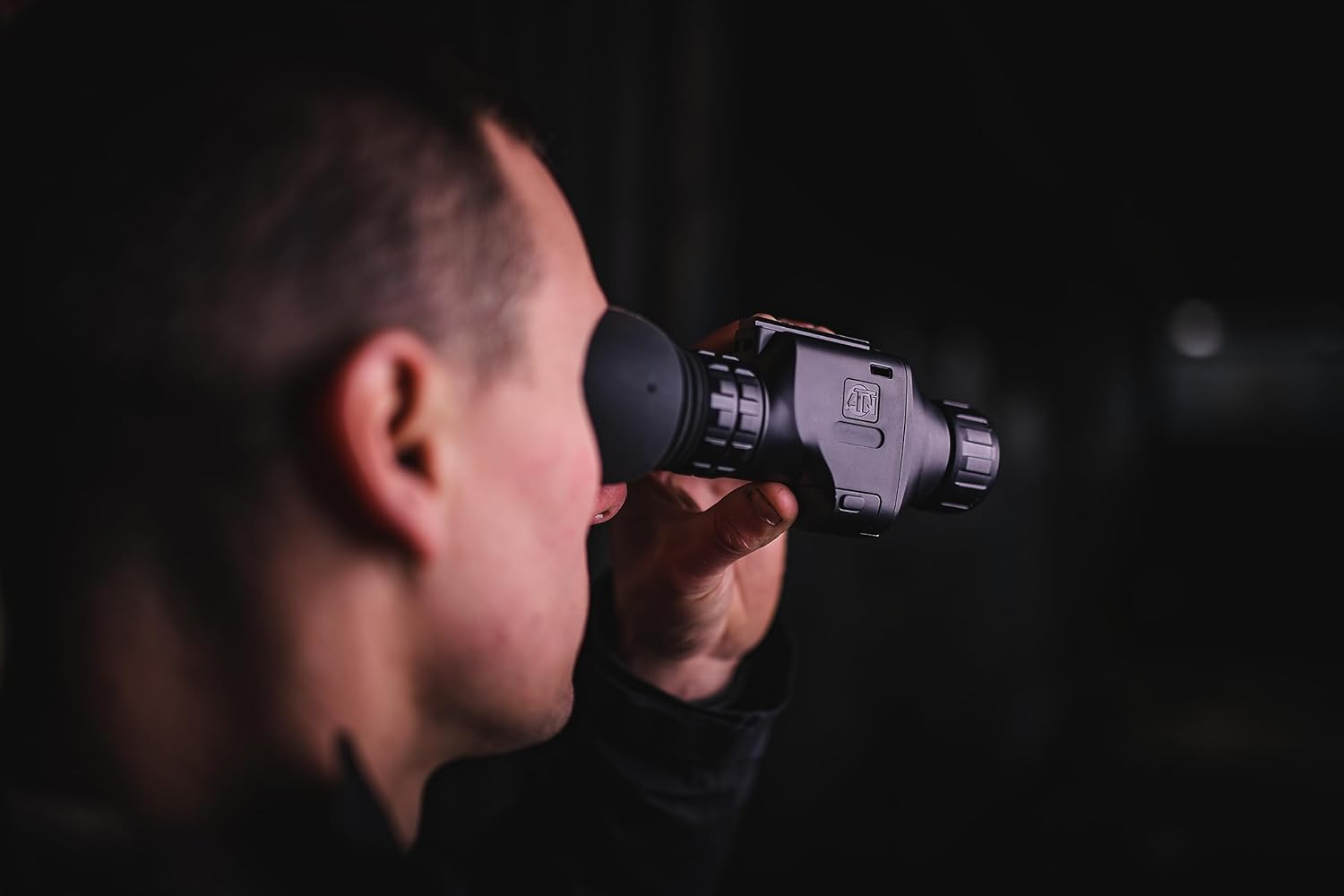
Figura 4.2: Primer pla view of the monocular being used for observation.
5. Instruccions de funcionament
5.1 Encès/Apagat
- Encès: Press and hold the Power button (typically marked with a power symbol) for approximately 2-3 seconds until the display illuminates.
- Apagar: Press and hold the Power button again for approximately 3-5 seconds until the display turns off.
5.2 Ajust del focus
The Odin LT features manual focus. Rotate the focus ring on the objective lens until the image appears sharp and clear in the eyepiece.
5.3 Funció de zoom
Utilize the step zoom feature to adjust the magnification. Refer to the device's on-screen display or specific buttons for zoom control. The monocular offers a 1-4x magnification range.
5.4 Display Modes (White Hot/Black Hot)
The Odin LT provides different thermal display modes to suit various observation conditions:
- Blanc calent: Hot objects appear white, and colder objects appear black.
- Negre calent: Hot objects appear black, and colder objects appear white.
Cycle through these modes using the designated button (refer to your device's button layout for specifics).
6. Manteniment
6.1 Neteja
- Lents: Use a soft, lint-free cloth specifically designed for optics. Gently wipe the lens surfaces. For stubborn smudges, use a small amount of lens cleaning solution.
- Cos: Netegeu el cos del monocular amb un drap suauamp tela. Eviteu productes químics agressius o materials abrasius.
6.2 Emmagatzematge
When not in use, store the monocular in a cool, dry place, away from direct sunlight and extreme temperatures. If storing for extended periods, remove the batteries to prevent leakage.
7. Solució De Problemes
If you encounter issues with your ATN Odin LT, refer to the following common problems and solutions:
| Problema | Causa possible | Solució |
|---|---|---|
| El dispositiu no s'encén | Bateries gastades o mal instal·lades | Replace batteries or ensure correct polarity. Charge rechargeable battery if applicable. |
| La imatge és borrosa | Ajust de l'enfocament incorrecte | Adjust the manual focus ring on the objective lens. |
| No hi ha cap imatge en pantalla | Device not powered on; display settings | Ensure device is powered on. Check brightness settings. |
| Durada de la bateria curta | Old batteries; continuous use | Replace with fresh batteries. Reduce continuous use or use power-saving features if available. |
If the problem persists after attempting these solutions, please contact ATN customer support for further assistance.
8. Especificacions
Technical specifications for the ATN Odin LT 640x480 1-4x 19mm Thermal Monocular:
| Característica | Especificació |
|---|---|
| Nom del model | ATN ODIN LT 640 1-4x |
| Número de model de l'article | TIMNODN619X |
| Resolució | 640 x 480 |
| Ampliació | 1-4x |
| Diàmetre de la lent objectiu | 19 mil·límetres |
| Camp de View | 23.2 graus |
| Tipus d'enfocament | Enfocament manual |
| Resolució de visualització | 1280 x 960 |
| Font d'alimentació | Funciona amb bateria |
| Dimensions del producte | 5.16 x 2.8 x 1.81 polzades (5.16" de profunditat x 2.8" d'amplada x 1.81" d'alçada) |
| Pes de l'article | 1 lliures |
| Dispositius compatibles | Helmet or Head Mount |
| Fabricant | ATN Corporation |
9. Garantia i Suport
For information regarding warranty coverage, technical support, or service, please refer to the official ATN website or contact ATN customer service directly. Keep your proof of purchase for warranty claims.
Podeu trobar més informació i dades de contacte a ATN Official Store.


