1. Informació important de seguretat
Si us plau, llegiu atentament totes les instruccions abans d'utilitzar aquest producte. Conserveu aquest manual per a referència futura.
- No exposeu la barra de so a la pluja, la humitat ni a temperatures extremes.
- Assegureu-vos que hi hagi una ventilació adequada al voltant de la unitat. No bloquegeu cap obertura de ventilació.
- Use only the power adapter supplied with this device.
- Do not attempt to disassemble or modify the soundbar. Refer all servicing to qualified personnel.
- Mantingueu la barra de so allunyada de camps magnètics forts.
2. Contingut del paquet
Verifiqueu que tots els elements siguin presents al paquet:
- Supersonic SC-1420SB Soundbar
- Control remot
- Adaptador d'alimentació
- Manual d'usuari
3. Producte acabatview
The Supersonic SC-1420SB is a 30-inch 2.0 channel soundbar designed to enhance your audio experience. It features Bluetooth 5.0 connectivity, HDMI ARC, Optical input, and dual 3.5mm Aux inputs for versatile connection options. Five pre-set EQ modes allow for customized sound profiles.
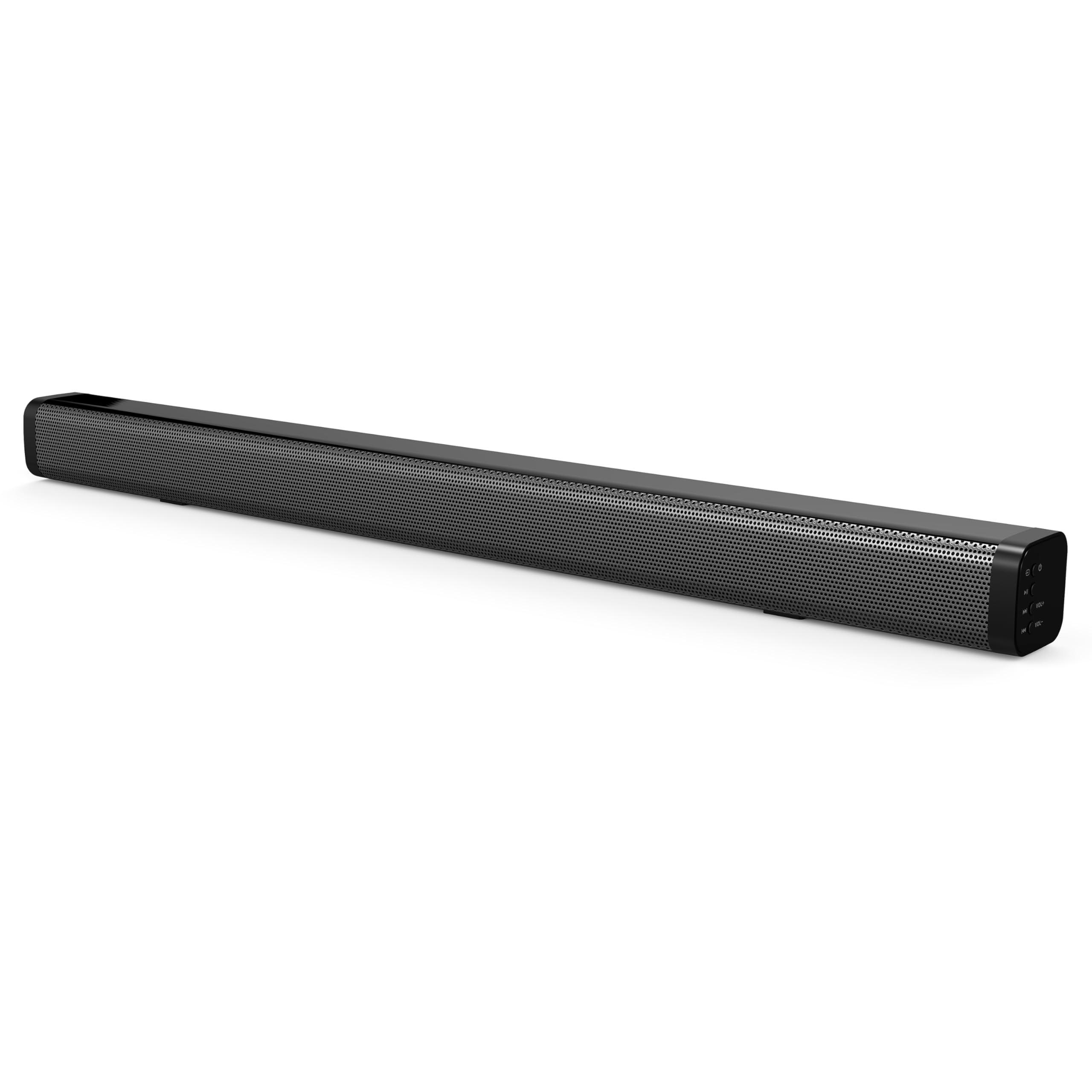
The soundbar's low-profile design (2.5" height) allows it to fit comfortably in front of most televisions without obstructing the screen.
4. Configuració
4.1 Col·locació
Place the soundbar on a flat, stable surface directly in front of your television. Ensure there is adequate space for cable connections at the rear of the unit.

4.2 Connexió a l'alimentació
- Connect the power adapter to the DC IN port on the back of the soundbar.
- Connecteu l'altre extrem de l'adaptador d'alimentació a una presa de corrent.
4.3 Connexions d'àudio
Choose one of the following methods to connect the soundbar to your audio source:
- ARC HDMI: Connect an HDMI cable (not included) from the HDMI ARC port on the soundbar to the HDMI ARC port on your television. This allows audio to be sent from the TV to the soundbar and enables control of the soundbar's power and volume using your TV remote (if supported by your TV).
- Entrada òptica: Connect an optical cable (not included) from the OPTICAL IN port on the soundbar to the optical audio output on your television or other audio device.
- Dual 3.5mm Aux Inputs: Use a 3.5mm audio cable (not included) to connect external devices such as smartphones, tablets, or MP3 players to either of the AUX IN ports on the soundbar.
5. Funcionament
5.1 Encès/Apagat
Premeu el botó Poder botó de la barra de so o del comandament a distància per encendre o apagar la unitat.

5.2 Selecció de la font d'entrada
Premeu el botó Entrada button on the remote control or the soundbar to cycle through the available input sources: HDMI ARC, Optical, Bluetooth, and Aux.
5.3 Vinculació Bluetooth
- Turn on the soundbar and select the Bluetooth input mode. The indicator light will flash, indicating it is in pairing mode.
- Al dispositiu compatible amb Bluetooth (per exemple, un telèfon intel·ligent), cerqueu els dispositius Bluetooth disponibles.
- Select "SC-1420SB" from the list.
- Once paired, the indicator light on the soundbar will stop flashing and remain solid.
- To unpair a device, press the DESPARAR botó del comandament a distància.
5.4 Control de volum
Utilitza el VOL+ i VOL- buttons on the remote control or the soundbar to adjust the volume. Press the Silenciar botó per silenciar temporalment l'àudio.
5.5 modes d'equalització
Premeu el botó EQ button on the remote control to cycle through the 5 pre-set equalizer modes. These modes optimize the sound profile for different content types (e.g., Music, Movie, News).
6. Manteniment
Per garantir la longevitat i el rendiment òptim de la barra de so, seguiu aquestes pautes de manteniment:
- Neteja: Feu servir un drap suau i sec per netejar la superfície de la barra de so. No utilitzeu netejadors líquids ni materials abrasius.
- Emmagatzematge: Si guardeu la barra de so durant un període prolongat, desconnecteu-la de l'alimentació i guardeu-la en un lloc fresc i sec.
- Eviteu les obstruccions: Ensure that the speaker grilles are not obstructed by dust or debris.
7. Solució De Problemes
If you encounter issues with your soundbar, refer to the following troubleshooting steps:
| Problema | Causa possible | Solució |
|---|---|---|
| Sense poder | Power cable not connected; outlet not active | Ensure power cable is securely connected; test outlet with another device. |
| Sense so | Incorrect input selected; volume too low; cables loose | Select correct input source; increase volume; check all audio cable connections. |
| Bluetooth no emparellat | Soundbar not in pairing mode; device too far; previously paired device connected | Ensure soundbar is in Bluetooth mode and flashing; move device closer (within 10m); unpair from other devices. |
| El comandament a distància no funciona | Batteries low/dead; obstruction; too far from soundbar | Replace batteries; remove obstructions; ensure remote is pointed at the soundbar within effective range. |
8. Especificacions
| Nom del model | SC-1420SB |
| Tipus d'altaveu | Barra de so |
| Configuració del canal de so envoltant | 2.0 |
| Tecnologia de connectivitat | Bluetooth, HDMI ARC, Optical, Dual Aux (3.5mm) |
| Versió Bluetooth | 5.0 |
| Interval Bluetooth | Fins a 10 metres (33 peus) |
| Mida de l'altaveu | 30 polzades |
| Dimensions del producte (P x A x A) | 2.6" x 2.36" x 35.42" |
| Pes de l'article | 6.04 lliures |
| Font d'alimentació | Elèctric amb cable |
| Material | Plàstic |
| Mètode de control | Tàctil, control remot |
9. Garantia i Suport
This Supersonic product comes with a limited warranty. For specific warranty terms and conditions, please refer to the warranty card included in your package or contact Supersonic customer support.
Per a assistència tècnica o consultes de servei al client, visiteu el lloc web oficial de Supersonic. weblloc web o contacteu directament amb el seu equip d'assistència.


