Introducció
Thank you for choosing the Hoco ES50 Rima Air Conduction Sports Bluetooth Headset. This manual provides detailed instructions on how to set up, operate, and maintain your new headset. Please read this manual thoroughly before using the product to ensure proper functionality and longevity.
The Hoco ES50 features Bluetooth V5.0 connectivity, an ear-hook design for comfortable wear, and air conduction sound technology, allowing you to enjoy audio while remaining aware of your surroundings. It offers up to 6 hours of use time and up to 120 hours of standby time, making it ideal for sports and daily activities.
Producte acabatview
Familiarize yourself with the components and design of your Hoco ES50 headset.
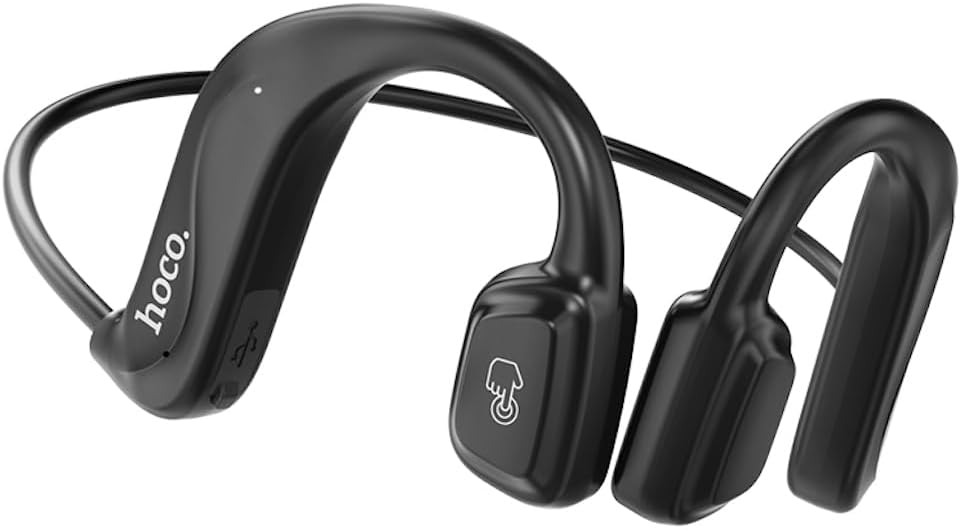
Figura 1: Davant view of the Hoco ES50 headset, showcasing the ear-hook design and main control area with the 'hoco.' logo and a touch-sensitive button icon.
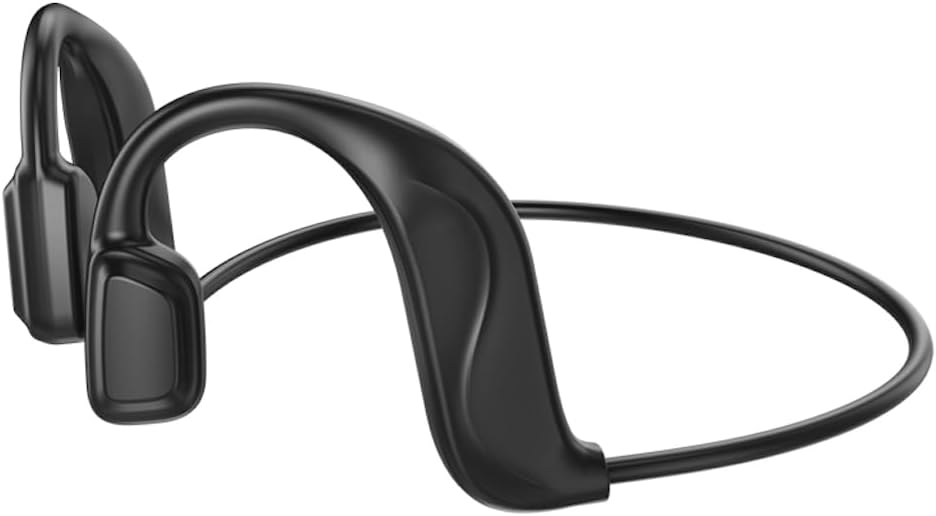
Figura 2: posterior view of the Hoco ES50 headset, highlighting the flexible neckband connecting the two ear units.
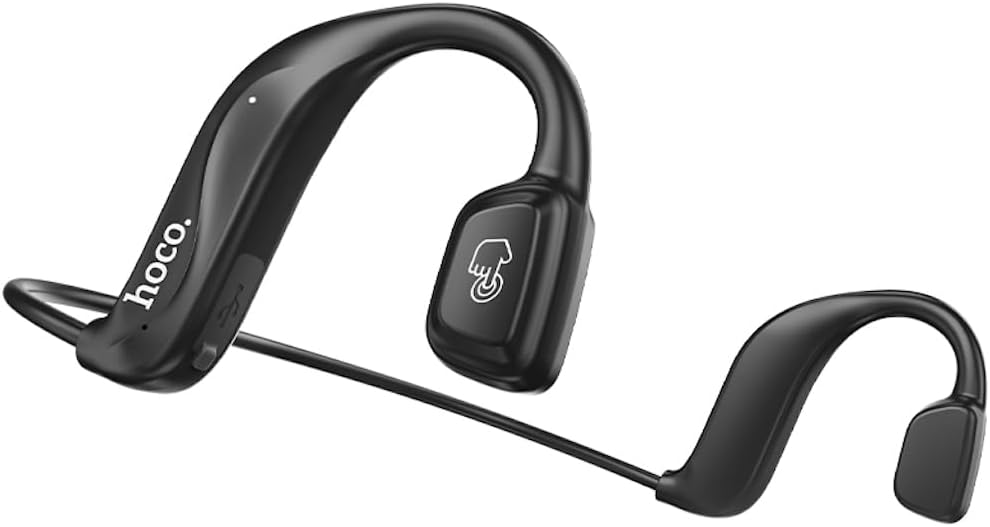
Figura 3: En angle view of the Hoco ES50 headset, showing the ergonomic shape designed to fit comfortably around the ear.

Figura 4: Primer pla view of the main ear unit, detailing the 'hoco.' branding, charging port, and indicator light.

Figura 5: The Hoco ES50 headset being worn by a person, demonstrating its discreet and secure fit during use.

Figura 6: Retail packaging of the Hoco ES50 headset, showing product features and branding.
Configuració
1. Càrrega dels auriculars
Before first use, fully charge the headset. The battery capacity is 140mAh, and a full charge takes approximately 2 hours.
- Connect the charging cable (included) to the charging port on the headset.
- Connecteu l'altre extrem del cable a una font d'alimentació USB (per exemple, un port USB de l'ordinador, un adaptador de paret).
- The indicator light will show charging status (refer to product specific light behavior, usually red for charging, blue/off for full).
- Un cop estigui completament carregat, desconnecteu el cable de càrrega.
2. Emparellament Bluetooth
Pair your Hoco ES50 headset with your Bluetooth-enabled device (smartphone, tablet, etc.).
- Assegureu-vos que els auriculars estan apagats.
- Press and hold the multi-function button on the headset until the indicator light flashes red and blue alternately, indicating pairing mode.
- Al dispositiu, vés a la configuració de Bluetooth i activa el Bluetooth.
- Cerca available devices. You should see "Hoco ES50" or a similar name appear in the list.
- Select "Hoco ES50" to connect. Once connected, the indicator light on the headset will typically stop flashing and remain solid blue or turn off.
- Si se us demana una contrasenya, introduïu "0000" (quatre zeros).
Nota: The headset will automatically attempt to reconnect to the last paired device when powered on, if the device's Bluetooth is active and within range.
Instruccions de funcionament
Encès/Apagat
- Encès: Press and hold the multi-function button for approximately 3 seconds until you hear a power-on prompt and the indicator light flashes.
- Apagar: Press and hold the multi-function button for approximately 5 seconds until you hear a power-off prompt and the indicator light turns off.
Reproducció de música
- Reproduir/pausa: Premeu el botó multifunció una vegada.
- Pista següent: Feu doble clic al botó multifunció.
- Pista anterior: Feu tres clics al botó multifunció.
Gestió de trucades
- Respondre/Finalitzar la trucada: Premeu el botó multifunció una vegada durant una trucada entrant o una trucada activa.
- Rebutja la trucada: Press and hold the multi-function button for approximately 2 seconds during an incoming call.
- Torna a marcar l'últim número: Double-click the multi-function button when not on a call.
Assistent de veu
To activate your device's voice assistant (Siri, Google Assistant, etc.):
- Press and hold the multi-function button for approximately 1 second (or as per specific model instruction) until you hear a prompt.
Nota: When not connected to a device, double-clicking the multi-function button will produce a beep sound, indicating a voice prompt switch function.
Manteniment
Proper care and maintenance will extend the lifespan of your Hoco ES50 headset.
Neteja
- Netegeu els auriculars amb un drap suau, sec i sense borrissol.
- No utilitzeu netejadors abrasius, dissolvents ni aerosols.
- Eviteu que entri humitat a cap obertura.
Emmagatzematge
- Guardeu els auriculars en un lloc fresc i sec, allunyat de la llum solar directa i de temperatures extremes.
- When not in use for extended periods, charge the headset periodically (e.g., once every three months) to maintain battery health.
Resolució de problemes
If you encounter issues with your Hoco ES50 headset, refer to the following common problems and solutions:
| Problema | Causa possible | Solució |
|---|---|---|
| Els auriculars no s'encén. | Bateria baixa. | Carregueu completament els auriculars. |
| No es pot emparellar amb el dispositiu. | Auriculars no en mode d'emparellament; Bluetooth desactivat al dispositiu; dispositiu massa lluny. | Ensure headset is in pairing mode (flashing red/blue). Turn on Bluetooth on your device. Move device closer to headset. Forget previous pairings on device and try again. |
| Sense so o amb un volum baix. | Volume too low on headset or device; headset not connected; audio source issue. | Increase volume on both headset and connected device. Ensure headset is properly connected. Try playing audio from a different source. |
| Intermittent connection or static. | Interferència; dispositiu massa lluny; bateria baixa. | Move closer to your device. Avoid strong electromagnetic interference. Charge the headset. |
| Voice prompt switch beep when not connected. | This is a feature, not a problem. | This indicates the voice prompt switch function is active when the headset is not connected to a device. |
Si el problema persisteix, poseu-vos en contacte amb l'atenció al client.
Especificacions
| Nom del model | ES50 |
| Marca | HOCO |
| Tecnologia de connectivitat | Sense fil (Bluetooth) |
| Tecnologia de comunicació sense fils | Bluetooth 5.0 (Chip: BK 3266) |
| Capacitat de la bateria | 140 mAh |
| Temps de càrrega | Aproximadament 2 hores |
| Temps de conversa/música | Fins a 6 hores |
| Temps d'espera | Fins a 120 hores |
| Col·locació de les orelles dels auriculars | In Ear (Air Conduction, Ear-hook design) |
| Factor de forma dels auriculars | A l'orella |
| Control de soroll | Cap |
| Conector d'auriculars | Sense Jack |
| Color | Negre |
| Components inclosos | Coixinets per a les orelles |
| Fabricant | HOCO |
| País d'origen | Xina |
| Número de model de l'article | ES50 Black |
| ASIN | B0C5KQDBQ8 |
| Dimensions del paquet | 18.4 x 14.1 x 4.4 cm; 21 g |
Garantia i Suport
HOCO products are manufactured to the highest quality standards. For information regarding warranty coverage, please refer to the warranty card included with your product or visit the official HOCO weblloc.
For technical support, troubleshooting assistance, or service inquiries, please contact HOCO customer support through their official channels. Keep your purchase receipt and product model number (ES50) handy when contacting support.
Recursos en línia: For the latest information, FAQs, and support, please visit the official HOCO weblloc.


