1. Introducció
This manual provides comprehensive instructions for the D-Link DMS-105 5-Port 2.5GB Unmanaged Multi-Gigabit Switch. The DMS-105 is designed to enhance network performance by providing high-speed connectivity for various devices. It features five 2.5 Gigabit Ethernet ports, enabling fast data transfers and maximizing network bandwidth, with a total switching capacity of up to 25Gbps.
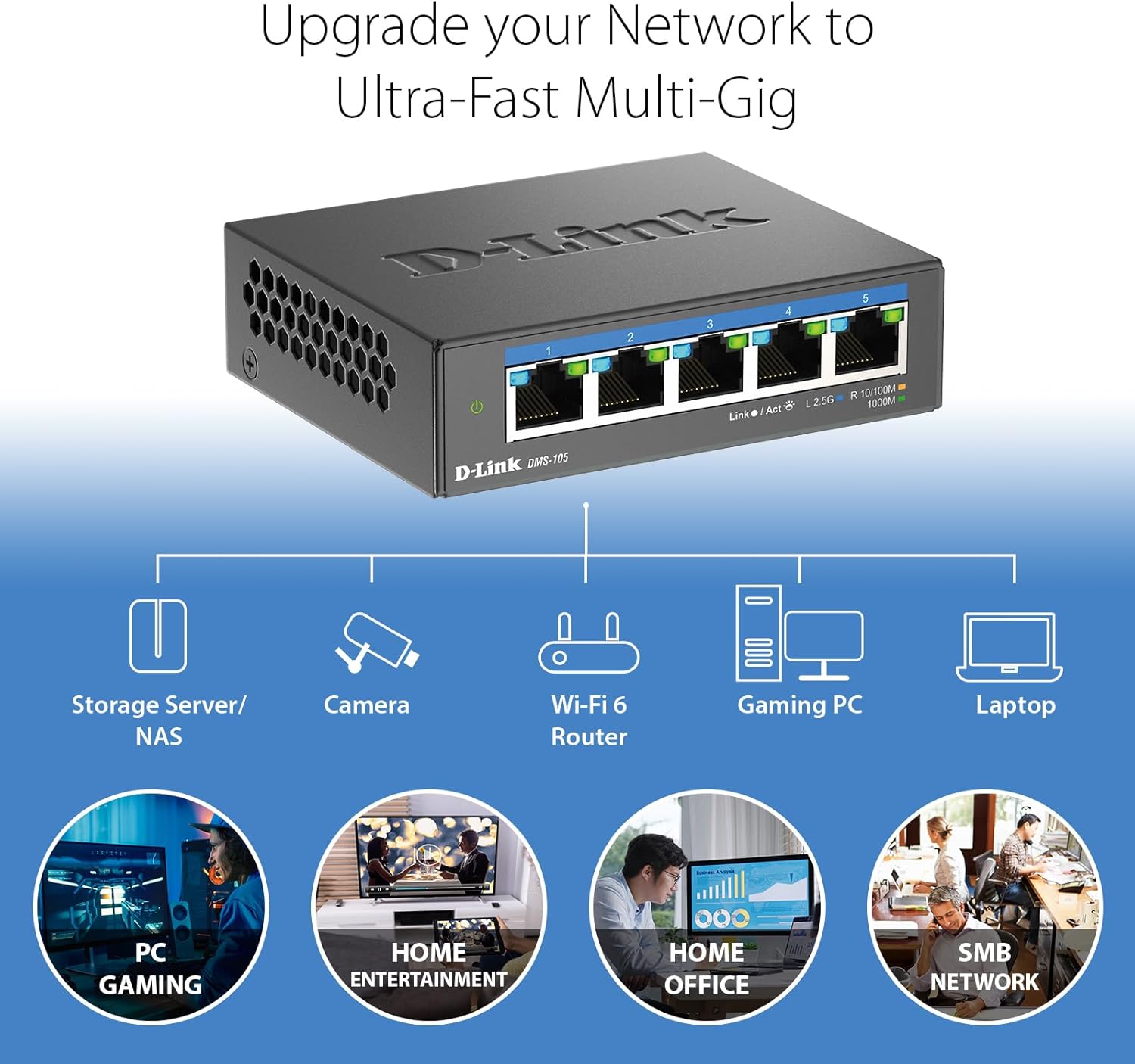
The switch is ideal for integrating high-performance devices such as Wi-Fi 6 Access Points with 2.5G WAN ports, 2.5G Network Attached Storage (NAS), 2.5G PCIe Adapters, 2.5G Servers, and gaming computers. Its unmanaged nature ensures plug-and-play functionality without requiring complex software installation or configuration.
Key features include support for IEEE 802.3az Energy-Efficient Ethernet (EEE) for reduced power consumption, 802.1p Quality of Service (QoS) for traffic prioritization, Flow Control to minimize dropped packets, and IGMP Snooping to optimize multicast data streams.
2. Contingut del paquet
Comproveu que el vostre paquet contingui els elements següents:
- D-Link DMS-105 5-Port 2.5GB Unmanaged Multi-Gigabit Switch
- Adaptador d'alimentació
- Guia d'instal·lació ràpida (QIG)
If any items are missing or damaged, please contact your local D-Link reseller for assistance.
3. Descripció física
3.1 Tauler frontal
The front panel of the DMS-105 features five 2.5 Gigabit Ethernet ports and LED indicators for each port, as well as a power indicator.

Descripció de la imatge: Un primer pla view of the D-Link DMS-105 switch's front panel. It displays five RJ45 Ethernet ports labeled 1 through 5, each with corresponding Link/Act and speed indicator LEDs. The D-Link logo and model number DMS-105 are visible below the ports. A power indicator LED is on the far left.
3.2 Panell posterior
El panell posterior inclou l'entrada d'alimentació i un cargol de connexió a terra.
Descripció de la imatge: Un detallat view of the D-Link DMS-105 switch's rear panel. It shows a grounding screw labeled 'SWITCH GND' and a 12V DC power input port labeled '12V === 1A'.
3.3 Indicadors LED
The LEDs provide visual status of the switch and its connections:
- LED d'alimentació (verd): Indica que l'interruptor està encès.
- Link/Act LED (Green/Blue):
- Verd sòlid: A device is connected at 100Mbps or 1Gbps speed.
- Verd intermitent: Data is being transmitted or received at 100Mbps or 1Gbps speed.
- Blau sòlid: A device is connected at 2.5Gbps speed.
- Blau intermitent: Data is being transmitted or received at 2.5Gbps speed.
4. Configuració
The D-Link DMS-105 is a plug-and-play device, requiring no software installation or complex configuration. Follow these steps for basic setup:
- Desempaqueta el Switch: Traieu amb cura l'interruptor i tots els accessoris de l'embalatge.
- Connecteu l'adaptador de corrent: Plug the provided power adapter into the DC 12V port on the rear panel of the switch, then plug the other end into a standard electrical outlet. The Power LED on the front panel should illuminate green.
- Connectar dispositius de xarxa: Connect your network devices (e.g., computers, NAS, Wi-Fi 6 APs) to the Ethernet ports (1-5) on the front panel of the switch using standard Ethernet cables (Cat5e or higher is recommended for optimal performance).
- Verifica les connexions: Once a device is connected, the corresponding Link/Act LED for that port should light up. The color of the LED indicates the connection speed (Green for 100Mbps/1Gbps, Blue for 2.5Gbps).

Descripció de la imatge: A collection of colorful Ethernet cables, emphasizing that the D-Link DMS-105 switch is compatible with existing Cat5e and Cat6 cabling, allowing users to leverage faster transfer rates without needing new cables.
5. Funcionament
The DMS-105 is an unmanaged switch, meaning it operates automatically without requiring user configuration. It intelligently handles network traffic to ensure optimal performance.
- Negociació automàtica: Each port on the switch automatically detects the link speed (100Mbps, 1Gbps, or 2.5Gbps) of the connected device and adjusts accordingly for compatibility and optimal performance.
- Qualitat de servei (QoS): The switch supports 802.1p QoS, which allows network traffic to be classified into different priority levels. This ensures that time-sensitive data, such as video streaming or online gaming, receives preferential treatment to reduce latency and improve user experience.
- Control de flux: IEEE 802.3x Flow Control helps prevent data loss during periods of high network congestion by temporarily pausing data transmission from sending devices, minimizing dropped packets and ensuring reliable connections.
- Snooping IGMP: This feature optimizes multicast data streams, such as those used for IPTV or video conferencing. By intelligently forwarding multicast traffic only to the ports where it is needed, IGMP Snooping conserves network bandwidth and improves efficiency.
6. Manteniment
The D-Link DMS-105 is designed for reliable, long-term operation with minimal maintenance. Its durable metal housing and fanless design contribute to its longevity and performance.
- Neteja: To clean the switch, disconnect the power adapter and use a soft, dry cloth. Avoid using liquid or aerosol cleaners, as they may damage the device.
- Consideracions ambientals: Ensure the switch is placed in a well-ventilated area, away from direct sunlight, heat sources, and excessive moisture. The operating temperature range is 0°C to 40°C (32°F to 104°F).
- Disseny sense ventilador: The fanless design ensures silent operation, making it suitable for home and office environments. It also reduces dust accumulation inside the device, contributing to its durability.
7. Solució De Problemes
If you encounter issues with your D-Link DMS-105 switch, refer to the following troubleshooting tips:
- Sense energia:
- Assegureu-vos que l'adaptador de corrent estigui connectat correctament a l'interruptor i a una presa de corrent que funcioni.
- Verifiqueu que la presa de corrent funciona connectant-hi un altre dispositiu.
- Check if the Power LED on the front panel is illuminated.
- No hi ha llum d'enllaç per a un dispositiu connectat:
- Confirm that the Ethernet cable is securely plugged into both the switch port and the network device.
- Prova d'utilitzar un cable Ethernet diferent per descartar un cable defectuós.
- Assegureu-vos que el dispositiu connectat estigui encès i que el seu adaptador de xarxa funcioni correctament.
- Check the status of the network adapter on the connected device.
- Velocitat de xarxa lenta:
- Ensure that both the switch and the connected devices support 2.5Gbps speeds for optimal performance.
- Use Cat5e or Cat6 Ethernet cables for connections, especially for 2.5Gbps speeds. Older Cat5 cables may limit performance.
- Check the Link/Act LED color for the port; a green light indicates 100Mbps or 1Gbps, while a blue light indicates 2.5Gbps.
- Verify that your Internet Service Provider (ISP) plan and modem/router support the desired speeds if the issue is related to internet access.
8. Especificacions
| Característica | Especificació |
|---|---|
| Número de model | DMS-105 |
| Nombre de Ports | 5 |
| Tipus d'interfície | RJ45 |
| Velocitat de transferència de dades | 25 gigabits per segon (capacitat total de commutació) |
| Port Speeds | 100Mbps, 1Gbps, 2.5Gbps (Auto-negotiation) |
| Normes | IEEE 802.3az Energy-Efficient Ethernet (EEE), 802.1p Quality of Service (QoS), Flow Control, IGMP Snooping |
| Dimensions del producte (L x A x A) | 3.85" x 3.54" x 1.1" (9.78 cm x 8.99 cm x 2.79 cm) |
| Pes de l'article | 8.5 unces (241 grams) |
| Voltage | 12 volts (CC) |
| Material de la caixa | Metall |
| Temperatura de funcionament | De 0 °C a 40 °C (32 °F a 104 °F) |
| Color | Negre |
9. Garantia i Suport
The D-Link DMS-105 5-Port 2.5GB Unmanaged Multi-Gigabit Switch comes with a Limited Lifetime Warranty, reflecting D-Link's commitment to quality and reliability.

Descripció de la imatge: A graphic featuring a hand giving a thumbs-up, accompanied by the text 'Limited Lifetime Warranty', indicating the product's warranty coverage.
For technical support, product registration, and further information, please visit the official D-Link website or contact D-Link customer service. Refer to the Quick Installation Guide (QIG) included in your package for specific regional support contact details.


