1. Introducció
Thank you for choosing the LEOTEC LT-1811 Portable AM FM Bluetooth Radio. This manual provides essential information for the safe and efficient operation of your new radio. Please read it thoroughly before use and retain it for future reference. This radio offers versatile listening options, including AM/FM radio, Bluetooth connectivity, and a headphone jack, powered by either AC or batteries for both indoor and outdoor use.
2. Informació de seguretat
- No exposeu la ràdio a la pluja, la humitat ni a temperatures extremes.
- Eviteu col·locar la ràdio a prop de fonts de calor com ara radiadors, registres de calor, estufes o altres aparells (inclosos amplificadors) que produeixen calor.
- Use only the power supply specified in this manual or on the product.
- When using batteries, ensure correct polarity (+/-) to prevent damage.
- Traieu les piles si no heu d'utilitzar la ràdio durant un període prolongat per evitar fuites.
- Do not disassemble or modify the radio. Refer all servicing to qualified service personnel.
- Netegeu només amb un drap sec.
3. Contingut del paquet
Si us plau, comproveu el paquet per veure si hi ha els elements següents:
- LEOTEC LT-1811 Portable AM FM Bluetooth Radio
- Cable d'alimentació de CA.
- Manual del propietari (aquest document)
4. Producte acabatview
Familiarize yourself with the various parts and controls of your LEOTEC LT-1811 radio.

Figura 4.1: Frontal view of the LEOTEC LT-1811 radio.
This image displays the main unit of the LEOTEC LT-1811 radio, featuring its dual speaker grilles, tuning dial, and an extended telescopic antenna. The model number LT-1811 is visible on the tuning dial.

Figure 4.2: Key controls of the LEOTEC LT-1811 radio.
This image highlights the primary controls: the Volume Control knob, the Tuning Control knob for station selection, and the Function Button for switching between modes like Bluetooth, FM, and AM.
Descripcions de control:
- Control de volum: Rotary knob to adjust the audio output level.
- Control d'afinació: Rotary knob to select AM or FM radio frequencies.
- Botó de funció: Slide switch to select between AM, FM, and Bluetooth modes.
- Antena retràctil: Antena extensible per a una millor recepció FM.
- Presa d'auriculars (3.5 mm): For private listening with headphones.
- Entrada d'alimentació de CA: Port for connecting the AC power cable.
- Compartiment de la bateria: Located on the back, for D-cell batteries.
5. Configuració
5.1 Font d'alimentació
Your LEOTEC radio can be powered by two methods: AC power or batteries.
Funcionament amb alimentació de CA:
- Assegureu-vos que la ràdio estigui apagada.
- Insert the included AC power cable into the AC input jack on the radio.
- Plug the other end of the AC power cable into a standard 120V/60Hz wall outlet.
- La ràdio ja està a punt per al seu ús amb alimentació de CA.

Figure 5.1: Radio connected to AC power.
This image shows the LEOTEC radio placed on a shelf, with its power cable plugged into a standard wall outlet, demonstrating AC power operation.
Funcionament amb bateria:
For portable use, the radio requires 3 x 'D' cell batteries (not included).
- Localitzeu el compartiment de la bateria a la part posterior de la ràdio.
- Obriu la tapa del compartiment de la bateria.
- Insert 3 'D' cell batteries, ensuring the correct polarity (+/-) as indicated inside the compartment.
- Tanqueu bé la tapa del compartiment de la bateria.
- The radio is now ready for use with battery power.

Figure 5.2: Battery installation for portable use.
This image illustrates the internal battery compartment of the radio, showing three D-cell batteries correctly inserted, ready for portable operation.
6. Instruccions de funcionament
6.1 Engegada/Apagada i control de volum
- Per encendre la ràdio ON, gireu la Control de volum knob clockwise until you hear a click and the radio powers on.
- To adjust the volume, continue rotating the Control de volum knob clockwise to increase volume, or counter-clockwise to decrease volume.
- Per encendre la ràdio OFF, gireu la Control de volum knob counter-clockwise until you hear a click.
6.2 Funcionament de la ràdio AM/FM
The radio supports AM (520-1710 kHz) and FM (87-108 MHz) frequencies.
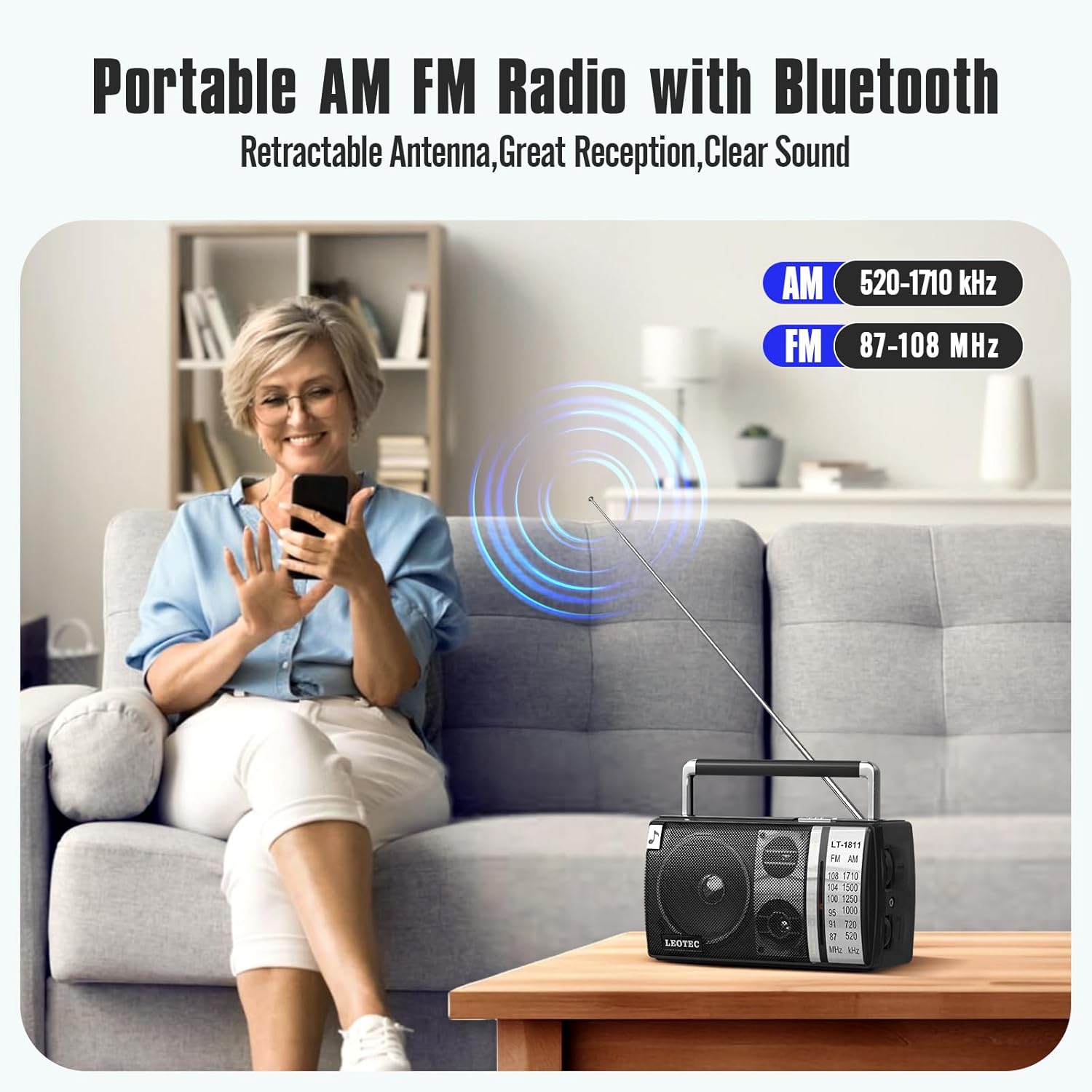
Figure 6.1: AM and FM frequency ranges.
This image illustrates the radio's capability to receive both AM (520-1710 kHz) and FM (87-108 MHz) radio bands, highlighting its versatility for different broadcast types.
- Feu lliscar el Botó de funció to select either 'AM' or 'FM' mode.
- Per a la recepció d'FM, allargueu Antena retràctil fully for optimal signal. For AM reception, the internal antenna is generally sufficient, but you may need to rotate the radio for best signal.
- Gira el Control d’afinació knob to scan for radio stations. The tuning dial will indicate the selected frequency.
- Ajusteu el Control de volum to your desired listening level.
6.3 Funció Bluetooth
Connect your smartphone or other Bluetooth-enabled device to the radio for wireless audio playback.

Figure 6.2: Bluetooth connection in progress.
This image depicts a user's hand holding a smartphone, with a Bluetooth icon indicating a wireless connection to the LEOTEC radio, which is placed on a table outdoors.
- Feu lliscar el Botó de funció to 'BT' (Bluetooth) mode. The radio will enter pairing mode, indicated by an audible prompt or flashing indicator (if available).
- Al dispositiu Bluetooth, activeu el Bluetooth i cerqueu els dispositius disponibles.
- Select 'LEOTEC LT-1811' (or similar name) from the list of devices.
- Once paired, you will hear a confirmation sound, and you can now play audio from your device through the radio.
6.4 Ús d'auriculars
For private listening, use the 3.5mm headphone jack.

Figure 6.3: Headphone jack detail.
Aquesta imatge ofereix un primer pla view of the 3.5mm earphone jack on the side of the LEOTEC radio, indicating its location for connecting headphones.
- Plug any standard 3.5mm stereo headphones into the headphone jack on the side of the radio.
- The radio's internal speakers will automatically mute when headphones are connected.
- Ajusteu el Control de volum a un nivell d'escolta còmode.
7. Manteniment
7.1 Neteja
- Always disconnect the power cable and remove batteries before cleaning.
- Netegeu l'exterior de la ràdio amb un drap suau i sec.
- No utilitzeu netejadors abrasius, ceres o dissolvents, ja que poden danyar l'acabat.
7.2 Emmagatzematge
- If storing the radio for an extended period, remove the 'D' cell batteries to prevent leakage and corrosion.
- Store the radio in a cool, dry place, away from direct sunlight and extreme temperatures.
8. Solució De Problemes
Si teniu problemes amb la ràdio, consulteu els següents problemes i solucions habituals:
| Problema | Causa possible | Solució |
|---|---|---|
| La ràdio no s'encén. | No power supply; Batteries drained or incorrectly inserted; AC cable not connected. | Check AC power connection; Replace batteries or ensure correct polarity; Ensure Volume knob is turned ON. |
| Poor radio reception (AM/FM). | Antenna not extended (FM); Radio position; Weak signal area. | Extend FM antenna fully; Rotate the radio for better AM reception; Try moving the radio to a different location. |
| El Bluetooth no es connecta. | Radio not in BT mode; Device too far; Device not in pairing mode. | Ensure Function Button is set to 'BT'; Move device closer to the radio; Ensure Bluetooth is enabled on your device and it's searching for devices. |
| No hi ha so dels altaveus. | Volume too low; Headphones connected; Mute function active (not applicable for this model). | Increase volume; Disconnect headphones if not desired; Ensure correct mode (AM/FM/BT) is selected. |
9. Especificacions
Technical specifications for the LEOTEC LT-1811 Portable AM FM Bluetooth Radio.
| Característica | Detall |
|---|---|
| Model | LT-1811 |
| Marca | LEOTEC |
| Dimensions del producte | 8.26 x 3.74 x 4.6 polzades (20.98 x 9.5 x 11.68 cm) |
| Pes de l'article | 1.9 lliures (0.86 kg) |
| Color | Negre |
| Característica especial | Portàtil |
| Tecnologia de connectivitat | Bluetooth |
| Tecnologia del sintonitzador | AM/FM |
| Estil | Clàssic |
| Font d'alimentació | AC Plug-in / 3 x 'D' Cell Batteries |
| Bandes de ràdio compatibles | AM (520-1710kHz), FM (87-108MHz) |
| Components inclosos | Owner's Manual, AC Power Cable |
10. Garantia i Suport
LEOTEC is committed to providing high-quality products and customer satisfaction. While specific warranty details are not provided in this manual, LEOTEC offers professional technical assistance and 24/7 after-sales support for its products. For any questions, concerns, or technical support needs, please contact LEOTEC customer service through the retailer's platform or the official LEOTEC weblloc.
Please retain your purchase receipt as proof of purchase for any warranty claims or support inquiries.


