Introducció
Gràcies per la compraasing the Aresrora Mini Karaoke Machine. This portable system is designed to provide high-quality audio and entertainment for both kids and adults, featuring powerful speakers, dynamic LED lights, and two wireless microphones. Please read this manual carefully to ensure proper use and maintenance of your device.
Què hi ha a la caixa
- Karaoke Speaker × 1
- Wireless Microphone × 2
- Cable de càrrega USB-C × 1
- Manual d'usuari × 1
Característiques del producte
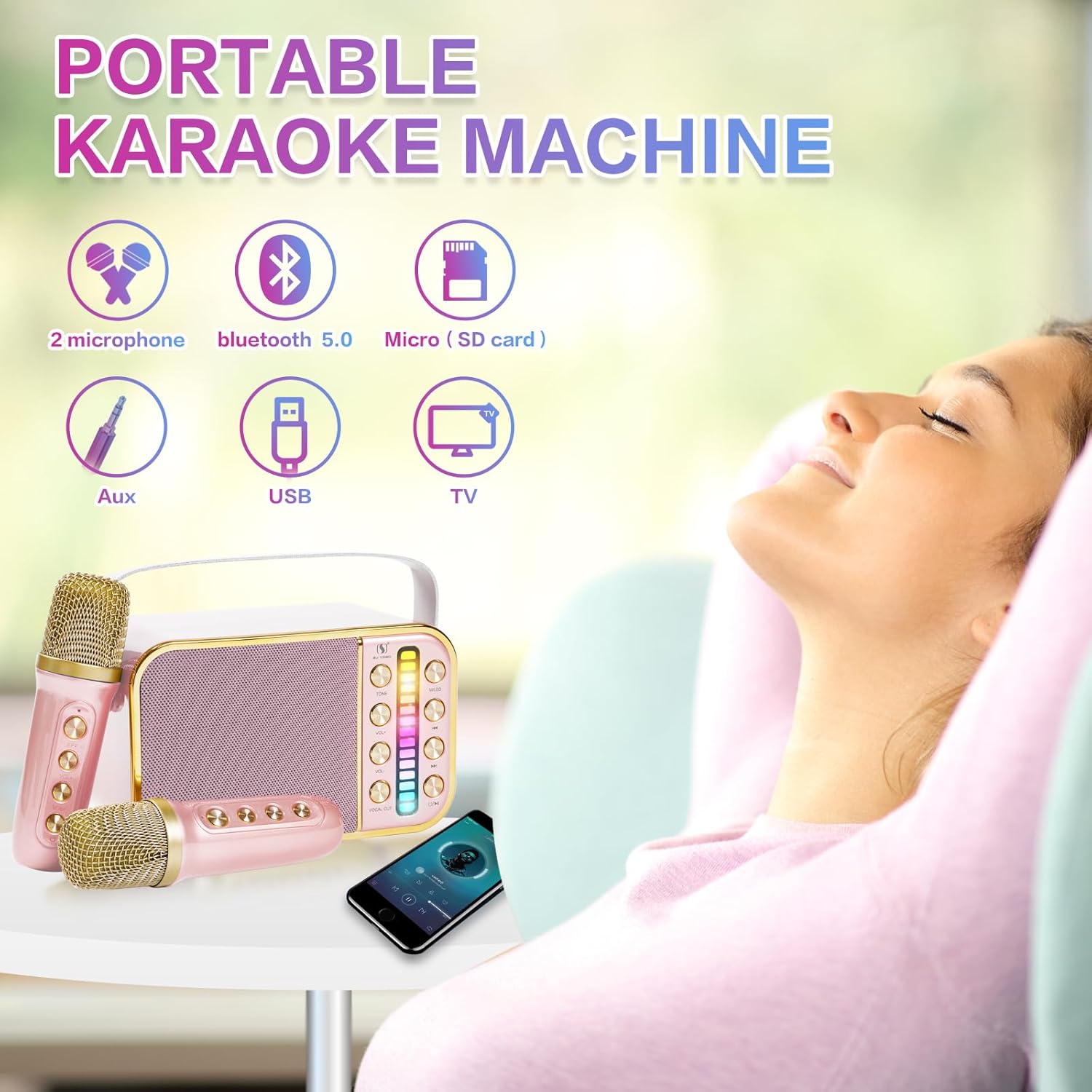
- Powerful PA System: Equipped with a smart chip and 10W stereo speakers, delivering 360-degree surround high-fidelity sound. The compact 6-inch design is lightweight and portable, featuring a convenient belt for easy transport.
- Llums LED dinàmiques: Integrated LED lights synchronize with music rhythm, creating an engaging atmosphere. Lights can be turned off by long-pressing the LED button.
- Micròfons sense fil duals: Includes two rechargeable wireless microphones, each with independent volume control, on/off settings, and 7 distinct sound effects (acoustic, male, female, baby voice, magic sound, and two mixes).
- Múltiples opcions de connectivitat: Supports Bluetooth 5.0 for stable wireless connection up to 33 feet, AUX-in, and USB input. Compatible with smartphones, tablets, laptops, and PCs.
- Disseny portàtil: Designed for easy portability, allowing you to enjoy karaoke sessions anywhere.
Configuració
- Càrrega del dispositiu: Before first use, fully charge the karaoke speaker and both microphones using the provided USB-C charging cable. The charging indicator will show status.
- Encès: Press and hold the power button on the karaoke speaker to turn it on. Do the same for each wireless microphone.
- Emparellament Bluetooth:
- Ensure Bluetooth is enabled on your smartphone, tablet, or other device.
- Cerca "YSD Speaker" or similar in your device's Bluetooth settings.
- Select the device to pair. A confirmation sound will indicate successful pairing.
- Connexió del micròfon: The wireless microphones will automatically connect to the speaker once both are powered on.
- Connexions alternatives: For AUX-in or USB connections, simply plug the respective cable into the speaker's port.

Instruccions de funcionament
Controls dels altaveus:
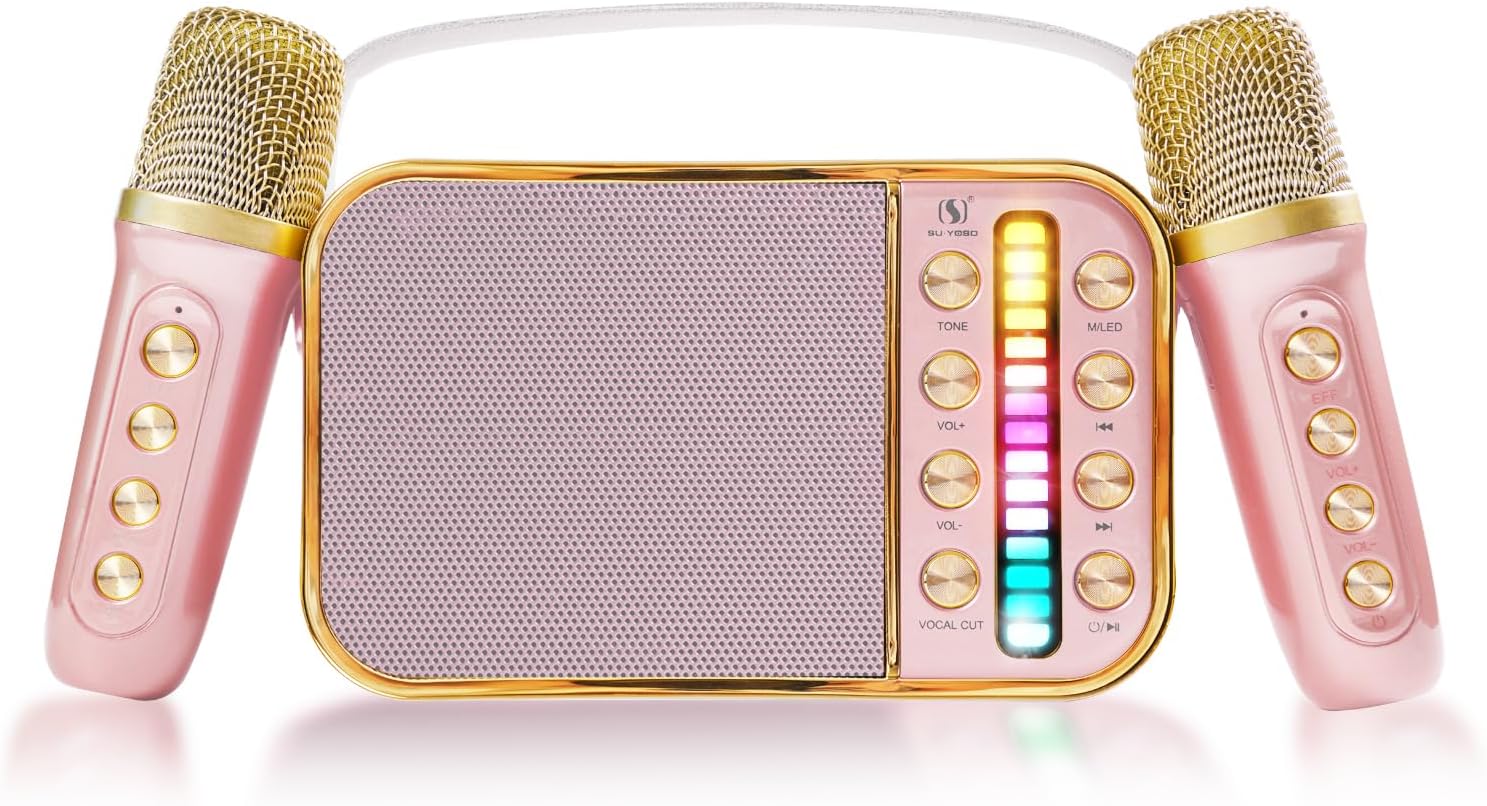
- Botó d'encesa: Manteniu premut per activar/desactivar.
- Controls de volum: Separate controls for speaker volume and microphone volume. Adjust as needed.
- Botó de llum LED: Short press to cycle through light modes. Long press to turn lights off.
- Controls de reproducció: Play/Pause, Next Track, Previous Track buttons for media playback.
Controls del micròfon:
- Botó d'encesa: Manteniu premut per activar/desactivar.
- Controls de volum: Ajusta el volum d’entrada del micròfon.
- Sound Effects (EFF Key): Press the EFF key to cycle through the 7 available sound effects: acoustic, male, female, baby voice, magic sound, and two mixes.

Manteniment
- Neteja: Use a soft, dry cloth to clean the surface of the speaker and microphones. Do not use abrasive cleaners or solvents.
- Emmagatzematge: Guardeu el dispositiu en un lloc fresc i sec, allunyat de la llum solar directa i de temperatures extremes quan no l'utilitzeu.
- Cura de la bateria: To prolong battery life, avoid fully discharging the batteries frequently. Charge the device regularly, even if not in active use.
- Manipulació: Manipuleu el dispositiu amb cura. Eviteu deixar-lo caure ni sotmetre'l a impactes forts.
Resolució de problemes
| Problema | Causa possible | Solució |
|---|---|---|
| No hi ha so de l'altaveu. | Speaker is off, volume is too low, or not paired correctly. | Ensure speaker is on and charged. Increase speaker volume. Re-pair Bluetooth device. Check AUX/USB connection. |
| El micròfon no funciona. | Microphone is off, battery low, or not connected to speaker. | Ensure microphone is on and charged. Check microphone volume. Power cycle both microphone and speaker. |
| Feedback/Screeching sound. | Micròfon massa a prop de l'altaveu. | Increase distance between the microphone and the speaker. Reduce microphone volume. |
| Connexió Bluetooth inestable. | Device too far from speaker, or interference. | Move Bluetooth device closer to the speaker. Avoid obstacles. Disconnect and reconnect Bluetooth. |
Especificacions
- Número de model: YSD Speaker
- Marca: Aresrora
- Dimensions del producte: 6.4 x 3.7 x 3.3 polzades
- Pes de l'article: 1.5 lliures
- Bateries: 3 bateries de polímer de liti (incloses)
- Connectivitat: Bluetooth 5.0, AUX-in, USB
- Sortida de l'altaveu: 10W estèreo
- Color: Pink with 2MIC
- Fabricant: Aresrora
- País d'origen: Xina
Garantia i Suport
Aresrora provides a ONE-Year-Warranty for this product. In case of any product issues, you are eligible for a replacement or refund without the need for return. For support or warranty claims, please contact Aresrora customer service through the retailer's platform or the official Aresrora weblloc.
Per obtenir més ajuda, visiteu el Aresrora Store on Amazon.


