1. Introducció
This manual provides essential information for the installation, configuration, and operation of your ZYXEL USGFLEX200H ZyWALL High Speed Cyber Security Firewall. Please read this manual thoroughly before using the device to ensure proper functionality and security.
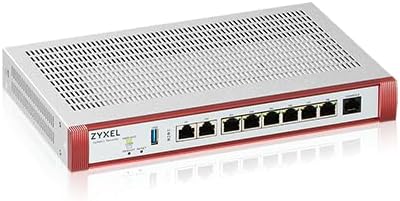
Figure 1: Zyxel USGFLEX200H ZyWALL High Speed Cyber Security Firewall
2. Què hi ha a la caixa
Verifiqueu que tots els elements siguin presents al paquet:
- ZyWALL USG FLEX 200H Network Security/Firewall Appliance
- Adaptador d'alimentació
- RJ-45 - RS-232 Cable For Console Connection
Video 1: Unboxing of the USGFLEX200H firewall, showing the device and included accessories.
3. Producte acabatview
The ZYXEL USGFLEX200H is a high-performance cyber security firewall designed for small to mid-sized offices. It features multi-gigabit ports and advanced security capabilities.
3.1 Tauler frontal
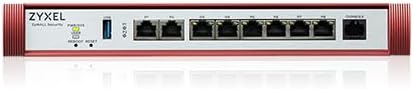
Figure 2: Front Panel of USGFLEX200H
The front panel includes indicator lights for power, system status, and individual port activity. It also features a USB port and multiple Ethernet ports.
3.2 Flexible Ports

Figure 3: Flexible Port Configuration and Performance Highlights
The USGFLEX200H offers 2x 2.5Gbps multi-gigabit ports and 6x configurable Gigabit Ethernet ports for flexible WAN/LAN deployment. This allows for optimized network connectivity and redundancy.
4. Configuració
Follow these general steps to set up your ZYXEL USGFLEX200H firewall:
- Connectar l'alimentació: Connect the provided power adapter to the device and a power outlet.
- Connecta a la WAN: Connect your internet service provider's modem or router to one of the configurable WAN ports (e.g., WAN1).
- Connecta a la LAN: Connect your local network devices (e.g., switches, computers) to the LAN ports.
- Configuració inicial: Accedir al dispositiu web interface or use the Nebula Cloud Management solution for initial setup. Refer to the Quick Start Guide for detailed first-time setup instructions.
Vídeo 2: Un overview of the Zyxel USGFLEX H Series Firewalls, demonstrating their features and connectivity options.
5. Característiques operatives
The USGFLEX200H offers a range of features for robust network security and management:
- Alt rendiment: Max Throughput: 5000 Mbps SPI Firewall, 1500 Mbps UTM (AV+IDP), 1200 Mbps VPN, 600k Sessions.
- VPN Capabilities: Supports secure VPN connections for remote access and site-to-site connectivity.
- Flexible Ports: 2x 2.5Gbps and 6x Configurable GbE ports for versatile network configurations.
Video 3: A promotional video highlighting the efficiency and ease of use of Zyxel products, emphasizing the 'Work smarter, not harder' philosophy.
6. Nebula Cloud Management
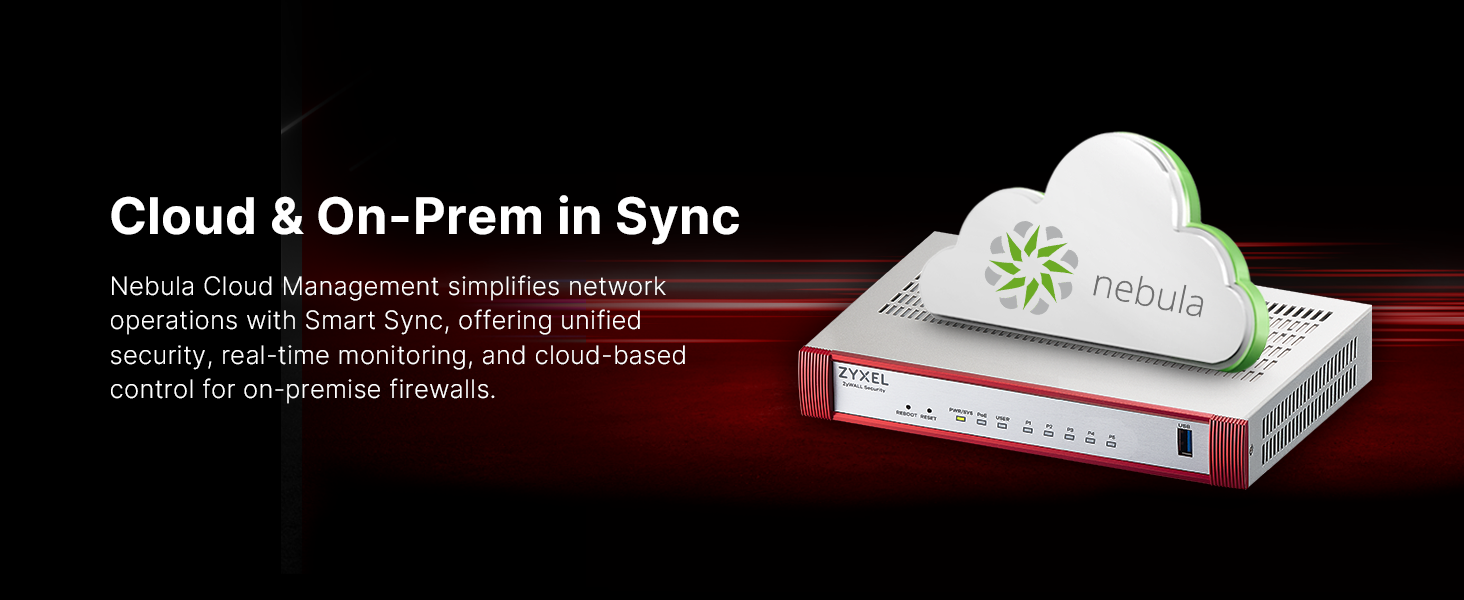
Figure 4: Nebula Cloud Management for unified security and real-time monitoring.
The ZYXEL USGFLEX200H can be managed and monitored using Zyxel's Nebula Cloud Management solution. This platform simplifies network operations, offering unified security, real-time monitoring, and cloud-based control for on-premise firewalls.
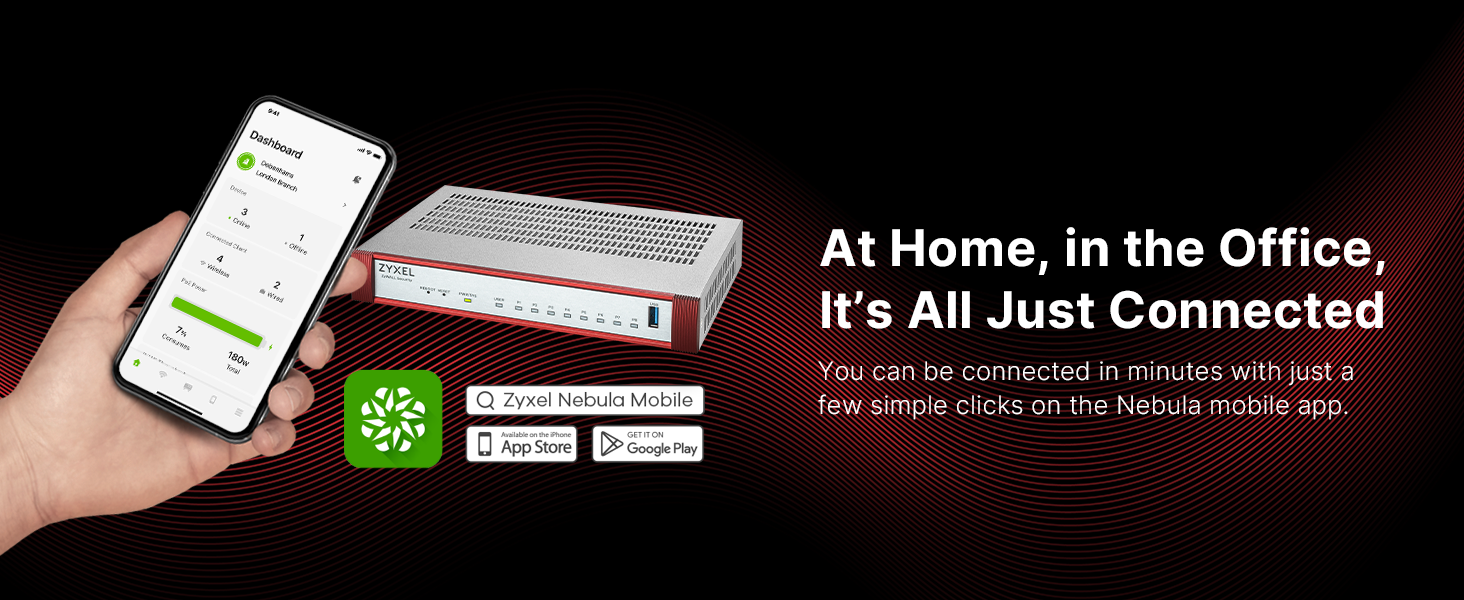
Figure 5: Nebula Mobile App for easy setup and monitoring.
The Nebula mobile app allows for quick setup and management, connecting your network in minutes.
7. Característiques de seguretat
The USGFLEX200H provides robust security with optional UTM services:

Figure 6: Licensed vs. Unlicensed Security Features
Key security services, such as Sandboxing, DNS reputation, Anti-malware, ransomware blocking, web filtering, application control, and IDP, are available as separately sold licenses. The base hardware includes Network Address Translation, Stateful Packet Inspection, Distributed Denial of Service protection, and VPN functionality.

Figure 7: AI-Powered Cloud Cybersecurity
Utilizing AI-powered cloud intelligence, the firewall delivers multi-layered protection to block threats and restrict inappropriate behavior.

Figure 8: License Comparison for Security Services
8. Rendiment

Figure 9: Performance Comparison with Prior Generation
The USGFLEX200H offers significant performance improvements over previous generations, including higher SPI Firewall, UTM, and VPN throughputs, and increased VLAN support.

Figure 10: Enhanced Performance and Management
The device features next-gen multi-core hardware with Fastpath technology, delivering up to 3x performance and speeds up to 6.5 Gbps SPI Firewall throughput.
9. Manteniment
- Actualitzacions de firmware: Regularly check for and apply firmware updates through the Nebula Cloud Management platform or the device's local web interfície per garantir un rendiment i una seguretat òptims.
- Inspecció física: Periodically inspect the device for dust accumulation, especially around ventilation areas. Ensure proper airflow to prevent overheating.
- Connexions de cable: Verify that all network cables are securely connected to prevent intermittent connectivity issues.
10. Solució De Problemes
- Sense energia: Ensure the power adapter is correctly connected to the device and a working power outlet. Check the power indicator light on the front panel.
- Sense accés a Internet: Verify WAN cable connection. Check your ISP's service status. Confirm WAN settings in the device's configuration.
- Rendiment lent: Check network traffic via Nebula Cloud or local interface. Consider upgrading security licenses if UTM features are heavily utilized.
- Restabliment del dispositiu: If the device is unresponsive, use the 'REBOOT RESET' button on the front panel. A short press reboots, a long press performs a factory reset (data loss will occur).
11. Especificacions
| Característica | Detall |
|---|---|
| Dimensions del producte | 16.8 x 2.9 x 9.8 polzades |
| Pes de l'article | 5.25 lliures |
| Número de model | USG FLEX 200H |
| Tecnologia de connectivitat | Ethernet, USB |
| Sistema operatiu | uOS |
| Max SPI Firewall Throughput | 5000 Mbps |
| Max UTM (AV+IDP) Throughput | 1500 Mbps |
| Rendiment màxim de VPN | 1200 Mbps |
| Max Concurrent Sessions | 600,000 |
| VLAN compatibles | 32 |
| Usuaris suggerits | Fins a 100 |
| Suggested Internet Speed | Fins a 1000 Mbps |
12. Garantia i Suport
For warranty information and technical support, please refer to the documentation included with your product or visit the official ZYXEL website. Online resources, FAQs, and contact information for customer service are typically available there.


