
1. Introducció
This manual provides instructions for the installation, operation, and maintenance of your TEEHO Fingerprint Door Lock. Please read this manual thoroughly before installation and use to ensure proper function and safety.
The TEEHO Fingerprint Door Lock offers multiple access methods including fingerprint recognition, keypad codes, and traditional keys. It is designed for residential door security and keyless access control.
2. Contingut del paquet
- Fingerprint Keypad Door Lock (Exterior and Interior Assemblies)
- 2 Passage Door Knobs / Levers
- Pestillo de cèrcol
- Placa de vaga
- Maquinari de muntatge
- Keys (for emergency override)
- Plantilla d'instal·lació
3. Configuració i instal·lació
Before installation, ensure your door meets the required dimensions for compatibility.

Image: Diagram illustrating door compatibility and dimensions for installation, including backset (2-3/8" or 2-3/4"), door thickness (1-3/8" to 2"), and bore hole diameter (2-1/8").
3.1 Preparació de la porta
- Verify door thickness and backset measurement.
- Use the provided template to mark and drill holes if necessary. The lock is suitable for 2-1/8" (54mm) door holes.
3.2 Instal·lació del pestell del forrellat
- Insert the deadbolt latch into the door edge. Ensure the 'UP' arrow is pointing upwards.
- Assegureu-vos amb cargols.
3.3 Installing the Exterior Assembly
- Feed the cable through the door hole, below the deadbolt latch.
- Align the exterior assembly with the deadbolt and door holes.
3.4 Installing the Interior Assembly
- Connecteu el cable del conjunt exterior al conjunt interior.
- Mount the interior assembly, ensuring proper alignment.
- Assegureu-vos amb cargols de muntatge.
3.5 Instal·lació de la bateria
- Traieu la coberta de la bateria del conjunt interior.
- Insert 4 AA alkaline batteries (not included), observing polarity.
- Substituïu la tapa de la bateria.
3.6 Installing Passage Door Levers
- Install the passage door levers according to their specific instructions.
4. Instruccions de funcionament
4.1 Desbloqueig d'empremta digital
The lock features 3D biometric fingerprint recognition. It can recognize your fingerprint in approximately 0.3 seconds and unlock the door in 1 second.
- Col·loca el dit registrat al sensor d'empremtes dactilars.
- The lock will unlock upon successful recognition.

Image: A person using their finger on the fingerprint sensor of the TEEHO door lock for quick unlocking.
4.2 Keyless Entry (Keypad)
The lock supports up to 20 access codes, each 4-10 digits long.
- Enter your registered access code on the keypad.
- Press the '#' key (or equivalent confirmation key).
- El bloqueig es desbloquejarà.
Contrasenya antiespionatge
To prevent others from guessing your code, you can enter random digits before or after your actual access code.

Image: Illustration of the anti-peep function, showing random digits entered before and after the actual password on the backlit keypad.
4.3 One-Time PIN Code
Generate a temporary PIN code for guests, cleaners, or delivery staff. This code will be automatically deleted after a single use.

Image: A person receiving a one-time PIN code on their phone for temporary access to the door.
4.4 Funció de bloqueig automàtic
The lock can be configured to automatically lock after a set period. This period can be adjusted between 10 and 99 seconds.
4.5 One-Touch Locking
To manually lock the door instantly, press and hold any key on the keypad for 2 seconds.
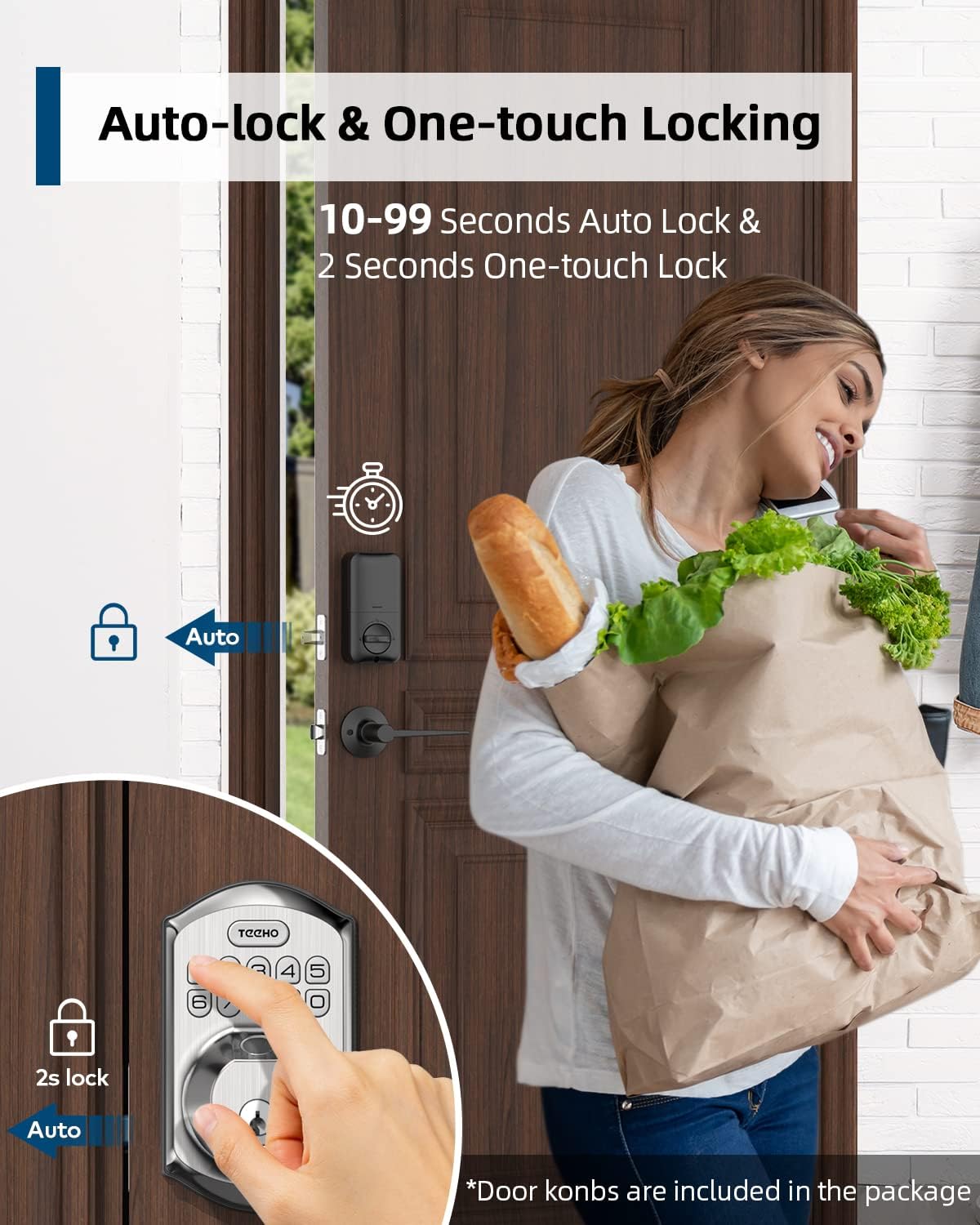
Image: Illustration showing the auto-lock function (10-99 seconds) and one-touch lock function (2 seconds hold) on the TEEHO door lock.
4.6 característiques addicionals
- Mode de silenci: Desactiva els sons del teclat per a un funcionament silenciós.
- Mode de vacances: Millora la seguretat quan estàs fora durant períodes prolongats.
- Teclat retroil·luminat: Millora la visibilitat en condicions de poca llum.
5. Manteniment
5.1 Substitució de la bateria
The lock is powered by 4 AA batteries, providing up to 1 year of battery life. The lock features a low battery indicator.

Imatge: Més deview of lock features including 20 fingerprints, 20 user codes, auto-lock, IP54 waterproof rating, one-time PIN code, one-touch locking, low battery indicator, and up to 1 year battery life.
- When the low battery indicator appears, replace all 4 AA batteries promptly.
- Use new alkaline batteries for optimal performance.
5.2 Neteja
Netegeu l'exterior del pany amb un drap suau iamp drap. Eviteu productes de neteja abrasius o dissolvents que puguin danyar l'acabat o els components electrònics.
5.3 Resistència a la intempèrie
The lock has an IP54 weather resistance rating, providing protection against dust and splashing water. While durable, avoid direct exposure to heavy rain or prolonged submersion.
6. Solució De Problemes
- El pany no respon: Check battery level. Replace batteries if low. Ensure cables are securely connected.
- Empremta digital no reconeguda: Ensure your finger is clean and dry. Try placing your finger at different angles. Re-register your fingerprint if issues persist.
- El teclat no funciona: Verify battery power. Ensure you are entering the correct code. Check for any physical damage to the keypad.
- El bloqueig automàtic no s'activa: Check the auto-lock settings to ensure it is enabled and the delay time is set correctly.
- El pany està fluix: Tighten mounting screws on both interior and exterior assemblies.
7. Especificacions
| Característica | Detall |
|---|---|
| Marca | TEEHO |
| Model | B0C69VNJ27 |
| Característica especial | empremta digital |
| Tipus de bloqueig | Teclat |
| Material | Níquel |
| Usos recomanats | Residential door security and keyless access control |
| Estil | Modern |
| Color | Níquel setinat |
| Nombre de peces | 1 (set includes lock and 2 passage door knobs) |
| Components inclosos | Fingerprint keypad door lock, 2 passage door knobs, door levers |
| Tipus de controlador | Control manual, botó mecànic |
| Mètode de control | Toca |
| Font d'alimentació | 4 AA Batteries (Alkaline recommended) |
| Durada de la bateria | Fins a 1 any |
| Resistència a la intempèrie | IP54 |
| ANSI Rating | Grau 3 |
8. Garantia i Suport
8.1 Informació de la garantia
Specific warranty details are not provided within this manual. Please refer to the product packaging, the manufacturer's official website, or your purchase documentation for comprehensive warranty information.
8.2 Atenció al client
For technical assistance, troubleshooting beyond this manual, or inquiries regarding your TEEHO Fingerprint Door Lock, please contact TEEHO customer support through their official weblloc web o el venedor on es va comprar el producte.


