Introducció
The Moman H2 Pro Motorcycle Intercom is designed to enhance your riding experience with advanced communication features. Equipped with 5.1 chip technology, it ensures stable connections and minimal latency, allowing for clear two-way communication up to 1000 meters. Enjoy Hi-Fi stereo sound with triple noise reduction (DSP & CVC) for crystal-clear audio even at high speeds. Its intuitive controls, AI voice assistant, FM radio, and music sharing capabilities make every journey safer and more enjoyable. The IP65 waterproof rating and long-lasting 900mAh battery ensure reliable performance in various weather conditions.

Figure 1: Moman H2 Pro Intercom Unit
Què hi ha a la caixa
Your Moman H2 Pro Intercom set includes all necessary components for installation and immediate use:
- Moman Intercom Set (main unit)
- Clip in velcro
- Clip posterior
- Tancaments de ganxo i llaç
- Replaceable speakers with rigid and soft mic
- Velcro for headphones
- cable USB
- Tornavís
- Manual d'usuari
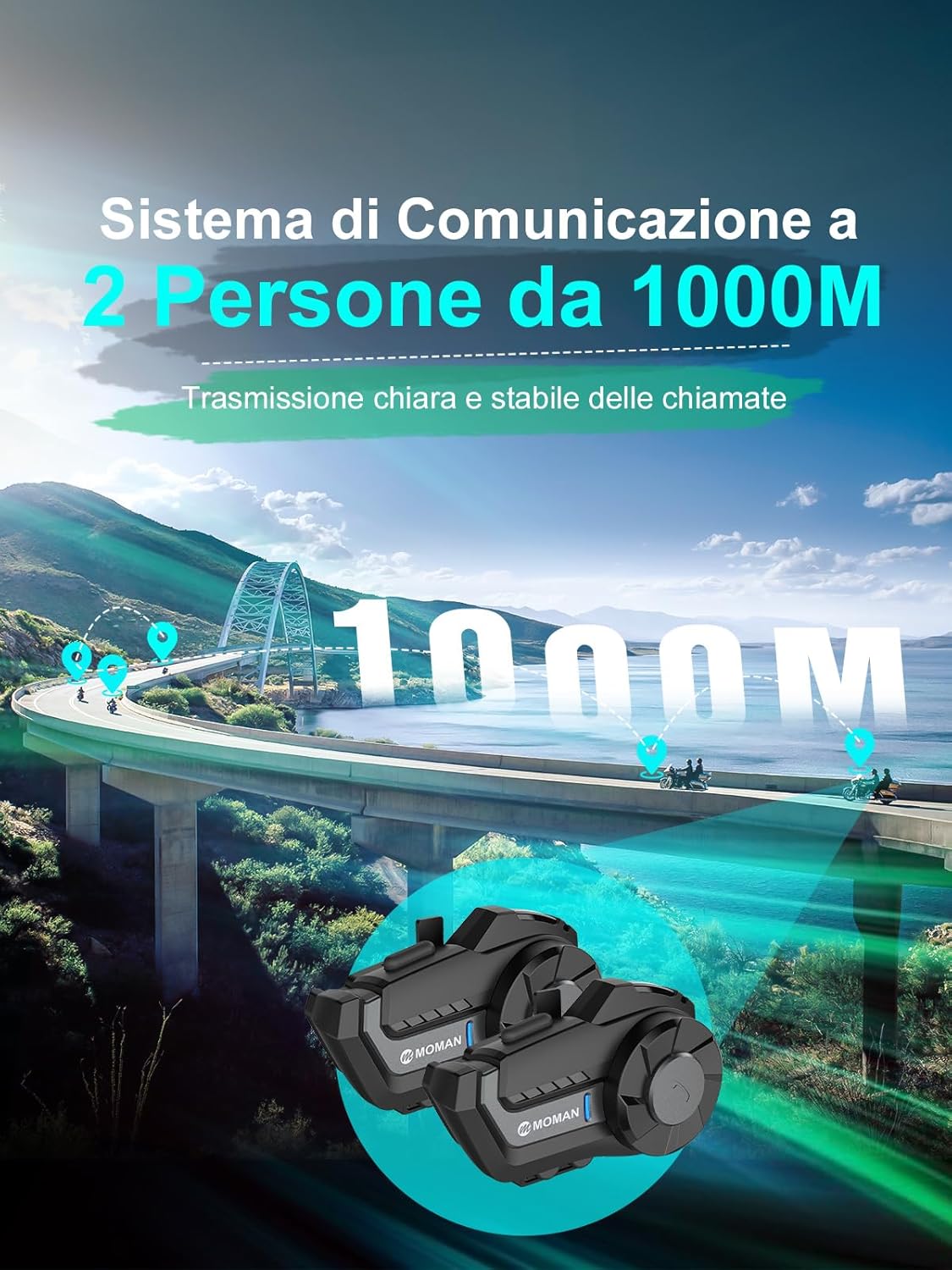
Figura 2: Components inclosos
Configuració i instal·lació
Follow these steps to properly install your Moman H2 Pro Intercom on your motorcycle helmet:
- Prepare the Helmet: If your helmet has removable padding, gently remove it to access the inner shell.
- Instal·lar altaveus: Attach the speakers to the inside of the helmet near your ears using the provided velcro pads. Ensure they are positioned comfortably and do not obstruct your hearing.
- Instal·lar el micròfon: Choose between the rigid or soft microphone based on your helmet type (full-face or open-face). Secure the microphone using its adhesive backing, positioning it close to your mouth for optimal voice pickup. Route the cable neatly along the helmet's interior.
- Cables de ruta: Carefully route all speaker and microphone cables through the helmet's padding and out to the side where the intercom unit will be mounted. Ensure cables are tucked away and do not interfere with comfort or safety.
- Attach Mounting Clip: Select the appropriate mounting clip (velcro or rear clip) for your helmet. Securely attach it to the side of the helmet, ensuring it is firm and stable.
- Unitat d'intercomunicació Mount: Slide the Moman H2 Pro unit onto the installed mounting clip until it clicks securely into place. Connect the speaker/microphone cable to the unit.
- Reinstall Padding: If removed, reinstall the helmet padding, ensuring all cables are neatly hidden and not pinched.

Figura 3: Passos d'instal·lació
Guia de vídeo d'instal·lació
Video 1: Detailed installation instructions for the Moman H2 Intercom.
Instruccions de funcionament
Familiarize yourself with the controls and functions of your Moman H2 Pro Intercom for optimal use.
Encès/Apagat
- Encès: Press and hold the On/Off Key for 2 seconds. The indicator light will illuminate.
- Apagar: Press and hold the On/Off Key for 6 seconds. The indicator light will turn off.
Pairing and Disconnection
- Vinculació amb el telèfon mòbil: With the unit off, press and hold the Function Key and the "+" button for 4 seconds to enter pairing mode. Cerca "MOMAN H2 PRO" on your phone's Bluetooth settings and connect.
- Vinculació d'intercomunicació: Ensure both intercom units are in pairing mode (blue and red lights flashing). Press the Function Key on one unit once to initiate intercom search. The units will automatically connect.
- Reconnexió: In standby mode, press the Function Key once to reconnect.
- Desconnexió: In standby mode, press the Function Key once to disconnect.
Funció de trucada
- Respondre/Finalitzar la trucada: Press the Function Key once.
- Resposta automàtica: If no action is taken for 8 seconds during an incoming call, the intercom will automatically answer.
- Turn Auto Answer On/Off: With Bluetooth disconnected, double-press the Function Key.
- Rebutja la trucada: Press and hold the Function Key for 3 seconds.
- Torna a marcar: In standby mode, double-press the Function Key.
Assistent de veu AI
- Activar: With Bluetooth connected, press the Function Key once to activate your phone's AI voice assistant (e.g., Siri, Google Assistant).
Control de música
- Music Share Function On/Off: Press and hold the Function Key for 2 seconds.
- Reproduir/pausa: Press the Function Key once.
- Següent cançó: Gireu el botó en sentit horari.
- Cançó anterior: Rotate the knob counter-clockwise.
Ajust de volum
- Disminueix el volum: Rotate the knob counter-clockwise.
- Augmenta el volum: Gireu el botó en sentit horari.
Ràdio FM
- Activar/desactivar l'FM: In standby mode, double-press the Function Key.
- Seleccioneu canals: Rotate the knob clockwise or counter-clockwise to change FM channels.
Mode de canvi
- Enter/Exit Intercom Mode: Double-press the Function Key.
- Enter/Exit Music Mode: Press the Function Key once.
- Enter/Exit FM Radio Mode: Double-press the Function Key.
Canvi d'idioma
- Canvia l'idioma: Press the Function Key and the "+" button simultaneously once to cycle through English, Japanese, and Italian.
Detailed Operating Video
Video 2: Comprehensive instructions for using the Moman H2 Pro's features.
Característiques clau
Advanced Connectivity with 5.1 Chip
The Moman H2 Pro features cutting-edge 5.1 chip technology, ensuring a stable and low-latency connection. It boasts a transmission range of up to 1000 meters for superior two-way communication, perfect for staying connected with fellow riders or passengers.

Figure 4: Enhanced Connectivity
Hi-Fi Stereo & Triple Noise Reduction (DSP & CVC)
Immerse yourself in exceptional sound quality with Hi-Fi stereo and 40mm speakers that reproduce vivid and realistic audio details. Equipped with DSP and CVC noise reduction technologies, along with a windproof microphone, the H2 Pro effectively reduces ambient noise by up to 95%, ensuring clear communication even at high speeds.

Figure 5: Superior Audio and Noise Cancellation
AI Voice Assistant & Convenient Controls
Enjoy hands-free control over calls, music, and navigation with the integrated AI voice assistant. The large knobs and glove-friendly buttons are designed for easy operation, minimizing distractions and allowing you to stay focused on the road for a safer and more enjoyable ride.

Figure 6: Intuitive Controls

Figura 7: Assistent de veu d'IA
FM Radio & Music Sharing
The built-in FM radio provides an additional source of entertainment for long rides, making every journey less monotonous. Music sharing is ideal for couples, friends, and families, allowing you to share your favorite tunes with a single click and enjoy them together.
Long-lasting Battery & IP65 Waterproof
With a powerful 900mAh battery, the H2 Pro offers up to 20 hours of continuous operation, providing ample time for extended rides without frequent recharging. Its IP65 waterproof certification ensures reliable performance in various weather conditions, including rain and dust.
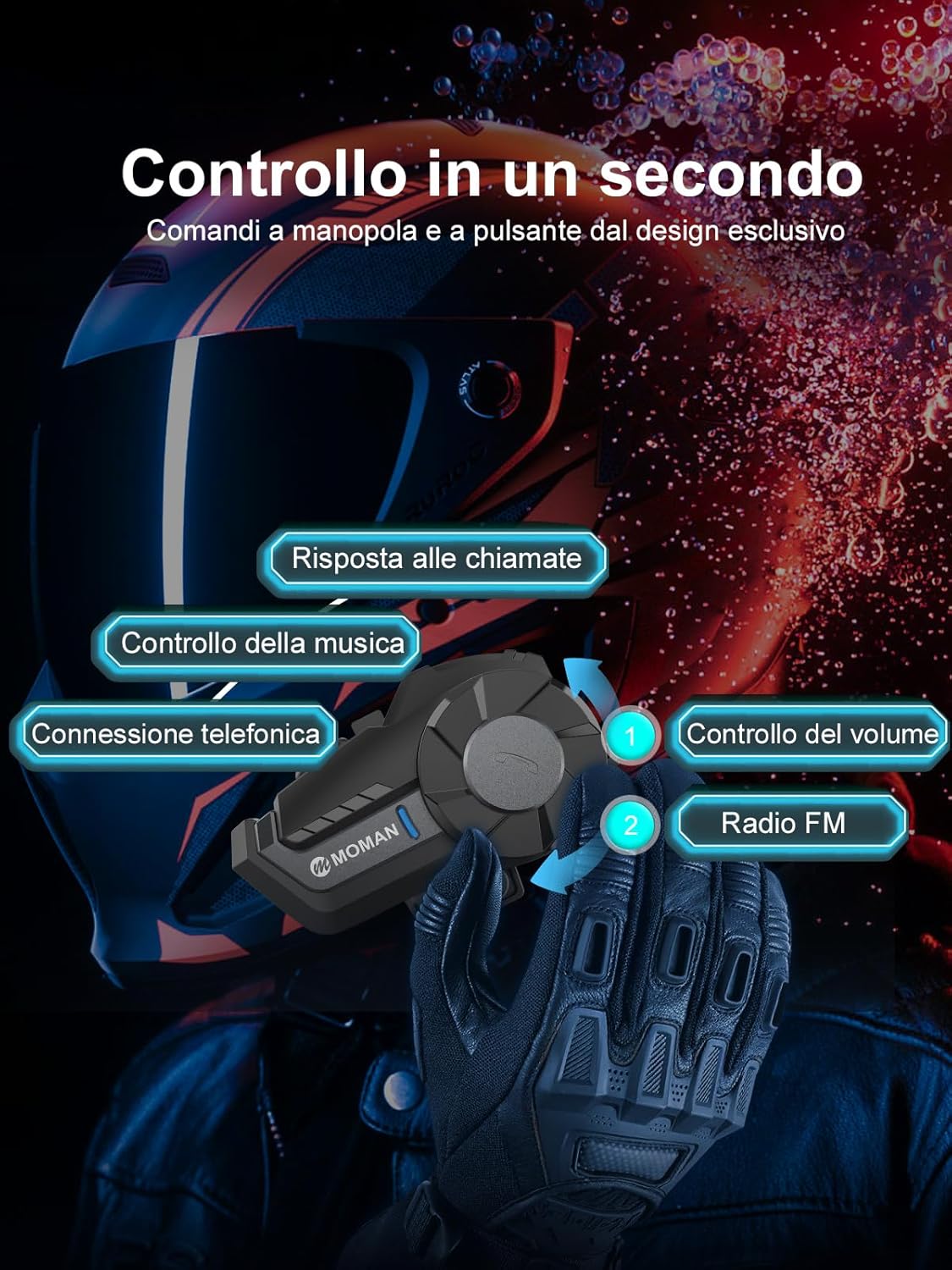
Figura 8: Resistència a la intempèrie
Especificacions
| Característica | Detall |
|---|---|
| Marca | mare |
| Número de model | MP-H2-BK-1 |
| Tecnologia de connectivitat | Sense fil (Bluetooth 5.1) |
| Control de soroll | Active Noise Cancellation (DSP & CVC) |
| Capacitat de la bateria | 900 mAh |
| Temps de funcionament | Fins a 20 hores |
| Temps de càrrega | 2 hores |
| Nivell de resistència a l'aigua | IP65 (Resistent a l'aigua) |
| Gamma d'intercomunicació | Fins a 1000 metres |
| Mida de l'altaveu | 40mm Hi-Fi Speakers |
| Espectre de freqüència | 100 Hz - 10,000 Hz |
| Pes | 340 grams |
| Tipus de control | Control multimèdia, control de trucades, assistent de veu |
Resolució de problemes
If you encounter any issues with your Moman H2 Pro Intercom, please refer to the following common troubleshooting steps:
- Sense energia: Ensure the battery is fully charged. Connect the intercom to a power source using the provided USB cable.
- No es pot emparellar: Make sure the intercom is in pairing mode (flashing blue/red light). On your device, forget any previous pairings and try connecting again. Ensure both devices are within close proximity.
- Mala qualitat d'àudio/soroll: Check that the microphone and speakers are correctly installed and positioned. Ensure the helmet padding is properly reinstalled. The noise reduction features work best when the microphone is close to your mouth and away from direct wind.
- Desconnexions de l'intercomunicador: Ensure both units are within the specified 1000m range. Obstacles and interference can affect range. Try re-pairing the units.
- Botons que no responen: Try restarting the intercom unit. If the issue persists, ensure no debris is obstructing the buttons.
For persistent issues, please contact Moman customer support.
Manteniment
To ensure the longevity and optimal performance of your Moman H2 Pro Intercom, follow these maintenance guidelines:
- Neteja: Netegeu la unitat d'intercomunicació amb un drap suauamp drap. No utilitzeu productes químics agressius ni netejadors abrasius. Assegureu-vos que el port de càrrega estigui sec abans de carregar-lo.
- Emmagatzematge: Guardeu l'intercomunicador en un lloc fresc i sec quan no l'utilitzeu. Eviteu temperatures extremes.
- Cura de la bateria: Per a l'emmagatzematge a llarg termini, carregueu la bateria al 50% aproximadament cada pocs mesos per evitar una descàrrega profunda.
- Inspecció del cable: Periodically check cables for any signs of wear, fraying, or damage. Replace if necessary.
Informació de seguretat
Always prioritize safety while riding. Use the intercom responsibly and adhere to local traffic laws and regulations. Avoid excessive volume levels that may impair your ability to hear external sounds. Do not attempt to repair the unit yourself; refer to qualified service personnel.
Garantia i Suport
Moman products come with a standard manufacturer's warranty. For detailed warranty information, product support, or service inquiries, please visit the official Moman weblloc web o poseu-vos en contacte amb el seu departament d'atenció al client. Conserveu el comprovant de compra per a reclamacions de garantia.
Moman Official Store: Visit Moman Store on Amazon