Introducció
This manual provides instructions for the safe and efficient use of your eKids Bluey Bluetooth Headphones, model BU-B52. Please read this manual thoroughly before operating the device and retain it for future reference.

Imatge: Frontal view of the eKids Bluey Bluetooth Headphones, featuring Bluey-themed earcups and plush ears on the headband.
Informació de seguretat
- Nivell de volum: The headphones are designed with a volume limit of 85 dB to protect hearing. Prolonged exposure to high volume levels can still cause hearing damage.
- Perill d'asfixia: Mantingueu les peces petites i els cables fora de l'abast dels nens petits per evitar el risc d'asfíxia.
- Resistència a l'aigua: This product is not water resistant. Avoid exposure to liquids.
- Neteja: Feu servir un drap suau i sec per netejar. No utilitzeu netejadors líquids ni aerosols.
- Seguretat de la bateria: Do not attempt to replace the internal lithium-ion battery. Dispose of the product according to local regulations.
Contingut del paquet
Verifiqueu que tots els elements siguin presents al paquet:
- eKids Bluey Bluetooth Headphones (Model BU-B52)
- Cable d'àudio de 3.5 mm
- USB Charging Cable (Micro USB to USB-A, typically)
- Manual d'usuari (aquest document)

Imatge: Més deview of the headphones highlighting features like adjustable headband, foldable design, comfortable ear cushions, and showing the included charging and line-in cables.
Producte acabatview
Familiarize yourself with the various parts and controls of your headphones:
- Diadema ajustable: Allows for a custom fit.
- Coixins tous per a les orelles: Provide comfort during use.
- Controls supraaurals: Buttons for power, volume, and playback (specific functions detailed in Operating Instructions).
- Micròfon integrat: Per a la comunicació amb mans lliures.
- Conector d'àudio de 3.5 mm: Per a connexió amb cable.
- Port de càrrega USB: Per recarregar la bateria interna.
- Indicador LED: Mostra l'estat de l'alimentació i de l'emparellament.
Configuració
1. Càrrega dels auriculars
- Localitza el port de càrrega USB dels auriculars.
- Connect the smaller end of the USB charging cable to the headphone's charging port.
- Connect the larger end of the USB charging cable to a powered USB port (e.g., computer, USB wall adapter).
- L'indicador LED s'il·luminarà durant la càrrega i s'apagarà o canviarà de color quan estigui completament carregat.
- A full charge provides up to 37 hours of continuous Bluetooth playtime.
2. Encès / apagat
- Per encendre: Premeu i manteniu premut el botó d'engegada fins que l'indicador LED s'encengui.
- Per apagar: Premeu i manteniu premut el botó d'engegada fins que l'indicador LED s'apagui.
3. Emparellament Bluetooth (mode sense fil)
- Assegureu-vos que els auriculars estiguin carregats i apagats.
- Press and hold the Power button for approximately 5-7 seconds until the LED indicator flashes rapidly (usually blue and red), indicating pairing mode.
- Al dispositiu (telèfon intel·ligent, tauleta, ordinador), activeu el Bluetooth i cerqueu els dispositius disponibles.
- Select "eKids Bluey Headphones" or "BU-B52" from the list of found devices.
- Once paired, the LED indicator will typically flash slowly or turn solid blue.
- Els auriculars intentaran tornar a connectar-se automàticament amb l'últim dispositiu emparellat quan s'engeguin.
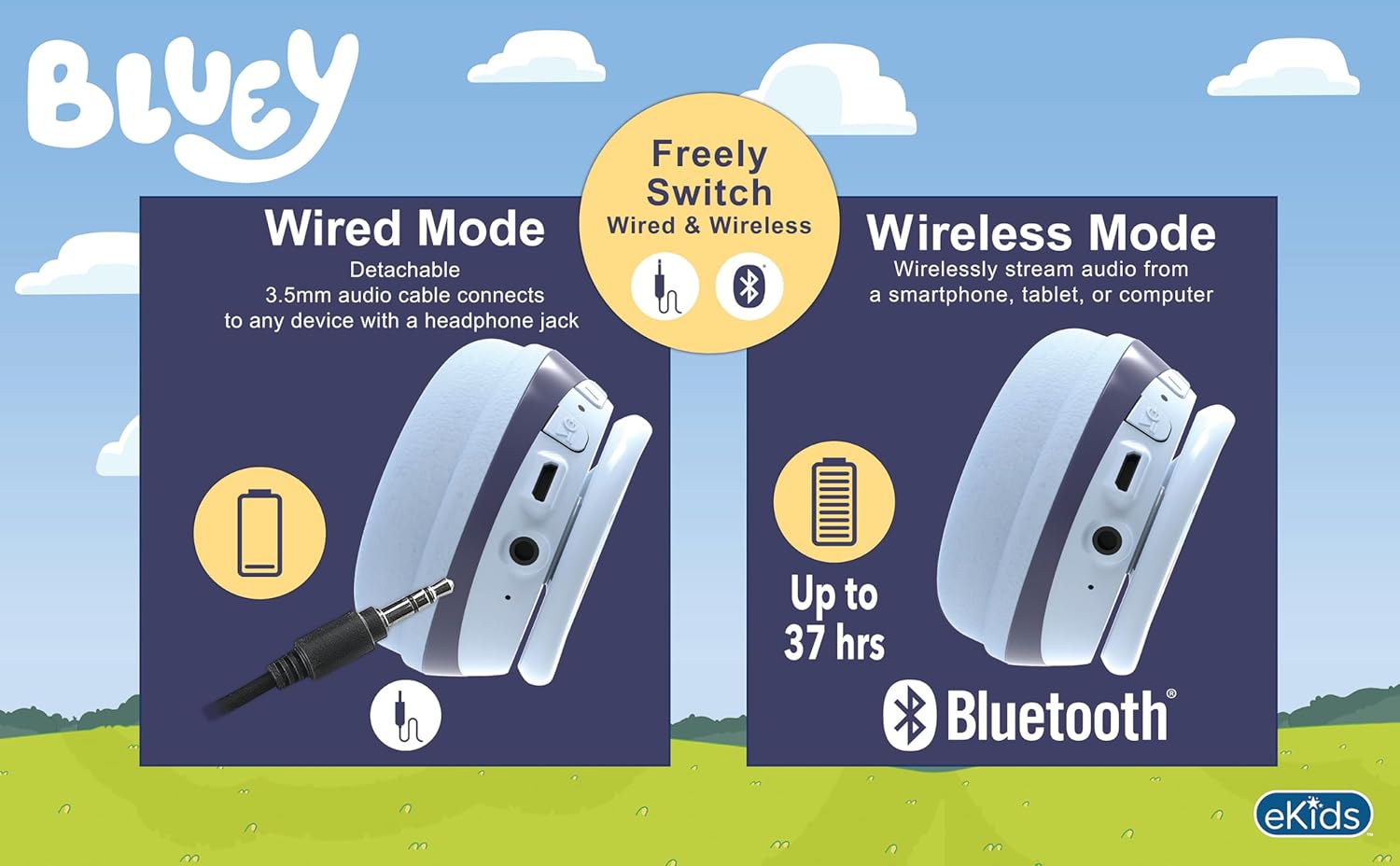
Image: A visual comparison of wired mode (using a 3.5mm audio cable) and wireless mode (Bluetooth connection with up to 37 hours of battery life).
4. Connexió per cable (mode auxiliar)
- Assegureu-vos que els auriculars estiguin apagats.
- Connect one end of the included 3.5mm audio cable to the headphone's 3.5mm audio jack.
- Connecteu l'altre extrem del cable d'àudio de 3.5 mm a la presa de sortida d'àudio del vostre dispositiu.
- The headphones will function in wired mode, bypassing Bluetooth. No battery power is required for wired listening.
Instruccions de funcionament
The headphones feature integrated controls for ease of use.
1. Control de volum
- Use the volume buttons located on the headphones to adjust the listening level.
- The headphones have a built-in volume limiter set at 85 dB for hearing protection.
2. Music Playback (Bluetooth Mode)
- Reproduir/pausa: Premeu el botó Reproduir/Pausa una vegada.
- Pista següent: Press and hold the Volume Up button (or specific 'next' button if present).
- Pista anterior: Press and hold the Volume Down button (or specific 'previous' button if present).
3. Call Functions (Bluetooth Mode)
- Respondre/Finalitzar la trucada: Press the Play/Pause button once during an incoming call or active call.
- Rebutja la trucada: Mantingueu premut el botó Reproduir/Pausa durant una trucada entrant.
- Ús del micròfon: The built-in microphone activates automatically during calls.
Manteniment
- Neteja: Netegeu els auriculars amb un drap suau, sec i sense borrissol. No utilitzeu productes de neteja abrasius, alcohol ni dissolvents químics.
- Emmagatzematge: Quan no els utilitzeu, guardeu els auriculars en un lloc fresc i sec, allunyats de la llum solar directa i de temperatures extremes. El disseny plegable permet un emmagatzematge compacte.
- Cura de la bateria: Per allargar la durada de la bateria, eviteu descarregar completament els auriculars amb freqüència. Carregueu-los regularment, fins i tot si no els feu servir durant períodes prolongats.
Resolució de problemes
| Problema | Possible solució |
|---|---|
| Els auriculars no s'engeguen. | Ensure the headphones are fully charged. Connect to a power source using the USB charging cable. |
| No es pot emparellar per Bluetooth. |
|
| No hi ha so en mode sense fil. |
|
| No hi ha so en mode amb cable. |
|
| El micròfon no funciona. |
|
Especificacions
| Número de model | BU-B52 |
| Connectivitat | Bluetooth (Wireless), 3.5mm Audio Jack (Wired) |
| Interval Bluetooth | Fins a 10 metres (33 peus) |
| Tipus de bateria | Ió de liti (inclòs) |
| Durada de la bateria | Up to 37 hours (Bluetooth playtime) |
| Sensibilitat | 85 dB (Volume Limited) |
| Interval de freqüència | 20 Hz - 20,000 Hz |
| Pes | 9.3 unces (0.27 quilograms) |
| Material | Plàstic |
| Fabricant | KIDdesigns |
Garantia i Suport
For warranty information or technical support, please refer to the documentation included with your purchase or visit the official eKids weblloc web. Les dades de contacte del servei d'atenció al client solen estar disponibles al lloc web del fabricant. weblloc.
You can visit the eKids store at eKids Amazon Store per a més informació.


