1. Introducció
This manual provides essential information for the safe and efficient operation of your OMTech Pronto 35 90W CO2 Laser Engraver Cutter. Please read all instructions carefully before use to ensure proper setup, operation, and maintenance. This machine is designed for precision engraving and cutting of various non-metallic materials.
2. Informació de seguretat
Your OMTech Pronto 35 is a Laser Class 2 device with 0.827 mW output power. Adhere to all safety guidelines to prevent injury or damage. The product contains materials known to the State of California to cause cancer and birth defects or other reproductive harm (Proposition 65 warning).
- Protecció ocular: Always wear appropriate laser safety glasses when operating the machine.
- Ventilació: Ensure adequate ventilation to remove fumes and debris generated during operation. The powerful air pump and 318 cfm turbo exhaust fan assist in maintaining a clean workspace.
- Compatibilitat de materials: Only engrave or cut materials specified as safe for CO2 lasers. Avoid materials that produce toxic fumes or are highly flammable.
- Parada d'emergència: Familiaritzeu-vos amb la ubicació i la funció del botó d'aturada d'emergència.
- Sensors integrats: The machine features built-in sensors that continuously monitor temperature and air pressure, stopping operation if necessary to prevent overheating or low-pressure conditions.
- Flame-Retardant PC Board: The integrated flame-retardant PC board significantly reduces the risk of fire during operation.
- Safe Observation: Utilize the flame-resistant window to track your process safely.
3. Característiques del producte
- Separate Shipments: The laser engraver and water chiller are shipped in two separate packages.
- Versatile Material Processing: Capable of cutting, engraving, and shaping wood (up to 0.4"), acrylic (up to 0.8"), leather, fabric, cardboard, glass, and other non-metallic materials.
- Fast & Accurate Autofocus: Advanced autofocus feature instantly calibrates the laser's focal point with a push of a button, ensuring precision.
- Large Workspace & High Speed: Features a 28"x20" workspace and a maximum engraving speed of 1,000 mm/s for efficient project completion.
- Effortless Accuracy: X and Y-axis stepping motors with V-wheel guide rails minimize wobbling and misalignment.
- Flux d'aire millorat: Includes a powerful air pump and 318 cfm turbo exhaust fan for a clean workspace.
- Seamless Software Compatibility: Fully compatible with RDWorks, CorelLaser, and LightBurn.
- 2-Way Pass-Through: Allows for working with larger materials than the workbed.
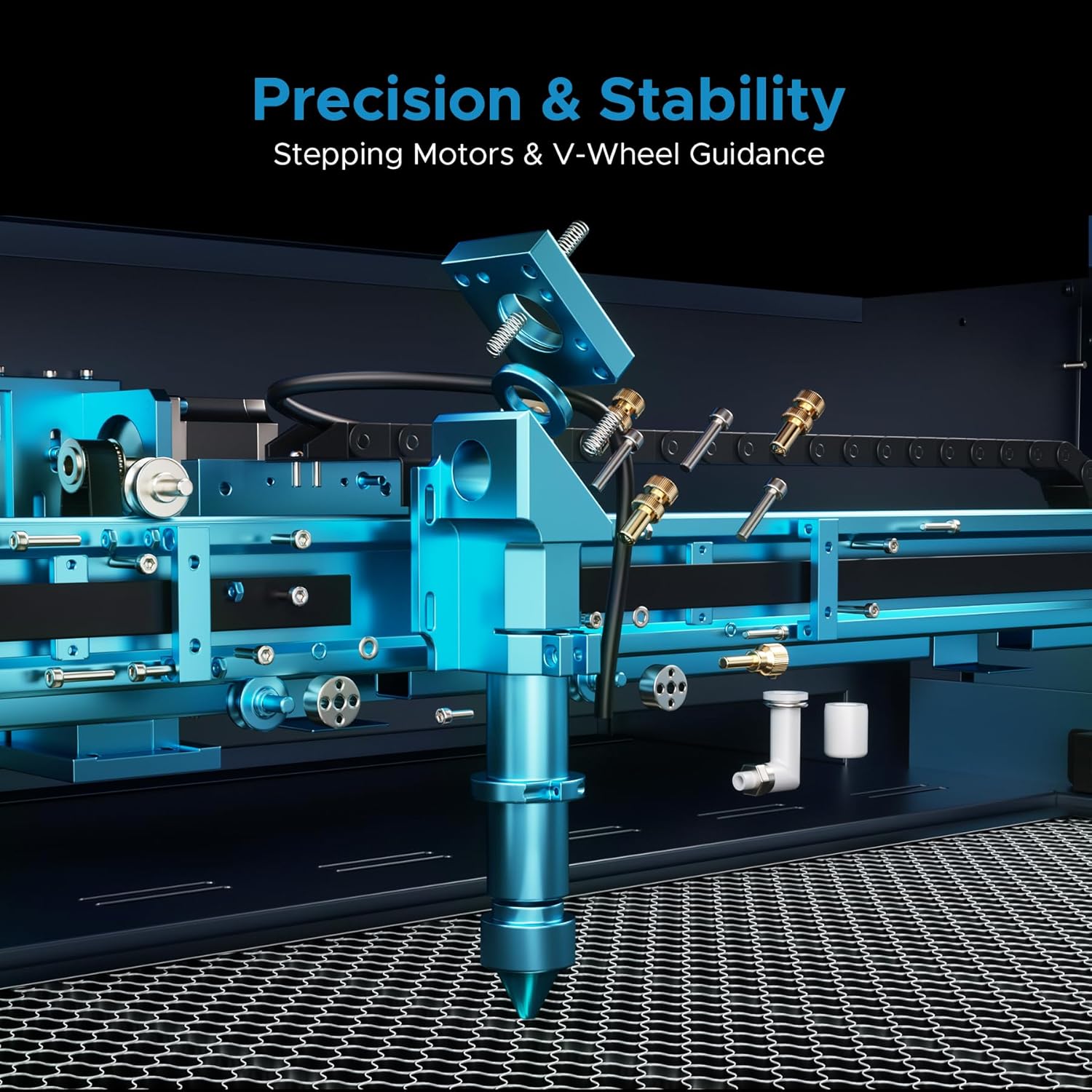
Figure 3.1: Key features of the OMTech Pronto 35, including power, speed, autofocus, work area, and software compatibility.

Figure 3.2: The 2-Way Pass-Through design allows for processing materials larger than the internal workbed.
4. Configuració
Upon receiving your OMTech Pronto 35, ensure both packages (laser engraver and water chiller) have arrived. Carefully unpack all components and verify against the packing list. Place the machine on a stable, level surface.
- Chiller Connection: Connect the provided water chiller to the laser engraver according to the chiller's specific instructions. Ensure the chiller is filled with distilled water or a recommended coolant.
- Air Assist & Exhaust: Connect the air assist hose to the laser head and the exhaust fan to the machine's exhaust port, directing fumes safely outdoors or to a filtration system.
- Connexió d'alimentació: Connecteu la màquina a una presa de corrent amb terra.
- Instal·lació de programari: Install the necessary software (RDWorks, CorelLaser, or LightBurn) on your computer and connect it to the laser engraver via USB or Ethernet.
Vídeo 4.1: Acabatview of the CO2 Laser Engraver, including initial setup considerations.
5. Instruccions de funcionament
Before starting any operation, ensure all safety precautions are in place and the material is correctly positioned on the workbed.
- Encès: Turn on the main power switch and the laser power switch.
- Col·locació del material: Place your material on the honeycomb workbed. For optimal results, ensure the material is flat and secure.
- Enfocament automàtic: Utilize the advanced autofocus feature by pressing the dedicated button on the control panel. This will automatically set the correct focal distance for your material.
- Funcionament del programari: Open your design file in LightBurn, RDWorks, or CorelLaser. Adjust settings such as power, speed, and resolution based on your material and desired outcome.
- Treball Preview: Feu servir la preinstal·lació del programariview function to verify the engraving/cutting path.
- Inicia la feina: Initiate the laser job from the software or the machine's control panel. Monitor the process through the flame-resistant observation window.

Figure 5.1: The Intelligent Auto-Focus system simplifies setup by automatically adjusting the laser head.
Video 5.1: Detailed guide on how to laser engrave a photo using a CO2 Laser Engraver.
Video 5.2: Demonstration of laser engraving and cutting on acrylic mirror for a DIY project.
6. Manteniment
Un manteniment regular garanteix la longevitat i el rendiment òptim del vostre gravador làser.
- Neteja de lents: Periodically clean the laser lens and mirrors with appropriate cleaning solutions and wipes to maintain laser beam quality.
- Workbed Cleaning: Regularly clean the honeycomb workbed to remove debris and residue, which can affect cutting quality and fire safety.
- Water Chiller Maintenance: Follow the water chiller's instructions for regular water changes and cleaning to prevent algae buildup and ensure efficient cooling of the laser tube.
- Air Assist & Exhaust System: Inspect and clean the air assist nozzle and exhaust fan/ducts to ensure proper airflow and smoke extraction.
- Lubricació: Lubricate the guide rails and moving parts as recommended in the detailed product manual to ensure smooth operation.

Figure 6.1: Illustration of the efficient smoke and dust removal system for cleaner engraving.
7. Solució De Problemes
- Overheating Alert: If the machine displays an overheating alert (e.g., >131°F), it will automatically stop. Check the water chiller for proper function, water level, and circulation. Allow the machine to cool down before resuming operation.
- Alarma de baixa pressió: A built-in pressure sensor triggers an alarm if pressure drops, indicating a potential issue with the air assist or exhaust system. Inspect hoses and connections for blockages or leaks.
- Mala qualitat de gravat/tall: Verify focal distance using the autofocus function. Check laser power and speed settings in your software. Ensure the material is flat and the lens/mirrors are clean.
- Problemes de connexió de programari: Ensure USB/Ethernet cables are securely connected. Restart both the machine and computer. Check software settings for correct port selection.

Figure 7.1: The overheating alert system monitors temperature and automatically stops the machine if it exceeds safe limits.

Figure 7.2: The low-pressure alarm system uses built-in sensors to detect pressure drops and prevent potential risks.
8. Especificacions
| Característica | Detall |
|---|---|
| Dimensions del producte | 49.6 x 34.3 x 36.6 polzades |
| Número de model de l'article | RYGEL-USB0906US |
| Pes de l'article | 441 lliures |
| Fabricant | OMTech |
| Data de primera disponibilitat | 2 de juny de 2023 |
9. Garantia i Suport
OMTech provides 2 years of comprehensive service for this product. Our 24/7 global support team offers expert assistance, including technical guidance and local demonstrations by appointment. For any inquiries or support needs, please contact OMTech customer service.
- Atenció al client: Access 24/7 online customer service for immediate assistance.
- Guia tècnica: Receive expert technical guidance from our global support team.
- Local Demos: Schedule local demonstrations by appointment to enhance your understanding and skills.


