1. Introducció
This manual provides detailed instructions for the installation, operation, and maintenance of your GAMDIAS TALOS E2 Elite V2 ATX Mid Tower Gaming Case. Please read this manual thoroughly before beginning assembly or use to ensure proper functionality and safety.
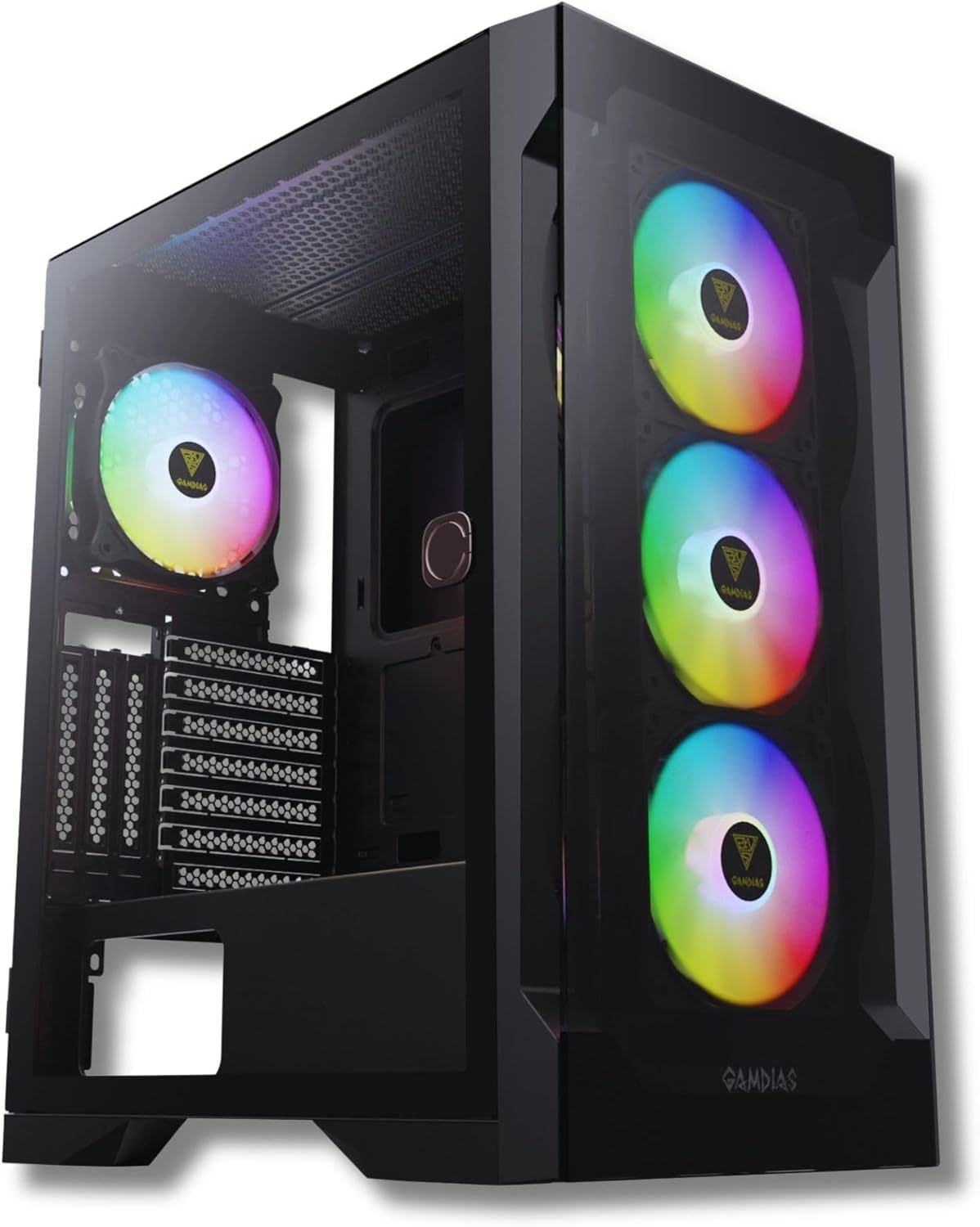
Davant-esquerra view of the GAMDIAS TALOS E2 Elite V2 gaming case, showcasing its tempered glass side panel, three front ARGB fans, and one rear ARGB fan.
2. Característiques clau
- RGB Gaming PC Case Sync with 5V ARGB Motherboards: The TALOS E2 ELITE supports ARGB connection to compatible motherboards for system-wide lighting synchronization.
- Sleek Design with Tempered Glass: Features a magnetic tempered glass swing door, designed for durability, scratch resistance, and a clear view de components interns.
- Excellent Airflow: Includes three built-in 120mm ARGB fans in the front and one rear black fan, complemented by a seamless tempered glass front panel for optimal airflow.
- One-Touch RGB Control: Easily switch between various RGB streaming lighting styles with a single button.
- PSU Shroud and Magnetic Dust Filters: Incorporates a PSU basement and magnetic filters to maintain internal cleanliness and support radiator installations up to 280mm (top) and 360mm (front).
3. Configuració i instal·lació
Before installing components, ensure you have all necessary tools, including screwdrivers and cable ties. Refer to your motherboard and component manuals for specific installation instructions.
3.1 Accessing the Interior
The case features a magnetic tempered glass swing door for easy access to the interior. Gently pull the handle to open the side panel.

The GAMDIAS TALOS E2 Elite V2 case with its magnetic tempered glass swing door opened, revealing the interior and the pre-installed ARGB fans.
3.2 Instal·lació de la placa base
The TALOS E2 Elite V2 supports ATX, Micro-ATX, and Mini-ITX motherboards. Install the appropriate standoffs for your motherboard size before securing it with screws.
3.3 Instal·lació de la unitat
The case provides drive bays for storage devices:
- 2 x 3.5" or 1 x 2.5" + 1 x 3.5" (HDD Cage)
- 3 x 2.5"
Secure your SSDs and HDDs in the designated locations using the provided screws.
3.4 Instal·lació de la font d'alimentació
Install your power supply unit (PSU) in the dedicated shroud at the bottom of the case. Ensure proper cable management for optimal airflow.
3.5 Connecting Front I/O Ports
Connect the cables from the case's front I/O panel to the corresponding headers on your motherboard. These include USB 3.0, USB 2.0, HD Audio, and the LED control button.

Detail of the top panel I/O ports, including LED control button, HD Audio jacks, two USB 2.0 ports, and one USB 3.0 port.
4. Funcionament
4.1 Encès
Press the power button located on the top I/O panel to turn on your system.
4.2 Control d'il·luminació ARGB
Els ventiladors ARGB preinstal·lats es poden controlar de dues maneres:
- Sincronització de la placa base: Connect the ARGB cables to a compatible 5V ARGB header on your motherboard. Use your motherboard's software to customize lighting effects.
- Botó de control LED de la caixa: If not connected to a motherboard, use the dedicated LED control button on the top I/O panel to cycle through various pre-set lighting modes.
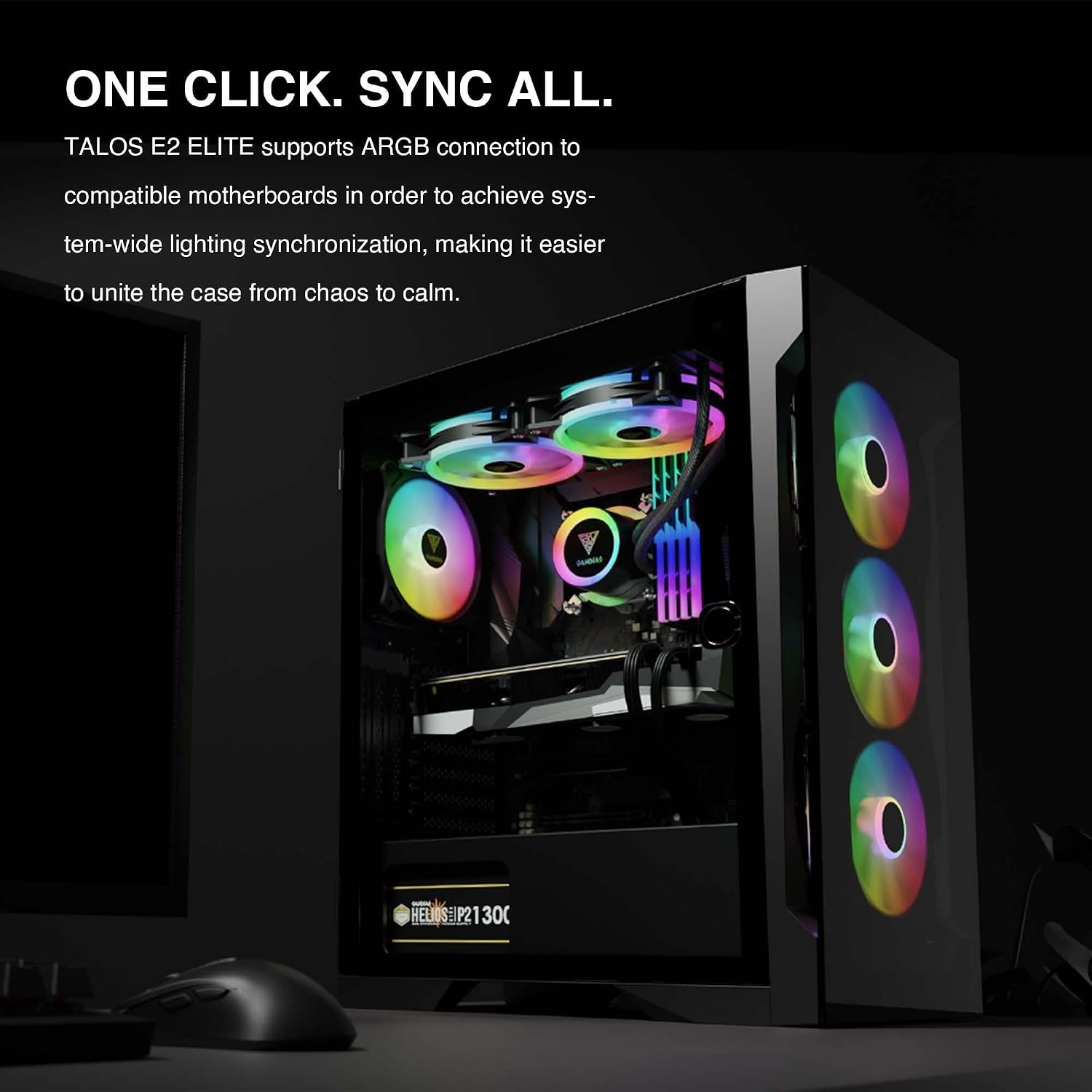
The interior of the TALOS E2 Elite V2 case, demonstrating system-wide ARGB lighting synchronization with compatible motherboards.
5. Manteniment
Un manteniment regular ajuda a garantir un rendiment òptim i una major longevitat de la carcassa del teu PC.
- Filtres de pols: The TALOS E2 Elite V2 includes magnetic dust filters on the top and bottom. Regularly remove and clean these filters to prevent dust buildup and maintain airflow.
- Neteja interior: Periodically use compressed air to remove dust from internal components and fans. Ensure the system is powered off and unplugged before cleaning.
- Neteja exterior: Netegeu les superfícies exteriors, inclosos els panells de vidre temperat, amb un drap suau i sec.amp tela. Eviteu els netejadors abrasius.
6. Solució De Problemes
If you encounter issues with your PC case, consider the following common troubleshooting steps:
- Sense energia: Assegureu-vos que tots els cables d'alimentació estiguin connectats correctament a la font d'alimentació, a la placa base i a la presa de corrent. Verifiqueu que l'interruptor de la font d'alimentació estigui en la posició "ON".
- Els ventiladors no giren/RGB no funciona: Check that all fan and ARGB cables are correctly connected to the motherboard or the case's ARGB controller. If using motherboard software, ensure it is properly configured.
- Flux d'aire deficient/sobreescalfament: Clean dust filters and internal components. Ensure fans are oriented correctly for optimal airflow (intake/exhaust). Verify no cables are obstructing airflow.
- Connexions soltes: Re-seat all internal cables, including power, data, and front panel connectors, to ensure they are firmly attached.
7. Especificacions
Below are the technical specifications for the GAMDIAS TALOS E2 Elite V2 ATX Mid Tower Gaming Case:

A detailed table outlining the technical specifications of the TALOS E2 Elite V2 case, including case type, motherboard support, RGB synchronization, expansion slots, radiator support, fan support, preinstalled fans, drive bays, I/O ports, and clearance dimensions.
| Característica | Detall |
|---|---|
| Tipus de cas | Torre mitja |
| Compatibilitat amb la placa base | ATX, Micro ATX, Mini ITX |
| RGB Synchronization | Capçalera adreçable de 5 V de 3 pins |
| Ranures d'expansió | 7 + 3 |
| Suport del radiador (superior) | 240 mm |
| Suport del radiador (davanter) | 360 mm, 280 mm |
| Suport del radiador (posterior) | 140 mm, 120 mm |
| Suport del ventilador (superior) | 2x120mm, 2x140mm |
| Suport del ventilador (frontal) | 3x120mm, 2x140mm, 2x200mm |
| Suport del ventilador (posterior) | 1x120mm, 1x140mm |
| Preinstalled Fans | Front: 3 x 120mm ARGB Fan, Rear: 1 x 120mm ARGB Fan |
| Drive Bays | 2 x 3.5" or 1 x 2.5" + 1 x 3.5" (HDD Cage) / 3 x 2.5" |
| Ports d'E/S | USB 3.0 x1, USB 2.0 x2, àudio HD x1, control LED x1 |
| Alçada lliure del refrigerador de CPU | 190 mm |
| Distància de longitud VGA | 340 mm |
| Longitud de la font d'alimentació | 180 mm |
| Pes de l'article | 15.73 lliures (7.15 kg) |
| Dimensions del producte (LxWxH) | 13.7 x 9 x 17.5 polzades |
| Material | Vidre temperat |
| Color | Negre |
8. Garantia i Suport
Per obtenir informació sobre la garantia i assistència tècnica, consulteu la pàgina oficial de GAMDIAS. weblloc web o poseu-vos en contacte amb el servei d'atenció al client. Conserveu el comprovant de compra per a reclamacions de garantia.
Oficial de GAMDIAS Weblloc: www.gamdias.com


